
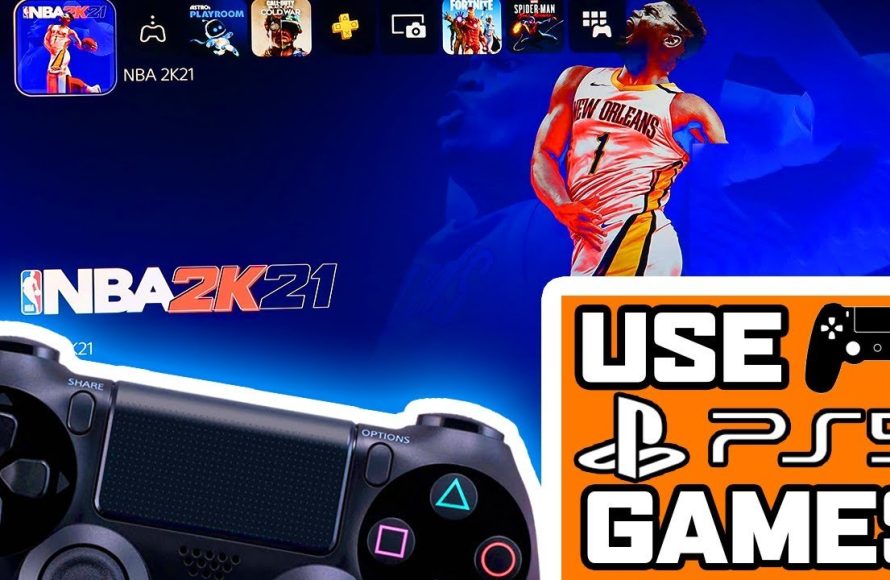
Unfortunately, you cannot directly use a PS4 controller to play PS5 games. The DualSense controller is required for PS5 titles.
So, you’ve got your shiny new PlayStation 5, but you’re finding that you still prefer the feel of your old DualShock 4 controller? You are probably wondering how to use ps4 controller on ps5 games. It’s a common question, with many gamers facing this exact situation. Unfortunately, Sony made changes that prevent this from working the way we hoped.
This is because the PS5 games are designed to take full advantage of the unique features of the DualSense controller. It utilizes new haptic feedback and adaptive triggers. These advancements are not compatible with the older DualShock 4. That means you cannot simply connect the PS4 controller to your PS5 to play these games.

How to Use PS4 Controller on PS5 Games
Okay, let’s talk about something that might be a little tricky – using your old PlayStation 4 controller to play games on your shiny new PlayStation 5. You’ve probably got a favorite PS4 controller, maybe with a cool skin or a comfy grip. It’s natural to wonder if you can use it on your PS5 games, especially since it feels so good in your hands. The short answer? It’s a bit of a mixed bag, and we’ll break down everything you need to know. The PS5 uses a different controller – the DualSense – with fancy features like haptic feedback and adaptive triggers. Unfortunately, Sony designed the PS5 in a way that mostly favors the new DualSense controller.
The Official Word: PS4 Controllers and PS5 Games
First, it’s important to know what Sony, the makers of PlayStation, say about this. The official PlayStation stance is that PS4 controllers, including the DualShock 4, cannot be used to play PS5 games. That’s a bit disappointing, right? They want you to experience those next-gen games with the next-gen controller, the DualSense. They think the new controller is important for the experience. But, there’s a loophole, and it is the key to the matter.
The Key Exception: Playing PS4 Games on PS5
Here’s the good news! While you can’t play PS5 games with a PS4 controller, you can use your DualShock 4 to play PS4 games on your PS5. This is a big deal because the PS5 can play most PS4 games. If you are playing games such as God of War, Spider-Man, The Last of Us, Horizon Zero Dawn, or any other PS4 titles, you can happily use your old PS4 controller. The PS5 is backwards compatible, which means it can play almost all PS4 games and there are many great games to enjoy.
Think of it like this: the PS5 allows you to play both new games made for the PS5 (that need a DualSense controller) and old games made for the PS4 (that can be enjoyed with your old DualShock 4). So it’s not a complete loss for your trusty old controller. It’s just specific situations where you can use it.
Why Can’t I Play PS5 Games With My PS4 Controller?
You might be wondering why Sony decided to make things this way. Here’s the main reason: they want you to have a special experience when playing the new PS5 games. The DualSense controller has special tech inside, like haptic feedback that lets you feel the game more realistically. It also has adaptive triggers, so the buttons can give resistance. You feel the tension as you draw a bow in a game, for example. These features are key to what makes PS5 games feel different and immersive. The PS4 controller doesn’t have these features, so Sony doesn’t want players to miss them when playing new PS5 games.
They want to make sure every player has the best experience the game was made for. They made the games, and they made the controller. Therefore, they recommend the best pairing. It’s like using a really old TV to watch a new movie – it might still work, but you’re missing out on all the details the movie makers wanted you to see with a new TV. The same concept is here. It’s like a movie projector and a big screen – made together for the best experience.
How to Connect a PS4 Controller to Your PS5 for PS4 Games
Okay, now for the good stuff! Let’s go through how you can get your PS4 controller working with your PS5 when playing PS4 games. The process is super easy. There are two ways to connect your DualShock 4 to your PS5: wired and wireless. Both are quite simple to do.
Connecting Wired
This is the most straightforward method. Here’s how:
- Grab your DualShock 4 and a USB cable. This is the same cable you used to charge your controller on the PS4.
- Plug the USB end of the cable into one of the USB ports on your PS5.
- Plug the other end (the micro-USB) into the port on your DualShock 4.
- Your PS5 will recognize the controller right away. You’ll see a light on the DualShock 4.
- You might have to press the PS button on your DualShock 4.
- Now you can navigate and play PS4 games with the controller.
Wired is great because you don’t have to worry about batteries or Bluetooth. It’s just a solid, simple connection.
Connecting Wirelessly
Want to ditch the wires? No problem. Here’s how to connect wirelessly via Bluetooth:
- Make sure your PS4 controller is turned off. If it is on, press and hold the PS button until the light is off.
- On your PS5, go to the home screen, click on Settings (the gear icon in the top right).
- Go down to “Accessories,” then “Controller.”
- Click on “Communication Method.”
- Select “Use Bluetooth.”
- Now, on your DualShock 4, press and hold the PS button and the Share button at the same time until the light bar starts flashing.
- Your PS5 should detect the controller and it’ll show up on the screen. Click on it and it will pair.
- You’re all set. You can use your DualShock 4 wirelessly with PS4 games on your PS5.
The first time you do this, it might take a little longer, but after that, your PS5 should remember your controller.
Things to Keep in Mind When Using a PS4 Controller
Using a PS4 controller on your PS5 for PS4 games is very convenient, but there are some things you should keep in mind. These will help you have the best experience:
Limited Functionality
- The PS4 controller will not work with PS5 games. This is important and it’s been repeated so you don’t forget.
- You can’t use the DualShock 4 touchpad to control a PS5 game. It is not compatible in this case.
- The DualShock 4 light bar may not display colors or work as usual on PS5 menus. The basic functionality will remain, however.
Battery Life
- The PS4 controller’s battery life is pretty good, but it’s always good to keep an eye on it.
- If you’re playing wirelessly, make sure your controller is charged up to avoid sudden power downs.
Compatibility Issues
- Most PS4 games will work perfectly with the DualShock 4.
- Some rare PS4 games might have issues if they used specific DualShock 4 features that are not fully compatible with the PS5’s system.
Multiple Controllers
- You can connect multiple PS4 controllers to your PS5 at once. This is great for playing with your family and friends.
- Make sure each controller is connected correctly before playing.
Third-Party Adapters: A Quick Look
You might come across third-party adapters that promise to let you use a PS4 controller on PS5 games. These devices sometimes claim to bypass the restrictions imposed by Sony. However, it is very important to be very careful before buying them. Their functionality, reliability and compatibility are not always guaranteed and can lead to disappointing results. Here’s a quick summary of things you should keep in mind about these third-party adapters:
- Reliability: They don’t always work as promised.
- Compatibility: They might only work for specific games.
- Updates: Future PS5 software updates might make the adapter useless.
- Legitimacy: Some of them might not be safe for your system.
If you do decide to try one, read the reviews very carefully and only buy from a trusted seller. Always think about the risk involved and do your research to make an informed choice.
Tips for a Smooth Experience
Here are some extra tips that can make it a lot easier to use your PS4 controller with your PS5:
- Keep Your Controllers Updated: Always make sure your PS4 and PS5 controllers have the latest firmware updates from Sony. You can do this in the settings.
- Clean Your Controller: Make sure your controller is clean. This will help the buttons and analog sticks to work properly.
- Restart When Needed: If you have trouble with connecting your controllers, restart your PlayStation 5. This can sometimes fix issues.
- Check the Official FAQs: The official PlayStation website has valuable information. Make sure you check it out if you have any additional questions.
- Test in advance: Always test out your setup before playing important games with your friends or in game tournaments.
By following these tips, you should have smooth and uninterrupted gaming experiences.
In short, your PS4 controller is still useful on your PS5! While it can’t play the newest PS5 titles, it’s perfect for revisiting those beloved PS4 games. Just make sure you connect it properly. You can enjoy your old favorites while you keep exploring new experiences on the PS5. Happy gaming!
How to play ps5 games with a PS4 controller
Final Thoughts
You can use a PS4 controller on PS5, but only for playing PS4 games on the newer console. PS5 games require the Dualsense controller. Sony designed it that way for a richer, immersive experience.
Therefore, playing PS5 games with a DualShock 4 is not possible. You must use the Dualsense to play native PS5 titles. This is a limitation.
To sum up, ‘how to use ps4 controller on ps5 games’ is not feasible for playing PS5 games. The Dualsense is a must for all PlayStation 5 titles.

