
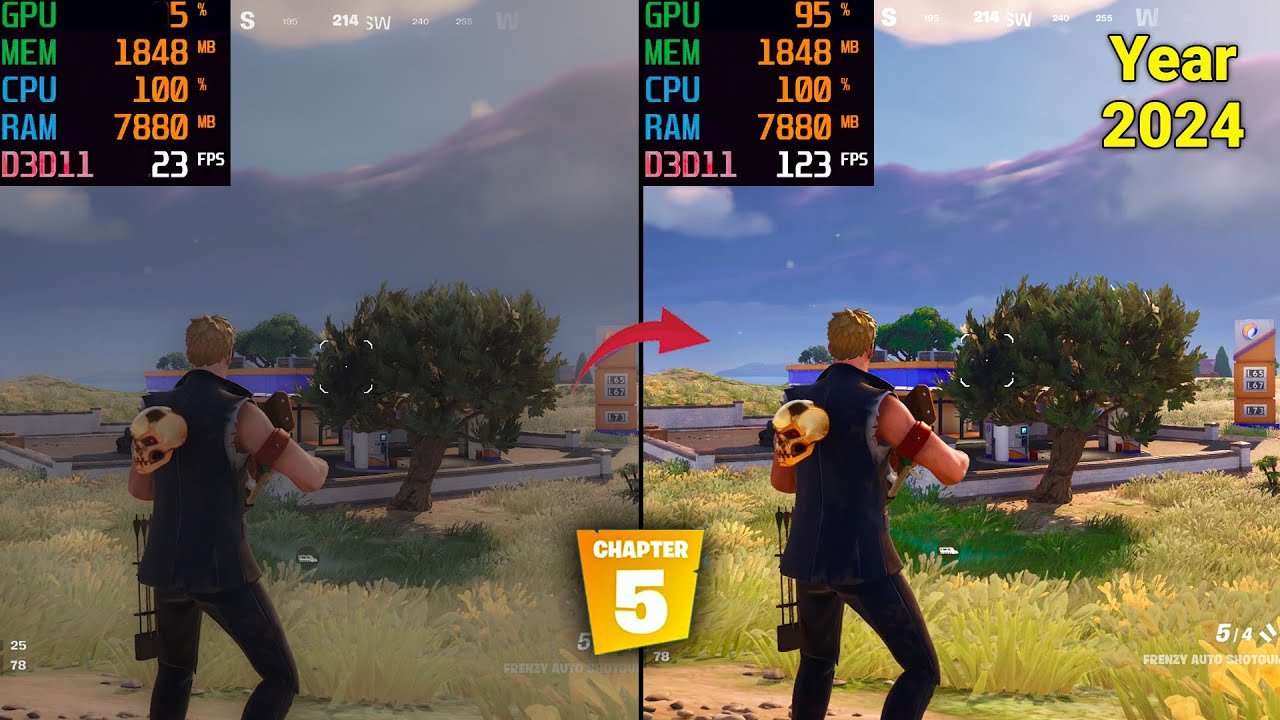
Yes, Fortnite relies heavily on the CPU for its gameplay processing.
Many players wonder, is fortnite a cpu based game? The answer impacts your gaming experience significantly. This question arises because smooth gameplay depends on a powerful CPU to handle calculations for physics, AI, and other in-game elements.
A strong central processing unit will keep your frame rates high, and game running smoothly. In contrast, a weak CPU might cause stutters and lags in the game, even with a good graphics card. Therefore, it is important to have a good cpu in your gaming rig.

Is Fortnite a CPU Based Game?
Figuring out if a game like Fortnite leans more on your computer’s brain (the CPU) or its picture-making muscle (the GPU) can be tricky. It’s like trying to decide if a car needs more engine power or better tires. The truth is, most games use both, but they often favor one more than the other. So, let’s dive into what makes Fortnite tick and see where it lands on the CPU vs. GPU scale.
Understanding the CPU and GPU
Before we get deep into Fortnite, let’s quickly explain what CPUs and GPUs do. Think of your CPU (Central Processing Unit) as the brain of your computer. It handles all the important calculations, manages the game’s logic, and tells the other parts what to do. The CPU is in charge of things like:
- Keeping track of all the players in the game.
- Figuring out where everyone is moving.
- Making sure the game rules are followed.
- Handling complex physics and interactions.
Now, the GPU (Graphics Processing Unit) is your computer’s artist. It takes the information the CPU provides and creates the amazing images you see on your screen. The GPU handles:
- Rendering the characters, buildings, and environment.
- Adding all the cool visual effects, like explosions and shadows.
- Making sure the game runs smoothly at high framerates.
Both parts work together, but if one isn’t doing its job well, the game might not run very well. A good gaming experience requires a healthy balance between a capable CPU and GPU.
Fortnite’s Demands: CPU vs. GPU
Fortnite, especially in its Battle Royale mode, is a pretty demanding game. It puts a load on both the CPU and GPU, but there’s a slight tilt toward the CPU’s role. Here’s why:
CPU’s Heavy Lifting in Fortnite
- Large Player Count: In a match of Fortnite Battle Royale, there are 100 players all moving around at the same time. Your CPU needs to keep track of every single one of them, their actions, and their location on the map.
- Building Mechanics: The building system in Fortnite is a big strain on your CPU. Every wall, ramp, and roof that players place is another calculation that must be performed. Imagine a huge building battle with dozens of structures being placed and destroyed. That requires a lot of processing power.
- Physics and Interactions: From bullets flying through the air to vehicles moving across the map, everything in Fortnite has to adhere to the game’s physics rules. All these calculations are handled by your CPU.
- Game Logic: The CPU manages all of the core game mechanics like storm circles shrinking, loot spawning, and player inventory. All the game logic happening in the background is entirely on the CPU.
GPU’s Responsibilities in Fortnite
- Rendering the World: The GPU is responsible for drawing the game world, including the map, the characters, and the buildings. It also creates the lighting, shadows, and other visual effects.
- Smooth Frame Rates: The GPU tries to output a smooth frame rate. This is a measure of how many images your computer shows per second and affects how fluid the game looks.
- Visual Effects: The GPU makes sure that explosions, special abilities, and other effects are rendered correctly. It tries to make the game look stunning.
So, while the GPU is essential for making Fortnite look good, the CPU carries a bigger burden when it comes to actually playing the game smoothly, especially in action packed, high-player count scenarios.
How CPU Bottlenecks Affect Fortnite
A CPU bottleneck occurs when your CPU is not able to keep up with the demands of the game. This means the CPU is the limiting factor in your computer’s performance, and your GPU is sitting idle, waiting for information. This is very bad for gaming. When your CPU is bottlenecked, you might see some of these issues:
- Low Frame Rates (FPS): The game runs at low frames per second making it choppy and laggy. This is one of the most obvious signs of a CPU bottleneck.
- Stuttering or Freezing: The game might randomly freeze or stutter, especially when a lot is happening. This is because the CPU struggles to process all the information quickly enough.
- Input Lag: You might notice a delay between when you press a button and when that action happens on screen. This makes the game feel unresponsive.
- Inconsistent Performance: The game’s performance may fluctuate a lot, sometimes running well, sometimes poorly, depending on the load being placed on the CPU.
These issues will affect your gaming experience. Even if you have a high-end graphics card, a weak CPU can keep it from reaching its full potential. If you have a higher-end GPU, like an RTX 3080, but pair it with an older i5 CPU, you are missing out on performance. Your GPU will not be used to its full potential since it is waiting on the CPU.
How GPU Bottlenecks Affect Fortnite
A GPU bottleneck is the opposite of a CPU bottleneck. When your GPU is not capable of rendering the game at the desired framerate and resolution, your game will also suffer. Here are some signs of a GPU bottleneck:
- Low Frame Rates (FPS): Similar to a CPU bottleneck, low framerates are the first sign of an underpowered graphics card.
- Lower Resolution: You might need to lower the game’s resolution to improve performance. This can make the game look less sharp and detailed.
- Lower Graphics Settings: To get better performance, you may need to turn down settings like shadows, textures, and anti-aliasing. This impacts how visually appealing the game looks.
- Frame Pacing Issues: Instead of a smooth framerate, you may get uneven frames which can still lead to a choppy feeling game.
While not ideal, a GPU bottleneck might not be as disruptive to the gameplay as a CPU bottleneck. Typically, you may notice a visual difference, but still have playable framerates if your CPU is powerful.
Factors That Increase CPU Load in Fortnite
Certain situations within Fortnite can especially put your CPU to the test:
Large Scale Battles
Big fights, especially in crowded areas with lots of building and action, increase the amount of calculations your CPU has to handle. Every shot fired, every building placed, and every player in that battle adds to the CPU’s workload.
Late Game Scenarios
When the player count goes down to the last few competitors the map size decreases dramatically. Since all remaining players are clustered in a smaller area, your CPU has to work extra hard. Additionally, many players build large structures during end-game scenarios.
High-Traffic Locations
Areas like Tilted Towers or Retail Row, which are always busy during the game, tend to put a heavier load on the CPU. These areas are packed with players and details, meaning the CPU needs to process a lot more information.
Creative Mode with Complex Builds
Creative mode lets players build pretty wild structures. Complex structures with lots of parts and elements can be very demanding on your CPU, even more so with multiple players building at once.
Factors That Increase GPU Load in Fortnite
While the CPU takes on a lot of the game’s load, there are still several situations in which your GPU is doing the heavy lifting:
High Resolution and Graphics Settings
Playing at high resolutions (like 1440p or 4K) and with high graphics settings significantly increases the demands on your GPU. These settings create more detailed images, which require the GPU to do more work. The graphics card will work much harder to display higher resolutions and textures.
Using Ray Tracing or High Fidelity Visuals
If Fortnite offers ray tracing or other high-fidelity visual features, turning them on greatly increases the GPU’s load. Ray tracing simulates how light interacts with objects in a very realistic way, but it requires a very capable graphics card.
Advanced Visual Effects
Special effects like explosions, weather effects, and other fancy graphics can also put a heavier load on your GPU. When the game needs to display complex and detailed effects, the graphics card is responsible.
Ultrawide Monitors
If you use an ultrawide monitor, this will force the GPU to render even more visual information. Ultrawide monitors have more width than traditional monitors and will increase the load on the GPU.
Optimizing Fortnite for Better Performance
If your computer struggles to run Fortnite smoothly, you might want to optimize your game settings and even consider upgrading certain parts of your computer. Here are some things you can do to improve your gaming experience:
Optimizing Game Settings
Adjusting Fortnite’s graphics settings can make a big difference in performance. Try these changes:
- Lower Resolution: If your game is struggling, lowering the resolution can lighten the load on both your CPU and GPU.
- Lower Graphic Quality: Turning down settings like shadows, textures, and effects will make the game run smoother.
- Turn off Motion Blur: Some gamers prefer to turn this effect off for better performance.
- Adjust View Distance: You can reduce the view distance so that your system does not need to render distant objects.
Upgrading Your CPU and GPU
If your computer is still struggling even with adjusted settings, you might need to consider some hardware upgrades:
- CPU Upgrade: If you’re experiencing CPU bottlenecks, consider upgrading to a newer, faster processor. This can have a significant impact on your gameplay, especially in Fortnite.
- GPU Upgrade: If your GPU is the bottleneck, upgrading to a newer graphics card can improve frame rates and visual quality. This can also have a big impact on the game, especially if you also play other games.
- RAM: Having enough RAM is important for smooth gameplay. It’s important to have at least 8 GB of RAM for a smooth experience. Some computers can benefit from 16 GB or even 32 GB for a more stable framerate.
Keeping Drivers Updated
Make sure your graphics card drivers and your other system drivers are kept up to date. These updates include performance boosts for games, including Fortnite. You can usually download them from the manufacturer’s website.
Closing Background Programs
Before launching Fortnite, close any unnecessary programs running in the background. These programs can use valuable CPU and RAM resources that could be used for the game instead.
Monitoring Your Computer’s Performance
Use tools to track your CPU and GPU usage while playing. This can help you pinpoint bottlenecks and decide on hardware upgrades. You can use the Windows Task Manager or programs like MSI Afterburner.
By understanding how Fortnite uses your computer’s resources, you can make better choices to get the best performance possible. While both the CPU and GPU are important for playing the game, Fortnite seems to lean more heavily on the CPU in many cases.
In conclusion, while Fortnite utilizes both the CPU and GPU, its reliance leans more towards the CPU, especially in high-player-count scenarios. Understanding this balance is crucial for optimal performance. While upgrading to more powerful components is a way to get better performance, you can also get a performance boost from adjusting the settings in the game. You can enjoy smoother gameplay by carefully balancing the settings and optimizing your hardware based on bottlenecks.
FoRtNiTe iS a CpU gAmE nOt A gPu GaMe..
Final Thoughts
Fortnite relies heavily on the CPU for game logic, physics, and processing player actions. A strong CPU definitely improves performance and reduces frame drops. The game also uses the GPU for rendering graphics.
Therefore, ‘is fortnite a cpu based game’ is largely accurate, though the game uses both. Optimizing your CPU for this game is very important. The better your CPU is, the better you will experience the game.

