
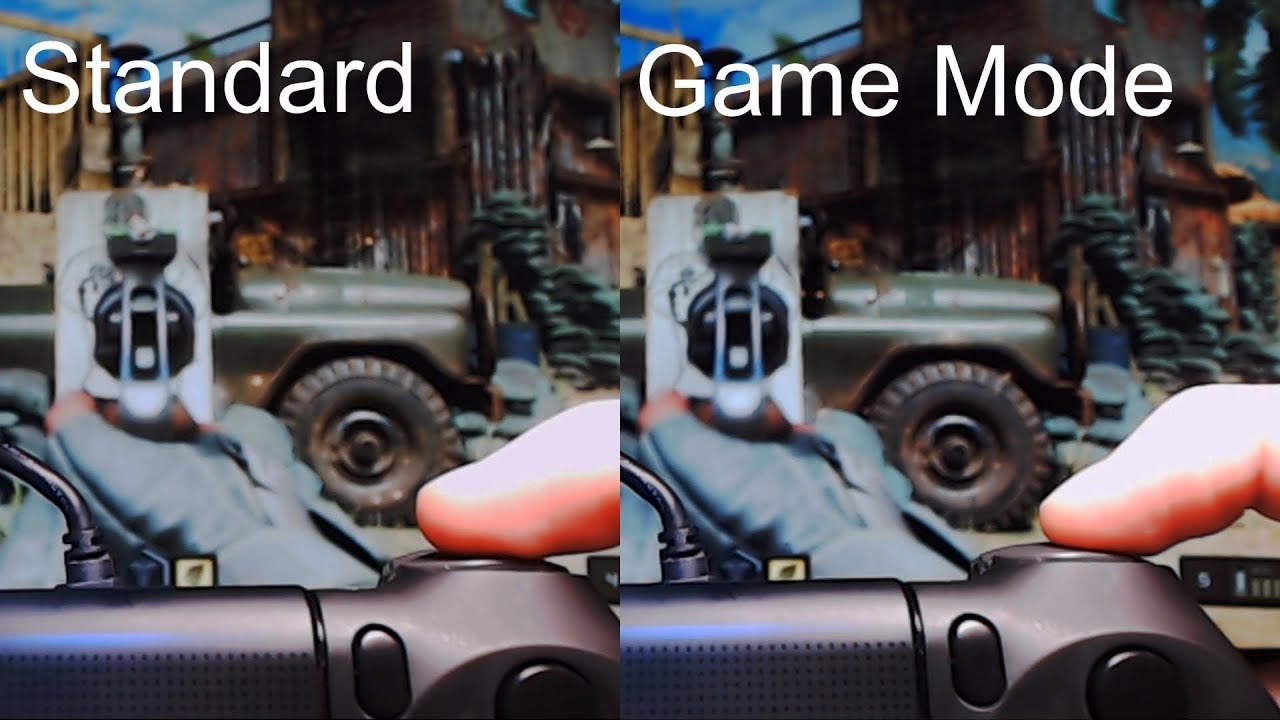
Game mode is generally good, providing performance enhancements for gaming, but the benefit varies by device and game.
Have you ever wondered if that little “game mode” setting on your phone or computer actually makes a difference? It’s a common feature nowadays, popping up on various devices, but does it genuinely improve your gaming experience? Understanding the impact of game mode can help you decide when to use it. The question of whether “is game mode good” is certainly something gamers often ponder.

Is Game Mode Good? A Deep Dive into Gaming Performance
You’ve probably seen the “game mode” setting on your TV, computer, or even your phone. It’s often advertised as a way to make games look and play better, but is it really all it’s cracked up to be? The short answer is: it usually is helpful, but it’s not always a magic solution. Let’s break down exactly what game mode does, how it affects your gaming experience, and when you should (and shouldn’t) use it.
What Exactly is Game Mode?
Think of game mode like a special setting that tells your device, “Hey, I’m playing a game now, so prioritize speed and responsiveness over everything else!” It’s designed to reduce something called input lag. Input lag is the delay between when you press a button on your controller or keyboard and when that action appears on your screen. This delay can be very annoying and even make games harder to play, especially fast-paced ones.
Game mode typically achieves this by turning off some of the fancy processing that your device usually does. For example, TVs often have features like motion smoothing or noise reduction, which make images look more polished. These processes take time and can add input lag, so game mode turns them off. It focuses on showing the raw signal from your gaming device as quickly as possible.
How Does Game Mode Work Technically?
To get a little technical, game mode generally works by bypassing or minimizing the amount of post-processing of the video signal your display uses. It is about reducing the latency (or the delay) of the video signal path. Here’s how it works:
- Bypassing Image Processing: Standard display modes often use filters, such as noise reduction, contrast enhancement, and color correction. While these make images look good for movies and TV shows, they add latency as they process each frame. Game mode usually turns off these filters or reduces their impact to speed things up.
- Reducing Frame Buffering: Some displays store a few frames of video at a time in a buffer, allowing for smoother transitions and effects. This also adds to latency. Game mode often minimizes this buffering.
- Direct Output: Game mode tries to send the signal from your game to the screen in the most direct manner possible, minimizing any extra steps or processing that could add delays.
This means less time between the action of your pressing button and the game reacting on the screen. It’s the reason why game mode can make your controls feel much more instant and responsive.
The Benefits of Using Game Mode
Now, let’s get into the good stuff – why you’d actually want to use game mode! Here are some key benefits:
Reduced Input Lag
The most important benefit of game mode is the significant reduction in input lag. This is crucial for games that demand quick reflexes, such as first-person shooters, fighting games, racing games, and many other fast-paced titles. When input lag is low, it means your actions on the controller or keyboard match the actions on screen making the game feel better. You’ll feel much more connected to the game, and you’ll be able to react faster and more accurately.
Improved Responsiveness
Reducing input lag directly leads to improved responsiveness. Games that are normally challenging because of sluggish controls will feel much more fluid and predictable with game mode turned on. This gives a feeling that you have more control over the game. This is the most noticeable difference when switching from a mode where your display is processing images versus when it isn’t, and it may be the most important thing for gamers.
More Competitive Edge
In multiplayer games, even the smallest advantage can make a big difference. By using game mode, you’re minimizing the delay between your actions and the game’s reaction, which can give you a competitive edge. It may help you react more quickly in online battles. You can make quick moves that are more aligned with your thinking speed. It is one of the core values why gamers love game mode.
Better Overall Gaming Experience
Ultimately, the combination of reduced lag and improved responsiveness leads to a more enjoyable gaming experience. Games feel more immersive and less frustrating. You are able to do what you intend to do with greater accuracy and consistency. It makes gaming sessions more pleasurable and rewarding.
When Should You Use Game Mode?
So, with all of these benefits, is game mode something you should use all the time? Not necessarily. Here’s a breakdown of when you should activate it:
Must-Use Cases:
- Fast-Paced Games: If you are playing games like first-person shooters (like Call of Duty, Apex Legends), fighting games (Street Fighter, Mortal Kombat), racing games (Need for Speed, Forza), or rhythm games (Guitar Hero, Beat Saber), game mode is essential for a good experience.
- Competitive Multiplayer Games: When playing games online against other players, reduced input lag can be the difference between victory and defeat.
- Any Game where Precision is Key: If a game demands precise timing and control, you should have game mode turned on. Games that require accurate jumping, movement, or aiming will benefit from lower latency.
Situations Where Game Mode is Optional:
- Turn-Based Games: If you are playing turn-based strategy games, RPGs, or other slower-paced games, input lag is usually less of an issue, meaning game mode might not be as necessary.
- Single-Player Experiences: For single-player games where your performance isn’t being directly compared to others, you might not notice a huge difference with game mode on or off. It usually depends on your personal preferences.
When You Might Not Want to Use Game Mode
While game mode is generally good for gaming, there are certain instances where you might choose not to use it. Here are some reasons:
Compromised Picture Quality
As we discussed, game mode often turns off many image processing functions to prioritize speed. This means your picture might not look as vibrant, colorful, or smooth as it would in other modes. Some people find the slightly duller picture acceptable for the benefits of reduced lag, while others might not like this tradeoff. Your decision will come down to personal preferences. If the difference bothers you, you will likely prefer to have this off.
Movie or TV Watching
When you’re watching movies or TV shows, picture quality is generally more important than input lag. For movies and TV shows you will likely enjoy the enhancements provided by standard modes on your display. Game mode may make a film look less vibrant and less enjoyable. When you’re watching a movie, you’re not reacting to things as quickly as you would in a fast-paced video game, so input lag matters far less.
Display or Device Specifics
Sometimes, the way game mode is implemented on a specific TV or monitor might not be ideal. Some displays do a better job of balancing low input lag and good picture quality, but others can have more noticeable drawbacks when in game mode. Check reviews for your specific display or device to see what other users say. You may find that game mode is amazing for a particular product and terrible for another. The key is always to test and see what works best for you.
Game Mode on Different Devices
Game mode is not limited to just TVs and monitors. It can be found on various devices, with slightly different implementations.
Game Mode on TVs
Most modern TVs have a game mode option in their picture settings. It works as we described by turning off image processing features to minimize lag. If you plan to do some console or PC gaming through a TV, game mode is an important thing to remember to turn on.
Game Mode on Monitors
Gaming monitors usually offer game mode options or have very low input lag by default. Many modern gaming monitors are built with fast response times in mind, with low lag at their core. These types of monitors can still benefit from game mode, even though they are designed for gaming. It is often worth experimenting to see what best fits your needs.
Game Mode on Smartphones
Many smartphones also have a game mode feature, usually found within their settings or within a dedicated gaming app. These game modes will often try to optimize your phone’s performance and reduce the chance of interruptions while playing games. They might block notifications, manage your phone’s resources more effectively, or reduce the amount of data used by other background apps.
Game Mode on Consoles
Game consoles like PlayStation, Xbox, and Nintendo Switch don’t typically have a single setting for “game mode,” as it’s the console that sends the signal, and not what displays it. Instead, consoles often optimize their performance automatically and rely on your TV or monitor’s game mode option. The game mode setting on a console will be less likely to directly affect performance.
How to Activate Game Mode
Activating game mode is typically straightforward, but the process can vary based on your device. Here are general steps for the most common devices:
On TVs:
- Find the Menu Button: Locate the “Menu” button on your TV remote.
- Navigate to Settings: Look for a “Settings,” “Picture Settings,” or similar option.
- Find Picture Mode or Similar: Look for “Picture Mode” or something close to that.
- Select Game Mode: Choose “Game Mode” from the list of picture mode options.
- Test it Out: Try playing a game to see if the changes feel better.
On Monitors:
The process is similar to TVs, but here is a brief list:
- Locate the Menu Button: Find the menu button on the monitor itself.
- Find Settings: Open the menu and look for the settings option.
- Find Picture/Display Mode: Find “Picture Mode,” “Display Mode,” or similar.
- Select Game Mode: Choose “Game Mode” (or low-latency options) from the list.
- Test it Out: Try playing a game to see if the changes feel better.
On Smartphones:
- Open Settings: Go to your phone’s settings menu.
- Find Gaming Settings: Look for “Gaming,” “Game Mode,” or similar.
- Enable Game Mode: Toggle the switch or button to turn on game mode.
- Optional Settings: You might be able to choose if certain apps are excluded or included in Game Mode.
Is Game Mode Always Perfect? The Drawbacks
While game mode is good for many gaming setups, there are still some things to keep in mind:
- Not All Game Modes are Equal: Different devices may implement game mode differently. Some can have better picture quality while still reducing latency. Testing is always the best way to see if the mode fits your specific needs.
- Potential for Picture Quality Loss: As mentioned, you could lose some picture quality, such as vivid colors or smooth motion, when in game mode.
- Occasional Compatibility Issues: In some very rare cases, game mode might not work well with certain games or gaming systems. For instance, older games might not function perfectly in game mode, although this is not very common.
Testing and Fine-Tuning Game Mode
It’s important to test and fine-tune your setup to get the best results. Here are some tips:
Experiment with Game Mode Settings
Some displays have options within game mode. Try turning those other options on and off, such as sharpness or other image processing settings, to find what works best for your personal preference. Take your time and try to get your gaming experience just right.
Compare Side-by-Side
Try switching game mode on and off while you are playing a game and paying close attention to how it changes the experience. See if you notice the difference. You may have a better sense of the value it provides by actively comparing it this way.
Adjust Display Settings
Adjust the brightness, contrast, and other settings, if needed. You can still make changes to the image itself while using game mode. You may need to adjust things to make the best possible experience given your display’s game mode. Don’t be afraid to make changes even while in this mode.
Research Your Specific Display
Look for reviews of your specific TV, monitor, or device. You can use these reviews to see what settings are best to achieve the best combination of quality and speed. Sometimes other people can provide you with useful tips and tricks that can improve your own gaming setup.
In summary, game mode is a valuable tool for gamers. While it isn’t a perfect solution for every situation, it is usually something that you should have enabled while playing games. It reduces input lag and makes controls feel more responsive. Make sure that you experiment with it and decide what the best course of action is for your specific situation.
What Does Game Mode Do on Windows?
Final Thoughts
Game mode offers reduced latency and often optimizes display settings. It aims to provide a more responsive experience for gamers. However, the benefits vary depending on the device and the specific game.
Therefore, is game mode good? Yes, it’s generally beneficial, particularly for competitive play where even slight delays matter. But, it won’t magically fix bad internet or performance issues; instead, it enhances existing capabilities.

