If Minecraft 26.3 can’t join a server, nothing on your PC is broken: your game and the server are simply running two different versions, and Java Edition only connects when both versions match exactly. The error message on your screen tells you which side is behind. Find your exact message below and use the one fix that matches it.
This guide covers Minecraft: Java Edition on PC, moving between release 26.3, Wilderness Bound (released September 15, 2026), and release 26.2. Every message below is quoted exactly as the game shows it, and the fixes were checked in November 2026. Bedrock Edition uses different version numbers and is not covered here.
The One Rule
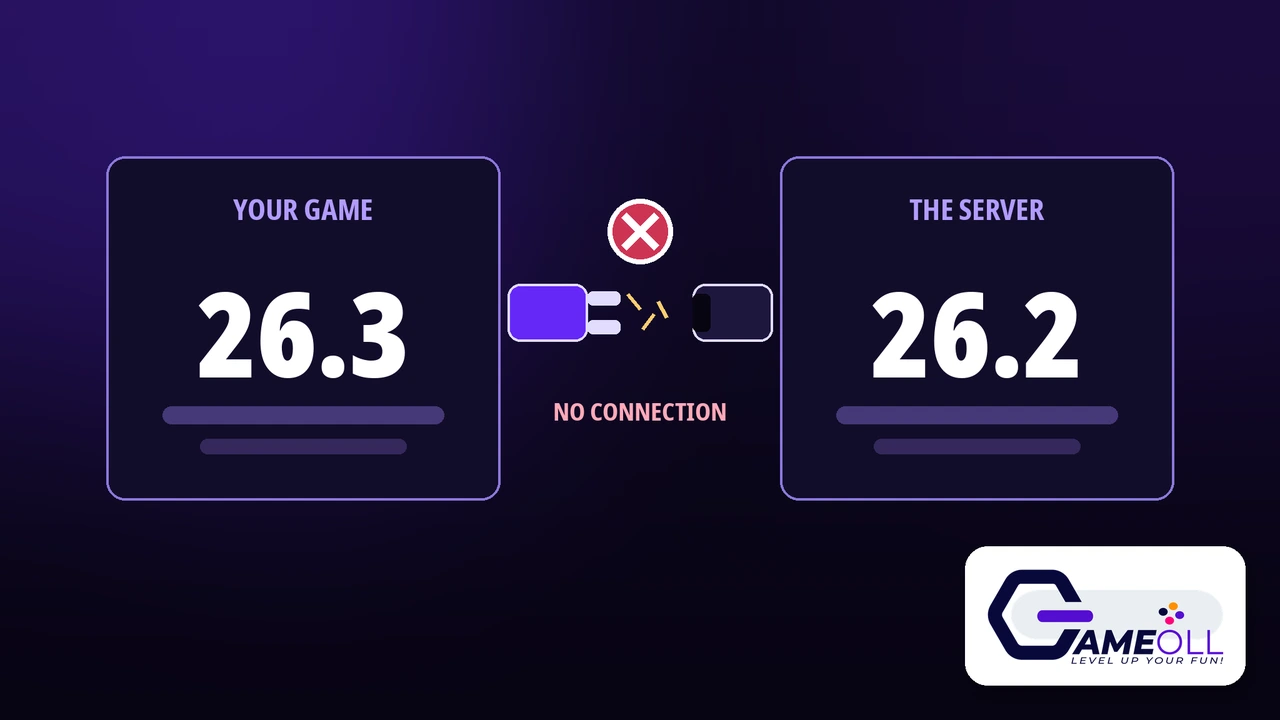
Client and server must run the exact same version
Most Common Case
Your launcher updated to 26.3, the server still runs 26.2
The Number in the Message
Always the server version, the one to switch to
New Trap in 26.3
Fresh servers now start with the whitelist switched on
Every join error from 26.3, decoded in one table
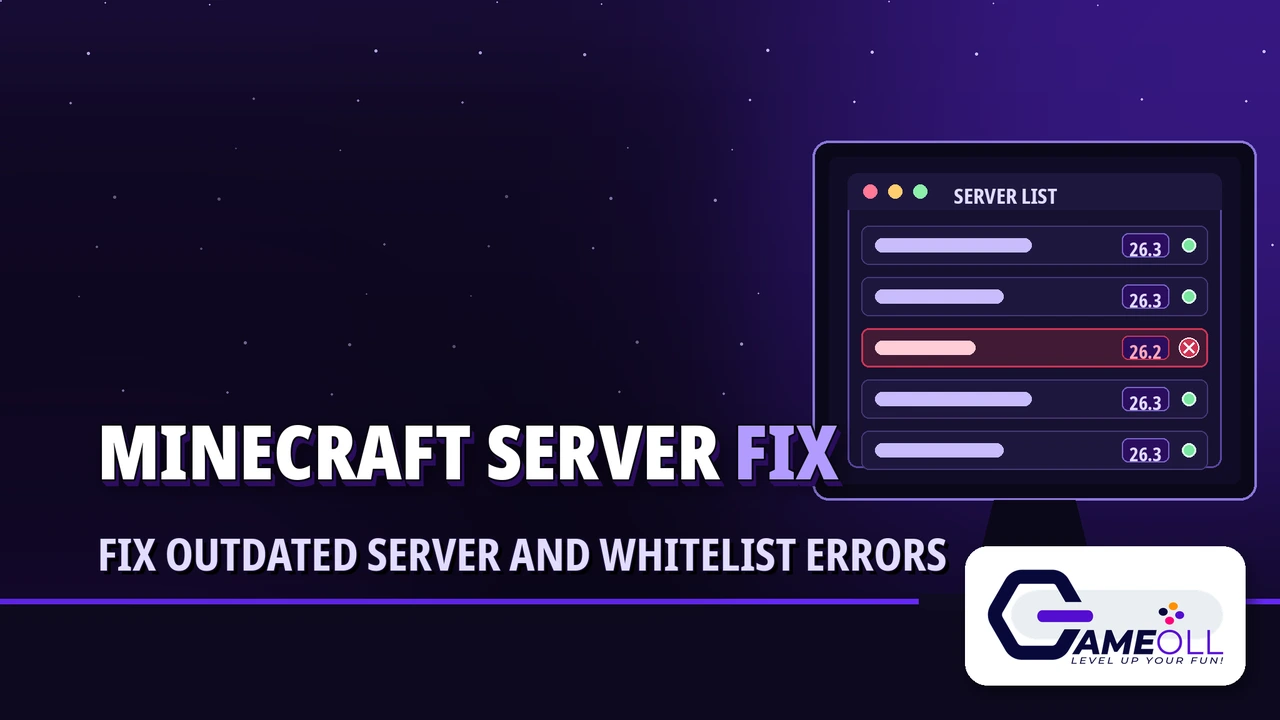
Four version messages and one whitelist message cover nearly every failed join this season. The wording changes with the server software: Paper, Spigot and Purpur servers write their own clear messages, while a vanilla server shows the single Incompatible client line for both directions. Whatever the wording, the version named in the message is always the server’s version, never yours.
| The message on your screen | What it means | The fix |
|---|---|---|
| Outdated server! I’m still on 26.2 | Your game is on 26.3, the server is on 26.2 | Play on a 26.2 installation |
| Outdated client! Please use 26.3 | Your game is on 26.2, the server has moved to 26.3 | Update to 26.3, or play on a 26.3 installation |
| Incompatible client! Please use 26.2 | Vanilla wording for the same mismatch, in either direction | Match the version named in the message |
| Incompatible version! (in the server list) | The server list already knows the versions differ | Read the server version in the list, then match it |
| You are not white-listed on this server! | Your versions match, but the host has not added your name | Host fix, in the hosting section below |
Outdated server! I’m still on 26.2
This is the message most players are seeing, and the sentence points the wrong way: it sounds like the server is complaining about itself, but it is really telling you that your game is too new. Your launcher updated itself to 26.3, because the standard installation follows the latest release, while your server still runs 26.2. Servers update on their own schedule: even Paper, the most common server software, only reached stable 26.3 builds in October 2026, weeks after the September 15 release, and many owners wait longer for their plugins. Nothing is wrong with your PC, your account or your internet. You just need a second installation that stays on 26.2.
You do not have to uninstall anything, and you will not lose your normal 26.3 setup. The launcher happily keeps one installation per version, and switching between them takes seconds:
- Open the Installations tab. Open the Minecraft Launcher and select Installations at the top of the window.
- Create a new installation. Select New Installation and give it a name you will recognise later, such as 26.2 for servers.
- Pick release 26.2. Open the Version drop-down, choose release 26.2, then select Create.
- Play on the new installation. Select your new installation, press Play, and let the launcher download the 26.2 files.
- Join the server. When the game opens, choose Multiplayer, select your server, and join as normal.
One warning before you switch: never open a single-player world that 26.3 has already saved while you are on the 26.2 installation. When a newer version opens a world, it upgrades the world to the new format, and that upgrade only goes one way. A 26.3 world loaded in 26.2 can refuse to open or come back damaged. Joining servers with the 26.2 installation is completely safe, because the world lives on the server, not on your PC. If you ever do want to take a world back to an older version, back the world folder up first, and accept that the copy may still not load.
Stay on the 26.2 installation for that one server, and use your normal latest-release installation everywhere else. When the server owner updates to 26.3, this message simply stops appearing, and you can switch back for good.
Outdated client! Please use 26.3
Now you are the one who is behind. The server has updated to 26.3, and your game is still on 26.2, usually because you play on a pinned installation kept back for mods, or because you skipped the update. The fix runs in the opposite direction:
- Select your normal Latest release installation in the launcher, which is already on 26.3, or create a fresh 26.3 installation the same way as the 26.2 one above.
- Press Play and let the launcher finish updating the game files.
- Open Multiplayer and join the server again.
If you stay on 26.2 on purpose, there is nothing to repair. This server has simply moved on without you, and it will keep showing this message until you switch. Ask the owner whether they also run a 26.2 lobby or a translation plugin before you give the server up.
Incompatible client! Please use 26.2 (or 26.3)
A vanilla server shows this one line whichever side is newer, and the wording confuses people, because it sounds like your game is at fault even when your game is the newer one. Read it by the number, not by the words: the version named is the server’s version, and it is the version you need to be on. If the message says Please use 26.2 and you are on 26.3, use the 26.2 installation fix above. If it says Please use 26.3 and you are on 26.2, update, as in the previous section.
Fabric servers show the same vanilla wording. Paper, Spigot and Purpur write the clearer Outdated messages instead, and their owners can even rewrite those lines in the spigot.yml settings file, so a few servers greet you with custom text of their own. The number at the end is still the part to trust.
Incompatible version! in the server list
You often get this warning before any error. In the Multiplayer list, a server on a different version shows Incompatible version! beside its name, with a red mark where the signal bars should be. Hover over the server entry to see the exact version it reports, then match that version with the right installation before you join. A flagged server is still online and answering the list; the flag only means the versions differ, so do not waste time retyping the address or restarting your router over it.
For the person hosting: You are not white-listed on this server!
Everything above is for players. This section is for whoever runs the server, because the newest join error of the season is one only the host can fix. If your friends see You are not white-listed on this server!, your versions already match. The whitelist is switched on, and their names are not on it.
In the 26.3 release notes, Mojang changed one quiet default: the white-list property in server.properties is now true. A freshly generated 26.3 server therefore starts with the whitelist on and an empty list, and it politely turns every single player away. Servers upgraded from 26.2 keep whatever their existing file already says, so this trap mostly catches brand-new servers, which is why it is hitting so many first-time hosts this season.
- Add each player from the server console with the command whitelist add, followed by their exact Minecraft username. They can join straight away; no restart is needed.
- Or switch the whitelist off: stop the server, open server.properties, set white-list to false, save the file, and start the server again. Adding names is the safer habit, because the whitelist is the thing that keeps strangers out of your world.
One more host trap while you are in the files: if the server will not start at all after the update, check your Java before you blame the server jar. The whole 26.x line of the game, from 26.1 onward, needs Java 25 to run, and that applies to the server software as much as to the game. An older Java 21 install happily runs older versions and simply fails on 26.3, so update Java and try again.
Want to stop picking sides altogether? Server plugins can translate between versions. ViaVersion, at version 5.12.0 or newer, lets newer clients join an older server, and its partner plugin ViaBackwards covers older clients joining a newer server. Geyser, the cross-play bridge, also lists 26.3 as supported, which matters if Bedrock players join your Java server. All three were re-checked against 26.3 for this guide in November 2026.
Different problem? If the game itself will not open
If Minecraft closes before the title screen, crashes on the loading bar, or the launcher itself will not open, your problem is not a version mismatch, and nothing in this guide will fix it. That is a launch failure, and it has its own repair ladder: work through our guide to fixing a Minecraft that will not launch instead. Come back here when the game opens fine and only the server door is closed.
Minecraft 26.3 server questions
Can a 26.3 game join a 26.2 server?
Not on a plain server. Java Edition connects only on an exact version match, and under the skin 26.3 is protocol 777 while 26.2 is protocol 776. Join with a 26.2 installation instead, or wait for the server to update. The only exception is a server running a translation plugin such as ViaVersion.
Why could I join last week but not today?
Because your launcher updated you. The standard installation follows the latest release, so it moved to 26.3 on or after September 15, 2026, while your server still runs 26.2. Servers update on their own schedule, and many owners waited for stable plugin builds, which is why this error is everywhere this season.
The error names a version. Is it mine or the server’s?
It is always the server’s version. Outdated server! I’m still on 26.2 means the server runs 26.2, even though the sentence sounds like it is about you. Treat the named version as the one you need to switch to.
Is playing on a 26.2 installation safe for my worlds?
Joining servers is completely safe, because the world lives on the server. The risk is single-player: never open a world that 26.3 has already saved while you are on the 26.2 installation, because world upgrades only go one way. Back your worlds up before you switch versions and the risk is gone.
Does any of this apply to Bedrock Edition?
No. This guide is about Java Edition on PC. Bedrock Edition has its own version numbers, updates through app stores, and cannot join a Java server unless the host runs a cross-play setup such as Geyser.
Final verdict
A failed join after an update feels like a broken game, but it is really a scheduling problem: your launcher moved to 26.3 the day it came out, and your server will move when its owner is ready. Match the version named in the message and you are back in within a minute. Keep the second installation afterwards; you will need it again at the next release, and at the one after that.
📖 Read the Official 26.3 Release Notes 🎮 See All Free Games