
The Dappled Forest is a new Minecraft biome from the Java Edition 26.3 update, called Wilderness Bound, released on September 15, 2026. It grows near cold biomes, and you can spot it by its poplar trees with red, orange, and yellow leaves. The fastest way to find it is the command /locate biome minecraft:dappled_forest, with cheats on. Without cheats, walk to a cold biome and watch for the autumn colors. The same update adds Abandoned Camps in 18 biomes, and camp chests hold Explorer Maps that point to more camps.
This guide shows you every real way to find the forest and the camps. It uses only facts from Mojang’s official 26.3 notes and the Minecraft Wiki. There are no seeds and no made-up coordinates here, because every world is different. Follow the steps below, and you will reach the autumn trees.
Update
Java Edition 26.3, Wilderness Bound
Where It Grows
Near cold biomes, in new chunks
Fastest Way
The /locate biome command
Camp Loot
Explorer Maps, Straw Beds, chests
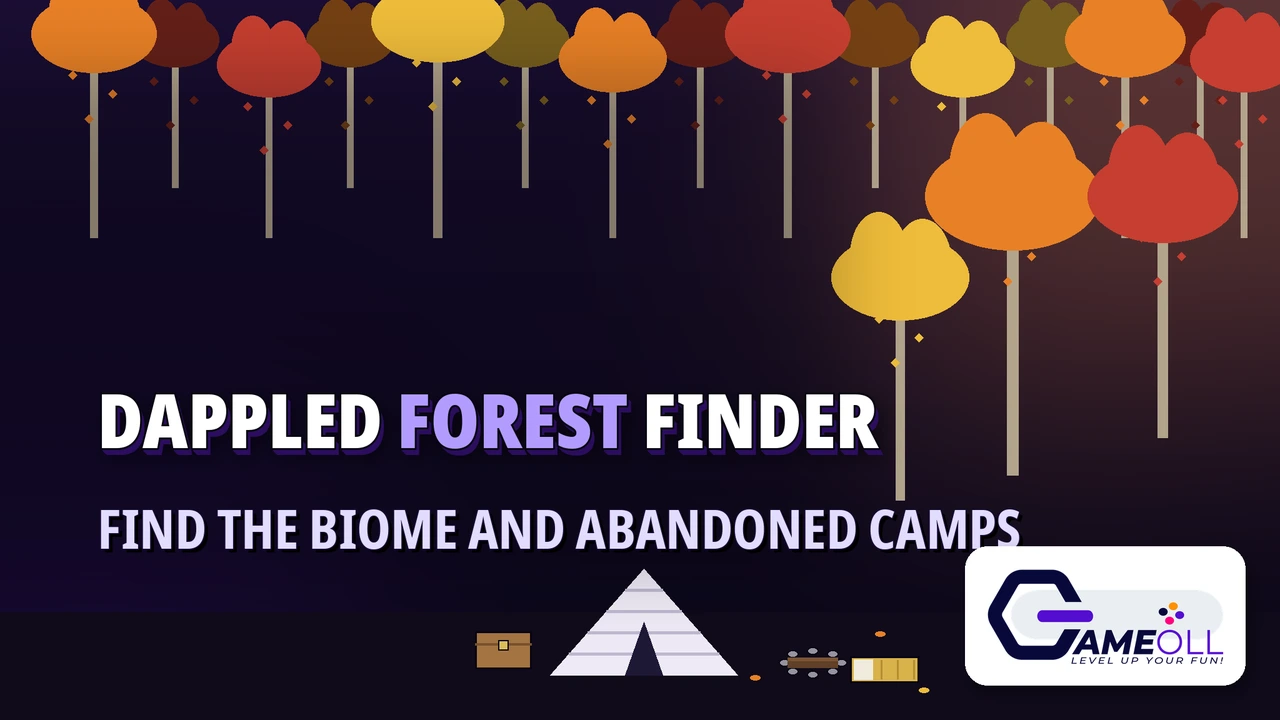
What the Dappled Forest is
The Dappled Forest is a new Overworld forest biome. Mojang added it in Java Edition 26.3, the Wilderness Bound update, on September 15, 2026. The same update reached Bedrock Edition on the same day. It is the third game drop of 2026.
The forest feels like autumn all year. Poplar Trees grow here in three leaf colors: red, orange, and yellow. Fallen Poplar Trees lie on the ground. Shelf Mushrooms grow on the trunks. Red Shrubs grow in small patches. Leaf Litter covers the ground around the trees.
The animals are the same ones you know, in their cold forms where they exist: sheep, chicken, cow, pig, rabbit, and fox. The update adds no brand-new mobs. A Dappled Forest version of the new Abandoned Camp structure can also appear here.
The update also changed the main menu. The new background panorama shows the Dappled Forest with an Abandoned Camp in it, so you can see the biome before you ever enter a world. If you want a quick preview of the colors, that picture is the fastest one.
How to find the Dappled Forest
Use one of these four ways. The command is fastest. Walking works in any survival world, with or without cheats.
1. Use the locate command
The fastest way is a command. It needs cheats turned on. Open chat and type /locate biome minecraft:dappled_forest. The game will answer with the coordinates of the nearest Dappled Forest and the distance. Then walk there, or teleport with /tp @s and the coordinates if you want to skip the trip. If the game says it cannot find the biome nearby, move a few hundred blocks and try again. The search looks around your current spot.
2. Walk to a cold biome
The Dappled Forest grows near cold biomes, so head for the cold. Look for Snowy Plains, Snowy Taiga, Snowy Slopes, Frozen Peaks, Grove, Ice Spikes, or a Frozen Ocean shore. Walk along the edge where the cold biome meets warmer land. The forest often sits right on that border. Press F3 on Java Edition to open the debug screen. It shows the name of the biome you stand in, so you will know the moment you step into the Dappled Forest.
3. Read the signs on the horizon
Even from far away, the forest gives itself away. The leaf canopy is red, orange, and yellow, not green. No other forest in Minecraft has three leaf colors at once. Watch for falling leaf particles in matching colors. Look for pale trunks with Shelf Mushrooms on the sides. Red Shrubs dot the forest floor. If you see orange leaves on the horizon, walk toward them.
4. Follow an Explorer Map from a camp
Abandoned Camps hold a shortcut. Their chests can contain Explorer Maps that point to another camp in one of eight biomes, including the Dappled Forest. Follow the map, loot that camp, and check its chests for the next map. This chain can carry you from camp to camp until you reach the forest.
| Method | Needs cheats | Speed | Best for |
|---|---|---|---|
| Locate command | Yes | Fastest | Creative or cheat-enabled worlds |
| Walk to cold biomes | No | Slow | Pure survival players |
| Read the signs | No | Medium | Players already near snow |
| Explorer Map chain | No | Medium | Players who found one camp already |
How to find an Abandoned Camp
The Abandoned Camp is a small campsite with a white wool tent, chests, barrels, and an unlit campfire. It appears in 18 Overworld biomes: Meadow, Cherry Grove, Forest, Birch Forest, Old Growth Birch Forest, Flower Forest, Windswept Forest, Dappled Forest, Taiga, Snowy Taiga, Old Growth Spruce Taiga, Old Growth Pine Taiga, Sparse Jungle, Bamboo Jungle, Swamp, Savanna, Wooded Badlands, and Pale Garden. Each biome gets its own tent style. A camp in the Pale Garden uses pale oak fences, for example.
Camps are rare. The Minecraft Wiki notes that the game tries one camp per 37 by 37 chunk region, so camps sit about 34 chunks apart on average. That is why the locate command helps. With cheats on, type /locate structure minecraft:abandoned_camp. Without cheats, search the 18 biomes above on foot, and check every chest you find for an Explorer Map. The same camp spots appear in Java Edition and Bedrock Edition, so a friend on Bedrock can share directions that work for you too.

What you will find inside a camp
Every camp has a tent made from white wool stairs, with dirt, gravel, and path blocks on the ground. Inside and around it you will find chests and barrels with loot, Straw Beds, and Cushions. Some camps have a small crop farm nearby. Others have a tree growing through the site. Cobwebs and leaves sometimes cover parts of the tent, which is how you know the camp is old. Depending on the camp, you may also see a crafting table, a cauldron, or an oxidized copper golem statue beside the tent.
Look under the surface too. A rare oxidized copper chest can hide below other blocks, and it holds better loot than the normal chests. The most useful loot is the Explorer Maps. Camp chests can hold maps to other Abandoned Camps in eight biomes, and maps to the Ancient City, Trial Chambers, Mineshaft, Desert Pyramid, Jungle Pyramid, Warm Ocean Ruins, and Woodland Mansion. One good camp can set up your next several trips.
The camps are all different. The Minecraft Wiki counts ten tent designs for each biome and 49 campsite designs, which makes 8,820 possible camp layouts. No two camps you find will look quite the same, even in the same biome.
Straw Beds and Cushions: the two new camp items
Straw Beds are the camper’s bed. You can sleep through the night on one without setting your spawn point, so you wake up where you started, not at the camp. Each bed works only once. It breaks after you sleep in it. You cannot use one in the Nether or the End. It breaks there too. Crafting is cheap: 3 Hay Bales give you 4 Straw Beds. Carry a few on any long trip, and you never need to move your real bed. There is even a new statistic in the Statistics screen that counts how many times you have slept in a Straw Bed.
Cushions are for sitting, not sleeping. Place one on any flat surface and sit down by the campfire. Craft them from 3 Wool Slabs of the same color. There are 16 colors, one for each wool color. They have no collision, so they never block your path, and they break if the block under them is removed.
Poplar wood, Shelf Mushrooms, and Red Shrubs
Poplar Logs craft into a full wood set: planks, stairs, slabs, doors, trapdoors, fences, fence gates, signs, shelves, buttons, pressure plates, and boats, including the chest boat. The leaves drop Poplar Saplings, and each sapling can grow into any of the three leaf colors. If you cannot find a sapling, the Wandering Trader sells them.
Shelf Mushrooms grow on Poplar Trees in two sizes. Use Bone Meal on a small one to grow it large. A large one drops two Shelf Mushrooms when you break it. You can cook them into stews like other mushrooms. They are also slightly bouncy when you step on them. Red Shrubs are decoration only. They grow in small patches in the forest, and you can put them in a Composter.
What to pack before you go
- Food and a weapon. The forest is safe in the day, but nights are still nights.
- Hay Bales. Three bales craft into four Straw Beds, so you can sleep anywhere.
- Room for maps. Camp chests hold Explorer Maps, and you will want space for them.
- Torches. Camps have no light of their own at night, and a few torches keep mobs away while you loot.
- A boat, if you travel by river or sea. Cold shores are often the fastest route.
- Do not try to zoom an Explorer Map out at a Cartography Table. In 26.3, Explorer Maps can no longer be zoomed out, and copies made in a Crafting Table keep the same size.
- If Minecraft will not start after you update to 26.3, fix it first with our Minecraft not launching guide.
Minecraft Dappled Forest questions
Can I find the Dappled Forest in my old world?
Yes, but only in new ground. The forest appears in chunks the game makes after the 26.3 update. Land you already explored will not change. Walk past the edge of your explored map, toward a cold biome, and new chunks can hold the forest.
Does the Dappled Forest have a new mob or a village?
No. The update adds no brand-new mobs and no village in the forest. The animals are sheep, chicken, cow, pig, rabbit, and fox, in their cold forms. The new things are the biome, the trees, the camp structure, and the camp items.
What is the fastest way to find the forest without cheats?
Walk to the nearest cold biome and follow its border, with the F3 debug screen open so you can see biome names. If you find any Abandoned Camp first, loot its chests. An Explorer Map inside can point you straight to a camp in the Dappled Forest.
Final verdict
The Dappled Forest is worth the trip. It is easy to spot, the camps pay for the journey with maps and loot, and the Straw Bed is a small change that makes long trips much simpler. Start with the locate command if your world has cheats on. If it does not, pick the nearest cold biome and walk its border. Either way, pack Hay Bales, keep an eye out for orange leaves, and check every camp chest for a map.
📖 Read the Official 26.3 Notes 🎮 See All Free Games