
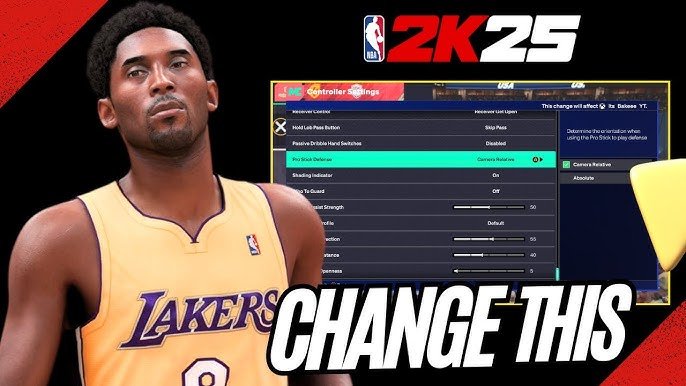
The NBA 2K25 assist setting explanation covers various levels of assistance for actions like shooting and passing, allowing players to customize the game’s difficulty.
Trying to find the perfect balance between control and help in NBA 2K25? The game offers various assist settings that can significantly change how you experience it. Understanding these options is key to fine-tuning the game to your skill level and preferred style of play. This article provides a quick overview.
Whether you prefer a more hands-on approach or need a little extra guidance, knowing the intricacies of the NBA 2K25 assist setting explanation is important for optimizing your gameplay. Let’s explore these settings together.

NBA 2K25 Assist Setting Explanation
Okay, let’s talk about something super important in NBA 2K25: assist settings. These aren’t like just flipping a switch. They actually change how the game helps you, or doesn’t help you, when you’re playing basketball. It’s like having training wheels on your bike, and you get to decide if you want them on, off, or somewhere in between. This guide will break down all those options so you can play NBA 2K25 exactly how you want.
Understanding the Basics of Assists
Before we dive into the different kinds of assists, let’s understand what an assist is in the game. In basketball, an assist is when one player passes the ball to another player, and that second player scores right away. In NBA 2K25, the game tries to help you make these kinds of plays. But it also allows you to control how much help it gives you. That’s where assist settings come in. These settings affect things like how your players move to get open, how passes are aimed, and even how shots are timed. So finding the right setup can be the key to getting more points and making more awesome plays.
Pass Assist: How Accurate Are Your Passes?
The pass assist setting is all about how much help you get when you’re passing the ball. It’s like having a friend who helps you throw a baseball to exactly where you want it to go. There are usually a few different levels to pick from.
Pass Assist Levels Explained
- Zero Assist: This means the game does not help you at all. You’re in charge of the power and direction of each pass. This is the most challenging setting but gives you the most control. Think of it as throwing a baseball without anyone helping you at all; you have to aim yourself, and if your throw is bad, it’s all on you.
- Low Assist: With low pass assist, the game will provide a little bit of help with pass direction, but not much. It will adjust the pass a bit if it’s close, but it won’t magically find the perfect player. It’s like someone giving you a little nudge when you throw the ball, but you still have to aim pretty well.
- Normal Assist: This setting is often the default, where the game will try to make your passes land closer to where you intend. It offers a good balance between help and control. It’s like having someone help guide your throw to your target, so it’s more likely to reach the right player.
- High Assist: If you pick high assist, the game will heavily adjust your passes. It makes it very easy to get the ball where it needs to go. It’s like having a magnet on your ball; it practically flies to the right place without much effort from you.
Why choose a different Pass Assist setting?
Choosing the right pass assist setting depends on your skill level and playing style. If you’re new to NBA 2K25 or you’re trying to have a more relaxed game, a higher assist level can be really useful. But if you’re someone who wants total control over every pass and every player movement, then a lower or zero assist setting will work best for you.
Shot Assist: Making Those Baskets
The shot assist setting is another important area to consider. This affects how much help the game gives you when you try to shoot the basketball. This setting helps you with the timing of the shot, which is super important in basketball.
Shot Timing and Assist
In NBA 2K25, you usually have to time your shot perfectly to get the best chance of making it. The shot assist helps you with this in a few ways. It can make it a bit easier to time the jump shot or automatically adjust your shot timing to be closer to perfect. Just like with pass assist, there are different levels to choose from.
- Real Player %: This setting considers each player’s actual shooting skill when deciding if a shot will go in. Your timing is still important, but it’s not the only thing that determines if the ball goes through the net. Good shooters have a higher chance of making shots, and poor shooters have a lower chance, no matter your timing.
- User Timing: This is when you are fully in charge of the shot timing. The game will not help you with shot timing. If you time the jump shot right, you have a higher chance of making the shot. If not, then your shot will most likely miss.
- Very Early/Very Late: This means that if you release the shot way too early or way too late, the game might still help you make it if you are not using User Timing.
- Early/Late: Similar to the very early/very late, but here if you release the shot a bit early or late, the game will help you.
Why shot assist matters
Shot assist matters because it can make a huge difference in how you play the game. If you are still trying to master the shooting controls, choosing one of the assist option could be a good option. But for more experienced players, User Timing can provide a more accurate representation of your timing ability. It allows you to be more in control of each of your shots.
Off-Ball Assist: Player Movement Help
Off-ball assist is about how your players move when they don’t have the ball. This is another useful assist option for players who might need help when controlling players who are not holding the ball.
Off-Ball Movement Options
- Auto Cut: When you choose Auto Cut, your players will make cuts to the basket without you having to tell them to do so.
- Auto Pick & Roll: Your players will automatically set a pick for your ball handler, and roll to the basket without you giving them commands.
- Manual: This option means you have to do everything. Your player will not move without your direction.
Importance of off-ball assist
These assist options are very useful, especially if you are new to NBA 2K25. These settings help you with player movements without having to learn the intricate controls of the game. But when you’re ready for the next level, you can try manually controlling these actions. This will allow you to have more precise moves and open up more opportunities for scoring.
Defense Assist: Helping Your Defense
Defensive assist options in NBA 2K25 determine how much help you get from the game when defending the ball. Good defense is just as important as a good offense, so choosing the right settings here is really key.
Different Defense Assist Options
- Auto Help: This is where the game helps you out by automatically having one of your teammates come and help you when a player is driving to the basket.
- Auto Switch: When this is on, your player will automatically switch to the closest player when the player you are guarding passes the ball to someone else.
- Manual: With manual defense, the game does not help you at all. You have to do everything yourself.
Why are Defense Assist options Important?
Defense is often challenging, especially if you’re new to the game. Having some defensive assists on can make your experience a lot easier and make the game more fun. However, if you are a more seasoned player, having manual defense allows you to be very precise in your defensive actions. The key is finding what works best for you.
How to Find and Change Assist Settings
Finding these settings isn’t hard. You can usually adjust them in the main menu before you start a game, or in the pause menu during a game. Look for something like “Options,” “Settings,” or “Controller Settings.” Once you’re in the settings area, look for the “Assists” category. From there, you can usually see different options related to passing, shooting, moving without the ball, and defense. If you are playing online against other players, you might not have the option to change these settings. The game usually determines the settings for you to maintain fairness. However, in single player modes, you have all the control you need.
Experiment and Find Your Perfect Settings
The best thing you can do is experiment. Try out each setting for a couple of games. Pay close attention to how each assist level changes the way the game feels. You might find that a mix of settings works best for you. For instance, you might want a lot of help with passing but less help with shooting. Don’t be afraid to keep changing your settings until you find the perfect setup that makes the game enjoyable for you. Every player is different, and what works for one person may not work for another. That’s why it’s so important to experiment, so you can find your preferred way to play.
In conclusion, assist settings are a crucial part of the NBA 2K25 experience. They provide you with the tools to adjust the game to your particular needs and make the gameplay enjoyable. By understanding the different options available and taking the time to try out different configurations, you can optimize your performance and have the most fun playing the game.
5 SECRET Settings That You NEED To Use In NBA 2K25
Final Thoughts
Understanding assist settings is crucial for enjoying NBA 2K25. These settings impact how much the game helps you with actions like shooting and passing. They allow for a more personalized experience, tailoring the difficulty to your skill.
Choosing the right assist level can be the difference between frustration and fun. The various options offer a wide range, from almost complete control to significant help. Finding the perfect balance is key.
The detailed explanation of NBA 2K25 assist setting helps players fine-tune their gameplay. Experiment with different levels to find what fits your playstyle best. This will make your gaming experience more rewarding.

