
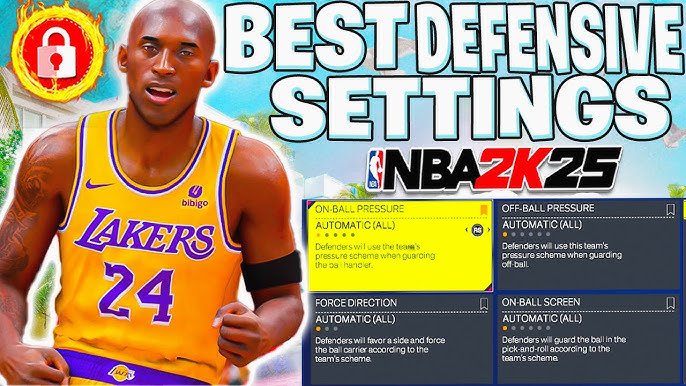
The NBA 2K25 assist settings guide allows players to customize gameplay, adjusting settings for shooting, passing, and defense, for their desired control level.
Are you struggling to find the right balance in NBA 2K25? Many players seek the optimal gameplay experience through fine-tuning. The game offers a vast range of options that can make or break your performance. Let’s dive in the details of the NBA 2K25 assist settings guide.
Finding the correct level of assistance can make a massive difference. The right setup will adapt the game to your personal skills. We will explore settings and how to change them for the best results.
This guide will cover crucial settings to help you play better. We will discuss optimal setups for various skill levels. So, you can get the most out of your time in NBA 2K25.

NBA 2K25 Assist Settings Guide
Alright, basketball fans! Let’s talk about something super important in NBA 2K25: the assist settings. These are the magic controls that help you play the game the way you want. It’s not just about being a great player; it’s about having the game help you out just enough so you can really shine. Think of it like training wheels – you can take them off when you’re ready, but they sure can help while you’re learning! We’ll explore all the different options, explaining what each one does and how it can improve your game. We will cover the basics and then move towards advanced assist settings. Let’s get into it!
Understanding the Basics of Assist Settings
Before we dive into the specifics, it’s good to know what assist settings actually do. They are designed to make the game easier to play, especially if you’re new. They can control things like how much the game helps you shoot, pass, and defend. Think of it as the game trying to guess what you want to do, based on how you move your controller and press the buttons. For some players, it feels like a lifesaver, and for others, it might feel a bit like the game is playing for you. You’ll find these settings in the game’s main menu, usually under “Controller Settings” or something similar. Let’s go through some key terms:
Shot Meter: This is the little bar that appears when you shoot, showing you how well-timed your shot is. Turning it off makes shooting harder but more rewarding.
Shot Aiming: Do you want to aim the shot yourself using the right stick, or have the game help you? This setting determines that.
Pass Assist: How much the game helps you pass to the correct player. This can vary from almost completely automatic to totally manual.
Defensive Assist: How much the game helps you stay in front of your opponent or steal the ball.
Shot Assist Settings: Finding Your Sweet Spot
Shooting is a massive part of basketball, and how you set your shot assist can make or break your game.
Shot Meter: On or Off?
Shot Meter On: The easiest way to shoot. A bar appears when you shoot, showing you how well-timed your release is. Green means a perfect shot. Helpful when starting out.
Shot Meter Off: Turns off the visual guide. You must rely on your player’s animation and timing. More challenging but can increase your success rate once you understand it. This is usually the path to becoming a high-level player, requiring practice with your player’s shot timing.
Why Use Shot Meter On?
- Easier to learn the timing of shots.
- Visually shows you how close you are to a perfect shot.
- Good for beginners and casual players.
Why Use Shot Meter Off?
- More natural shooting experience.
- Higher chance of making shots once mastered.
- More rewarding for skilled players.
Shot Timing: Real Player % or Timing Based
Real Player %: This mode bases shot success on your player’s real-life stats. If you choose Real Player %, the outcome of the shot is determined more by the player’s real-life shooting stats. So, Steph Curry will almost certainly hit a higher percentage of shots than, say, a center who isn’t known for his shooting. This option is often easier for newer players to pick up, as it’s less reliant on timing and is more dependent on the shooter’s stats.
Timing Based: This mode is much more about your skill with the controller. Your timing must be almost perfect to get the best results, and a slight mistake will likely lead to a missed shot. This method is harder to learn but will reward players who perfect it.
Why Choose Real Player %?
- Less emphasis on precise timing.
- More forgiving for newer players.
- Mimics real NBA player performance.
Why Choose Timing Based?
- Requires more player skill and timing.
- When perfected, players gain better shot control.
- More challenging.
Shot Aiming: User Control or Assisted
User Control: This means you aim the shot with the right stick, controlling the direction and power of the shot. This needs a lot of skill, as you have to be precise in every aspect of the shot. This allows for more creative shooting with higher rewards if done right.
Assisted: The game helps you aim the shot, making it easier to make shots. It takes the burden of perfect aiming off your shoulders but can also limit shot variability.
Why Use User Control Aiming?
- More control over shot direction.
- More creative shots and higher potential.
- More challenging and rewarding.
Why Use Assisted Aiming?
- Easier to make shots.
- Less focus on aiming, more on timing.
- Better for newer players.
Pass Assist Settings: Getting the Ball Where it Needs to Go
Passing in NBA 2K25 can be either an artistic marvel or a recipe for disaster, depending on your settings.
Pass Targetting: Auto vs. Manual
Auto Pass Targetting: The game will try to guess who you want to pass to, based on their position. This is good for beginners because it can help you pass quickly and effectively.
Manual Pass Targetting: You have complete control over where the ball goes, you must use the controller to choose exactly who to pass to. This allows for great precision, but it requires more skill and understanding of team dynamics.
Why Use Auto Pass Targetting?
- Easier to perform passes to open teammates.
- Helps in fast-paced situations.
- Good for beginners and casual players.
Why Use Manual Pass Targetting?
- Complete control over pass destination.
- Allows for complex passing sequences.
- Better for skilled players looking for precision.
Pass Type: How You Deliver the Ball
Normal: The standard pass type, suitable for most situations.
Icon Passing: A more advanced method where each teammate is assigned an icon, enabling quick passes by pressing the corresponding button. Icon passing gives you more control of the pass and lets you pass to exactly who you want. This is helpful in intense situations.
Lob Passes: High, arcing passes over the defense. Great for alley-oops or quick passes to cutters heading to the hoop.
Bounce Passes: Passes that bounce on the floor before reaching the receiver. Good for passing through defenders or passing to cutting players.
Understanding the Pass Types:
- Normal Passes: Standard and reliable.
- Icon Passes: Precise, and suitable for complex plays.
- Lob Passes: Effective for alley-oops or passing over the defense.
- Bounce Passes: Useful for passing to cutters or through defenders.
Defensive Assist Settings: Locking Down Your Opponent
Defense in NBA 2K25 is just as important as offense, so fine-tuning these settings is essential.
Defensive Assist Strength: How Much Help You Get
Low: This means the game barely helps you defend and it relies mostly on your skill. This can make the game very difficult as you have to be precise with your movements, but it provides you with the most control.
Medium: The game gives you a little more help, slightly assisting you in staying in front of your opponent, and can provide some help when stealing or contesting a shot.
High: The game gives you the most help in defending. Your player will almost automatically stay in front of the dribbler and help block shots, steal passes, and contest shots.
Why Choose Low Defensive Assist?
- Requires precision and skill.
- More control over player movement.
- Best for very experienced players.
Why Choose Medium Defensive Assist?
- Balances game assistance with player input.
- Good for players looking for moderate help.
- More forgiving for mistakes.
Why Choose High Defensive Assist?
- The game provides a lot of help with defending.
- Great for newer players, or if you have trouble defending manually.
- Easier to stay in front of dribblers.
Steal Assist: Help with Getting Steals
On: The game helps you time your steal attempts, making it easier to get the ball. If you time your steal attempt close to when your opponent dribbles, the game will help you perform the steal.
Off: You have to time your steals yourself. You have to time your steal attempt perfectly for you to succeed, with very little help from the game. This can be difficult but allows for more control.
Why Use Steal Assist On?
- Easier to get steals.
- Good for beginners to start getting steals.
- Less reliance on perfect timing.
Why Use Steal Assist Off?
- Requires precise timing for steals.
- More rewarding for skilled players.
- Higher potential to steal the ball.
Help Defense Assist: How Much Help You Get on the Weak Side
On: The game will help you automatically leave your assignment when your teammate is beaten to try and contest or steal the ball, or even block a shot.
Off: You are fully responsible for your defensive assignment. You won’t automatically leave to help your teammates, so it is essential to play more cautiously.
Why Use Help Defense Assist On?
- The game will help you guard multiple players.
- Good for beginners, as they may not be comfortable with help defense.
- More forgiveness on individual defense mistakes.
Why Use Help Defense Assist Off?
- More control over your defensive positioning.
- Requires a more skilled defender.
- No reliance on the game’s AI.
Advanced Settings: Fine-Tuning Your Experience
For those looking to get even more control over their NBA 2K25 experience, these advanced settings offer a deeper level of customization. These can be more nuanced but can improve your game.
Controller Vibration: Feel the Game
On: The controller will vibrate when you perform certain actions like dunks, tackles, or bad fouls. These can provide visual or audible cues for you, helping you to understand what is going on during the game.
Off: The controller will not vibrate, for those who find it distracting.
Why Use Controller Vibration On?
- More immersive gameplay.
- Provides feedback for actions.
- Helpful for visual or audible cues.
Why Use Controller Vibration Off?
- Less distracting for some players.
- Can improve focus.
- Better for players who find vibration uncomfortable.
Camera Settings: Choose Your View
2K: The default camera angle in NBA 2K25. It’s a dynamic view that moves with the action, making it easy to see the entire court.
Broadcast: A camera angle similar to what you see on TV when you watch NBA games. This provides a cinematic view, but can be less helpful for competitive play.
End to End: An angled view that keeps the entire court in sight. This makes it easier to see the positions of all players on the court.
Custom: Lets you choose the specific distance, angle, and height for your gameplay. Great for players who want complete control.
Understanding Camera Settings:
- 2K: Dynamic, well-suited for most players.
- Broadcast: Cinematic, good for casual play.
- End to End: Provides a good court view, useful for competitive play.
- Custom: Tailored to individual preferences.
Off-Ball Control Settings: Playing Without the Ball
Auto Off-Ball Movement: The game controls the player’s movement when they don’t have the ball, so they get to open spots or cut to the basket. This is great for players who want to focus on creating plays.
Manual Off-Ball Movement: You control your player’s movements off the ball, providing more freedom of movement. This is beneficial for more skilled players who like to call for the ball.
Why Use Auto Off-Ball Movement?
- Players will move to open spots or cut to the basket automatically.
- Good for players who focus on ball handling or playmaking.
- Easier to get into an offensive flow.
Why Use Manual Off-Ball Movement?
- Complete control over off-ball player positioning.
- More creative plays and team positioning.
- Best for advanced players.
Finding Your Perfect Setup
The best assist settings are really what works best for you. It’s all about personal preference and skill level. Here’s a small guide to help you:
Beginner: If you’re just starting, use shot meter on, real player %, and assisted aiming for shooting, auto pass targetting for passing, and a medium to high assist strength for defending.
Intermediate: Try turning off the shot meter and moving to a timing-based shooting style, manual pass targetting for passing and medium assist for defense.
Advanced: For advanced players, try turning off all shot assists and using user control for shot aiming. Play with manual targetting and low assist for defense, to get the highest possible skill gap and the most control.
It’s recommended to experiment and see which settings feel right for you. What works for your friend might not work for you, so don’t be afraid to try different things.
Choosing the right assist settings can turn your game from frustrating to fun, it will help you to improve your gameplay and have a better basketball experience, but it might take some trial and error to get them perfect for you. Try out some of these suggestions, see what feels right, and most importantly, have fun out there!
Experimenting with these different settings, and fine-tuning them to match your skill level and playstyle is the best way to improve your NBA 2K25 experience.
NBA 2K25 Shooting Tips: Best Controller Settings Visual Cues #nba2k25 #2k25
Final Thoughts
Fine-tuning the NBA 2K25 assist settings provides a significant edge. Experiment with different configurations to find what complements your play style best. This careful approach will lead to more victories.
Our NBA 2K25 assist settings guide aims to give players greater control. Adjusting options like playcalling and shot timing makes the game easier. The right settings can improve performance.
Use our advice to customize your experience. This NBA 2K25 assist settings guide is an essential tool. Remember to make adjustments incrementally and practice.

