
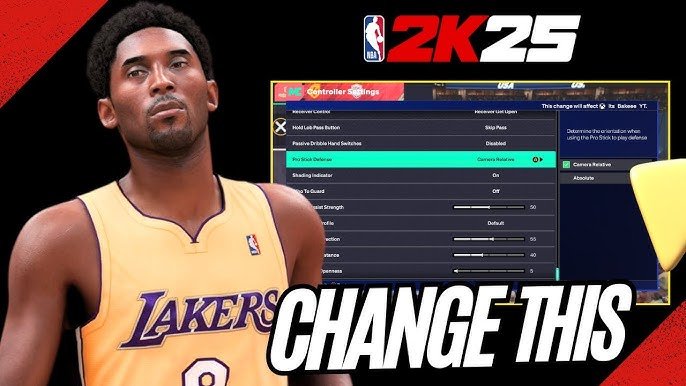
Adjusting NBA 2K25 assist settings lets you customize gameplay, from shot timing to defensive help, tailoring the experience to your skill level.
Fine-tuning your game is key to success in any sports simulation, and NBA 2K25 is no exception. Understanding and utilizing NBA 2K25 assist settings allows you to personalize the game to match your play style. Whether you prefer a more arcade-like experience or a true-to-life challenge, these options provide a way to do that.
Finding the ideal assist balance takes time, and some experimenting. You will find what helps you play your best and allows you to enjoy each game.

NBA 2K25 Assist Settings: Your Guide to On-Court Control
Welcome, basketball fans! If you’re diving into NBA 2K25, you know it’s more than just button-mashing. It’s about strategy, skill, and making those crucial plays that lead to victory. One of the biggest factors in your success on the virtual court is how you set up your assist settings. These options are like having a personal coach, helping you control the game. This guide will break down all the assist settings in NBA 2K25, explaining what they do and how they can help you play your best game.
Understanding Assist Settings
Think of assist settings as tools that help you manage the different aspects of the game, from shooting to movement. They give you varying levels of control, allowing you to customize the game to fit your playing style. Whether you’re a beginner just learning the ropes or a seasoned pro looking for the most realistic experience, getting your assist settings right is key.
What are Assist Settings?
Assist settings are basically shortcuts the game offers to help you perform actions more easily. For example, instead of precisely timing a layup, an assist can guide your player to the basket. These settings aren’t about cheating; they’re about making the game more accessible and enjoyable for all skill levels. The settings allow the game to be less of a struggle and more like your favorite basketball video game.
Why Are They Important?
Choosing the right assist settings makes a big difference. If you’re new to the game, having more assists turned on can make it easier to get into the flow. If you’re more experienced, you might prefer fewer assists for greater control over your player. The goal is to find that sweet spot that matches your skill and playing style. This will help you enjoy the game as much as you can. You can customize each aspect of the game.
Diving into the Assist Options
Let’s take a look at the specific assist settings available in NBA 2K25. The game includes a lot of options, so it’s useful to understand what each one does.
Shot Timing
Shot timing is one of the most important aspects of shooting in the game. With the shot timing assist settings you control how much help the game gives you to get those shots in.
- Real Player %: The game takes into account how good the players actually are at shooting. It determines the likelihood that you will make a basket based on your shot release. This assist is good for beginner players.
- User Timing: You control everything. You must time your shot release correctly to make a basket. This is the setting for advanced players who want complete control over their shots. It does not consider how good a player is.
Shot Aiming
Shot aiming allows you to control your aim. Your analog stick will help you to aim at the perfect spot to make a basket.
- On: When this setting is on, it helps you make shots by aiming where you shoot. It’s simpler for newcomers.
- Off: When off, you are completely responsible for getting the ball to the hoop.
Layup Timing
Layup timing is the key to easy points. This setting helps you make layups more smoothly, and you can choose how much assistance you want.
- On: When on, it helps you perform layups easily, making them more likely to go in. It takes the guesswork out of it.
- Off: When this setting is off, it makes making a layup more challenging. You have complete control over the layup.
Free Throw Timing
Like shooting in the normal game, free throws require timing. This is where this setting comes into play.
- User Timing: You control everything when shooting a free throw. This setting will help you if you have good timing.
- Real Player %: The game controls the free throw timing, based on the player’s ability. It makes the free throw easier for new players.
Passing Assist
Passing is a crucial element of basketball, so having the passing assist right is important.
- Directional Passing: This helps you pass the ball to a player that is in a specific direction. For example, if you push up on the stick you pass to the player that is at the front.
- Receiver Control: This determines if you get the control of the receiver or the game does. It is very useful when passing to someone to get him open.
Off-Ball Offense
This setting helps you control how your player moves when you do not have possession of the ball. It determines how your player will try to get open.
- Auto: The game moves your player around to get open for a pass.
- Manual: You need to control all the off ball movement.
Off-Ball Defense
This setting helps you control your defensive player when you do not have the ball. It is key to preventing the other team from scoring.
- Auto: The game controls the player for you. It will put the player in the correct spot to defend.
- Manual: You have complete control over the off ball defense. You must move the player to the correct spot on your own.
Adaptive Coaching Engine (ACE)
The ACE can make adjustments on the fly to make your plays better. It’s like having a coach who changes strategy during the game.
- On: The game adjusts the game plans based on how the game is being played. It helps to make better plays.
- Off: When off, the game will not do any adjustments for you.
Pick & Roll/Fade
This setting determines how your teammates act during a pick and roll. If done correctly it is a good method of scoring.
- Auto: The teammate will auto roll or fade based on the best choice at the moment.
- Manual: You will have to choose whether your teammate fades or rolls.
Help Defense
This setting will help you with your defense. This will determine how and when your teammates will help you.
- Auto: Your teammates will always be ready to help on defense, and you do not have to worry about it.
- Manual: You must call for help defense, your teammates will not auto help you.
Transition Defense
This is another very important setting for defense. If not set right you can lose many points on defense.
- Auto: Your teammates will rotate correctly when on defense to block any open layups or shots.
- Manual: You must control the rotation and movement of each defensive player.
Finding the Right Balance
So, how do you find the perfect settings for you? It really comes down to practice and personal preference. Let’s look at some examples.
Beginner Players
If you are new to NBA 2K25, you should have most of the assist settings on. This way you can start learning how the game works with the help of the assists. Start with these:
- Shot Timing: Real Player %
- Shot Aiming: On
- Layup Timing: On
- Free Throw Timing: Real Player %
- Passing Assist: Directional Passing
- Off-Ball Offense: Auto
- Off-Ball Defense: Auto
- Adaptive Coaching Engine (ACE): On
- Pick & Roll/Fade: Auto
- Help Defense: Auto
- Transition Defense: Auto
Intermediate Players
When you get better at the game, you should try and reduce the amount of assistance. You can start with these:
- Shot Timing: User Timing
- Shot Aiming: On
- Layup Timing: On
- Free Throw Timing: User Timing
- Passing Assist: Receiver Control
- Off-Ball Offense: Auto
- Off-Ball Defense: Auto
- Adaptive Coaching Engine (ACE): On
- Pick & Roll/Fade: Auto
- Help Defense: Auto
- Transition Defense: Auto
Advanced Players
If you want full control of the game, and are a very advanced player, these are the settings for you:
- Shot Timing: User Timing
- Shot Aiming: Off
- Layup Timing: Off
- Free Throw Timing: User Timing
- Passing Assist: Receiver Control
- Off-Ball Offense: Manual
- Off-Ball Defense: Manual
- Adaptive Coaching Engine (ACE): Off
- Pick & Roll/Fade: Manual
- Help Defense: Manual
- Transition Defense: Manual
Experimenting and Adjusting
Don’t be afraid to try different settings and find what works best for you. You can start by adjusting one or two options at a time and seeing how it feels. Remember, the point is to make the game enjoyable and challenging in the right way. You will get better with the assists settings turned on, but it’s better to have the complete control over the game. It is your choice.
Practice Makes Perfect
Whatever assist settings you choose, practicing is the key. Spend time in scrimmage mode or the practice gym, focusing on those skills that challenge you the most. The more you practice the more you will understand the game. The assist settings only help you to a certain point, the rest is up to you.
Choosing the correct assist settings in NBA 2K25 can really change your gameplay. Whether you are a beginner just figuring it out or an experienced player looking for the most control, it’s about discovering the settings that work best for you. So, dive in, adjust the assists, and experience all that the court has to offer!
5 SECRET Settings That You NEED To Use In NBA 2K25
Final Thoughts
Tweaking NBA 2K25 assist settings greatly impacts gameplay. Experiment with various options to find what suits your style. Getting assists right can make or break your game.
The best settings will differ based on your player skill. Adjustments to passing, shooting, and defense are crucial. Everyone has their own preference, explore them.
Ultimately, fine-tuning NBA 2K25 assist settings leads to a personalized and more enjoyable experience. Find what works best, that’s the key. You will improve by making small tweaks.

