
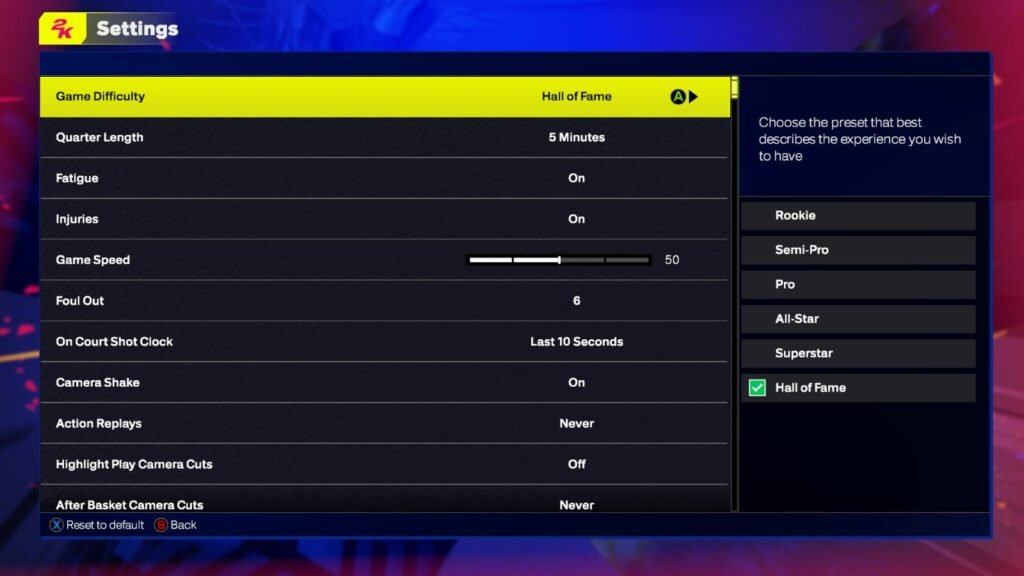
NBA 2K25 coach settings allow players to customize their team’s offensive and defensive strategies, along with timeout behavior and substitution patterns.
Tired of your virtual team not performing as you expect? You’re not alone. Many players struggle to find the perfect balance in their gameplay. Understanding and using the NBA 2K25 coach settings is crucial for achieving that winning edge.
Fine-tuning these options lets you dictate how your players act on the court. These adjustments can significantly impact your game’s flow and the outcome of matches. Take control of the game by adjusting your coach settings.

NBA 2K25 Coach Settings: Your Guide to Winning Strategies
Alright, hoop fans! So, you’ve got NBA 2K25 and you’re ready to dominate, right? But just having the best players isn’t enough. You need a smart game plan, and that’s where coach settings come in. Think of them as your secret weapon, the behind-the-scenes tweaks that turn good teams into unstoppable forces. This isn’t just about making your players run around aimlessly; it’s about crafting a winning strategy, understanding basketball tactics and making your team play the way you want them to play. This article will guide you through all the important coach settings you need to know, so you can get those championship rings.
Understanding the Basics of NBA 2K25 Coach Settings
Before we dive into the nitty-gritty, let’s understand why these settings are so important. Your coach settings control how your team behaves on the court. This includes everything from how your players move, to the kind of shots they take, and how they defend. These settings can impact your offense and defense greatly. By changing these settings you can customize your team’s behavior to match your style of play, and exploit your opponents’ weaknesses. They’re not just there for show; they are vital for winning games. It’s like having a playbook that you can adjust on the fly. If you are facing a team that focuses on three-pointers, you can adjust your defensive settings to counter that. Same way, if you are facing a very good defensive team, you can change your offensive settings so that your team is in a position to make scoring easier.
Accessing the Coach Settings
First things first, you need to know how to access these settings. It’s pretty simple. During a game, pause the game. Then, navigate through the menus. You’ll see an option for “Coach Settings” or something similar. This is your command center, where you will find options for offensive, defensive, and time-out strategies.
- Pause the game
- Navigate to the options or coaching tab
- Select “Coach Settings”
Offensive Settings: Scoring with Purpose
Your offensive settings dictate how your team attacks the basket. They are essential to scoring effectively. It includes everything from how your team moves off the ball, to what plays they run. Here are some of the key areas you need to pay attention to:
Playcalling
Playcalling is at the heart of the offensive settings. Deciding how your team runs plays is key to effective offensive basketball. You have options for both automatic and manual playcalling.
- Auto Plays: If you are new to the game or are not comfortable with the technical part of game, select this option to let the game decide the plays. The game will automatically pick the plays that will suit your team’s style and the current situation on the court.
- Manual Plays: If you know basketball plays or have a favorite play you like to use, then this option is for you. When you choose the Manual Plays option, you will be the one who decides the plays to run. You can use the D-pad and select the desired play from your team’s playbook.
Offensive Pace
The pace of your offense will have a big impact on how the game will play out. You can choose how fast or slow your team goes up and down the court.
- Fast Pace: This setting will instruct your players to push the ball up the court as quickly as possible after getting a rebound or a change of possession. This setting is good for teams that like to score before the defense is set.
- Moderate Pace: Your players will advance up the court with a moderate speed, allowing for some fast breaks while also setting up plays in half-court. This is a good setting for a balanced approach to basketball.
- Slow Pace: This setting tells your players to slow the game down, allowing more half-court plays to be run and to make sure that all of your players are in good position. It is helpful when you are trying to control the tempo of the game.
Offensive Focus
This setting dictates the types of shots your players are encouraged to take. You can choose to emphasize inside scoring, three-point shooting, or a balanced attack.
- Inside: This directs your players to focus on attacking the paint and using post moves and layups. If you have a team with good post players, this is the way to go.
- Outside: This instructs your players to focus on getting open from beyond the three-point line. If you have good shooters, this setting is for you.
- Balanced: This is good for teams that have a mix of good inside and outside players. The game will look for both inside and outside opportunities to score.
Isolation and Pick-and-Roll Settings
These two are the popular options used by the NBA teams, when it is required to get a good offensive play. They both work differently and need different settings to maximize their effectivness.
- Isolation: This setting allows you to create a one-on-one match up and to clear out the rest of your players from the area to allow your best player to go against their defender.
- Pick and Roll: Here you are creating a two man game with a pick setter and ball handler. This setting allows you to tweak who is setting the pick, who is the ball handler, and how they are coming off the pick.
Defensive Settings: Shutting Down Your Opponents
Now, let’s talk defense! The best offense in the world means nothing if you can’t stop your opponent from scoring. Effective defensive settings are crucial to shut down your opponents. Your defensive settings will dictate how your team guards different players and attacks. Below are some of the key defensive settings to focus on:
Defensive Pressure
This setting dictates how aggressive your players guard their opponents. You can choose from tight defense, to playing with more space. Here is what you need to know.
- Tight: This means that your players will stick very closely to the player they are guarding and will not allow any space. This is good for fast and athletic players.
- Moderate: This setting tells your players to give a little space to their opponents but not too much space. This is a good balanced setting.
- Loose: This setting will instruct your team to allow the players they are guarding to have more space. This setting is good when you are trying to limit the drive and force your opponent to take a tough shot.
Help Defense
This setting is extremely important, as it controls how your players help each other when one of them is beat by their opponent. This setting can greatly improve your team’s defense.
- Rotate: This means that players will come over from their spot to help on defense. When one player is beat, another player will step up to defend the person driving to the basket.
- No Rotation: When the setting is on No Rotation, then the players will mostly stay on their assignments and won’t come over to help, making sure that your players will cover the shooters better, but could give away some layups and dunks.
On-Ball and Off-Ball Defense
These settings allow you to fine-tune how your players guard their man with and without the ball. You can change how close they are, if they will gamble for steals, and more.
- On-Ball: This controls the defensive intensity your players are using when they are guarding a player with the ball.
- Tight means they stay very close to the opponent.
- Moderate gives some space.
- Loose gives more space.
- Off-Ball: This setting controls how they guard a player who does not have the ball.
- Tight means they stick close.
- Moderate is a balanced approach.
- Loose means that they allow more space.
Matchup Settings
Here is where you can choose who defends whom. You can set the best defender on your team on the other team’s best offensive player. This is a great way to make sure you are in the best defensive position.
- Manual Matchups: This setting lets you pick and assign specific players to defend particular players on the other team. This is good when you know your opponents well.
- Automatic Matchups: Here, the game picks your players assignments, depending on their position. This works fine if you are not too familiar with the opposing team’s players.
Timeout Settings: Making the Most of Your Breaks
Timeouts are more than just a chance to catch your breath. They are opportunities to regroup, change the course of the game, and create winning strategies. Here is how you should be thinking about your timeouts:
Timeout Frequency
You can choose when you would like the game to call a timeout. The game can automatically call the timeout when it thinks the team needs one or you can have it manually.
- Automatic: The game will call timeouts when it thinks that it is necessary, when the team is on a run, or when a timeout will benefit you.
- Manual: When it is on manual, the game will not call any timeouts on its own. You are responsible for taking all the timeouts. This can be good for players who like to control the game.
Timeout Strategies
You can decide to take an aggressive timeout to make changes to the game, or more reserved approach to the game. You can select how the coach will use timeout strategy during the game. Here are the settings to know.
- Offensive Focus: During these timeouts, the focus of the coach will be to come up with new plans to score and increase the scoring opportunities.
- Defensive Focus: Here the coach will try to fix the defensive errors by making changes and new strategies.
- Balanced Focus: This setting will instruct the coach to give balanced strategies for both offense and defense.
Adjusting Settings on the Fly
The best part about coach settings is that you don’t have to choose them at the beginning of the game and stick with them. You can make changes to your coach settings during the game. This allows you to adapt to whatever happens on the court. If your opponent is making a lot of three-pointers, you can change your defensive settings to counter that. The same way if you are not able to score, you can make changes to your offensive settings to get better looks. You can use the in-game timeout to adjust your strategies and come up with a game plan that will help you succeed in the game. Practice is key when it comes to understanding and using the coach settings. Play different styles of games and test the different settings to see how they fit into your play style. As you play more, you will learn how these settings work together and make big impact on the game, and get you to winning games.
Fine-Tuning for Different Modes
Keep in mind, the best coach settings might change depending on which game mode you’re playing in. Here’s a quick look at different modes and what might work best.
MyCAREER
In MyCAREER, focus on your specific player’s strengths. If you are a three-point shooter, you might want to make sure that your team’s offensive playcalling and pace focus on getting you open shots. If you are a post player, your coach settings should focus on getting the ball in the post so that you can score easily.
MyTEAM
MyTEAM is all about mixing and matching players. Look at the strengths and weakness of the players on your team and adjust the coach settings so that you are getting the best out of your team. If you have a team full of shooters, you need to use it by increasing the pace and focusing on three pointers.
Play Now Online
In Play Now Online, be prepared to adapt as you learn your opponent’s tendencies. If they keep attacking the paint, adjust your defensive settings to counter that. If they are not doing a great job defending the three-point line, focus on that and exploit that weakness.
Using coach settings in NBA 2K25 is all about understanding your team and your opponent. Don’t be afraid to experiment and tweak things until you find the perfect combination. Remember the coach settings are here to help, and you just have to use them to become a winning player. Keep playing and you will be dominating the court in no time!
BEST DEFENSIVE SETTINGS & HOW TO SAVE THEM IN NBA 2K25!
Final Thoughts
Tweaking NBA 2K25 coach settings impacts gameplay significantly. Finding the right balance suits your playing style. Experiment with different offensive and defensive strategies.
Adjusting timeout frequency and substitution patterns can give you an edge. Proper setup influences your team’s overall performance. NBA 2K25 coach settings allow for strategic depth.
Fine-tuning these options is essential for a competitive advantage. Ultimately, understanding coach settings is a must for optimal results.

