
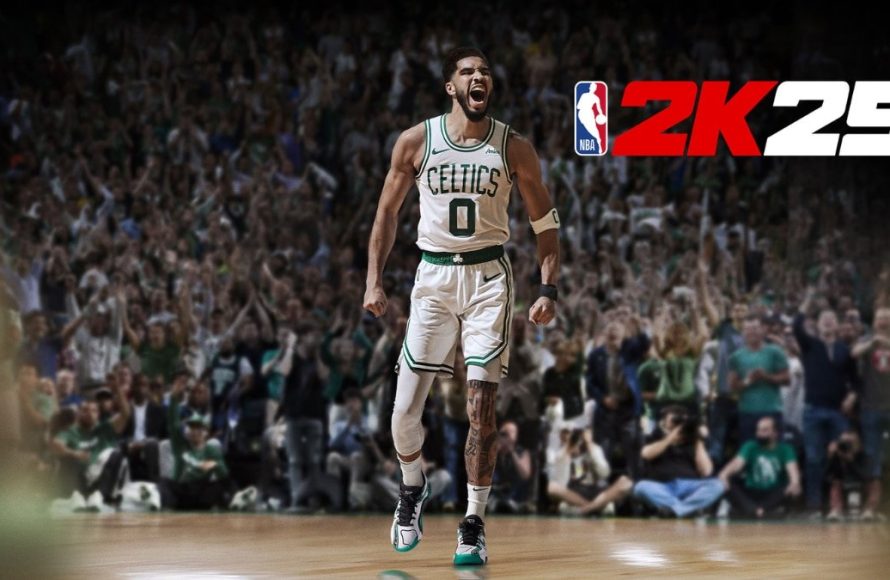
Here’s a look at the common issues players are experiencing in NBA 2K25, including glitches, connectivity problems, and gameplay frustrations.
Frustration bubbles in the NBA 2K community, with many players encountering problems in the newest iteration of the game. NBA 2K25 common issues are starting to surface. Players are reporting a range of problems, affecting their ability to enjoy the game fully.
From unexpected crashes to online connectivity struggles, users find themselves dealing with annoying interruptions. Gameplay mechanics also present difficulties for some users.

NBA 2K25 Common Issues
Alright, basketball fans! So, you’ve been waiting all year for the newest NBA 2K game, and you finally got your hands on NBA 2K25. It’s exciting, right? But sometimes, even with all the hype, things don’t go exactly as planned. You might run into some problems that can make playing a bit frustrating. Don’t worry; you’re not alone! Lots of players experience similar hiccups. Let’s take a look at some of the most common issues in NBA 2K25 and see what we can do about them.
Gameplay Problems
First off, let’s talk about the stuff that happens right there on the court. This is where you’re trying to dunk, shoot threes, and make amazing plays, but sometimes the game seems to have other ideas.
Lag and Slowdown
Imagine you’re about to make the game-winning shot, and suddenly, everything starts moving like it’s in slow motion. This is lag, and it’s super annoying. It can make the game feel unresponsive, and your actions might not happen when you want them to. This is often caused by your internet connection. If you have a bad connection, the game has trouble keeping up, leading to lag and slowdown. This can also be related to the servers, that servers of the game are busy or having their own issues. Also, Sometimes it’s because your console or PC is working hard and not running the game as smoothly as it should.
How to Fix Lag:
- Check your internet connection: Make sure your WiFi is strong, or try using an Ethernet cable instead of WiFi.
- Restart your router and modem: This can sometimes clear up any temporary internet issues.
- Close other programs: Close all the other apps and programs that you don’t need.
- Lower graphics settings: In the settings of the game, lower the graphics to make the game run smoother.
- Check the game servers: The game might be having some problems on its end. Check the 2K status page for info.
Shooting Issues
Ever feel like your shots just aren’t going in? Maybe your timing is perfect, but the ball just clangs off the rim. There are different kinds of shooting issues in NBA 2K25. Sometimes, it is difficult to make shots, even when timing is perfect, or the game seems to register the timing incorrectly. Another problem is the shot meter. The visual meter that shows the shot timing might be delayed or not match your controller input, which makes shooting inconsistent and frustrating.
How to Improve Shooting:
- Practice your timing: Go to the practice area and keep practicing to get your timing right.
- Adjust the shot meter: Experiment with different settings to see which one you like better.
- Learn your player’s release: Every player has a different shooting style. Learn when to release the ball for your players.
- Check controller settings: Check your controller sensitivity. It could be the issue of why your shots are not connecting.
AI Glitches
Sometimes the other players on your team or the AI players do really silly things. Maybe they run out of bounds for no reason, or they ignore you when you’re wide open for a shot, these type of odd AI behaviors can frustrate players. Sometimes the AI also struggles to follow basic game rules, causing it to break the flow of the game. This not only makes the game less fun but also reduces the realism that the game aims for.
What to do with AI Glitches:
- Restart the game: This often fixes minor issues with AI behavior.
- Update the game: Make sure that your game is updated, because game developers release updates to fix the glitches and problems.
- Report the issue: If these glitches are always occurring, you should contact the game support.
MyCAREER and MyTEAM Problems
Now, let’s move on to the parts of the game where you make your own player or build your dream team. These modes are a lot of fun, but they can have their problems, too.
MyCAREER Progression Issues
In MyCAREER, you’re building your basketball superstar. But sometimes, your player’s progression slows down or stops altogether. This can mean that you are not gaining experience points even after playing games, or that your player stats are not increasing at the proper pace. This can make it very slow and boring to reach your full potential and you’ll feel like your progress is stuck. Another problem is related to Badges, These badges are what make your player better in certain areas, but sometimes, they might not be working properly. Also sometimes players feel like they are not rewarded equally for the time that they have given to the game.
How to Fix MyCAREER Progression:
- Check your game settings: Make sure that you have selected the difficulty level according to your skills.
- Try other methods to earn points: Find the different ways to earn points.
- Restart the game: It can help with minor issues.
- Check for game updates: The game developers often release patches to fix such issues.
MyTEAM Card Issues
In MyTEAM, you collect basketball player cards and build your perfect team. But sometimes, there are problems with the cards themselves. Sometimes, you get duplicate cards. Also, there can be issues with the card stats which are not accurate or not working properly. The prices of the cards can also fluctuate in the virtual market. These issues can make your experience feel unfair and difficult.
How to Fix MyTEAM Card Problems:
- Restart the game: Minor issues can be fixed with this step.
- Contact the game support: If the card stats are not correct, or you are not receiving the card, you should contact the game support.
- Check the game forums: Find out if other players are facing similar issues and if there are any workarounds.
VC (Virtual Currency) Problems
VC is the virtual money in the game used for a lot of stuff, from player upgrades to buying card packs. But sometimes, there can be problems related to the VC. You might buy VC, but it doesn’t show up in your account, or you spend VC but don’t get the item. It can be frustrating when your hard-earned or bought money just disappears. These types of problems can impact your experience, because you are not able to get your upgrades, card packs, or anything that you want to purchase with the VC.
How to Fix VC Issues:
- Check your account: Sometimes, the transaction takes a few minutes or hours to process.
- Contact the game support: If the VC is not reflecting or you have lost the VC, you should contact the game support.
- Check the game forums: It might be that other players are facing same issues.
Connection and Server Problems
Online games need a solid connection to work properly. If the connection is not good, it can make playing very hard. The server issues can also make the game unplayable.
Frequent Disconnections
It is super annoying when you are playing a great game and suddenly you get disconnected. The connection breaks and you are kicked out of the game. This type of connection issue happens when there is some problem with your internet, but there could also be server issues. This disrupts the game, ruins the flow, and makes you lose any progress. It can be really frustrating when this keeps happening often.
How to Stop Frequent Disconnections:
- Check your Internet Connection: Make sure you have a stable and fast internet connection.
- Restart your Router/Modem: Sometimes, restarting your devices will resolve the problem.
- Close Background Programs: Other apps that use the internet can interfere with the game.
- Use an Ethernet Cable: Ethernet can give you a better connection than WiFi.
- Check Server Status: Maybe there are some problems with the game servers.
Unable to Connect to Servers
Sometimes, you simply can’t log in to the game, and it shows you an error message. This can happen when the game servers are down or under maintenance. Server issues are not something you can fix on your side. Usually, it just means that you need to wait for the developers to solve the problem. This can be frustrating because it stops you from playing the game.
What to Do When You Can’t Connect to Servers:
- Check the Game’s Social Media: Check the social media accounts of the game to see if there are any announcements regarding maintenance or server issues.
- Visit the 2K Status Page: The official page for status will tell you if there are server issues.
- Wait it out: Usually, server problems get fixed quickly by developers, so waiting is usually the best choice.
Technical Issues
Technical problems can happen on all platforms, from consoles to PCs. Sometimes, these issues can completely stop you from playing the game. Let’s take a closer look.
Game Crashes
It’s very frustrating when the game crashes. It means the game suddenly stops, often without warning, and you are back on the home screen. This issue can happen due to bugs in the game, compatibility issues with your device, or if your device is running hot. Frequent crashes are frustrating, because they can happen at any time, and you will lose any progress you haven’t saved. This ruins the gameplay experience and makes it hard to keep playing.
How to Fix Game Crashes:
- Restart your device: Sometimes, just restarting your console or PC can fix the crash problem.
- Check system requirements: Make sure that your device meets the minimum requirements to run the game properly.
- Update your graphics drivers: If you are a PC gamer, you should update your graphics drivers.
- Lower the graphics settings: Sometimes, lowering the graphic settings in the game can stop the crashes.
- Reinstall the game: If all other fixes don’t work, uninstall and reinstall the game.
Freezing and Stuttering
Imagine playing the game, and suddenly, everything freezes for a moment, or the game keeps stopping and starting as you play. This is called freezing or stuttering, and it disrupts the game and makes it difficult to play. Freezing happens when the game suddenly stops, and stuttering is when the game runs in small pauses. This is often caused by your device not working properly or because of game optimization problems. Freezing and stuttering make the gameplay really unenjoyable.
How to Stop Freezing and Stuttering:
- Close Background Applications: Make sure to close all unnecessary programs that are open.
- Update the game: Game developers often release updates that fix such issues.
- Check your device’s temperature: Make sure your device isn’t overheating.
- Try lowering game graphics: Sometimes high graphics settings can cause performance issues.
Audio Issues
Sometimes, the sounds in the game are not working correctly. Maybe you are not able to hear game commentary, sound effects, or music. Sometimes, the sounds might be distorted or too loud or too quiet. These types of audio issues can affect the experience of the game. Without the proper sound, you will miss the feel and excitement of the game.
How to Resolve Audio Issues:
- Check your Volume Settings: The first step is to check the sound settings of your game.
- Check Device Sound Settings: Check the settings of your device, maybe the device sound is low or muted.
- Update your audio drivers: If you are a PC user, make sure you have updated the drivers.
- Restart the Game: Sometimes restarting the game will fix the issue.
Controller Issues
Sometimes, your controller isn’t working properly. It might not be responding, or the buttons might be acting weirdly. Sometimes, the controller buttons will register at the wrong time. It’s also possible that your controller is not working on your PC even when it is connected to it. This type of problem makes it difficult to play the game properly. When the controller doesn’t work, you can’t control your character and play the game properly.
How to Fix Controller Issues:
- Check the Battery: Ensure your controller has enough battery.
- Check Controller Connection: Make sure the controller is properly connected.
- Restart the Controller: Turn off your controller and turn it back on.
- Update Controller Drivers: if you are PC player, update the controller driver.
- Try a different controller: See if the issue is with the controller itself.
These are some of the most common issues you might face in NBA 2K25. Remember, these issues don’t happen to everyone, but they can still be frustrating. Don’t give up! Try the solutions we’ve talked about. Sometimes, it’s just a matter of finding the right fix or waiting for the game developers to release an update. Keep practicing, keep playing, and you’ll get back to the game without any problem soon.
Why You Shouldn't Buy NBA 2K This Year…
Final Thoughts
Players frequently encounter problems like server instability and frustrating gameplay bugs. These often hinder online matches and impact game enjoyment. Fixing these issues is crucial.
Furthermore, many users report problems with the game’s AI behavior and progression systems. This impacts single-player modes and overall replayability. addressing these common issues needs to be a priority.
In conclusion, resolving NBA 2K25 common issues, such as server problems and AI behavior, is essential for a better gaming experience. Developers must address these problems promptly.

