
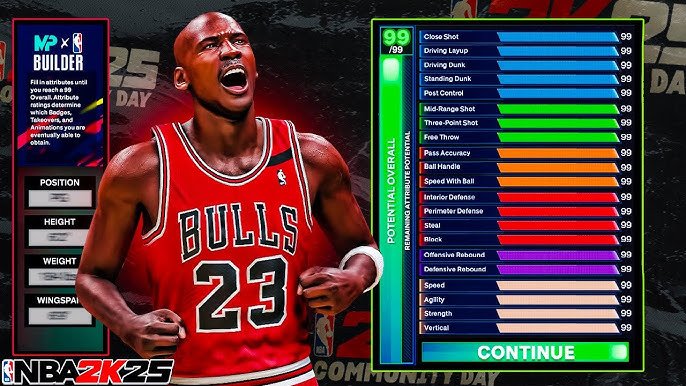
The NBA 2K25 community platform guide details how to access forums, share content, and participate in in-game events.
Ready to connect with fellow hoop fans? The NBA 2K25 community platform guide provides all the information you need to engage with the game beyond the court. It explains how to find discussions, share your best plays, and join virtual competitions.
This guide offers step-by-step instructions on navigating the platform. It makes it easy to connect with other players, learn new strategies, and stay up-to-date with all things NBA 2K25.

NBA 2K25 Community Platform Guide
Alright, hoops fans! You’re hyped for NBA 2K25, and we are too! But the game is more than just hitting threes and making crazy dunks. It’s also about connecting with other players, showing off your skills, and getting the most out of the community platform. This guide is your one-stop shop to understand and use all the amazing features the NBA 2K25 community platform offers. Think of this as your courtside cheat sheet, helping you navigate the online world like a pro.
Exploring the Main Hub: Your Digital Home Court
The community platform in NBA 2K25 is where everything comes together. When you first hop online, this is the place you’ll land. It acts as your central command for all things social and competitive. Let’s break down the key areas:
The Main Menu: Navigating the Basics
The main menu is usually a straightforward, easy to read layout. It’s here you’ll find different sections leading you to various parts of the community. Expect to see options like:
- MyPLAYER: This section lets you tweak your player, check stats, update your gear, and view your player card.
- The City/Neighborhood: If you’re playing on the current gen version of the game, you will explore The City and if you play on the previous gen version of the game, you’ll explore The Neighborhood. This is the place where you interact with other players in real-time, find games, and participate in events.
- Pro-Am/Rec Center: Want to play organized team ball? This is where you find those games!
- Events: Keep an eye on this spot for special game modes, challenges, and contests.
- Leaderboards: Compare your skills to the best players in the world. See where you rank in different categories.
- Social: Manage your friend list, send invites, and chat with other gamers.
- Settings: Adjust your game preferences and notifications.
Familiarizing yourself with this menu is key to getting around quickly and easily. It’s your map to all the social elements of NBA 2K25.
Your Player Card: Showcase Your Skills
Your player card is like your online basketball resume. It displays your character’s name, level, stats, and other vital information. Other players will see this card when they look you up. It’s an easy way to show off your hard work and achievements. This card can be viewed by going to the MyPLAYER section in the main menu.
- Personalize Your Card: Make sure to personalize your player card. Include any specific badges or awards you are proud of.
- Track Your Stats: Keep an eye on your progress by looking at your stats. Are you an amazing three point shooter or are you an all around talent?
- Show off your Gear: The gear you equip is also displayed. Flaunt your unique style.
Connecting with Friends and Other Players
NBA 2K25 is more fun when you’re playing with friends. The community platform includes many ways to connect with other players.
The Friend List: Building Your Squad
Adding friends to your list lets you easily join games together, send invites, and chat. Here’s how to manage your list:
- Adding Friends: Search for players by username and send friend requests.
- Accepting Requests: Be sure to regularly check your friend requests so you can squad up.
- Organizing Your List: Keep your friend list tidy so you can find players easier.
- Playing Together: Once you have your friends added, start inviting them to games and having fun.
Messaging: Keep the Conversation Going
The messaging system is the most direct way to talk to your friends and other players. You can chat before, during, and after games.
- In-Game Chat: Use the in game voice or text chat to coordinate plays.
- Private Messages: Send individual messages to friends about game plans.
- Group Chats: Create group chats so all your friends can talk at once.
The City/Neighborhood: Your Digital Playground
This is where things get really exciting! The City or the Neighborhood is a virtual, open world where you can roam, interact with other players, play games, and more. It’s a key place for a community experience.
Exploring the Map
The City or Neighborhood is typically a sprawling environment. Use the mini map to navigate and find key locations.
Key Locations
- Courts: Find different courts for pick up games and playing against other players.
- Stores: Buy new gear, clothes, and accessories.
- Event Centers: See what special events are happening that day.
- Practice Facilities: Train your player and practice your moves.
Social Interactions in The City/Neighborhood
The City/Neighborhood is alive with other players. You will run into other people all the time. Here is how you interact:
- Roaming: Walk around and explore.
- Emotes: Use emotes to express yourself.
- Challenge other players: Challenge a player for a friendly 1v1 game.
- Squad up: Team up with other players to play 2v2s, 3v3s, or 5v5s.
Pro-Am and Rec Center: Serious Competition
When you’re ready to take your game to the next level, try the Pro-Am or Rec Center. These are organized game modes where teamwork and strategy matter most.
Pro-Am
Pro-Am is for players who like to play with a squad of friends or other dedicated players. You compete against other Pro-Am teams in organized matches.
- Create a Team: Start a team and invite your friends.
- Customize Your Team: Choose your team name and logo.
- Compete: Try to work your way up the ladder and become the best Pro-Am team.
Rec Center
The Rec Center is a bit more relaxed than Pro-Am. It is a great place to play with your friends, or to play with random people.
- Pick-Up Games: The Rec Center is where you find quick matches with other random players.
- Teamwork: Try to work well with random people, using voice chat and communication.
- Improve Your Skills: Play multiple games and improve your overall skills.
Events: Don’t Miss the Action
NBA 2K25 often holds special events, which are a fun way to keep things fresh and exciting. They include special challenges, game modes, and rewards.
Finding Events
Find event information by going to the Events section in the main menu. In The City/Neighborhood, there are special places for events as well.
Participating in Events
- Check the Schedule: Be aware of any upcoming event schedule.
- Read the Rules: Understand the game mode or any special rules before the event starts.
- Play and Win: Join the events and see how you fare against the competition.
- Claim Rewards: Be sure to collect your rewards after winning events.
Leaderboards: See Where You Stand
The leaderboards are a way to see how well you are playing compared to all other players in the game. If you like to compete, the leaderboards are the place you need to look.
Viewing Leaderboards
You can find the leaderboards within the main menu. You can sort the leaderboards by many different categories.
Understanding the Ranks
- Global Rankings: See how you compare against all players worldwide.
- Game Mode Rankings: Check your rank in specific game modes.
- Stats Rankings: Compare stats like points, assists, rebounds, and more.
- Climbing the Ranks: Keep practicing and playing to climb your way to the top of the leaderboards.
Customization: Make Your Mark
NBA 2K25 gives you lots of customization options. You can customize your player, your team, and your personal style. This helps to make the game unique for you.
MyPLAYER Customization
This is where you create and customize your player. You have control over many different things from the way your player looks to what skills they have.
- Physical Appearance: Adjust the appearance of your player.
- Badges: Earn and equip badges that improve your players abilities.
- Attributes: Train to improve your players skills.
- Signature Moves: Give your player unique moves.
Gear and Clothing
Personalize your player’s look with all different types of clothing and gear. Express your style in NBA 2K25.
- Apparel: Buy different shirts, pants, hats, shoes, and accessories.
- Branded Gear: Wear real-life brands in game.
- Custom Designs: Create your own designs or use pre made ones.
Team Customization
If you play Pro-Am, you can customize your team. Give them a unique name, logo, and jerseys.
- Team Name and Logo: Make a unique name for your team, and give them a cool logo.
- Jerseys: Design your team’s unique jerseys.
With all these different community platform options, you can make the most of NBA 2K25. From connecting with friends, to competing for top spots on leaderboards, there is no end to the amount of fun that can be had. Take the time to check out all the different game modes and features so you can get the most out of your gaming experience!
Now that we’ve gone through all the main aspects of the community platform, you’re ready to jump in and start playing. Remember to take your time, explore, and most importantly, have fun. This platform is all about community and shared love of the game. So, go out there, make some friends, and dominate the court!
Watch This Before Playing NBA 2K25…
Final Thoughts
In short, the NBA 2K25 community platform provides key areas for engagement. Players should explore forums, in-game groups, and social media channels for best experience. This way, everyone can connect, share strategies, and find new teammates.
This guide helps you understand the core aspects of the NBA 2K25 community platform. Utilizing these tools helps improve your game and build connections with others. By following these steps you can improve your overall gaming experience.
Finally, using this NBA 2K25 community platform guide ensures everyone has the information they need.

