
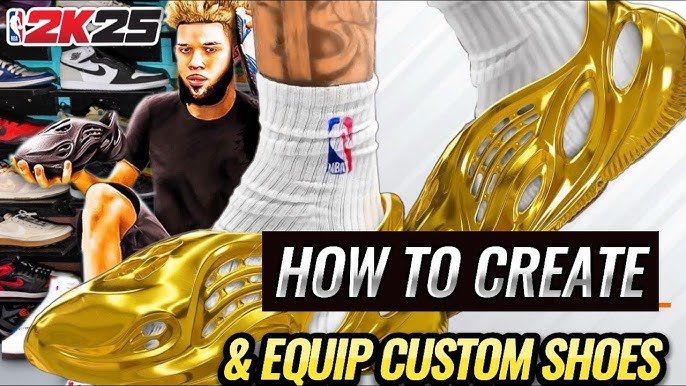
The NBA 2K25 customization process allows you to personalize players, teams, and game settings through intuitive menus, enabling detailed adjustments to appearance, skill sets, and playstyles.
Struggling with the intricacies of tweaking your game? Many players find the depth of options in NBA 2K25 overwhelming. Getting the most out of the game often requires a grasp of its customization features. We’re here to provide some guidance to assist with the NBA 2K25 customization process help.
Navigating these menus can be tricky, but with a few pointers, creating your dream team and players becomes easier. We’ll show you how to effectively adjust aspects of the game to your liking, and soon you will be dominating on the court.

NBA 2K25 Customization Process Help
Let’s dive deep into the exciting world of NBA 2K25 customization! This year, the game gives you even more power to make your players, teams, and overall experience truly your own. Whether you’re crafting the perfect MyPLAYER, tweaking your franchise, or designing a unique court, the options are plentiful. We’ll go through each area step-by-step, making it easy to understand even if you’re new to the game.
MyPLAYER Customization: Creating Your Star
The MyPLAYER mode is where you create your own basketball superstar. It’s more than just picking a face; it’s about building a player that matches your style. You have control over everything from their physical appearance to their skills and badges.
Physical Attributes: Shaping Your Player’s Body
First, you’ll mold your player’s body. This isn’t just about making them look cool – it impacts how they perform on the court.
- Height and Weight: Taller players can dominate in the paint, while shorter players might be faster and better at handling the ball. You need to choose the height and weight depending on the kind of player you want to be.
- Body Shape: You can make your player more muscular, lean, or somewhere in between. This affects their agility and strength.
- Wingspan: Longer arms help with defense and rebounding, but they can sometimes slow down your shot.
Choosing the right combination of these attributes is like picking the best ingredients for your favorite recipe. It’s important to think about your position and play style to get the best results. For example, a point guard would usually prefer being a little shorter and lighter, to be more agile. If you plan on playing center, you’ll want to be taller, heavier, and have long arms to dominate the paint.
Facial Features and Appearance: Making Your Player Unique
Next, comes the fun part: designing your player’s face. The game provides many tools to tweak every detail.
- Presets: You can choose from a variety of pre-made faces to start from. It’s like picking a template for your drawing.
- Sculpting: You can adjust the shape of your head, eyes, nose, mouth, and more. This is where you can get really creative and make your player look just like you or a completely new character.
- Hair and Facial Hair: Add hairstyles, beards, and mustaches to really make your player your own.
- Accessories: You can give your player tattoos, jewelry, and more. These details can help you express your personality.
The goal here is to create a character that you connect with. Don’t rush it and try out different options. This is your chance to design someone who really represents you on the court.
Skills, Badges, and Playstyles: Defining How You Play
Now, it’s time to think about your player’s skills. What kind of player do you want to be?
- Skills: You’ll distribute points into categories such as shooting, playmaking, defense, and rebounding. This determines how good your player is at specific skills.
- Badges: These special abilities give your player boosts during the game. There are badges for everything from making shots to grabbing rebounds. Picking the right badges that work with your skills makes your player much better.
- Takeover: Once you fill up your takeover meter, you can trigger special boosts. It’s like your player going into a super mode!
- Playstyles: Choose playstyles that define your role on the court. For example, do you want to be a slasher, a shooter, or a lockdown defender?
Picking skills, badges, and a playstyle is what makes your player special. It’s more than just how they look; it’s about how they play on the court. Don’t be afraid to try different styles to see what works best for you. You can always make changes as you play.
Team Customization: Making Your Franchise Unique
Team customization isn’t just for the MyNBA mode; you can use these tools to create unique teams for different game modes. Making your team stand out is a big part of the fun.
Team Logos and Branding: Building Your Identity
Your team’s logo is a symbol of your identity. NBA 2K25 allows you to design your own logo or upload an image.
- Color Schemes: Choosing the right colors is vital. They should be appealing and match the theme of your team.
- Logo Creator: Use the built-in tools to draw your own logo. It takes time, but it’s rewarding when you have something unique.
- Upload Images: If you have a design in mind, you can import it. Just make sure it’s the right size and format.
A great logo and color scheme sets the tone for your team and makes your franchise look professional. Having a unique logo makes your team easy to remember and recognize.
Jersey Designs: Dressing Your Team for Success
Jerseys are more than just clothing; they’re part of your team’s brand.
- Base Styles: Select the basic jersey template you like, whether it’s a classic design or something more modern.
- Color Placement: Choose the colors for different parts of the jersey, such as the main body, side panels, and trim.
- Number Styles: Decide how the player numbers will look. There are many font options.
- Logos and Names: Apply your team’s logo and add player names.
A good jersey design makes your players look sharp and professional on the court. Having a design you are proud of adds to the fun of playing.
Arena Customization: Setting the Stage
The arena where your team plays is like their home court. You can make it look and feel the way you want.
- Court Design: Add your team’s logo to the court’s center circle, the sidelines, and the free-throw area.
- Colors: Pick the colors for the court’s floor, the lines, and other details.
- Seating: Change the color and design of the stadium seating.
- Lighting: Control the mood of the arena by adjusting the lighting.
Designing your home court adds another level of personalization. Playing in your own arena makes the game more fun and more personal.
MyNBA Customization: Controlling Your Franchise
MyNBA lets you take full control of a team or league. You can customize almost everything in this mode.
League Structure: Creating Your Dream League
With MyNBA, you can redesign the entire league.
- Number of Teams: Add or remove teams. You can make a small league or a really big one.
- Conferences and Divisions: Group teams into conferences and divisions the way you like.
- Playoff Format: Decide how teams get into the playoffs.
- Salary Cap and Rules: Control how teams can spend money and how drafts work.
You can make the league that you’ve always wanted to play in. You can create a league that is very different from the real NBA.
Team Relocation and Rebranding: Moving Your Team
If you want to move your team to a new city and give them a new brand, you can do that in MyNBA mode.
- New City: Pick from a list of available locations or create your own.
- New Name: Choose a new team name that fits the city and your vision.
- New Branding: Design new logos, colors, and jerseys.
This feature adds another layer to your franchise control. You can take a team from a city with a poor history to a winning franchise with a new brand.
Roster Editing: Shaping Your Players
You can make changes to players’ abilities and edit the team rosters.
- Ratings: Change player ratings to make them better or worse.
- Positions: Change the positions of your players on the team.
- Trading and Signings: Move players to different teams through trades and free-agent signings.
- Contract Extensions: Offer contracts to players to make them stay with your team.
Roster editing allows you to create the team that you want to play with. You have complete control of the personnel of your team.
Gameplay Settings: Tweaking the Game
You can adjust gameplay settings to make the game fit your skill level and style.
Difficulty Settings: Adjusting the Challenge
NBA 2K25 offers several difficulty settings, from very easy to extremely challenging.
- Rookie: Ideal for new players.
- Pro: A balanced challenge for most players.
- All-Star: A harder challenge for experienced players.
- Superstar: Very difficult, for the most skilled players.
- Hall of Fame: The most difficult setting, only for the best players.
Pick the difficulty that you feel comfortable with. You can always change it later as you get better at the game.
Controller Settings: Customizing Your Controls
You can customize the controller buttons to suit how you like to play.
- Button Mapping: Change the actions assigned to each button.
- Sensitivity Settings: Adjust how sensitive the sticks are.
- Vibration: Turn controller vibration on or off.
Changing controller settings allows you to be more comfortable while playing the game. Play the game the way you want by configuring the controls.
Camera Angles: Choosing Your View
Pick the camera view that works best for you.
- 2K: The default camera angle.
- Broadcast: A TV-style camera angle.
- Freelance: A camera angle that moves with the player.
- Custom: Make your own camera angle.
The camera angle you choose can affect how you see the court and how easy it is to play. Try different angles and see what works best for you.
Tips for Getting the Most Out of Customization
Here are some helpful tips to make your customization journey even better:
- Start Simple: Don’t feel pressured to make all the changes at once. Start by focusing on one area, like MyPLAYER.
- Experiment: Try different options and styles. Don’t be afraid to make mistakes and try again.
- Take Breaks: Customization can take time. Take breaks to avoid feeling overwhelmed.
- Use Online Resources: Watch YouTube videos and read guides to learn new tips and tricks.
- Be Patient: It can take time to get your creations to look exactly how you want. Don’t give up!
Customization in NBA 2K25 allows you to make the game truly your own. Whether you’re a seasoned player or new to the game, you can find ways to personalize your experience. Enjoy the process of creating something unique, and have fun playing the game your way!
The extensive customization options in NBA 2K25 truly allow each player to shape their experience. From crafting a unique MyPLAYER to designing a personalized franchise, the game places a tremendous amount of creative power in your hands. By diving deep into each customization element, from physical attributes to league rules, you can make the game feel like a true reflection of your personal vision and style. Whether you are a fan of a specific playstyle or have a particular design in mind, the game provides the tools to make it happen. Take your time and don’t be afraid to experiment—this is your chance to play basketball your way.
How to Upload Your Own Photos in NBA 2K25 (Step by Step Guide)
Final Thoughts
Ultimately, the NBA 2K25 customization options provide many avenues for players. You can adjust many elements to suit your preference. A little practice goes a long way toward a satisfying experience.
Understanding the tools available is key. It aids in creating your ideal player or team setup. With patience, the process gets easier. Thus, NBA 2K25 customization process help becomes quite simple.

