
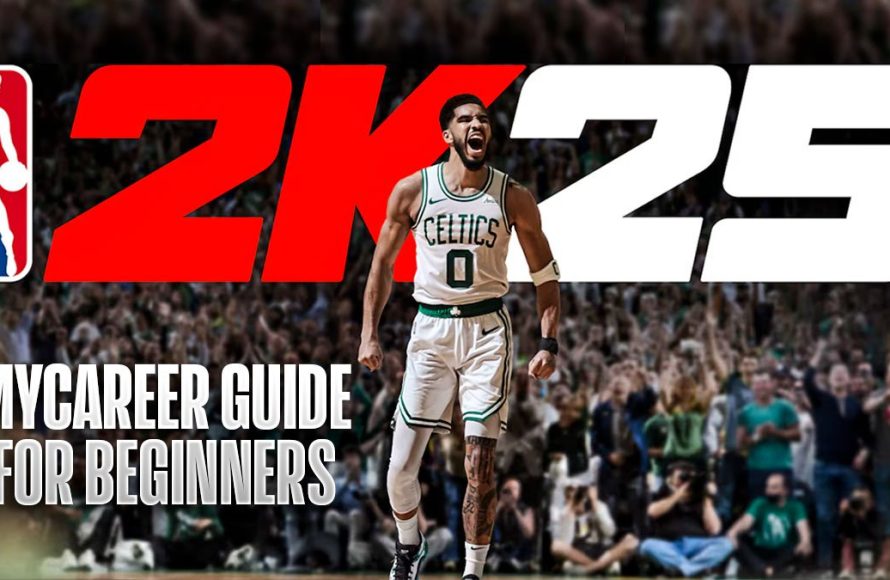
The NBA 2K25 game personalization guide details how players can customize their in-game experience, including player appearance, skills, and team aesthetics.
Want to make your NBA 2K25 experience truly your own? The possibilities for customization are vast, allowing you to shape the game to your specific preferences. This NBA 2K25 game personalization guide will help you navigate the various options available.
From crafting the perfect MyPLAYER to designing team uniforms and arenas, you can tailor almost every aspect of the game. Get ready to delve into the many ways to personalize your journey on the court and off it.

NBA 2K25 Game Personalization Guide
Welcome, hoops fans! Get ready to dive deep into the world of NBA 2K25 personalization. This isn’t just about picking your favorite team; it’s about making the game yours. We’re going to explore all the cool ways you can tweak, customize, and fine-tune NBA 2K25 to match your play style and preferences. From creating your dream player to designing your own courts, there’s a lot to cover. Let’s get started!
MyPLAYER: Your Journey, Your Look
The heart of NBA 2K25’s personalization is MyPLAYER mode. This is where you create your very own basketball star, guiding them from a rookie to a legend. It’s not just about stats; it’s about making a character you truly connect with. Let’s break down the key areas:
Creating Your Player
First things first, you’ll craft your player’s appearance. You’ll have tons of options to change:
- Facial Features: Adjust everything from your player’s eyes to their jawline. You can make them look like you, your favorite celebrity, or something entirely unique.
- Hairstyles and Hair Color: Pick from a huge library of hairstyles and colors. Go for a classic fade, rock long dreads, or try something wild and colorful.
- Body Type: Decide how tall and heavy your player is. This affects their speed, strength, and overall play on the court. A taller player might be great at rebounds, while a shorter player might be quicker.
- Skin Tone: Choose the skin tone that suits your player.
- Accessories: Add tattoos, headbands, arm sleeves, and more. These help to define your player’s style and personality.
It’s all about building a character you’re excited to play as. Don’t be afraid to experiment and create someone who stands out!
Choosing Your Build
Next, you’ll shape your player’s skill set. This is where the game gets really strategic. You’ll pick a primary and secondary skill focus. Here are a few examples:
- Playmaker: If you want to be the guy making the passes, controlling the game, and setting up your teammates, this build is for you. You’ll have high passing, ball handling, and speed attributes.
- Shooter: Love to drain threes? This build is all about making buckets from anywhere on the court. Expect high shooting attributes, especially for long-range shots.
- Slasher: If you prefer to drive to the basket and finish strong, the slasher build will be right for you. Speed, layup, and dunking skills will be your strengths.
- Defender: Are you the player who loves to shut down opponents? Focus on defensive stats such as rebounding, blocks, and steals.
- Rebounder/Finisher: This build is focused on battling for rebounds and finishing near the basket. Expect high stats in rebounding and close-range shots.
You’ll allocate attribute points to boost your chosen build. Each attribute affects your performance on the court. Spend them carefully! As you play and earn experience, you can increase your skills. Don’t be afraid to try different builds to find the perfect one for your style of play.
Badges: Superpowers for Your Player
Badges are special abilities that improve your player’s strengths. They give you extra advantages in specific situations. Here are a few examples:
- Ankle Breaker: This badge makes it easier to cross up defenders and create space.
- Clamps: Improves your ability to stay in front of defenders and play tight defense.
- Green Machine: Increases the chance of hitting consecutive shots.
- Posterizer: Allows you to dunk ferociously on defenders.
- Rebound Chaser: Helps you grab more rebounds.
You earn badges by completing in-game challenges and improving your player’s stats. Think of badges as unique boosts that make your player even better.
MyTEAM: Building Your Dream Squad
MyTEAM is where you create your ultimate fantasy basketball team. You collect player cards and build a squad of your favorite players, past and present. There are tons of ways to personalize your experience within this mode.
Collecting Player Cards
In MyTEAM, you’ll amass player cards. These cards have different rarities and ratings. Some cards feature current superstars, while others showcase legends of the game. You can obtain them through:
- Packs: Open card packs that give you a random assortment of players.
- Auction House: Buy and sell player cards with other players.
- Challenges: Complete in-game tasks and challenges to win player cards.
- Reward Systems: Earn player cards by reaching certain milestones within the game.
The goal is to collect a wide variety of players and build a team that fits your playing style. Different players have different skills and strengths so choose wisely.
Customizing Your Team’s Appearance
Once you’ve got your players, it’s time to customize how your team looks. This includes:
- Team Name and Logo: Pick a unique name and design a logo for your squad. Go with something classic, or get creative and design something completely new.
- Jerseys: Choose the colors and design of your team’s uniforms. Express your team’s personality with your jersey designs.
- Court: Pick a custom court design that reflects your team. Many courts can be unlocked, giving you lots of options.
Your team’s look is just as important as the players. Make it your own!
Playbooks and Strategies
MyTEAM lets you adjust your team’s play style. You can choose from a variety of playbooks that will allow you to control how your players act on the court. You can also adjust individual player instructions, to change how they attack or defend. For example, you can instruct your point guard to bring the ball up the court more, or set your center to crash the boards more often.
With the right playbook and instructions, you can ensure your players are in the positions you need them to be. This level of control gives you the best chance to score the most points.
MyNBA: The Ultimate Control
MyNBA is the mode for the true basketball strategist. It lets you control every aspect of an NBA franchise. This level of personalization goes beyond just playing games; you shape the future of the league.
Choosing a Starting Point
When you start a MyNBA mode, you have options to decide how your game will go. You can choose between different eras, which puts you in different years with different players on the roster. This is awesome for fans who want to play the game with their favorite historical era.
- Modern Era: Start with the current NBA rosters.
- Past Eras: Begin in eras like the 80s, 90s, or 2000s. This lets you re-write history with the stars of the past.
- Custom Start: Create a brand new league with your specific rules and settings.
The era you choose dictates the types of players, rules, and challenges you’ll face.
Franchise Relocation and Branding
One of the coolest features in MyNBA is the ability to relocate your team. This means moving them to a new city and giving them a fresh new look.
- New Cities: Pick from a list of cities that don’t have an NBA team.
- New Team Names: Give your team a new identity with a unique name.
- New Logos and Jerseys: Design brand new uniforms and a logo to represent your team’s new location.
- New Arenas: Build a completely new arena that reflects the team and its new location.
This feature lets you create a totally new franchise and makes for an even more personalized gameplay experience.
Drafts and Scouting
Scouting and drafting future talent are essential parts of running an NBA franchise. MyNBA allows you to customize the scouting process, including:
- Scout Assignments: Send scouts to evaluate players and find the best prospects for your team.
- Draft Classes: Customize upcoming draft classes with unique player attributes.
- Player Evaluations: Review detailed reports on player strengths and weaknesses.
Mastering the draft and developing young talent is crucial for building a successful dynasty. With these customizable features, the draft becomes more personal.
League Rules and Settings
MyNBA gives you total control over the rules of the league. You can change everything to create the exact experience you want.
- Salary Caps: Set the league’s salary cap to different amounts.
- Trade Rules: Adjust how trades are handled within the league.
- Playoff Formats: Customize the playoff bracket to add different challenges.
- Game Lengths: Adjust how long each quarter is for your game play.
These settings allow you to create a league that’s perfectly suited to your preferences. Make the league your own and make every decision for the long haul.
Controller Customization
Personalization doesn’t stop in-game. You can also change how the game feels by customizing your controller. Let’s look at your options:
Button Mapping
NBA 2K25 allows you to remap all of your controller’s buttons. You can change what every button does to fit your preferred style. If there’s a particular control that you don’t use often, it can be changed to a control you use frequently. Remapping your buttons makes the game more convenient and comfortable for you.
Vibration Settings
You can adjust the level of vibration you feel in your controller. If you find the vibrations too intense, you can turn them down or off. If you prefer more feedback, you can turn them up. These changes help you control how immersive the game feels for you.
Gameplay Sliders: Tuning the Experience
Gameplay sliders are another tool you can use to personalize the game. They allow you to change many different gameplay aspects. These sliders adjust things like:
- Shooting Percentages: Adjust how likely shots are to go in, both for you and the computer.
- AI Difficulty: Change how challenging the computer players are.
- Game Speed: Control how fast the game plays.
- Fouls: Change how frequently fouls are called.
- Rebound Tendencies: Adjust how likely rebounds are to be caught.
Sliders provide you with the options to create the perfect game. This can make the game easier or harder, faster or slower, depending on what you like.
Audio and Visual Settings
Personalization also extends to your game’s presentation.
Sound Options
You can change different audio settings to customize how the game sounds:
- Volume Controls: Adjust the volume of in-game music, commentary, and sound effects.
- Commentary Options: Change the commentary team and options.
By adjusting these audio settings, you can customize the perfect game for you.
Visual Options
You can change your visual experience in many ways:
- Graphics Settings: Adjust the quality of graphics for better performance or visuals.
- Camera Angles: Choose from different camera views to watch the game from.
- HUD Settings: Adjust what information is displayed on the screen during the game.
Playing around with the visual settings can help you create the most engaging playing experience.
There you have it! A detailed guide on how to personalize NBA 2K25. The level of control is pretty crazy, right? Don’t be shy about diving into all these options. It’s your game, so make it play and look just the way you want it to. Experiment, have fun, and enjoy building your ultimate basketball experience. Happy gaming!
NBA 2K25 HUD Customization Guide – Make The Game Look How YOU Want It!
Final Thoughts
Personalization in NBA 2K25 allows players to tailor their gaming experience. Adjusting settings, creating custom players, and designing unique courts are all possible. These options cater to individual preferences, making the game truly your own.
This NBA 2K25 game personalization guide emphasizes the control you have. Players can change gameplay sliders, graphics, and even sound settings. This level of detail ensures you play exactly how you desire.
In conclusion, remember that your preferred setup is achievable with this NBA 2K25 game personalization guide. Explore the game menus and find the combinations you prefer, making every match your must-play.

