
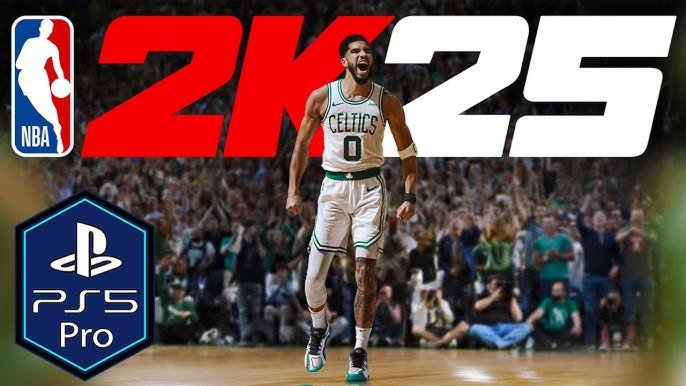
Improving NBA 2K25 gameplay clarity involves using controller vibration feedback, on-screen visual cues, and clear audio design to understand player actions and game events.
Have you ever felt lost in the chaos of an NBA 2K game? You’re not alone! Many players struggle to quickly interpret what’s happening on the court. We explore exactly that here. This article will quickly dive into how developers approach providing better experiences.
The focus is on NBA 2K25 gameplay clarity methods and how those methods directly impact our game perception. We’ll explain how these changes make a significant difference to your playing experience.

NBA 2K25 Gameplay Clarity Methods
Alright, hoop fans! Let’s talk about something super important: making sense of what’s happening on the court in NBA 2K25. Sometimes, it can feel like a blur of pixels and players, right? You’re trying to pull off that sweet crossover, but then you’re suddenly on the ground with the ball stolen. It’s not fun! That’s why we need to chat about gameplay clarity. It’s all about making the game easier to understand and react to. This helps you play better and have more fun. In this article, we’ll dive into all the ways NBA 2K25 aims to give you a clearer view of the action, from how the game shows you information, to the different tools you can use to get better.
Understanding the Visual Cues
First up, let’s talk about what you actually see on the screen. Visual cues are the little things that the game shows you to help you understand what’s going on. These cues make a big difference. Think about it – if the game didn’t tell you who was open for a shot, you’d just be throwing the ball up and hoping for the best! Thankfully, 2K does a lot to give you those important hints.
Player Indicators
Ever wondered how you quickly know which player you are controlling? Player indicators are those little circles or icons under each player. They are like tiny player labels. They make it easy to see where your guy is on the court in real time. NBA 2K25 uses bright, clear indicators so you can easily spot them, even when things get hectic. The color of your player’s indicator often stands out, making it easy to track yourself amidst the crowd of other players. These indicators also help you understand which player is highlighted when you are cycling through your teammates to pass the ball.
Passing Lanes
Passing is a key part of basketball. NBA 2K25 wants to show you clearly where the ball is likely to go before you pass it. When you pass the ball, you’ll see a line or arrow that shows where the ball is going, and this is called passing lanes. This line helps you to see if there might be a defender in the way, or if your teammate is in a good position to catch the pass. When using a bounce pass, the lane will be shaped according to the direction of the pass. It is crucial that you learn to pay attention to these lane indicators to reduce turnovers and make more successful passes.
Shot Feedback
Making shots is one of the most satisfying parts of the game. But, understanding why a shot went in or missed can help you become a better player. NBA 2K25 uses shot feedback to tell you how good your shot was. After each shot, the game might show you a little indicator or message that tells you how good your shot timing was, and if you were open or not, and if it was a contested shot or not. If it says “Excellent Release,” that means your timing was perfect! If it says “Too Early” or “Too Late,” then you know what you need to work on. The visual feedback helps you get better over time by adjusting to how you shoot the ball.
Utilizing On-Screen Information
Beyond the visual cues, the game is constantly giving you information in other ways, too. Things like the game score and your player’s stats are super helpful for making smart choices during the game. Let’s go through some of these key areas.
Scoreboard and Game Clock
The scoreboard is always there, showing you the current score, the game clock and remaining time, and which team is in possession. The scoreboard also displays the timeouts left, fouls committed and other information that may affect your strategy. You might need to change your gameplay depending on how much time is remaining on the clock. You might push the tempo when the game clock is winding down, or slow it down to maintain a lead. Looking at the scoreboard and the game clock is an essential skill for managing the flow of the game. It’s really helpful to see how the game is progressing at a glance.
Player Stats and Stamina
Knowing how well your players are doing is key. In NBA 2K25, you can often see a small graphic that shows your player’s energy or stamina level during the game, which shows you how much they have left in the tank. You should manage your players’ energy carefully, otherwise they will move more slowly and not be as effective. If a player gets too tired, they won’t play as well, and will make more mistakes. Sometimes, the game also shows you some quick information about your player’s stats – like their shooting percentage – in the corner of the screen. The game also provides in-depth stats at halftime and after the game, so you can monitor your strengths and weaknesses and improve yourself.
Playcalling and Strategy
The game also shows you the play you have called when on offense. When you call for a specific play, the game can display a graphic on the court to show you where your players should move. This helps you understand the play so that you can execute it well. The game also makes it easier to adjust your offensive or defensive strategies during the game. These tools help you use your team’s strengths to your advantage and try to exploit the opponent’s weakness.
Audio Cues and Their Importance
It’s not just about what you see, but also what you hear. Audio cues are sounds that the game uses to tell you about important events happening during the game. These cues can really add an extra layer of clarity, especially when things are moving fast.
Footsteps and Squeaking Shoes
Listen closely, and you’ll hear the squeak of shoes and the thump of footsteps in NBA 2K25. These sounds provide information about where the players are on the court. When you hear a player moving quickly behind you, that might mean that a defender is attempting to steal the ball or block your shot. Understanding and listening to these sounds can give you an advantage by helping you anticipate the game. These subtle noises can help you better plan your next move on the court, and anticipate what your opponent is likely to do.
Crowd Reactions
The roar of the crowd can tell you a lot. A huge cheer usually means something good happened, like a big dunk or a three-pointer. A groan can mean you just made a mistake or missed a shot. These audio cues can also add a sense of realism and make the game more exciting. The crowd’s reactions help you feel immersed in the game, and tell you how your performance is affecting the arena. You might even get a boost of adrenaline from a big roar when you pull off a great play.
Whistle Sounds
The sound of the referee’s whistle is one of the most important sounds in any basketball game. In NBA 2K25, you will hear distinct whistles indicating different types of fouls, violations, and out-of-bounds situations. Hearing the right whistle allows you to understand the decision, and prepare accordingly. For instance, a distinct sound of a shooting foul, lets you know you need to line up for free throws.
Customizing Your Experience for Better Clarity
One of the coolest things about NBA 2K25 is how you can change things to fit how you like to play. You can adjust many settings so you have a much clearer game. It’s like adjusting the lens on a camera to make the image clearer. Let’s check out some options.
Camera Angles
The camera angle you use can really affect how clearly you see the game. The default camera setting is generally good, but you may find that a different angle suits you more. Some angles may allow you to see more of the court, and some may allow you to see the actions more closely. It is up to you to experiment and choose the one that lets you play your best game. If you are a beginner, you can also try different camera settings to see what settings can make your vision of the game clearer.
Controller Vibration and Haptics
Controller vibration or haptics can provide an additional layer of feedback that improves clarity, it gives you an extra sense of what’s happening in the game. It allows you to feel things such as when you bump into another player, or when you make a steal, or when you shoot the ball with perfect timing. These tiny vibrations are not only for adding realism, but they actually help you know what is happening, and lets you make better choices during the game. Adjusting the intensity of these vibrations, can help you feel more connected to the game.
User Interface Options
The user interface (UI) is the set of information you see on the screen. You can customize things like the size of the player indicators, the location of the stats, and the look of the playcalling menus. Customizing the UI ensures that you only see the information that you need, and that this information is visible and easily read. You can make it look cleaner, bigger, or use your preferred style. These customizations help you keep the screen clutter-free so you can concentrate on playing the game.
Practicing and Learning
Even with all these tools, improving your gameplay clarity really boils down to practice. The more you play, the more you’ll naturally understand the game. Here are a few key tips to remember:
- Play Regularly: The more you play, the better you will become at recognizing on-screen cues. Regular practice will also help you learn to anticipate different game situations.
- Watch Replays: Reviewing your replays allows you to see what you may have missed during the action. This can help you identify what you did right or wrong, and this can improve your decision-making.
- Practice Drills: Using the practice mode in NBA 2K25 can help you learn to master different skills. It gives you an opportunity to focus on the fundamentals without the pressure of a real game.
By understanding the visual, audio and other cues, along with taking the time to practice, you’ll begin to make better choices while playing, and you will start to see the game more clearly. It’s like you are wearing special glasses, and all the little things begin to make more sense, and this can be really exciting!
So, there you have it, some key methods to improve your gameplay clarity in NBA 2K25. It’s all about paying attention to the details that the game provides, and practicing regularly. When you can see the game more clearly, you’ll be able to make better decisions, score more points, and ultimately, have a ton more fun. Now, go out there and dominate the court!
Fix Games Stuttering In 15 Seconds
Final Thoughts
Prioritizing clear visuals and intuitive controls are crucial for improved NBA 2K25 gameplay. Developers focus on reducing on-screen clutter and improving player feedback. These enhancements directly contribute to a more understandable and enjoyable game experience.
Improved camera angles and better animation fidelity offer players a clearer picture of the action. Clear player indicators also aid quick decision-making on the court. NBA 2K25 gameplay clarity methods involve these elements, ensuring smoother play.

