
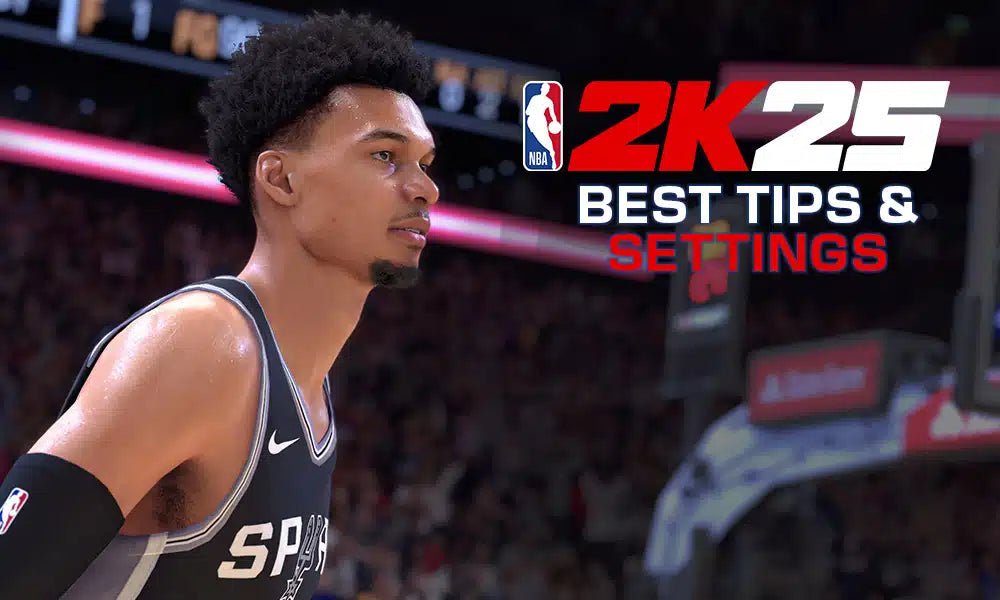
Use these NBA 2K25 gameplay configuration tips: adjust controller settings, customize camera angles, tweak gameplay sliders for realistic simulation, and refine AI difficulty to match your skill level.
Want to get the most out of NBA 2K25? The key lies in how you configure the game to suit your preferences. Adjusting settings can drastically change your experience and help you play better.
These NBA 2K25 gameplay configuration tips will cover the critical areas, from controller layout to AI difficulty. Spending time to customize the settings is worthwhile for any serious player.

NBA 2K25 Gameplay Configuration Tips
Getting the most fun out of NBA 2K25 means setting things up just right. It’s like having the perfect pair of sneakers—they need to fit your feet so you can play your best. The game gives you lots of ways to change how it feels and plays. We will walk through these settings so you can make the game play exactly how you want it to. Think of this guide as your personal coach, helping you make the right choices for a better gaming experience.
Understanding Controller Settings
Your controller is your connection to the game. Making it feel right is a big part of playing well. Let’s dive into some key areas:
Shot Meter and Timing
The shot meter is the little bar that appears when you shoot. It shows you how well you’ve timed your shot. You can turn it on, turn it off, or even choose different looks. Some players find it helpful to see the meter while others prefer to feel the shot timing. Experiment to see which method suits your playstyle. If you rely heavily on visual cues, keeping it on could be beneficial; if you’re more into a natural feel for the game, try turning it off for a greater challenge.
Vibration Settings
Vibrations in your controller can give you feedback during the game. When you dribble, make a hard cut, or get bumped, the controller will vibrate. Some people love this feeling because it makes them feel more a part of the game. Others find it annoying or distracting, especially during intense moments. You can turn it up, down, or off completely, based on your preference. Try turning it off for a while and then playing with it on to see how it affects your game.
Pro Stick Function
The Pro Stick is the right analog stick on your controller. It can be used for shooting, dribbling, and other actions. You have options to change how it works. You can choose to have it work for only shooting, for only dribbling, or a combination. If you are a new player you might want to keep it simple at first. Once you get comfortable, start experimenting to see what feels best for your game.
- Default: This is the standard setting that lets the Pro Stick do a range of moves.
- Shooting Only: With this setting, you can only shoot using the Pro Stick.
- Dribbling Only: This setting means that the Pro Stick will only dribble.
Choosing the right setting here can really change how you play offense.
Button Mapping
NBA 2K25 lets you change what each button on the controller does. For example, you can switch the positions of your shoot and pass buttons. If you have trouble with one finger on the controller you can change the configuration to make it comfortable for you. If you’ve always wanted to use the X button for shooting, the game can let you do that. It’s all about finding what feels the most natural to you.
Game Camera Settings
The way you see the game is really important. The camera angle affects how you see the court, and how you react to what’s happening. Here are some key settings:
Camera View
There are many different camera views you can choose from in NBA 2K25. Each one shows you the game in a different way.
- 2K Cam: This is the most common view, showing you most of the court.
- Broadcast: This view gives you a perspective that feels like you’re watching a real NBA game.
- High: This view gives you a wider look at the court from a higher angle.
Try out different cameras and see which one helps you see the action and play your best. If you’re new to the game, you might want to start with the 2K Cam and then explore others as you get more comfortable.
Camera Zoom and Height
Once you pick a camera view, you can adjust the zoom and height of it. Making the camera closer can help you see the details, but it makes it harder to see the entire court. Pulling it out makes it easier to see everyone but it will be harder to see the player with the ball. You can make adjustments until you find a camera view that feels good to you. Every player has different preferences, so take the time to get it set up just right.
Gameplay Settings
The heart of the NBA 2K25 experience is in the gameplay settings. These are the controls that change how the game itself plays and feels. Here is where you can really customize how the game plays:
Game Difficulty
NBA 2K25 lets you change how hard the game is. You can select to play on rookie, all-star, pro or hall of fame. If you are new to the game, you might want to start on a lower setting so you can get used to the controls. Then you can crank up the difficulty as you improve. It’s all about finding a level that challenges you but still feels like fun.
Game Speed
If the game seems too fast or too slow, you can change the speed. Making it faster will make your actions more quickly, while making it slower gives you more time to react. If you are new to the game it might help to start off a bit slower. As you get better, you can speed it up for a more dynamic experience.
Offensive and Defensive Settings
These settings can make a big difference in how you play. On offense, you can change how your players move without you controlling them. You can have them cut to the basket, run a pick-and-roll, or stay on the perimeter. On defense you can choose the type of defensive schemes your team plays such as switching on screens, doubling the ball, or playing help defense. Experiment with these settings to find a way that you like to play basketball.
Fatigue Settings
Fatigue makes your players get tired as they play. If your player is tired, they will move more slowly. You can change how quickly players get tired. You can choose whether fatigue plays a big role or a small one in your game. If you want a more realistic feel, set it so that players get tired fairly quickly. If you want a faster game, make it so players don’t get tired as easily.
Audio Settings
The sounds of the game can really add to the experience. NBA 2K25 allows you to adjust the volume and the type of audio you want to hear, here are some key audio setting:
In-Game Commentary
The commentators give you the play-by-play action of the game. Some people love to listen to their thoughts on the game. While others find it annoying or repetitive. You can turn the commentary volume up or down or completely off. It is all about personal choice. If you want a more realistic feel, keep it up or if you want peace and quiet turn it down.
Sound Effects
The sound effects are things like dribbling, the swish of the net, and crowd noise. You can change the volume of these to make the game sound the way you want it to. If you are into the sounds of the game, you might want to turn it up. If not, you can keep it low.
Music Volume
NBA 2K25 has a music playlist that plays in menus. You can turn the music volume up or down. Some players love to jam out to the music in the game, while others prefer silence.
MyCAREER Settings
MyCAREER is where you create your own player and take them to greatness. Here are some settings to pay attention to:
Difficulty and Length
Just like in regular games, you can change the difficulty of your MyCAREER games. If you are new to the mode, you can start on a lower setting and then crank it up as you get better. You can also choose how long the games are. If you like a quick game set the minutes to low. If you want a more realistic experience you can set it higher.
Badge Progress
Badges are special abilities that your player can get. They give you an extra edge on offense and defense. You can set how quickly your player unlocks these badges. Some people want a quick progression and some don’t mind the grind to unlock badges. It’s all about your preference.
Team Play Style
In MyCAREER, your team will have a certain style of play. You can choose to play as a starter, sixth man, or as a role player. You can customize what role you would like your player to have. This helps you to mold your player to your vision.
Practice Mode Settings
Practice mode is a great place to try out new moves and improve your skills. Let’s look at some of the important options:
Unlimited Stamina
In Practice Mode, you can change whether your players get tired. If you want to practice moves for a long time, turning off fatigue helps a lot. If you want to practice your conditioning, you can turn it on. It all depends on what you want to achieve during your practice session.
Opponent AI
You can also change how smart the other players are in practice mode. If you want to practice against the smartest defense, you can crank up the AI setting. If you want to just get familiar with some moves, you can turn down the difficulty. This lets you practice in an environment that meets your specific practice needs.
Specific Drills
NBA 2K25 provides you with a variety of drills to practice different aspects of the game. From shooting drills, dribbling drills, and defensive drills. You can pick and choose which you want to practice. This is a great way to improve specific parts of your game.
Advanced Controller Techniques
Beyond the basic settings, there are some controller tricks that can help you step up your game:
Perfect Shot Release
Knowing the perfect release for each player is very important. Some players have different timing on their shot release. Getting familiar with the timing can make a big difference in your scoring output. Use practice mode to find that perfect timing.
Dribbling Moves
The pro stick is not just for shooting. You can also use it to perform complex dribble moves. Practice these moves so you can get by defenders. There are tutorials in the game to show you how to perform each move. Watch these tutorials and practice the moves on the practice court.
Defensive Stances
NBA 2K25 also lets you choose what defensive stance your player will use. You can position your player in a stance to block shots or one to pick off passes. These defensive techniques will help you to get the most out of your player on defense.
Finding Your Perfect Setup
There isn’t one best way to play NBA 2K25. What works for one person might not work for another. It’s all about experimentation. Try different settings and find what feels good to you. Don’t be afraid to change things often, and remember it’s supposed to be fun! The key is to adjust the settings until the game feels like an extension of your will. The better you get at controlling the game, the more you will enjoy it.
Configuring your NBA 2K25 game settings properly can greatly improve your experience. Don’t settle for default settings that might not suit you. It’s worth the time to explore the options and customize everything to your liking. Once you find the sweet spot, your game will feel more responsive, you’ll play better, and you’ll have more fun. So, go ahead, tweak those settings and get ready to enjoy the game your way.
NBA 2K25 Shooting Tips: Best Controller Settings Visual Cues #nba2k25 #2k25
Final Thoughts
Fine-tuning controller settings is must for personalized gaming. Adjusting camera angles can improve your court vision. Experiment with difficulty levels to match your skills.
Perfecting offensive and defensive playbooks suits your strategy. Practice timing jumpshots for better accuracy. Optimizing these settings gives you a competitive edge.
Effective use of ‘NBA 2K25 gameplay configuration tips’ makes playing more enjoyable. Explore different options to find your best experience.

