
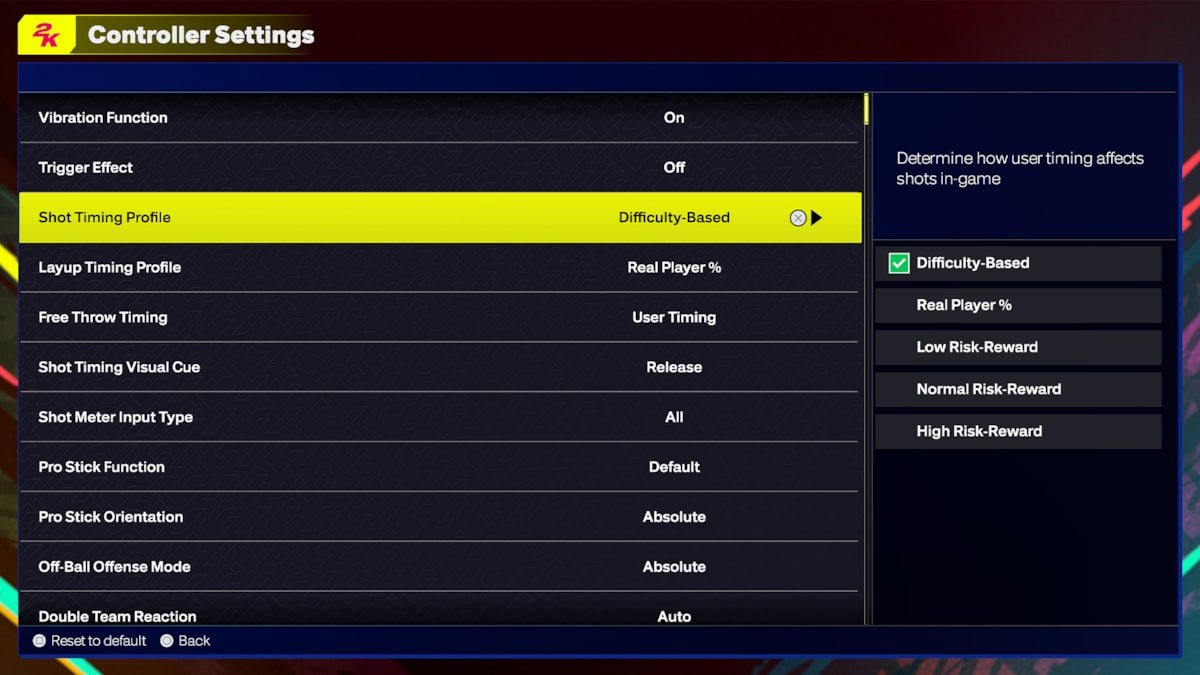
NBA 2K25 gameplay preferences often revolve around realistic player movement, responsive controls, and varied game modes that cater to different playstyles.
The anticipation for NBA 2K25 is building, and one of the biggest questions on every gamer’s mind centers around what the gameplay will actually feel like. Everyone has their own approach to the game, whether it’s a focus on strategic play calling, dominant individual performances, or immersive online competition. Therefore, knowing your NBA 2K25 gameplay preferences becomes crucial to fully enjoying the experience. This article will explore the various aspects of the game that affect how you play.

NBA 2K25 Gameplay Preferences
Alright, let’s dive deep into what makes playing NBA 2K25 so personal – your gameplay preferences! It’s not just about picking a team and hitting the court; it’s about how you like the game to feel, how you want your players to move, and what kind of challenge you’re looking for. We’re going to break down all the different aspects of gameplay, from the nitty-gritty controls to the overall feel of the game, so you can get the most enjoyment out of NBA 2K25. Whether you’re a seasoned pro or just picking up the controller, understanding your preferences is key to having a blast.
Choosing Your Difficulty Level
Let’s start with the big one: difficulty. NBA 2K25 offers a range of difficulty settings, and choosing the right one is crucial for a good time. Here’s a breakdown of what each setting typically offers and who it might be best for:
Rookie
This setting is perfect for brand-new players or those who just want a relaxed and easy-going experience. On Rookie, the computer-controlled opponents are less skilled, giving you lots of opportunities to score and practice your moves. It’s a great way to learn the controls and get comfortable with the basics of the game. Think of it as training wheels for basketball video game fans.
Who it’s for: Beginners, very casual players, or anyone who wants a low-stress experience.
What to expect: Easier shots, less aggressive defense, and plenty of scoring opportunities.
Pro
Stepping up to Pro difficulty adds a bit more challenge. The computer-controlled players will be more aware, making smarter plays and playing tighter defense. You’ll need to start thinking a bit more strategically about how you move the ball and create scoring chances. This setting is great for those who have grasped the basics and want a more realistic, but still manageable, challenge.
Who it’s for: Players who understand the basics and want a good but fair challenge.
What to expect: More realistic gameplay, tighter defense, and less frequent scoring opportunities.
All-Star
All-Star is where the game starts to become quite a test. Opponents will play smart, make difficult shots, and play tough defense. You’ll need to focus on spacing, timing, and proper execution of plays. This is a great setting for experienced players who want to be pushed to their limits but still want to play a game that feels enjoyable. It’s the goldilocks zone for many 2K fans, offering a healthy balance of challenge and fun.
Who it’s for: Experienced players looking for a serious test.
What to expect: Challenging gameplay, intelligent opponents, and realistic scoring.
Superstar
Superstar difficulty cranks up the intensity. Computer opponents will often hit difficult shots, play lock-down defense, and consistently outsmart you. You’ll need to use every trick in your arsenal, master play calls, and really focus on strategy to win. This setting requires practice and a deep understanding of the game. This is really meant for highly skilled players.
Who it’s for: Highly skilled players who thrive on a real challenge.
What to expect: Extremely tough opponents, very little room for error, and requiring a strong mastery of the game.
Hall of Fame
The highest difficulty in the game is Hall of Fame. On this setting, the computer will feel almost impossible to beat. Opponents consistently drain every shot, make extremely hard defensive plays, and make the most perfect basketball decisions. This difficulty is reserved for the absolute best of the best, who have devoted countless hours to practicing. For most players, this is a challenge they’re not ready for.
Who it’s for: The most experienced and skilled players looking for the ultimate challenge.
What to expect: Opponents make every shot, play the best possible defense, and are nearly impossible to beat.
Choosing Your Preferred Controls
NBA 2K25 gives you a lot of freedom on how you control your players. You’ll have to choose between using the analog sticks, the buttons on your controller, or some mixture of both. Here are some things to think about when figuring out your control preferences:
Shot Timing
Some players swear by using the shot meter to time their jumpshots, while others prefer to turn it off and rely on the visual cues of the player’s release. Experiment with both to see what feels most comfortable for you. If you like to have visual feedback and to be as precise as possible, the shot meter might be for you. If you’ve played a lot of basketball games before, you might like to turn it off and rely on the timing you’ve built. Both ways are fine, it just comes down to what you prefer.
Shot Meter On: Provides clear visual feedback of the shot timing.
Shot Meter Off: Relies more on your feel for the player’s release animation.
Pro Stick vs. Button Controls
The Pro Stick gives you a great level of control when it comes to dribbling, shooting, and passing. If you want to have complete freedom on how you move with the ball, then the Pro Stick is right for you. The alternative is using the buttons for dribbling, shooting, and passing. The button controls provide more simplicity, allowing you to focus on the timing and power of your moves, without needing to use the sticks.
Pro Stick: More control and creative freedom.
Button Controls: More straightforward and easier to learn.
Defensive Settings
There’s also how you decide to defend, whether it is automatically switching to players that are close to the ball, manually doing so yourself, or using the intensive defense setting to put more emphasis on clamping down on offense. Many people will find success in all methods, so see which one works for you.
Auto Switching: the game switches you to the closest player, for simplicity.
Manual Switching: You have control on which player you control.
Intensive Defense: You get a significant defensive boost if you press the button at the right time.
Camera Angles and Perspectives
The camera angle in NBA 2K25 can make a big difference in how you see the court, how easily you can make passes, and how immersed you feel in the game. It’s a pretty personal choice, and it’s good to try them all out to see which one clicks for you. Here are some of the most common camera angles.
2K Camera
The standard camera angle in the game is the 2K cam. This one places you behind the player with the ball, and is a good balance between seeing what’s around you while also being able to focus on your player and their actions. This is a good place to start, and what many players will stick with.
What it’s good for: A balance between visual awareness and player focus.
Who it’s for: Players who want a classic basketball game feel.
Broadcast Camera
If you’re used to watching basketball on TV, you might be at home with the broadcast camera. This camera provides a more zoomed-out look, giving you more of a television-like view. However, it’s a bit less focus on the individual players, and more focus on the flow of the game.
What it’s good for: A wide view of the court.
Who it’s for: Players who enjoy the TV broadcast aesthetic.
Zoom Camera
The zoom camera places you closer to the action, and is very similar to the 2K cam, only a little more zoomed-in. This is for players who really want to focus on their player and feel the action more deeply.
What it’s good for: Being closer to the action.
Who it’s for: Players who prefer a focused, up-close view.
Baseline Camera
The baseline camera puts you behind the basket looking up the court, and is not as widely used as the others. This camera is useful for those who like to focus on defensive and offensive schemes, since you can see all your players lined up on the court.
What it’s good for: Seeing plays develop down court.
Who it’s for: Players who want to focus on play strategy.
Custom Camera
If none of the default options appeal to you, you can customize your camera angle to get the exact view you prefer. This is a great way to have complete control over how you see the court.
What it’s good for: Complete customization and control.
Who it’s for: Players who want to fine-tune their viewing experience.
Game Speed and Pace
NBA 2K25 lets you adjust the pace of the game, and there are a few different ways to do this.
Game Speed
You can change the game speed in settings to have the game play faster or slower. Some like to make it faster for a more frantic, arcade-like feel, while others prefer it slow for a more strategic and realistic pace. You may find yourself changing this on occasion depending on your mood!
Faster Game Speed: More action, quicker pace.
Slower Game Speed: More strategic and deliberate feel.
Game Style
You can also affect the pace by choosing a style of play. If you choose a play style like 7 seconds or less, or a more traditional play style like Princeton offense, you’ll find that this changes how your team plays, which affects the pace. These can be chosen in the settings, but you can also manually change them through the play calling system.
7 Seconds or Less: A very fast-paced offense that prioritizes shots early in the shot clock.
Traditional Playstyles: An offense that sets up plays and looks for more patient scoring opportunities.
Customizing Your Player
If you decide to play MyCareer mode, NBA 2K25 lets you create your own player from scratch, and personalize them in many ways. Here are some things to think about:
Player Archetype
When creating your player, you’ll choose an archetype. These archetypes give your player a set of default skills and a specialization. For example, a Playmaker will be great at dribbling and passing, while a Sharpshooter will be a great shooter. Some archetypes are:
Playmaker: Excellent dribbling, passing, and ball-handling.
Sharpshooter: Great at shooting from long range and mid-range.
Slasher: Excels at driving to the basket and finishing with dunks.
Lockdown Defender: Top-tier at stopping opponents.
Rebounding Specialist: Great at rebounding the ball.
Two-Way: A mix of multiple different skills.
Attributes
After choosing an archetype, you can customize your player’s attributes. These attributes affect how well they can shoot, pass, dribble, and defend. You’ll need to decide which attributes you want to invest in based on how you want to play. A player with lots of playmaking and shooting will be great on offense, but not so good on defense. A player with high defense will be excellent stopping shots and getting steals, but not that great on offense.
Offensive Attributes: Shooting, passing, dribbling, finishing.
Defensive Attributes: Stealing, blocking, rebounding.
Badges
Badges are special skills that help your player in certain situations. You can unlock and equip badges that boost your player’s stats in specific areas. Some examples are:
Shooting badges: Catch and Shoot, Green Machine, Corner Specialist.
Playmaking badges: Quick First Step, Dimer, Floor General.
Defensive badges: Interceptor, Clamps, Chase Down Artist.
Player Appearance
You can also customize your player’s appearance, from their height, weight, and skin tone to hairstyles, tattoos, and accessories. This makes the game experience very personal, as you can make your player look and act in exactly the ways you want them to.
Online vs. Offline Play
NBA 2K25 offers you a ton of ways to play. Whether you want to play alone, with friends on the couch, or with a ton of other people online, you’ll need to decide what you prefer.
Offline Game Modes
If you prefer to play offline, you’ll have access to a great variety of modes, from single games to full seasons in MyLeague and MyNBA modes. These modes also have an advantage in that they can be paused, and you don’t have to deal with the possibility of lag. If you want to play at your own pace, offline modes will be your best bet.
MyLeague and MyNBA: In-depth season and franchise modes.
Play Now: Jump into a quick match with any team.
MyCareer: Create your own player and take them through their basketball career.
Online Game Modes
If you want to test your skills against other players, you can jump into the online modes in NBA 2K25. Here, you’ll play against others with skill levels that are often very unpredictable, adding a new layer of challenge. Playing online can be fun, but it has its own rules and strategies you’ll have to get used to.
Online Quick Play: Jump into an unranked game.
MyTeam Online: Build a dream team and compete online.
The City and The Neighborhood: A social hub for players to connect and compete.
Sound Settings
While not directly gameplay-related, sound settings can greatly affect your game experience. Having good sound in a basketball game adds a lot to immersion, and gives you a better experience when dribbling, shooting, or defending. Here’s what to consider.
Volume Levels
Adjust the volume of various game elements such as commentary, crowd noise, sound effects, and music. You can turn specific elements up or down, or completely turn some off.
Commentary Volume: Adjust how much commentary you hear.
Crowd Volume: Adjust how loud the arena is.
Sound Effects Volume: Change the volume of dribbling, shooting, and other game sounds.
Music Volume: Adjust the volume of background music, or turn it off.
Audio Presets
Some may find that using audio presets, like headphones or speaker settings, may greatly improve the sound quality. This may be something to experiment with.
Headphone settings: This is for players that use headphones, and helps provide better sound quality.
Speaker settings: This is for those who use speakers, allowing the game to account for this sound output.
By considering these different aspects of NBA 2K25, you can get the most enjoyment out of the game, playing it exactly the way you want. It’s not about what’s best, it’s about what’s best for you. Experiment and find the gameplay setup that makes playing the game the most fun!
BEST SETTINGS, TIPS and TRICKS on NBA 2K25 (NEW SHOT TIMING PROFILE)
Final Thoughts
In conclusion, player feedback indicates strong desires for realistic animations and improved AI behavior. Gamers want responsiveness and control during gameplay. Many also prioritize more balanced difficulty settings. Ultimately, NBA 2K25 gameplay preferences lean towards an authentic and challenging basketball experience.

