
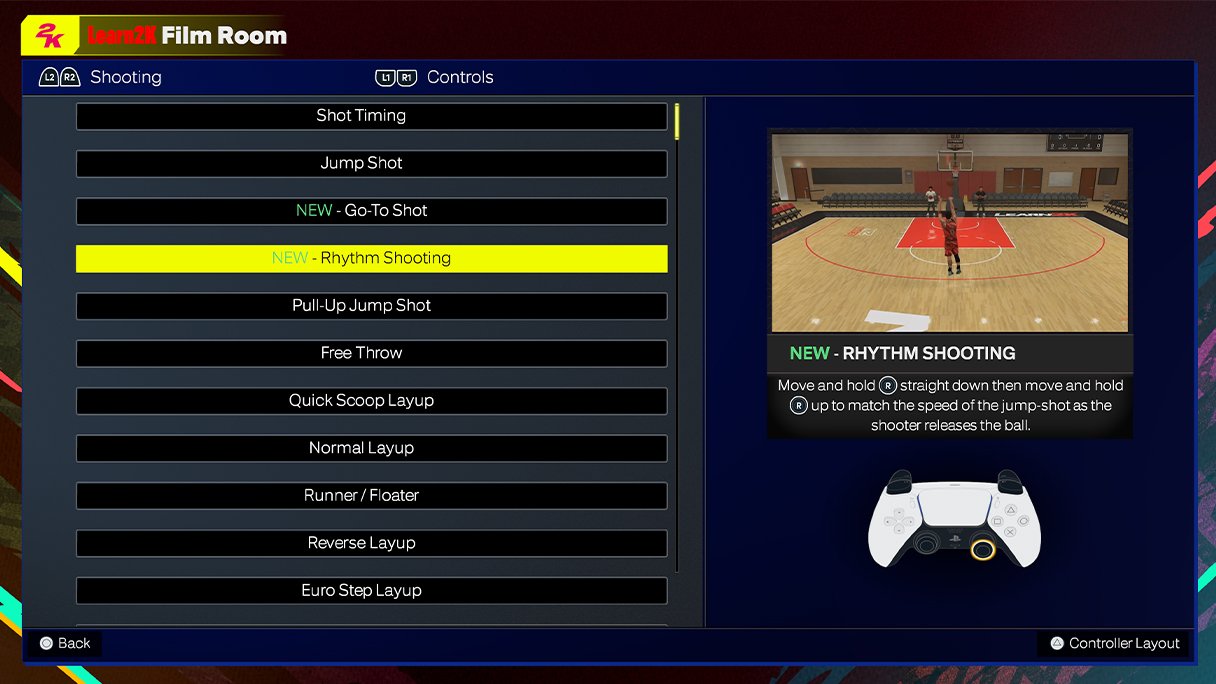
The NBA 2K25 in game display showcases real-time scores, player stats, shot charts, and game information via a clean, intuitive interface.
Stepping onto the virtual court in NBA 2K25, the first thing you’ll notice is the enhanced experience. The NBA 2K25 in game display has undergone significant changes. It provides players with more detailed information.
Gone are the days of cluttered screens, replaced with a layout that is both informative and visually appealing. You now have easy access to crucial data needed during a heated match.

NBA 2K25 In-Game Display: A Deep Dive
Get ready, hoops fans! NBA 2K25 is coming, and one of the things everyone is buzzing about is how the game will look. We’re not just talking about the graphics (though those are sure to be amazing), but also about the in-game display – all those numbers, bars, and info bits you see while you’re playing. This article breaks down everything you need to know about how NBA 2K25 presents its crucial information, so you can play like a pro.
The Basics: What’s On Your Screen?
Let’s start with the standard stuff. When you jump into a game, you’ll see things like the score, the game clock, and player names. These are the building blocks of the in-game display, and knowing what they mean is essential. Think of it like this: if you were watching a real basketball game, you’d need to see the scoreboard to know who is winning, right? It’s the same thing here.
- Scoreboard: The most obvious part! It shows the current score for both teams, usually with the team names or abbreviations.
- Game Clock: This tells you how much time is left in the quarter or the game. Time management is key in basketball, so keeping an eye on this is crucial.
- Player Names/Icons: Above each player, you’ll see their name or a small icon. This helps you quickly identify who has the ball. Sometimes you’ll also see quick stats pop up like when a player hits a 3 pointer, that tells you the player is hot.
- Team Stats: sometimes you will find the key stats of both the teams on top of the screen, these are also important to keep in mind when playing the game.
These things are the fundamentals. But NBA 2K25 does so much more than just give you these basic details. It layers on a lot of information to make your game better.
Diving Deeper: Player Information and Stats
Now, let’s look at the specifics of individual players. The game gives you a ton of data to help you manage your squad effectively.
Stamina and Energy
Every player has a stamina bar, shown below them. This bar shows how tired they are. If your player’s bar gets too low, they will be slower and their shots won’t be as accurate. So you will want to manage your player well. The more you sprint and do moves, the faster their stamina goes down, so you will want to save their energy for the key moments.
Think of it like running a race. If you run super-fast the whole time, you’ll get tired quickly. But if you pace yourself, you can finish strong.
Player Attributes
During the game, you’ll also get little pop-ups when something special happens. For instance, if your player nails a three-pointer, the game might show their 3 point rating in small icon. If your player is getting to the rim, game may show their dunking rating. These icons give you a quick idea of what your players are good at, which is really important to know which player is good for different play style.
- Shooting Ratings: Shows how good your player is at shooting from different spots.
- Dunking/Finishing Ratings: This tells you how well your player can get to the rim.
- Playmaking Ratings: Lets you know how good your player is at passing and handling the ball.
- Defense Ratings: Shows how good your player is at stopping the other team from scoring.
Hot Zones and Cold Zones
NBA 2K25 continues to use hot and cold zones, which you can see on a court overlay. These zones appear during gameplay, when you bring up a shot feedback screen before shooting a jumper. This visual tells you where your player is more likely to make or miss shots. Knowing these zones can help you choose where to shoot from the court.
- Hot Zones (Red): Areas where your player is more likely to make shots. These are areas you should prefer to shoot from.
- Cold Zones (Blue): Areas where your player is less likely to make shots. You probably want to avoid these spots unless you have to shoot from them.
Advanced Stats and Feedback
The in-game display doesn’t stop at just basic player info. NBA 2K25 includes a range of advanced stats and feedback systems. These tools are vital for serious players who want to understand the game at a deeper level.
Shot Feedback
After taking a shot, the game displays a shot feedback. This shows if your shot was good, great, or bad. It also shows if you shot using green timing (Perfect Timing) or not, these are super useful for improving your shooting technique and accuracy over time. You want to see the green light more often!
- Timing Feedback: How well you timed your shot release. If the shot feedback is green, your timing is perfect.
- Shot Release: shows how you released the ball like how high you jumped or how you pushed the left stick to create some space.
- Shot Type Feedback: It tells the shot type like layup, dunk, jumper, or three pointer.
Play Calling and Strategy
The game shows the current play that you called during the game, it makes easy for you to remember the plays and implement them in the game. This play display appears briefly on top of the screen so you are aware of the next offensive or defensive play.
The game also displays stats after the game, to analyze your performance for offense, defense, shooting, or passing stats of your player.
User Interface Customization
Everyone likes things a little bit different, and NBA 2K25 lets you change some of your in-game display. While you can’t change everything, there are options to customize certain settings. In most NBA 2K games, you are able to change these settings:
- Opacity: You can change how transparent the display is, this is useful if you want to be able to see more of the game and less of the HUD.
- Size: You can change the size of certain elements, making them bigger if you find them hard to see or smaller if they are distracting.
- Placement: You can adjust certain positions of the elements in the display. This can let you move things that are blocking your view or place more info in the same area.
These options make the game more comfortable for everyone and allow the players to have a better user experience.
Accessibility Features
It’s important that games are playable for everyone. NBA 2K25 continues the trend by having options for people with disabilities. These include:
- Colorblind Modes: Different color options to make it easier for those who are colorblind to see everything on the screen.
- Text Size Adjustments: Making the text bigger for people who need larger fonts.
- High Contrast Settings: Changing the colors to make things stand out more for people with low vision.
Enhancements for NBA 2K25
We haven’t seen the full release of NBA 2K25, but we can expect that they’ll take the in-game display to a new level. Here are some things that we expect:
- Smoother Animations: we want animations in the in game display to be smoother and more responsive.
- Less Clutter: We expect that the display is clean and easy to understand. Too much stuff on the screen can be distracting.
- More Customization: We want even more options to adjust our display, so it is ideal for individual players.
Why is the In-Game Display Important?
You might be thinking, “Why does all this matter?” Well, the in-game display is like your personal coach. It gives you important information so you can make smart plays and improve your game. Without it, you would have a hard time knowing what is going on and you won’t be able to play at your best.
- Making Better Decisions: Seeing a player’s stamina or hot zones helps you know when to pass or shoot.
- Improving Your Skills: The shot feedback helps you become a better shooter.
- Playing Strategically: Knowing stats and other info helps you create a great game plan.
The in-game display is not just pretty graphics; it’s an essential tool for succeeding in NBA 2K25. It’s designed to provide you with all the info you need to win. By understanding what’s on your screen and learning how to use it, you will play better, smarter, and have more fun. So get ready, because NBA 2K25 is set to provide the best in-game experience, both visually and informationally.
In conclusion, the in-game display of NBA 2K25 is a complex and sophisticated system designed to enhance the gaming experience. From simple elements like the scoreboard to more intricate stats, the display provides critical information for both casual and serious players. With customization and accessibility options, 2K ensures that all gamers can enjoy the game comfortably. As we get closer to the game’s release, we can anticipate new changes to the display that will only make the game more engaging and user-friendly. The better you understand the information presented to you, the better you can play, and the more you will enjoy the game.
Kai Cenat's NBA 2K25 Face Scan Went Wrong
Final Thoughts
Ultimately, improved visuals and more intuitive interfaces are what we hope for. These upgrades could significantly enhance the gameplay experience. We expect clear and concise information during matches.
The changes to the NBA 2K25 in game display will greatly influence how players interact with the game. Developers must prioritize clarity and accessibility. This approach ensures a smooth and enjoyable experience.

