
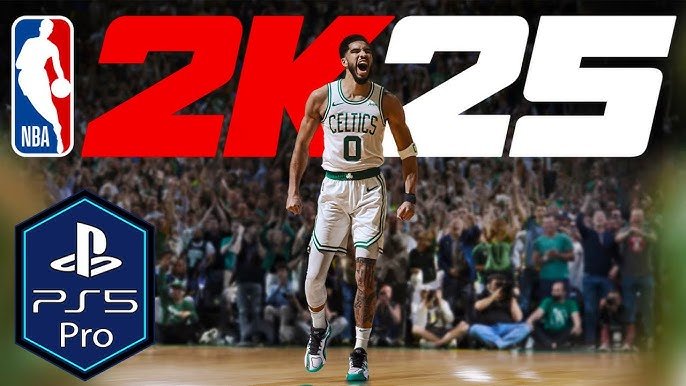
The NBA 2K25 local gameplay overview features enhanced player control, updated rosters, and various modes like quick matches and tournaments for offline play against friends.
Gather your friends; it’s time for some intense basketball action. We’re diving into everything you need to know about playing couch co-op in the latest release. This NBA 2K25 local gameplay overview highlights the features designed for those face-to-face battles.
From instant pick-up-and-play exhibition games to customizable tournaments, get ready for some serious bragging rights. The improvements in controls and player responsiveness ensure a fluid gaming experience. Prepare for some fun rivalry!

NBA 2K25 Local Gameplay Overview
Get ready to dive into the exciting world of NBA 2K25, where you can experience the thrill of basketball right in your living room! This year’s game brings a ton of fun for players who enjoy playing together on the same screen, also known as local gameplay. Whether you’re battling it out with your best friend, teaming up with family members, or hosting a friendly tournament, NBA 2K25’s local multiplayer has something for everyone. This deep dive into the local play will cover all the different ways you can enjoy the game with people right next to you.
Getting Started with Local Multiplayer
Jumping into a local game is super easy. When you start NBA 2K25, head over to the “Play Now” section. There, you’ll find the options for playing with friends or family right on the same console. You won’t need an internet connection for this, which is great if your internet is acting up or you just want to play offline. You can quickly add more controllers and pick teams. Once everyone is set, you’re ready to start the game. You also can adjust the settings to your liking such as difficulty, quarter length and many more.
Setting up your teams
Before the action begins, you’ll need to pick your teams. You can choose any of the NBA teams, past and present, and get ready for the game. The team selection menu is simple to use, allowing each player to choose quickly. This helps to avoid long delays before getting started. You can pick your favorites, or even try out teams you usually wouldn’t choose, adding some variety to your gaming experience.
Controller Setup
NBA 2K25 allows for up to four players on a single console, which is fantastic for group play. Make sure everyone’s controllers are connected and working. Each controller will be assigned a specific player, and the on-screen prompts will guide you through this process. Once controllers are assigned, you’re ready to hit the virtual court.
Game Modes in Local Play
Local play in NBA 2K25 offers several different game modes, each providing a unique way to enjoy the basketball action. Here are some of the main ones:
Quick Game
This is probably the most common game mode for local play. Quick Game lets you jump right into a regular basketball game with your chosen teams. It’s perfect for when you want a fast and straightforward game without any extra frills. Just pick teams, adjust any settings, and you’re playing in minutes. This is ideal for quick match or friendly games between a group of friends or family.
Playoffs Mode
Do you want a more structured experience? Playoffs mode lets you play through a single season’s playoff bracket with your friends. This mode is great if you and your group are looking for something to play over multiple sessions, as it simulates the excitement of the NBA playoffs. Each match has a greater weight, adding tension and excitement. You can choose any team to lead to the championship glory. You can even set up the seeding to make sure the teams are playing as you wish. This mode keeps you and your friends invested through multiple games.
Blacktop Mode
If you’re looking for something more relaxed and less formal, Blacktop mode is an excellent option. This mode features street basketball with fewer rules and more freedom. This is more like a pick-up game where you can choose the number of players on each team and the different rules that you like. You can pick a 1v1 to 5v5, as well as choose different kinds of games such as first to 21 or timed games. Blacktop is all about fun and showing your moves.
2K Smart Play
NBA 2K25 introduces a feature called 2K Smart Play. This feature gives you more control over the actions that your teammates make. By utilizing 2K Smart Play, you can set a general strategy for your team, like focusing on attacking the basket or getting the ball to the shooters. It helps create a more authentic and engaging basketball experience. Instead of depending on computer AI, you can actively control the way your team plays by selecting the type of play. 2K Smart Play adds an extra layer of strategy to local gameplay, as players can take charge of the team’s overall approach.
Improved Gameplay Mechanics
NBA 2K25 brings some exciting improvements to gameplay, enhancing the overall experience for local multiplayer. Here are a few to note:
Enhanced Player Movements
Player movements are more realistic this year. The animations are smoother and more fluid, which makes dribbling, passing, and shooting feel more natural. You’ll see players move with more weight and momentum, which is important for realistic basketball action. When you play with friends, these enhancements help make every move feel impactful. The animations are much more reactive now, so if you make a mistake, you can see it clearly.
Better AI
The AI (Artificial Intelligence) for both your teammates and opponents has been improved for NBA 2K25. Teammates make better decisions on the court, like moving to open spots and setting better screens. Opponents will also play more intelligently, making each game more of a challenge. With better AI, you won’t feel like you’re always playing against the same strategies. This added level of intelligence makes each game feel different and gives a higher level of depth to each game.
New Defensive Controls
Defending is a crucial part of basketball, and NBA 2K25 features new controls that help you lock down opponents. The defensive movements are more responsive, making it easier to stay in front of ball handlers and contest shots. The game also introduces new defensive stances and actions, allowing you to play defense with increased skill and precision. Now, you can play both offensively and defensively with same efficiency.
Customization Options
NBA 2K25 lets you customize your experience to suit your preferences. From game rules to controller settings, you have control over many aspects of the game:
Adjustable Game Settings
You can adjust lots of game settings, such as game length and difficulty. You can change the quarter length from as short as 3 minutes to a full 12 minute quarter. Adjust the difficulty to suit your skills as a group; from the very easy to the super hard. You can change the game speed, which is useful if you want to make the game slower or faster. Customization lets you tailor the game to fit your experience, whether you want a fast paced or a very tactical game.
Controller Customization
Each player can customize their controller layouts. If you’re more comfortable with a specific control scheme, you can change the button functions in the settings. This is great if you’re used to other games. The ability to change control helps in player comfort while playing the game.
Sound and Visual Settings
You can adjust sound and visual settings for local play. You can turn the commentary on or off. You can also change the camera angle during game. These types of customization can really change the experience. Players can choose the setup that makes them most comfortable.
The Fun of Playing Together
Playing NBA 2K25 locally is all about bringing people together. Here’s what makes it so enjoyable:
Friendly Competition
The experience of playing on the same screen encourages friendly competition. The games become very personal, and it makes the wins more exciting and the losses something to avenge. It is amazing to see how a competition in NBA 2K25 can create some healthy rivalries among friends and family. You can share the excitement of a great play and even poke fun at a bad move. These moments create unforgettable memories.
Teaming Up
The game is great for teaming up and playing together. It’s fun to play as teammates, create strategies, and celebrate good moves. When you work together, you can learn from each other and create a more collaborative gaming experience. You can practice and grow as a team together in local multiplayer. This will make you better at the game and grow closer as a group.
Sharing Experiences
There’s nothing quite like sharing a gaming experience with others right in the same room. You can see and hear each other’s reactions, which adds to the fun. Local play is perfect for creating shared memories. You can remember the great plays, funny moments, and exciting rivalries together for years. Playing together makes the gaming experience much more social.
Tips for a Great Local Play Experience
To make sure your local play sessions are as fun as possible, here are a few tips:
Communicate Clearly
Talking clearly with your fellow players is key to playing as a team. You can coordinate your plays, and call out screens, and get open for a pass. Communication is really important for both offense and defense, so talk clearly and have fun.
Be Respectful
It’s important to be respectful and fun while playing together. If you’re playing with family or friends, remember to keep it fun for everyone. Be cool with winning and losing, and focus on having a good time. This keeps the game environment positive. The goal is to create fun times for everyone, so make sure everyone has a good time.
Take Breaks
Playing video games for a long time can be tiring, so don’t forget to take breaks. Get up and stretch, take a water break or grab a snack. Breaks can keep you refreshed for another match. This also gives time for everyone to chat and catch up outside of gaming.
Experiment with Different Modes
Try out all the different modes that NBA 2K25 offers, not just quick play. Try different settings, teams and modes. You might discover that you and your friends like the Blacktop mode or you want to have your own playoff season. You can always try something new. Trying different modes is a way to keep games exciting.
NBA 2K25’s local gameplay is designed to bring people together and provide countless hours of fun. The variety of game modes, improved gameplay mechanics, and customization options make it a great choice for anyone wanting to enjoy basketball with friends and family. So, gather your crew, grab your controllers, and get ready for an exciting time on the court.
NBA 2K25 Review – Play Like a Pro!
Final Thoughts
To summarize, NBA 2K25 local gameplay provides a solid experience for players enjoying games together. The updated controls and smoother animations make for more fluid matches. It’s a good choice for some couch co-op action with friends.
This NBA 2K25 local gameplay overview highlights its straightforward approach to offline multiplayer. You can expect familiar mechanics improved for better in-person battles. This version is a must for anyone who prefers a group gaming session.

