
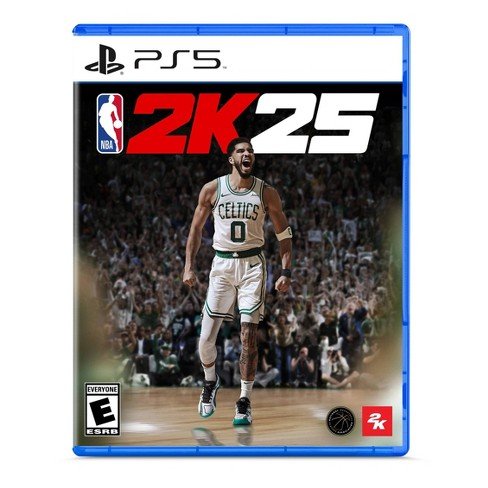
NBA 2K25 local multiplayer supports up to four players on the same console, offering various game modes for head-to-head or team-based competition.
Want to know how to gather your friends for some intense basketball action? The buzz around NBA 2K25 is real, especially when thinking about playing with friends beside you on the couch. Many players are eagerly waiting for the official NBA 2K25 local multiplayer details.
This feature lets you engage in thrilling matches right in your living room. You can choose your favorite team and go head to head or team up against other teams. Get ready to feel the excitement with your buddies beside you in the living room with NBA 2K25 local multiplayer details.

NBA 2K25 Local Multiplayer Details
Get ready to gather your friends because NBA 2K25 is bringing the heat with its local multiplayer options! Playing with buddies sitting right next to you is a totally different experience than online play. It’s all about the trash talk, the high-fives (or maybe a playful shove when someone misses a crucial shot), and the pure joy of competing face-to-face. This year’s game has some fantastic ways for you and your crew to get into the action. Let’s break down everything you need to know about playing NBA 2K25 locally.
Jump Right In: Quick Play Options
Sometimes you just want to grab a controller and get playing without too much fuss. NBA 2K25 has you covered with its quick play modes. These are perfect for those impromptu gaming sessions. Here’s how it works:
Standard Games
The most classic way to play. You can pick any NBA or WNBA team, choose your difficulty level, and hit the court. It’s fantastic for a simple pick-up game, letting you show off your favorite team or test out different lineups. These games are great for a quick burst of competitive fun or to show off your skills to friends.
Features to watch out for in standard games:
- Select between NBA and WNBA teams.
- Choose from several different difficulty settings to match your play level.
- Set the length of the quarters to customize how long you play.
- Option to enable or disable injuries and other settings to make the game your own.
Blacktop Mode
Want to play a different kind of game? Blacktop mode is the place to be. It’s street basketball with different rules and a more free-flowing style. Think less formal, more flashy moves and one-on-one matchups or smaller team based game. This mode allows you to choose from current NBA stars, legends, and custom players you may have made.
Blacktop offers:
- Variety of game types, such as 1v1, 2v2, 3v3, 4v4, or 5v5.
- No out-of-bounds or fouls in some matches, keeping gameplay fast and furious.
- Play with NBA legends and your own created players on street courts.
How to Set Up Local Multiplayer
Setting up a local multiplayer game is easy. The game is designed to be user-friendly, so you don’t have to spend too much time navigating menus to get started. It takes only a few simple steps to get you in the game.
Getting Ready to Play
When you start up NBA 2K25, go to the main menu and select either “Play Now” for standard games or “Blacktop” if you want to go to the streets. From there, you’ll be prompted to choose your teams, difficulty levels, and how many players will be joining. The game allows up to 4 players locally, which means it’s a great way for a small group to enjoy a fun session of 2k. Make sure all controllers are connected and synced to your gaming console before starting.
Here’s a simplified step-by-step guide:
- Start the game and get to the main menu.
- Go to “Play Now” or “Blacktop.”
- Choose your teams and game types.
- Make sure all your controllers are connected and active.
- Hit “Start” and jump into the game!
Controller Configuration
Before you dive into the games, ensure every player has their assigned controller. The game will show on screen, each player and which controller they are using. It’s super important that you make sure you are using the controller you want to use. The game uses the standard controller setups and configurations, allowing you to focus on the gameplay rather than fumbling with the controls. You can adjust controls and settings in the main menu under the option settings tab. You can also adjust the volume, commentary, and so many other game settings here.
Deeper Dive: More Local Fun
Beyond the basic play modes, NBA 2K25 offers other experiences for local multiplayer.
Team Up in MyCAREER
While the main MyCAREER mode is largely single-player, you can invite friends to play as your teammates in some games locally. In certain games, two players can cooperate using custom players from the mycareer. One player would still be controlling the story elements, but you could play together in the actual games. The second player can be any of the custom built player. This allows a small element of local cooperative play in the MyCareer mode.
Key details:
- Play together in games during your MyCAREER mode.
- Allows for cooperative fun, a great change of pace to the single-player career experience.
- Only one player manages the overall career progression.
Tournament Mode (If Available)
Sometimes, NBA 2K games have a tournament option for local multiplayer. This lets you create a mini-tournament with your friends, setting up brackets and playing through rounds until one player comes out on top. If available, this mode can add some extra stakes to your local play sessions.
Features include:
- Setting up a local tournament with a group of players.
- Managing brackets and watching the outcomes of the whole tournament.
- Adding a fun, competitive spin to regular matches.
Tips for the Best Local Multiplayer Experience
To make sure you have the best time with local multiplayer in NBA 2K25, here are some quick tips.
Communication is Key
When playing with friends in person, communication is more important than ever. Talk about your game plan, point out open players, and make sure everyone is aware of what’s happening on the court. Good communication can help you create amazing plays and have more fun. It’s also fun to call out friends on bad shot selections and brag on good plays.
Things to discuss include:
- Who’s guarding who.
- When to set a screen.
- When to pass the ball.
- What your general plan for the possession is.
Don’t Forget the Trash Talk
Let’s be real, friendly trash talk is part of the fun. A little bit of ribbing after a steal or a well-timed dunk can make the game more lively and competitive. Just keep it friendly and fun. Avoid over the top trash talk that can result in someone getting upset and not enjoying the game as much. Remember, it’s all about good fun.
Try Different Settings
Don’t be afraid to try out different settings. Adjust the difficulty level, the length of the quarters, or even the rules to create a custom experience that best suits the players involved. Experimenting with different settings can help you find new ways to enjoy the game.
Take Breaks
Gaming for too long can be tiring. Don’t be afraid to take a break, go outside for a few minutes, or just walk around. Make sure you give your eyes and hands a break after a period of playing the game to get ready for the next intense gaming session. Don’t forget to stay hydrated and keep a drink nearby while you play, so you can enjoy the game longer.
Keep it Fun and Friendly
Above all, remember that games are meant to be fun. Even if one player gets beat up badly by another player, make sure everyone is having fun. A good attitude and sportsmanship are key to having an enjoyable gaming session with friends. Don’t let bad play or someone not being very good, create a bad vibe with everyone involved.
Advanced Techniques: Getting Good at the Game
Once you are comfortable with the basics of the game, you can begin to advance your play style and skills. Here are some advanced techniques you can begin to integrate into your games.
Mastering Controls
Take some time to master the controls and learn all the buttons. Many button combinations can result in special moves, like crossovers, behind-the-back dribbles, and step-back shots. Spend some time in training mode to get good at these moves.
Learning Plays
Learn some basic play calls and play styles. If you start to integrate them into the game, you will get better at scoring in different ways. Learning play calls can help you move more efficiently around the court and give yourself the advantage you need to score.
Master the Defense
A great defense is as important as a great offense. Focus on learning how to block, steal, and play effective man and zone defense. Learn to anticipate your opponent’s moves and make them pay for mistakes. The old saying is, defense wins games.
Practice, Practice, Practice
Like everything else, the more you practice, the better you’ll get. Spend some time in practice mode, learn the different moves, and work on your weak spots so you can improve your play style. Getting better at any game takes time and practice.
NBA 2K25’s local multiplayer is set up to offer hours of fun and excitement for friends and family to play together. With its easy setup, variety of play options, and countless ways to add friendly competition, it’s a great game to play together with anyone. Now it’s time to grab your friends, pick up those controllers, and get ready for some serious basketball action!
NBA 2K25: How to Play Online – How to Play Multiplayer Modes
Final Thoughts
NBA 2K25 local multiplayer lets players battle friends on the same console. You can choose from various game modes, including quick games and custom matches. The controls are intuitive, making it easy for everyone to jump in and play.
This local play feature allows for instant fun, offering a great social experience. NBA 2K25 local multiplayer details show a focus on accessible, engaging gameplay. Prepare for exciting matchups with your group, right in your living room.

