
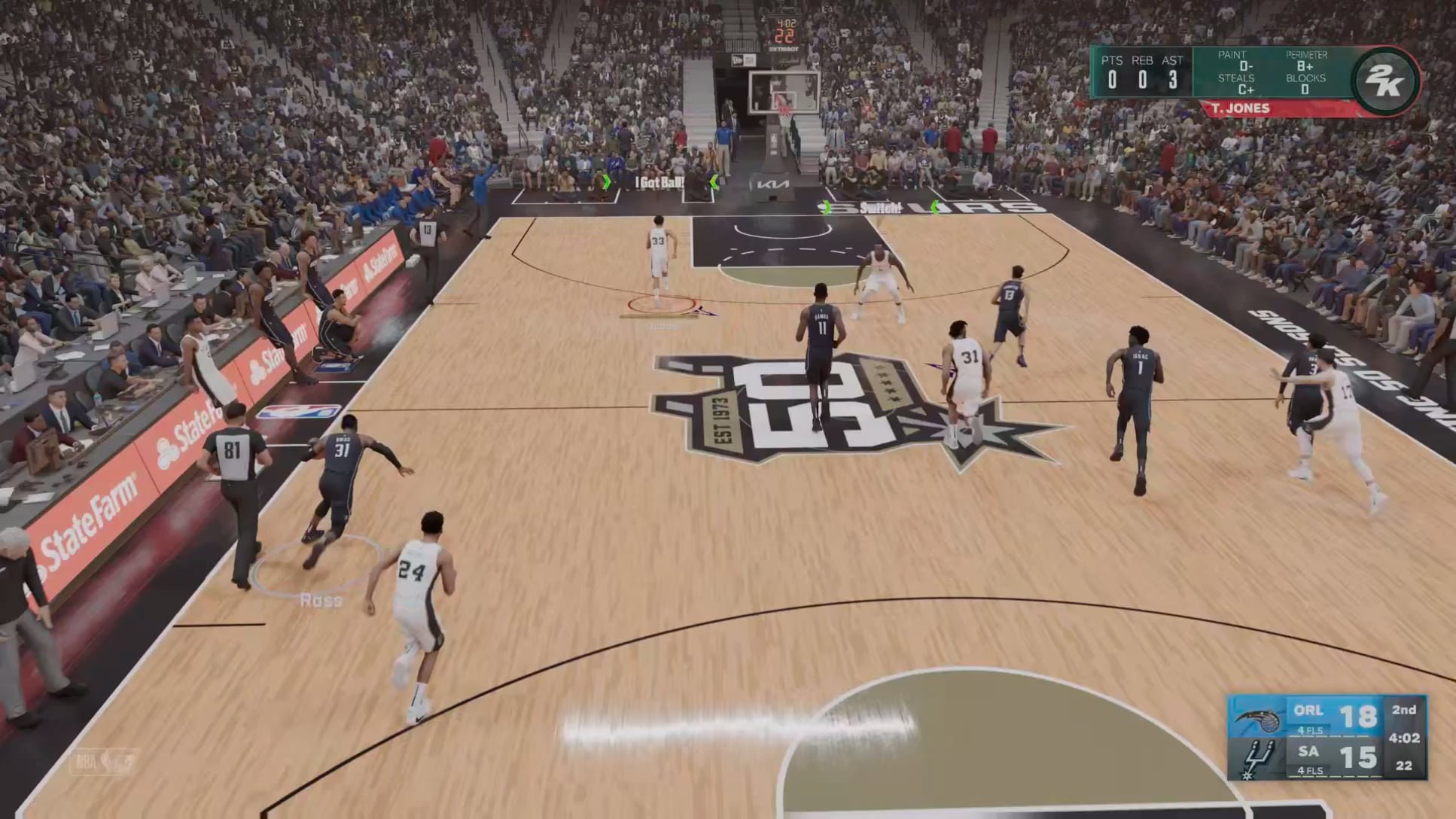
NBA 2K25 player communication utilizes in-game voice chat and quick text options, enabling teammates to coordinate strategies during matches.
Have you ever felt lost on the virtual court, struggling to connect with your NBA 2K teammates? Effective NBA 2K25 player communication is key to success, turning a group of individuals into a cohesive force. Understanding how players interact and share information is vital for victory. This article will explore the fundamental communication tools.

NBA 2K25 Player Communication: Talking on the Court and Beyond
Okay, so you’re ready to hit the virtual hardwood in NBA 2K25, right? You’ve got your skills, your favorite team gear, and maybe even a crew of friends ready to play. But let’s talk about something super important: communicating with your teammates. It’s not just about making amazing dunks; it’s about working together to win! In NBA 2K25, how you talk to and understand your teammates can make a huge difference between a crushing defeat and a sweet victory. This section will dive deep into the world of player communication in NBA 2K25, exploring all the ways you can connect with other players.
In-Game Voice Chat: Your Virtual Huddle
The most obvious way to talk with your team in NBA 2K25 is through voice chat. It’s like having a real-time conversation on the court. Here’s what you need to know about using voice chat effectively:
Setting Up Your Mic
First things first, make sure your microphone is working correctly. You’ll want to check your console or PC settings to make sure the right mic is selected. You also need to test it to be sure your voice is clear and easy for other players to understand. Nobody wants to hear a bunch of static, right? Having a good quality microphone will really help you be heard and understood during crucial moments in games. A well-placed mic also reduces echo, keeping the experience smoother for everyone else. Also, check your in-game setting for the voice chat and see if it’s muted or not. Muted mic is the first reason you are not heard by other players.
Push-to-Talk vs. Open Mic
NBA 2K25 usually has two main voice chat options: push-to-talk and open mic. Let’s see the difference:
- Push-to-talk: You press a button to talk, and when you release the button, you stop talking. This is great for keeping background noise to a minimum. It allows you to control when your mic is active.
- Open mic: Your microphone is always on. This lets you talk without having to press a button, but it can also pick up background sounds, which is why push-to-talk is the often preferred choice for many players. This also depends on the individual play style of each player, what works for you may not work for others.
Choosing between push-to-talk and open mic depends on your play style, your environment, and personal preference. Test both to see what works best for you. Most players recommend the “push to talk” feature for the clear conversations.
Using Voice Chat Strategically
Voice chat is not just for casual chit-chat. You can use it to plan out plays, call for picks, tell a teammate when you’re open, or warn of an opponent making a fast break. Here’s a few good tips:
- Be clear and concise: Don’t ramble. Get to the point. Simple phrases like “I’m open!” or “Screen right!” work well.
- Stay positive: Nobody likes a negative teammate. Even when things are tough, try to keep the mood positive and focus on the next play.
- Communicate on defense: Talking on defense is even more important that offense. Let your team know when you are switching or switching or where they are getting open.
- Listen to your teammates: Communication is a two way street, so listen carefully to what others are saying. Don’t just focus on your own strategy.
- Don’t talk over each other: Give each other space to talk, so you can hear the instructions clearly.
Remember, voice chat is there to help your team, so try not to use it for other things, and always keep your communications relevant to the game.
In-Game Messaging: Texting on the Court
Sometimes, you might not want to talk out loud, or maybe you don’t have a microphone. NBA 2K25 also has an in-game messaging system. This feature will let you communicate via text with your teammates. Here’s how it works:
How to Access In-Game Chat
Typically, you can access the chat feature using a specific button or key during a game. Look for an icon or prompt on the screen to see the messaging area. Usually, it is accessed by a dedicated button like the ‘enter’ key for PC, and it also varies with different consoles, so keep a look out for in-game prompt messages, to find the specific chat key.
The Advantage of Text
Using the text chat can be very beneficial in several ways:
- Quiet Communication: If you are playing late at night or don’t want to bother others around you, texting can be a great way to communicate without disturbing anyone.
- Clear Instructions: Text messages can sometimes be more precise than spoken words. You can give detailed directions or lay out a plan without any ambiguity.
- Review and Replay: You can review the text messages in the chat history, which can be useful if you missed a message. This can help players see what they did wrong or what they did right.
- Great for people who don’t have a mic: If you don’t have a microphone, text chat is a good way to communicate.
Texting Tips
Just like voice chat, keep some basic things in mind when using the in-game chat feature:
- Use clear language: Don’t use abbreviations or slang that other players may not understand. Use complete sentences and explain exactly what you mean.
- Avoid typing a novel: Keep your messages short and to the point. Nobody likes to read a wall of text, especially during a heated match.
- Be patient: Typing is slower than speaking, so be patient with others when you need to convey a complex message.
- Check your messages: Keep an eye on the chat, in case your teammates are trying to reach you.
External Communication: Staying Connected Outside the Game
Sometimes, you might need to connect with your teammates outside of NBA 2K25. Here are some ways you can stay connected.
Using Console Party Chat
Both PlayStation and Xbox consoles have a party chat system. You can create a group and communicate through voice chat even when you’re not in the same game. This is a great way to chat before the game, after the game, and just to hang out. This is also helpful when you are strategizing.
Discord and Other Third-Party Apps
Discord is a very popular app that allows gamers to communicate through both voice and text chat. Other apps like TeamSpeak and Mumble are also used by some players. Here’s why they’re popular:
- Flexible communication: These apps offer better communication options that many in-game voice chats.
- Create communities: You can create specific channels and servers for your team or friends.
- Share files and links: Discord will allow you to share strategy links, video clips and more.
- Join voice channels before entering games: You can use these to strategize even before entering a game.
Social Media and Messaging Apps
You can also use social media sites such as X (formerly Twitter), Facebook or messaging apps like WhatsApp and Telegram to connect with teammates. These channels are useful for planning game sessions, sharing funny moments, and staying connected, even when you’re not playing.
Nonverbal Communication: Reading the Court
Sometimes, you don’t even need to talk to communicate. Nonverbal cues are important in basketball and NBA 2K25. It’s about watching your teammates and making good decisions, based on their movements on the court.
Understanding Body Language
Just like in real basketball, you can learn a lot from how your teammates move in the game. Here are some important things to notice:
- Positioning: Where are your teammates on the court? Are they cutting to the basket, setting a screen, or trying to get open for a shot?
- Movement: Are they moving with purpose or just standing around? Are they making any hand signals to you? If they are trying to get open, you have to find a way to get the ball to them.
- Eye contact: If your player makes eye contact with a teammate, it may be a sign that they want the ball. Look around the court and see if they are looking to pass or take a shot.
Using In-Game Signals and Icons
NBA 2K25 has in-game signals and icons to give you information. These will appear over your teammates to communicate the game plan. For example:
- Pick and roll icons: These icons show your teammates are about to set a pick.
- Open icon: This shows when a teammate is open and ready to take a shot.
- Call for the ball: These icons tell you a teammate wants the ball.
- Defensive switches: These icons show when there are switches in the defensive positions.
Working Together as a Team
It is not always about your individual skills, you need to learn to play as a team, and understanding each other without even talking is a big part of teamwork. It is like a language itself, once you grasp the non verbal signals, you will be a far better player.
Troubleshooting Communication Issues
Sometimes, things go wrong. Here are a few common problems and how to fix them:
Mic Not Working
- Check your mic: Double check if your microphone is turned on, check the mute button.
- Console settings: Make sure the right microphone is selected in your console or PC settings.
- In-game settings: Be sure that the in-game chat feature is enabled in the settings.
- Driver updates: Sometimes, updating your mic drivers can solve problems.
Voice Chat Is Too Loud or Too Quiet
- Adjust in-game volume: Most games have settings to adjust your teammates and mic volume.
- Adjust mic gain: If you are using a PC, you can adjust the mic gain in your sound settings.
- Check your environment: Make sure the surrounding of your environment is relatively quiet, or you should consider push-to-talk options to avoid disturbance.
Text Chat Lag
- Check your internet: A slow internet connection may cause the text chat to lag.
- Close unnecessary programs: Other running programs can slow down the system. Close programs that are not necessary to play the game.
- Restart the game: Sometimes, restarting the game can fix these issues.
Teamwork Makes the Dream Work
Communication is the key to success in NBA 2K25. It allows you to coordinate, work together, and win more games. Try to use the different communication methods that are available to you, and make sure to practice with your teammates to better improve your teamwork. Whether it’s voice chat, text chat, or reading your teammates’ body language, how you connect with others can be a game-changer. So get in there, start talking, and get those wins! Remember that good communication is a skill, so be patient, keep practicing, and you will find improvement.
You're Restricted from using Communication Features PS5 NBA 2k24 – FIXED
Final Thoughts
Ultimately, improved NBA 2K25 player communication will create a more immersive and enjoyable experience. Developers must prioritize clear and effective chat systems for strategic team play. This includes both in-game voice options and text features.
Better communication promotes teamwork and reduces frustration. The changes that will be implemented for NBA 2K25 player communication are crucial for a competitive edge. Players will need the tools to plan strategies effectively.

