
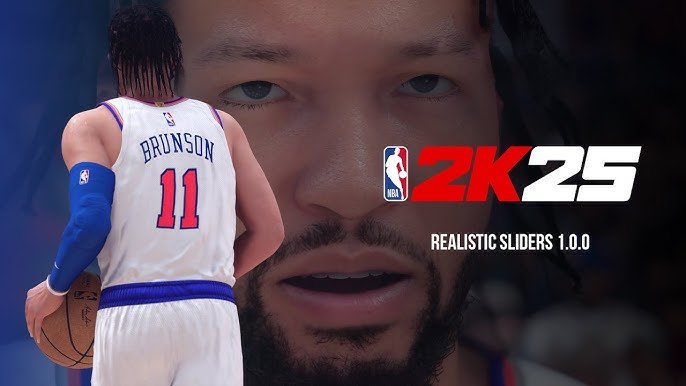
To achieve realistic simulations in NBA 2K25, focus on adjusting sliders to accurately reflect player attributes, tendencies, and fatigue.
Tired of arcade-style basketball in NBA 2K25? Many players crave a more authentic experience, mirroring real NBA games. This craving leads to questions about how to get that. That’s why this NBA 2K25 realistic simulation guide exists, answering that very call. We are here to make your virtual basketball experience feel real, not just digital.

NBA 2K25 Realistic Simulation Guide
Alright, basketball fans! You’ve got your copy of NBA 2K25, and you’re itching to play some realistic hoops. But sometimes, the game can feel a bit too arcade-y, right? We’re here to help you get the most authentic simulation experience possible. We’re going to dive deep into making your games feel like real NBA action. Forget about crazy dunks and unbelievable 3-pointers all the time – we’re talking about strategy, smart plays, and basketball IQ. Let’s get started on creating a simulation experience in NBA 2K25 that feels like watching a real NBA game.
Understanding Simulation Settings
Before we jump into on-court tactics, let’s talk settings. NBA 2K25 gives you tons of ways to tweak the gameplay, and adjusting these is the first big step toward a more realistic simulation. These aren’t just random knobs and dials; they’re the keys to creating the experience you want.
Difficulty Level
The first thing to consider is the difficulty level. If you’re looking for realism, avoid the easiest difficulties. The CPU will make poor decisions, allowing you to dominate too easily. Instead, try “Pro” or “All-Star” settings. These options offer a better challenge and mimic actual NBA competition. For experienced players, “Superstar” or “Hall of Fame” can provide an even more realistic feel, but expect some serious challenges.
Game Speed
The default game speed is often too fast for true simulation. NBA games are a blend of fast breaks and deliberate possessions. Lower the speed to somewhere between 45 and 55. This slower pace allows for more strategic plays, making the game less about running up and down the court and more about thoughtful basketball. The slower pace also gives you more time to react to on-court situations and make better passing decisions.
Gameplay Sliders: The Real Game Changers
Now, for the real magic: gameplay sliders. These settings allow you to adjust nearly every aspect of the game, and fine-tuning them can dramatically improve the simulation quality. These aren’t exact science; you will want to try different values to see what works best for you. Remember, the goal is to make it feel real, not easy or hard, and each player will have their unique preferences.
User/CPU Shooting
One of the key factors in making the game realistic is adjusting the shooting sliders. Here’s how:
- User Shot Success: This impacts how often your shots go in. Lower it slightly from the default. If it is too high, you’ll see a crazy number of made shots, which is not realistic. We want it to be challenging to score.
- CPU Shot Success: Similarly, lower the CPU’s shot success. The computer should be punished for bad shots like you are.
- User Shot Timing Impact: Increase this a bit. This means that the accuracy of your shot depends more on the timing of your release. This makes for more realistic shots, where skill and timing matter, not just player ratings.
- CPU Shot Timing Impact: Increase this a bit as well. CPU shouldn’t be an automatic shooter, if they are, it will also make the game not realistic.
- Shot Coverage Impact: Increase this to have a bigger effect. If there is good defense on you, you should not be able to make that shot easily.
- Inside/Close/Mid/3pt Shot Success: Adjust each type separately. For example, reduce the success rate of close/inside shots a bit more and 3 pt shot success by a bit more than the mid-range. This makes inside scoring more difficult, like real life, and makes longer shots more difficult too.
User/CPU Dribbling and Movement
Dribbling is a huge part of the game. Here’s how to adjust it for realism:
- Dribble Drive Speed with Ball: Slightly decrease this to keep the gameplay from becoming too fast and erratic. A lower value encourages more controlled movement.
- Movement Speed with Ball: Decrease this to simulate real life movements. Players don’t move lightning fast with the ball in real life.
- Dribble Effectiveness: Reduce the effectiveness of dribbles. This stops players from doing crazy moves all the time and increases the need for good play calls.
- Drive Success: Lower this. This means it will be harder to get past a defender just using speed and a dribble move. Players in the game won’t be able to drive to the basket all the time, this makes defense more important.
User/CPU Passing
Passing is key for a realistic simulation. It needs to feel natural but also challenging. Here’s how to adjust for more authentic passing:
- Pass Speed: Slightly decrease the speed. In real basketball, passes have different paces, and slightly lowering the speed makes this more realistic.
- Pass Accuracy: Lower this for both user and CPU. This means players are not going to be able to make perfect passes all the time, like in real life, mistakes happen. This makes each possession more important.
- Pass Reception: Lower the pass reception slider. You won’t always be able to catch the pass, even if it was a good pass. Making players work harder to catch the ball. This is realistic.
User/CPU Defense
Defense can be frustrating in 2K if it’s not tuned correctly. Here are some adjustments to make defense more challenging and strategic:
- Steals: Reduce the frequency of steals. Too many steals can make the game feel chaotic. Steals should be earned, not just happen every time someone crosses mid-court.
- Block Success: Slightly lower this to prevent unrealistic block numbers. Blocks should be something that happens from time to time.
- Lateral Quickness: Increase this. This makes defensive players keep up with dribblers better, and make offense more challenging.
User/CPU Rebounding and Physicality
Rebounding is not just about getting to the ball; it is also about positioning and strength. It’s an important part of the game, so we will make these changes:
- Offensive Rebounding: Decrease the success of offensive rebounds. You can get a few second chances, but it shouldn’t be all the time.
- Defensive Rebounding: Increase defensive rebounding. It’s usually easier to grab a defensive rebound than an offensive. It will make the game realistic.
- Contact Frequency: Increase this. The game should have more contact, not less.
- Fouls: Adjust foul frequency. Increase the amount of fouls called a bit. This makes each possession more important. You can also increase the foul out limits a bit for realistic gameplay.
Experiment with these sliders. Small adjustments can make a big difference. The goal is to find a balance that feels challenging and like you are watching real NBA basketball.
Gameplay Strategies for a Realistic Simulation
Tweaking the settings is just part of the equation. How you play the game also matters significantly. Let’s talk about on-court strategies to make your game feel more like a real NBA game.
Pace and Spacing
Basketball is about controlling the tempo and making good decisions based on the pace of the game. Instead of running as fast as you can on every possession, think about your approach:
- Vary your pace: Don’t rush up the court all the time. Sometimes, a slower, more methodical approach is better. Learn to slow the game down and run set plays in the half court.
- Proper Spacing: Make sure you have good spacing on the floor. This means having players in different spots to create openings and allow for better passing lanes. In real life, spacing is important, and so it should be here in the game.
Play Calling and Offense
One of the best ways to make your game feel more realistic is to use play calling in the game.
- Run plays: Use plays frequently. Don’t just try to drive to the basket every time. This will create more scoring opportunities and force the defense to work.
- Mix up your plays: Don’t use the same play repeatedly. In the NBA, coaches use a variety of plays to keep the defense guessing.
- Use different types of plays: Some plays are designed for inside shots, others for three-pointers, and others for screens or cuts to the basket. Understanding this is key to your gameplay.
Ball Movement and Passing
The ball is a tool in basketball, moving the ball to find an open player is key. This is how to play realistic basketball:
- Move the ball: Don’t hold the ball for too long. Keep the ball moving from side to side. This makes the defense work harder and will lead to open shots.
- Look for cutters: If a player is cutting towards the basket, hit them with a pass for an easy score. This makes the defense have to pay attention, and allows you to make good basketball plays.
- Extra pass: Always look for the extra pass. Even if you have an ok shot, look for a better one. This is what good basketball teams do in real life, and it will help your team too.
Defense and Player Tendencies
Defense is just as important as offense. You can’t play a realistic simulation game if you don’t play good defense.
- Play smart defense: Don’t just try to get steals. Stay in front of your man and force them to take difficult shots.
- Use defensive settings: Change your defensive settings to fit the opponent. Use double teams when you need them, or play some players tight and allow others to shoot.
- Know player tendencies: Look at how players perform in real life. Some players are good at driving to the basket, and others shoot a lot of three pointers. Defend them based on these tendencies.
Player Development and Franchise Mode
If you’re playing franchise mode, realistic player development is important. Here’s how to approach it:
Scouting
Scouting is critical to finding players that fit your system. Just like in real life, you will need to do some work to find the right players.
- Scout based on needs: Scout players who can fill gaps on your team. Don’t pick the highest rated player. Instead, draft a player based on the skills that you need.
- Look at player potential: Try to draft players with high potential, even if they aren’t good right now. They may turn out to be stars later.
Player Training
How you train players is critical to their development. Be smart about how you train your players.
- Train based on player strengths: Train players to get better at what they are already good at. If a player is already a good shooter, train him to become even better, rather than train him to be something that he’s not.
- Don’t overtrain players: Don’t train all players the same way. Some players need more work on their weaknesses, and others need to focus on their strengths.
Trading and Free Agency
How you trade and sign free agents also impacts the realism of your game. Don’t just go and make big trades that make no sense.
- Make realistic trades: Don’t just make trades that benefit you. Make trades that make sense for both teams.
- Don’t sign too many superstars: In real life, teams can’t stack their team with all superstars. Try to build your team like a real NBA team and fill the roster with different types of players.
Additional Tips for Realistic Gameplay
Let’s cover a few more tips to bring your NBA 2K25 experience closer to real-life basketball.
Watch Real NBA Games
Paying attention to how actual NBA teams play will give you good ideas that you can use in your games. See how they move the ball, how they set screens, and how they move without the ball. This will also give you insight into how your favorite team plays.
Practice, Practice, Practice
Like real basketball, it will take time to get better. Go into the practice mode, learn to run plays, and practice your shooting. This will make you better at the game, and you will get a better realistic feel for the game.
Be Patient
In real life, scoring doesn’t always happen right away. You may not be getting good shots. You will need to be patient and wait for an opening. Remember that this is not a run and gun game, you will need to be patient.
By using these tips and adjustments, you can move away from the unrealistic arcade gameplay and enjoy a true simulation of NBA basketball. Remember, it’s not about winning every game. It’s about playing the game the right way and feeling like you are part of the action. It’s about the strategy, the teamwork, and the execution of plays. Keep experimenting with different settings and strategies, and you’ll find the perfect balance to suit your play style.
NBA 2K25 is So Realistic😮💨
Final Thoughts
Achieving authentic gameplay requires thoughtful slider adjustments and strategic play calling. Concentrate on utilizing realistic player tendencies and a slower pace. Focus on post play and proper spacing to imitate real NBA games.
Effective defense involves anticipating opponent moves and rotating accordingly. Practice disciplined off-ball movement to create open shots, just like you see in pro games. This approach forms the core of your NBA 2K25 realistic simulation guide.

