
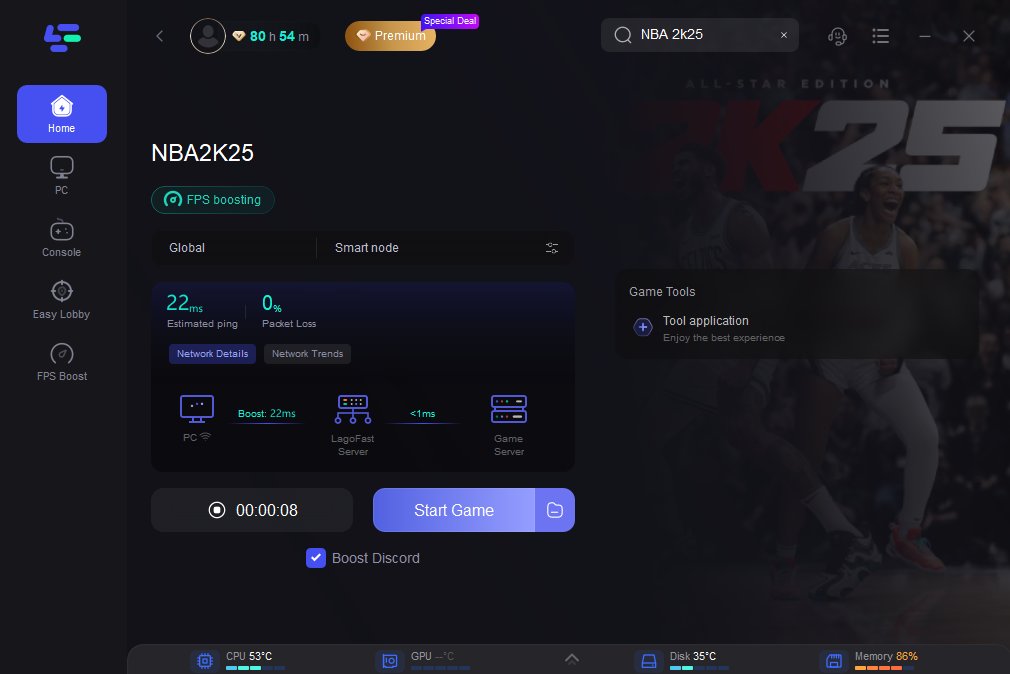
NBA 2K25 server performance can vary, impacting online gameplay with potential lag, disconnections, and delays.
Frustration mounts when you’re ready for a smooth game, and then lag hits. Poor NBA 2K25 server performance can ruin your experience, making online matches a nightmare. Many players report connectivity issues, disrupting what should be a fun and competitive environment.
These server problems directly affect your ability to compete. Slow response times and frequent disconnections cause game losses. This results in frustrating situations for everyone.

NBA 2K25 Server Performance: What You Need to Know
Okay, gamers, let’s talk about something super important – the servers in NBA 2K25! We all know how frustrating it is when you’re about to make the winning shot, or when you’re having a great online match, and suddenly… lag! Or worse, you get disconnected. That’s why understanding how the game’s servers work, what can make them slow, and how to fix it is key to having a great gaming experience. This article breaks down everything you need to know about NBA 2K25 server performance.
Why Server Performance Matters in NBA 2K25
Think of the game’s servers like the roads cars drive on. If the roads are smooth and wide, traffic flows easily. But if the roads are bumpy, narrow, or full of holes, you get a traffic jam. In NBA 2K25, the servers are like the roads that allow you and other players to play together smoothly online. Good server performance means:
- Smooth Gameplay: You want your players to move when you tell them to, not a second later. No lag means quick passes, accurate shots, and a better game overall.
- Reliable Connections: You need to stay connected to the game, so you can finish the match. Nobody likes being kicked out of a game, especially when you’re winning.
- Fair Competition: Everyone should have a fair chance, and lag can mess that up. If some players have a delayed reaction due to bad servers, it’s just not fun.
- Happy Gamers: When the game is running well, everyone is happier and more likely to keep playing!
Bad server performance can lead to frustration, wasted time, and a less enjoyable gaming experience. Let’s see what impacts those virtual roads we travel on in the game.
Factors Affecting NBA 2K25 Server Performance
Many things can affect how well the servers work. It’s not always just one thing, but a combination of issues. Here are some of the main reasons you might see lag or disconnection:
High Player Volume
Just like a crowded road, when lots of people try to use the servers at the same time, things can slow down. Imagine a Friday night when everyone wants to play NBA 2K25. This can put a big strain on the servers. The game developers usually know when this will happen (like after a new update or during a big event), so they try to get ready for it.
- Peak Times: Weekends, evenings, and holidays often see more players online, which can slow down servers.
- Game Releases & Updates: When a new version of the game is launched or there’s a big update, many players jump online at once, sometimes overwhelming the system.
Server Location & Distance
Where the game’s servers are located matters a lot! If the servers are far away from you, it takes longer for your game actions to travel back and forth. This creates lag, like when you try to talk to someone far away on the phone – sometimes you hear them a little later. Game developers usually have servers in many places around the world, but sometimes you are connected to a server a little too far for a really smooth game.
- Proximity Matters: Connecting to a server closer to your location is usually faster.
- Route of Data: The internet traffic has to go on a long path which takes some time to be transmitted from one end to other.
Your Internet Connection
Your own internet speed and stability plays a really big part in your online gaming experience. Imagine driving a slow car on a fast highway – you’re still going to be slow. Here’s what you need to think about:
- Internet Speed: You need a fast enough connection so data moves quickly. If you have a slow internet connection, your game will lag.
- Connection Type: Ethernet (cable directly to your router) is usually better than Wi-Fi because it’s more stable. Wi-Fi is good too, but it might have some lags sometimes, depending on how strong it is.
- Bandwidth: If someone else in your house is watching videos or downloading big files, that can make your game run slower. It’s like your internet is being used by other things, and not enough is left for your gaming.
Game Bugs and Glitches
Sometimes, the game itself can have problems, which can also lead to lag or disconnects. These are like potholes in the roads – they slow everyone down. The game developers try to fix these with updates, so it’s important to keep your game updated.
- Game Code Issues: Sometimes, the game code itself can have errors which might cause server performance problems.
- Software Problems: Issues with the game program, like bad data handling or memory problems, can cause issues with the servers.
Hardware Problems
Your gaming console or PC and its settings might also be a cause of lag.
- Outdated Hardware: If you are playing on old console or PC, it might not have the power to run the game well.
- Overheating: If your system gets too hot, it might slow down to protect itself. This is why you must keep your system in well ventilated area
- Configuration Issues: Some settings can cause problems. Make sure you have the right setting in the game and on your system for optimum performance.
Checking NBA 2K25 Server Status
Before you get too worried about your own internet or equipment, it’s a good idea to check if the NBA 2K25 servers are actually having problems. Here are some ways to do this:
Official NBA 2K Channels
The people who made the game will often say if there’s a problem. It’s like a news report for the game servers! Here’s where to look:
- Twitter (X): Follow the official NBA 2K Twitter account. They usually post about any server issues there.
- Website: The NBA 2K official website can also post information on the server status.
- In-Game Alerts: Sometimes the game will display messages when servers are having issues.
Third-Party Status Websites
There are also some websites that track how games are doing. These can be very useful if the official sources aren’t saying anything. Here are a few good examples:
- DownDetector: A popular website that lets you see if other players are reporting issues. It uses player reports to check outages.
- IsTheServiceDown: Another website that tracks outages of game services
Community Forums and Social Media
Sometimes, the best way to know what’s going on is to talk to other players. They will usually say something if they are having server issues. Here’s where to go:
- Reddit: Go to the NBA 2K subreddit. Other players will post about the problems, and you can see if others are also having the same issue.
- Discord: The official NBA 2K Discord server is a great place to talk to other players and see if they have experienced the server issues
Tips to Improve Your NBA 2K25 Connection
Even if the servers are okay, there are still things you can do to have a better connection. These are like tuning your car before a race to make sure you are going as fast as you can. Here are some useful tips:
Check Your Internet Connection
Your internet is really important. Make sure it’s working well. Here’s how:
- Speed Test: Use a website like Speedtest.net to check your download and upload speeds. Make sure they are what you expect and what your internet provider is offering.
- Reboot Your Modem/Router: It’s like giving them a little rest. Turn them off, wait a minute, and then turn them back on. This fixes a surprising number of connection problems.
- Check Connection: Make sure all cables are attached properly. Check for damage. If you are using a Wi-Fi connection, move closer to the router for stronger signals.
Optimize Your Gaming Setup
Some settings on your system can make the game faster.
- Close Background Apps: Close any other programs on your PC or console that you are not using, because these can take up resources from the game.
- Update Device Drivers: Make sure your device drivers are up to date, including your graphic card drivers, because outdated drivers can cause problems with your game.
- Use Wired Connection: If possible, plug your PC or console straight into your router with an Ethernet cable. It’s often faster and more reliable than Wi-Fi.
Adjust In-Game Settings
Changing your game settings can make the game run a little better, specially if you are experiencing lags. Try these:
- Lower Graphics Settings: Turn down the graphics quality. It might not look quite as shiny, but it can make the game run faster if your PC is not powerful enough.
- Turn Off Visuals: Turn off visual effects that you don’t need because these can sometimes cause lag.
Choose the Correct Server Region
When you’re playing, you should try to choose the server location closest to where you are. This can make a big difference!
- Optimal Choice: Choose a server that is closer to you for the fastest connection.
- Consider Player Numbers: Check how many players are on each server before picking one, because sometimes the server closest to you might have the highest player numbers.
Report Server Issues
If you keep having problems, tell the game developers so they know about it. If enough people report the problem, they might fix it faster. Here’s how:
- Contact Support: Go to the NBA 2K support website and report your issue.
- Post on Forums: Share your experiences in the NBA 2K community forums. You might get some tips from others or show that a large number of people have the same problem.
By following these steps, you can make sure that you have the best gaming experience in NBA 2K25.
Server performance in NBA 2K25 is a big deal. When the servers are working well, the game is awesome! When they aren’t, it can be very frustrating. Understanding what makes them work well or poorly will help you get the best experience. Remember to check your connection, see if it’s the servers having problems, and make the changes you can on your end to get your game running smoothly. With some knowledge and effort, you can get back to playing and having fun.
5 SECRET Settings That You NEED To Use In NBA 2K25
Final Thoughts
In summary, consistent NBA 2K25 server performance is crucial for enjoyable gameplay. We saw some improvements, but stability remains a concern for many. Players hope for further optimization to eliminate lag and connection issues.
Therefore, developers must prioritize a smooth online experience. Future updates need to address these critical problems. We need a solid foundation for a great online experience.
Ultimately, the community’s enjoyment hinges on reliable NBA 2K25 server performance.

