
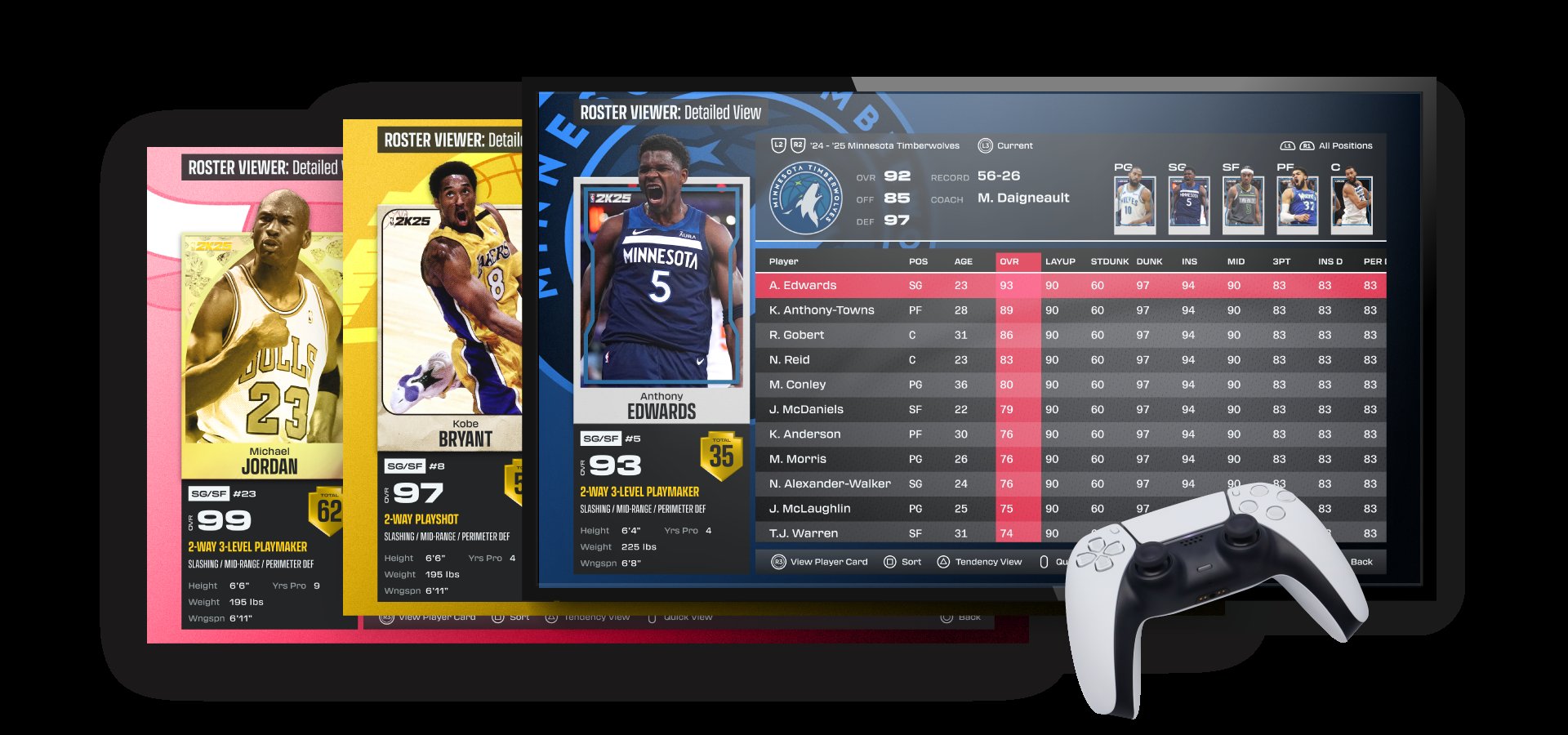
NBA 2K25 user experience design focuses on making gameplay more intuitive, navigation smoother, and overall interaction with the game more enjoyable for all players.
Have you ever felt frustrated navigating a complex menu in a game, or struggled to understand the on-screen instructions? This is exactly what developers are trying to improve in NBA 2K25. We’re diving deep into the world of NBA 2K25 user experience design, examining how small tweaks and significant changes can completely impact how we play and enjoy the game. A better designed game results in a more satisfying overall experience for the player.

NBA 2K25 User Experience Design
Let’s dive into what makes playing NBA 2K25 fun and easy – or sometimes, not so fun and a bit confusing! We’re talking about the user experience, or UX for short. This is all about how the game feels when you play it. Does it make sense? Is it easy to find what you’re looking for? Does it make you want to keep playing, or make you throw your controller across the room? Good UX design is the secret sauce that makes a game great. So, let’s see how NBA 2K25 is doing and where things could be better. We’ll explore different areas of the game and see if they are user-friendly for every player, from beginners to pros.
Navigating the Main Menu
The main menu is where your NBA 2K25 journey begins. It’s like the front door to your basketball world, and if it’s messy and hard to use, you might get frustrated right away! Ideally, the main menu should be super easy to understand. You should quickly find what you want, whether it’s starting a quick game, jumping into MyCAREER, or tweaking your settings. Let’s look at some of the important parts of the main menu:
Clear Layout and Organization
A well-designed menu should have a clear layout. Think of it like a well-organized closet; you know where everything is. The game options should be grouped into categories that make sense. For example, all the online modes might be in one area, while your single player modes might be in another. The menu should avoid overcrowding; no one wants to scroll through a long list just to find one option. Visual cues such as icons and separators can guide the user’s eyes, helping them quickly navigate to the section they want. The flow from one option to another should feel natural and logical.
Visual Appeal and Consistency
How the menu looks is important, too. It should be visually appealing and match the vibe of the game. Think bold colors, cool fonts, and images that pop. It should also be consistent with the rest of the game, so that the main menu feels like a seamless extension of the gameplay experience. If the menu looks cluttered or inconsistent, it can distract the player and make it harder to focus on the task at hand. The design should feel modern and engaging to get you excited to play.
Accessibility Options
Great UX also means thinking about accessibility. Can everyone use the main menu easily, no matter how they play? The size of the text should be adjustable so that players with visual impairments can see it clearly. The menu should also work well with game controllers and keyboards, letting people play the way they want. High contrast modes and text-to-speech options can assist players who need additional assistance. Good accessibility ensures that everyone can have fun playing the game.
MyCAREER Mode Experience
MyCAREER mode is one of the most popular modes in the NBA 2K series. It allows you to create your own basketball star and take them through their career. So how is the user experience in this mode for NBA 2K25? A great user experience here is vital for player enjoyment. Let’s look at some key components that make a great or not so great MyCAREER experience:
Character Creation and Customization
The start of MyCAREER is creating your player, and it should be easy and exciting. You should be able to customize your player’s appearance, skills, and play style without too much difficulty. The tools should be easy to use, with clear options and previews so you know what you’re changing. The choices you make for your player should have a real impact on the way you play. The character creation process should be intuitive and fun, allowing players to bring their vision to life. The more options and freedom, the better for the player.
Story and Progression
MyCAREER should also have an engaging story that keeps you hooked. The story should flow smoothly without any confusing parts. You should always know what you need to do next, and the tasks should be clear. The game should also let you progress at a good pace. If it is too slow or too fast, it could get boring, so a well-balanced progression system is key. It is essential for the game to provide feedback on your progress so that you feel a sense of achievement as you play. The narrative should feel personal and relevant to the player’s journey.
User Interface in MyCAREER
As you play MyCAREER, the menus and information presented to you should be clear and easy to use. The game should help you keep track of your character’s stats, your tasks, and your interactions with other players. For example, if you’re looking to change something about your character’s skills, finding the appropriate menu option shouldn’t be a treasure hunt! The user interface should feel consistent with the rest of the game. Cluttered or confusing UI can take the fun out of MyCAREER. The interface should be intuitive, letting players focus on the game rather than wrestling with the menus.
Interactions and Social Elements
Another part of MyCAREER is interacting with other characters and the world around you. The game should make these interactions feel natural and engaging. When you talk to coaches, teammates, and other players, the conversation should make sense and be fun to follow. If you are trying to build relationships or negotiate contracts, the game should make that easy to do. A great social element will make the game feel more alive and interactive, enhancing the overall experience. Smooth and intuitive interactions are important for immersive gameplay.
Gameplay Controls and Responsiveness
The controls are the heart of any sports game. They must be easy to learn but allow for complex moves, too. How well NBA 2K25’s controls feel and how responsive they are affects whether you love the game or not. Here’s why control and responsiveness matter:
Intuitive Control Schemes
The controls should be easy to remember and use, no matter how new you are to the game. The basic controls, like dribbling, shooting, and passing, should feel natural. You should not need to have a PhD to play the game. The button layout should make sense on your controller or keyboard. A well-designed control scheme lets you focus on the action rather than thinking about which button to press next. The game should also provide clear tutorials to help you understand the control system. A seamless control scheme allows players to perform complex moves without difficulty, creating a better sense of immersion.
Input Lag and Responsiveness
Responsiveness is all about how quickly the game reacts when you push a button. If you press the shoot button, you should see your character shoot immediately. If there is a delay, that’s what we call “input lag.” Input lag makes the game feel sluggish, frustrating, and unfair. A responsive game feels more natural and lets players control their characters accurately. Great responsiveness is critical, especially for online games where timing matters. The game should feel snappy and reliable, responding to your every command quickly.
Customizable Options
Everyone has a slightly different way they like to play. The game should give you the ability to change control layouts or even specific button assignments. For example, maybe you want to use the left trigger to pass, but the game has it set to the right trigger. Allowing customization gives players more flexibility and comfort when they are playing the game. The game should also let you tweak control sensitivity if you are very sensitive to how the controller reacts. Customization enhances the gameplay experience by ensuring that everyone can play in a way that is comfortable for them.
Online Mode User Experience
Playing online with other people is a big part of NBA 2K25, so the online mode user experience is vital. Here’s what makes for good or bad online user experience:
Matchmaking Systems
Matchmaking is how the game finds other players for you to play with or against. The matchmaking system should be fast and fair. You should not have to wait a long time to find someone to play. The system should also match you up with other players who are similar to your skill level. No one likes to play against someone who is way better or worse than them. A well-designed matchmaking system ensures that matches are both enjoyable and competitive. The ideal system should quickly find suitable opponents, minimizing wait times and maximizing fun.
Lobby and Game Setup
Once you’ve found a match, the lobby is where you get ready to play. This area should be simple and easy to use. You should be able to clearly see who you’re playing with, what the rules are, and choose your team or characters. If the lobby is slow and buggy, it could put a damper on things even before the game starts. The user interface in the lobby should be clear and intuitive, letting players prepare for the match without any hassle. A streamlined lobby area makes the pre-game process smooth and efficient.
Online Stability and Performance
Online matches need to be stable. There is nothing more frustrating than being disconnected from a match or dealing with game-breaking bugs and glitches. The servers should be reliable so that your games run smoothly without any problems. If the game is too laggy, it will feel like you have no control over your characters, and that will not be fun. Stable servers are critical for any online game, letting you have fun playing without worrying about technical issues. Great server performance and stability make a massive difference in enjoying your game online.
Communication Features
Talking to other players while you’re online can make the game more fun, especially when playing with friends. The game should let you chat with other players through text or voice. The game should also make sure that people are not being mean or disrespectful and provide ways for you to mute or block players as needed. Communication tools make the game more social and engaging but also need to be well managed to maintain a positive environment for players. Good in-game communication helps build a fun and supportive environment online.
In-Game Menus and Information
During the game, there are often menus you must use, like for substitutions or timeouts. How these menus look and how easy they are to use is really important. Here’s why in-game menus need good UX:
Clear and Concise Layout
When you call a timeout and need to change your lineup or adjust your strategy, the menus that pop up should be clean and easy to understand. You should be able to quickly find the options that you need without searching through complicated lists. The layout of these menus should be logical so that you can make changes without missing much of the in-game action. A clear and concise menu allows players to make important decisions quickly and without any confusion. The information on the screen should be easy to digest so that players can stay engaged with the game.
Real-Time Feedback
Menus in the middle of the game must also give you quick feedback. For example, if you’re trying to change your defensive strategy, the game should show you the changes that you’re making so you know that you have made the appropriate change. It can be frustrating when you change something, and the game doesn’t confirm it. Real-time feedback helps you confirm your choices and know that you have made the right decision. This will give you confidence in how you have set your game up.
Minimal Interference
Menus that pop up during the game should not take over the entire screen. They should be easy to use and they should not hide all the action. If they do hide the action, you can miss important parts of the game. A good in-game menu system should allow you to make changes quickly and get back to the game. A well-designed menu will enhance gameplay rather than distract from it, allowing the game to flow more naturally.
Visual Clarity and Information Presentation
How the game looks and how information is shown to you also impacts your user experience. Good visual clarity and presentation can make the difference between a fun experience and a frustrating experience. Here are some key factors:
On-Screen Information
The information that you see on the screen, like the score, the timer, and player names, should be clear and easy to read. It should not be too small or hidden in the corners. The information should be displayed so that it’s easy for you to see what’s happening. A well-designed interface will ensure that players can stay on top of the game’s action. The presentation of scores and timers should be clear and concise, so they do not distract from the main gameplay.
Visual Feedback
When you take actions in the game, the game should give you feedback to let you know that it worked. For example, when you shoot the ball, it should look and sound good, and the shot meter should show how well you timed it. When you dribble, the ball should feel responsive to your moves. Great visual feedback will make the game more immersive and engaging. It will also help you learn the timing and the mechanics of the game. Visual elements should be clear, responsive, and consistent, creating a cohesive and immersive experience.
Color Palette and Design Choices
The colors and style of the game should be appealing and easy on the eyes. The colors should fit the tone of the game and also not distract you. The interface should have a consistent style so that everything feels like it belongs together. The game should be visually enjoyable without being too distracting. Smart design choices ensure that the game is fun to look at and that all the important elements are clear and visible. The color scheme should be cohesive and contribute to the game’s overall aesthetic appeal.
Tutorials and Learning Curve
For any game, especially one as deep as NBA 2K25, it needs to have good tutorials for new players. A great tutorial system makes it easy to learn the game, and this is a very important part of the user experience. Here’s what makes a great tutorial:
Clear and Concise Instructions
When you’re learning a new game, you do not want to be bombarded with too much information. The instructions should be clear, short, and easy to understand. Instead of giving you long paragraphs to read, the game should use visuals and examples so you can see what you need to do. The tutorials should focus on the important parts of the game and not overwhelm you with too much at once. Clear and focused instructions ensure that the learning process is enjoyable and efficient.
Progressive Learning
The tutorials should be designed so you learn the basics first and then move on to more advanced topics. They should guide you through the game mechanics, one step at a time, without overwhelming you with too much at once. This is called progressive learning. The game should let you practice what you’ve learned and take a break so that you can absorb all the new information. A progressive approach lets players grasp each skill and concept before moving to the next level. It should be a fun and gradual learning experience for new players.
Practice Modes
Sometimes, tutorials are great for learning the basics, but you still need more practice. The game should have different practice areas where you can try out new skills or strategies. A good practice mode should give you full control of the game without any pressure. Practice modes allow players to try out different things without fear of losing a match. Practice modes let you improve your skills at your own pace, ensuring a better player experience.
In conclusion, user experience design is the glue that holds all the fun parts of NBA 2K25 together. It’s about making the game easy, fun, and engaging for everyone who plays. If the menus are confusing, the controls feel clunky, or the online experience is choppy, then that game will not be very fun. By focusing on intuitive design, clear communication, and solid performance, NBA 2K25 will become more enjoyable and accessible to every player. So, we are all hoping that the developers will really be thinking about the user experience in the upcoming releases of NBA 2K games.
Watch This Before Playing NBA 2K25…
Final Thoughts
Improving menu navigation and game mode transitions are vital. A clearer interface benefits all users. Simpler controls enhance the gameplay experience.
NBA 2K25 user experience design should prioritize these areas for better engagement. Refining existing features makes the game more enjoyable. Consistent updates based on user feedback are must. This ensures a smooth and engaging basketball simulation.

