
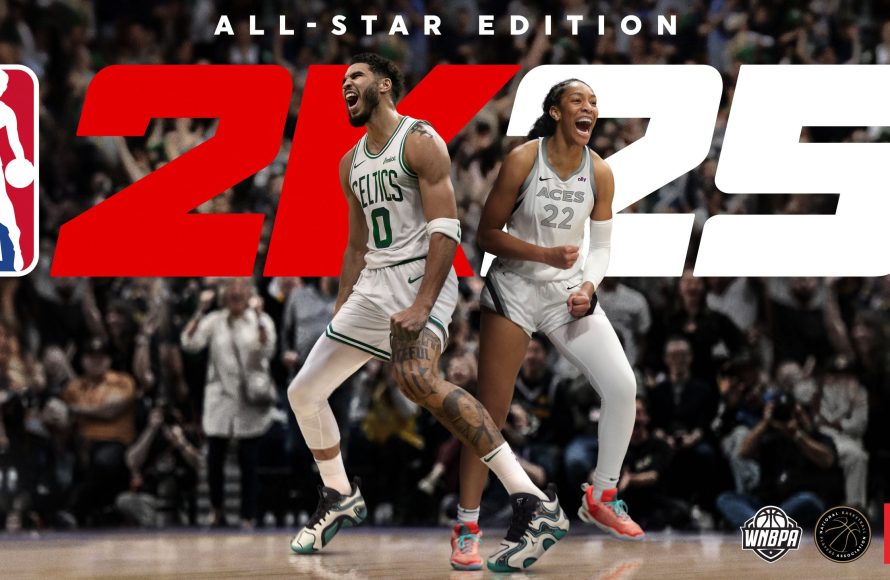
The NBA 2K25 user interface presents a refined design, focusing on quicker menu navigation and improved accessibility for all game modes.
Stepping onto the virtual court in NBA 2K25 feels immediately familiar, yet different. The game’s user interface received significant updates, changing how players navigate menus and access information. This blog post gives you a comprehensive NBA 2K25 user interface overview, highlighting the key changes.
We’ll explain how the new layout speeds up selecting game options and how visual cues make it easier to find what you’re looking for. These improvements enhance your gameplay experience, both on and off the court.

NBA 2K25 User Interface Overview
Okay, everyone, let’s dive into the world of NBA 2K25 and its super important user interface, or UI for short! Think of the UI as the control panel for your favorite basketball game. It’s everything you see on the screen – the menus, the buttons, the stats – all the things that help you play and have a good time. NBA 2K25 has a lot going on, so it’s key that the UI is easy to use and fun to look at. We are going to take a look at each important aspect of the user interface, from the moment you start the game to when you’re deep in a tense match.
Main Menu Navigation
The main menu is your starting point for everything. It’s like the lobby of a grand basketball stadium. When you first boot up NBA 2K25, you’ll be greeted by this main menu. It is the place where all your game modes, settings, and options reside. Let’s explore what you find there:
- Play Now: This is the place to jump right into a quick game. Choose your favorite teams and start playing! It’s perfect for a fast match with friends or against the computer.
- MyCAREER: Want to create your own player and become an NBA superstar? MyCAREER is where that journey begins. Here, you create your player, play games, improve skills, and experience the NBA like a real player would.
- MyTEAM: This mode is all about collecting player cards and building your dream team. You will open packs, acquire star players, and complete challenges. It’s like trading cards, but now you can play them on the court.
- MyNBA: Do you want to be in charge? MyNBA puts you in the role of a general manager. Manage teams, make trades, draft players, and guide your franchise through the years. It is the deepest experience for hardcore fans.
- The W: This mode focuses on the WNBA and allows you to create a WNBA player and rise through the ranks. You will experience all the excitement and challenges of playing in the WNBA.
- Options/Settings: This section is very important, as here you can adjust all the game settings. Change the difficulty, audio levels, camera angles, and controls, all to make sure the game plays just how you like it.
- Features: This part is home to things like player editing, roster management, and tutorials. If you are looking to customize players or learn more about the game’s controls, look here.
The main menu’s design is important, as it guides your experience and must be straightforward to navigate. The developers at 2K Games really want to ensure that you easily find what you are looking for. The main menu needs to be clean, organized, and easy on the eyes to help you transition from section to section easily.
In-Game HUD: Keeping You Informed
While you are playing the game, the Heads-Up Display or HUD is your window to everything that is happening on the court. The HUD provides all the info you need without blocking your view of the action. It’s like having a personal sportscaster, always in the corner of your eye, feeding you vital game information.
Scoreboard Information
At the top of the screen, you will find the scoreboard. This is a crucial part of the HUD, showing:
- Team Scores: You can quickly see how each team is doing. The points are clearly shown so you can track who’s winning.
- Game Time: You can always know how much time is left in the quarter or the entire game. This is super important for planning your strategy and managing your time.
- Quarter Number: You will see what quarter you are currently in. This helps you keep track of where you are in the game.
The scoreboard design is usually clean and simple, so it doesn’t take away from the gameplay.
Player Information
Besides the main scoreboard, the HUD also displays useful info about the players. This includes:
- Player Names and Icons: You’ll see the player’s name or icon above or near them on the court. This makes it easy to identify who is who, even when the action is really fast.
- Stamina Levels: Keeping track of player stamina is important to win. A small bar or icon usually shows you how much energy your players have left, so you know when to slow down or sub in a new player.
- On-Screen Prompts: These pop up from time to time to remind you of specific controls or actions. They are also helpful for newer players who are still learning.
All this on-screen information makes it a lot easier to strategize and make smart plays during the game.
User Feedback and Notifications
The HUD is not just about stats. It also gives you feedback as you play:
- Shot Meter: When you’re shooting the ball, the shot meter helps you time your release for the best chance to make the shot. It is an important part of scoring in NBA 2K25.
- Success Indicators: You see on-screen messages when you make a good play, like “Great Shot!” or “Nice Pass!” These messages add to the fun and give you encouragement.
- Game Notifications: If there are fouls, violations, or time-outs, you’ll see notifications on the HUD to keep you updated on important game events.
The HUD in NBA 2K25 is there to help you know what’s happening in the game without getting in your way. It provides a smooth experience that keeps you focused on the action of the game.
Menu Accessibility and Options
A great game always takes into account accessibility. NBA 2K25 provides many options to ensure players of all abilities can play comfortably. Let’s look at the available options:
Customizable Controls
Every player has their own playing style, so it is important to be able to change the controls of the game. NBA 2K25 lets you do exactly that:
- Button Mapping: You can change which buttons do what on your controller. This allows you to make the game play exactly the way you want it to. You could move the shoot button to a different place, or move a specific control to a place that is easier for you to reach, for example.
- Control Presets: You can choose from different preset control options, like “Classic” or “Modern”. These presets can make it easier to adapt to the game if you are new or prefer a particular layout.
- Controller Vibration: If you find the controller vibration too much or if you would like more vibration, you can also customize this. You can either turn it off, turn it on or adjust the intensity of it.
Having full control over your controls improves your gaming experience by making the game more comfortable for you. You can also make it easier to perform complex moves.
Visual Settings
Visual settings are important, as they allow the user to change the way the game looks. Here’s what you can adjust:
- Brightness and Contrast: Adjust these settings to make the game look perfect on your screen. Whether you like a bright screen or a darker one, you can adjust these.
- Colorblind Options: NBA 2K25 has options for people who have trouble seeing colors. These options can make the game more clear for colorblind players.
- HUD Size and Placement: If the HUD is in your way, you can make it smaller or bigger. You can also move it around on the screen. This helps you see exactly what you need to see without blocking your view of the game.
These options make sure that everyone can enjoy the game with a comfortable viewing experience.
Audio Adjustments
The game sounds are important too. Here are the audio settings you can change:
- Master Volume: You can change the overall game volume, making it quieter or louder depending on your preference.
- Music and Commentary: Want to hear more of the crowd or more from the commentators? You can adjust the volume of each to make the experience exactly how you like it.
- SFX Volume: Adjust the volume of the game sound effects like squeaking shoes and bouncing balls, making the game feel more realistic or less noisy, as you desire.
Having good sound can really add to the immersion of the game. Adjusting the audio settings to your preference helps make the experience perfect for you.
Menu Navigation Assistance
To improve the experience even more, NBA 2K25 also provides settings that help make navigation easier:
- Menu Narration: A narrator can read out what each menu item is, which can help players who have trouble seeing the screen. This makes the game easier for everyone.
- Font Size Adjustments: You can make the text bigger or smaller to improve the readability of the game menus and text messages.
- Clear Menu Organization: The menus are designed to be as easy to use as possible. This means they are designed in a very organized way so that everyone can find what they need quickly.
The accessibility settings in NBA 2K25 help make the game more inclusive for all types of players, making sure everyone has fun.
Exploring the MyCAREER Interface
MyCAREER mode is like a story, and the UI is what helps you navigate that story. It is more than a single game, and its interface is built to support your journey.
MyPLAYER Hub
The MyPLAYER Hub is like your character’s personal space. It is where you check your progress, appearance, and stats. The hub includes:
- Appearance Customization: Here, you change how your player looks. Modify your player’s clothes, hair, accessories and more. You can change the look whenever you like.
- Player Stats and Badges: You can track your player’s progress here. You can see their skill levels, how many points they have, and the badges they’ve earned, which are special abilities they have.
- Progression Tracking: You can easily see how far you’ve come and how close you are to reaching your goals. You can also see what you still need to achieve to continue growing your player.
The MyPLAYER Hub is like your home base for your MyCAREER and is important for keeping your experience organized.
City Exploration and Navigation
In MyCAREER, you also get to explore the “City.” The city is a virtual world that is part of the game. The UI helps you get around:
- Map System: You can easily see the city map, which shows the locations of stores, training facilities, and where events are happening. This is like a GPS for your player within the city.
- Fast Travel Options: You can quickly move to different spots in the city, so you don’t have to walk everywhere if you don’t want to.
- Quest Tracking: You will get different quests during your career and the UI will help you keep track of them, and will guide you to the next goal.
The city exploration interface adds depth to your MyCAREER experience, allowing you to move and live like a true NBA star.
Interactions and Dialogues
Your interactions with other characters are another key part of MyCAREER. Here’s how the UI manages this:
- Dialogue Options: The game gives you choices for what to say to people you meet. These choices can affect how other characters feel about you and your story progression.
- Story Tracking: You can review all the important story moments you have already completed, making it easier to remember the story details.
- Social Media Integration: Your in-game social media feed shows how the virtual world is reacting to your player. This adds to the overall immersion of the game.
The way you interact with other characters and the story is important in the MyCAREER, and the interface makes sure everything feels connected.
MyTEAM Interface Breakdown
MyTEAM mode is where you create your fantasy dream team with cards. Its user interface is designed for collection management and gameplay.
Card Collection Management
Managing your collection of cards is a big part of MyTEAM. Here is how the UI helps:
- Card Inventory: This screen shows you all the player cards you own. You can view and sort all of your cards very easily.
- Filter and Search: You can find specific player cards by using filters and search tools. This is super helpful if you have lots of cards.
- Card Details: You can look up individual card stats and attributes to decide what to do with the card.
The collection management UI is perfect for anyone who likes to keep things organized and likes to collect things.
Lineup Creation and Management
Choosing the perfect team of players can be super fun and the game makes it easy to do. Here’s how it’s organized:
- Roster Selection: You can quickly choose the cards you want to put in your lineup. It’s as easy as drag-and-drop, or even just clicking the cards you wish to use.
- Chemistry System: The game’s UI helps you see how well your players play together, because the game uses a chemistry system. The game will show you if the players will play well together, based on their attributes and play styles.
- Team Strategy: You can set the game plan and make sure your team plays the right way. You can set which players will be the main scorers, for example.
The lineup management interface helps make sure you always have the right players in the game, playing in the way you want them to.
Auction House and Marketplace
You can buy and sell player cards in MyTEAM. Here’s what you need to know about the UI:
- Bidding and Buying: You can find cards and bid on them or buy them right away. It’s like an online auction.
- Selling Your Cards: If you have extra cards, you can put them up for sale and make virtual money.
- Market Tracking: You can easily check out current card prices so you can make smart choices about buying and selling your cards.
The auction house and marketplace interfaces make trading cards in the game safe, organized, and fun.
The Future of NBA 2K UI
As technology gets better, the UI will change too. Future versions of NBA 2K will most likely continue to have better, faster, and more modern user interface designs. Some improvements you might expect are:
- More Dynamic UI Elements: The UI will become more responsive and change with what’s happening in the game. Maybe the UI will show you more info as the gameplay becomes more intense, for example.
- Advanced Accessibility Options: The game will include even more accessibility options to make sure all players have access to a comfortable experience.
- Seamless Integration: Menus and features may become even smoother, allowing you to move between all parts of the game with very little interruption.
NBA 2K25 has made a big step in user interface design. The UI allows new and old players to enjoy the game with comfortable experiences. As games evolve, the UI is going to be very important in ensuring that the experience is just the best that it can be for everyone.
Ultimately, the user interface of NBA 2K25 is not just about how it looks, but how it helps you play the game. From the main menu all the way to the in-game action and beyond, the UI is what connects you to the game, helping you make your dream of being a star come true. The attention to detail that the developers at 2K Games have provided in the user interface has made this experience one that is fun and accessible to people of different playing styles. The work they have done on the user interface ensures the games can be enjoyed by everyone.
NBA 2K25 HUD Customization Guide – Make The Game Look How YOU Want It!
Final Thoughts
In essence, the NBA 2K25 user interface overview shows a refined design focused on ease of navigation. Players will find menus and options more accessible, enhancing gameplay flow. This updated interface aims to get you into the action faster.
The improved layout makes finding modes and settings simpler. Visual clarity appears to be a key improvement in NBA 2K25 user interface overview. The game’s overall experience benefits from these changes.

