
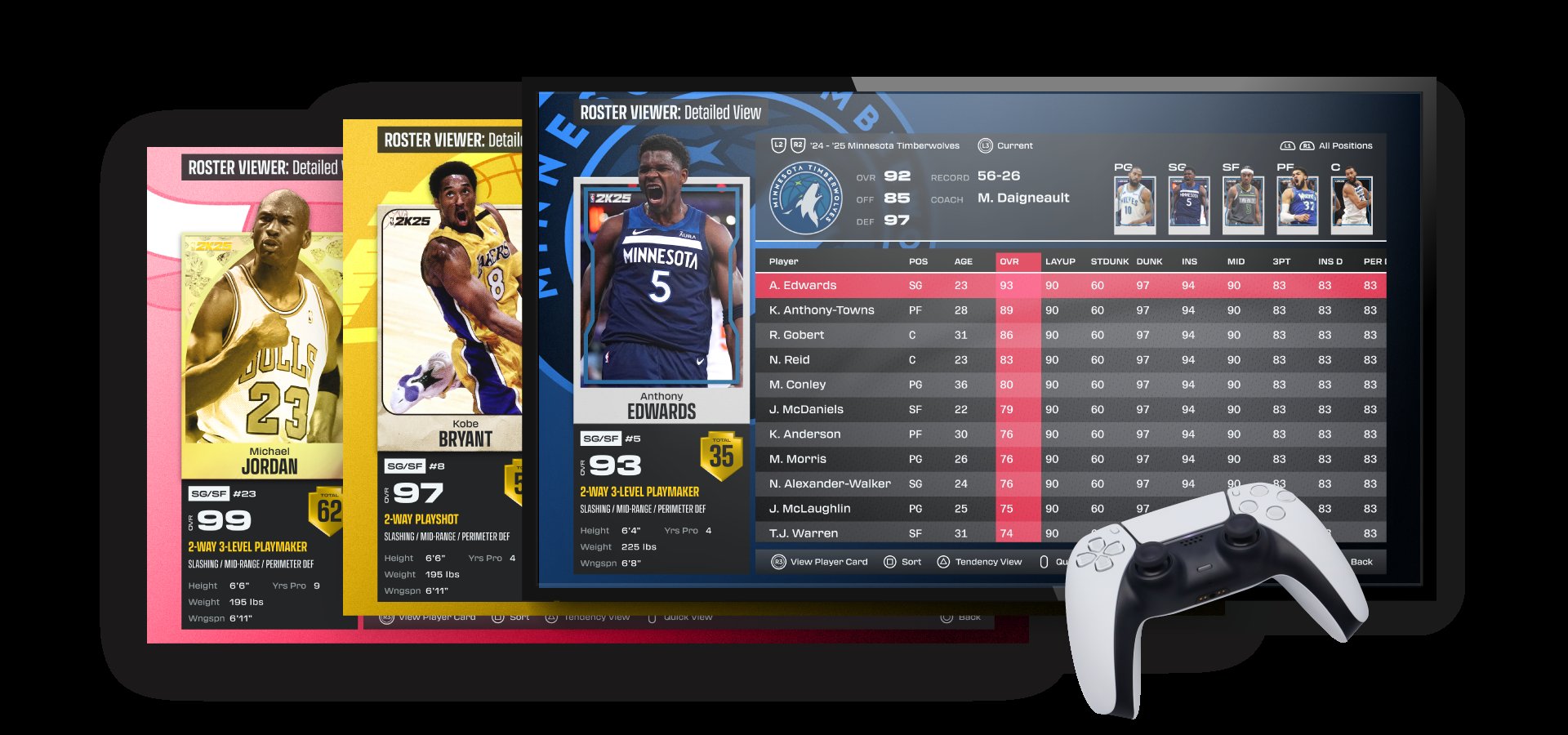
The NBA 2K25 user interface will likely feature a refined menu system, improved navigation, and more intuitive player cards for a better overall experience.
The anticipation for NBA 2K25 is building, and one area fans are eager to see improvements in is the game’s design. We all know a clean and efficient game screen is essential for a smooth gaming session. This crucial aspect plays a significant role in how players interact with all of the game’s features.
The NBA 2K25 user interface needs to be more responsive than previous versions. Quick access to modes, rosters, and settings will greatly enhance the enjoyment of the game. Players hope for less lag and more straightforward menus.

NBA 2K25 User Interface: A Deep Dive
Okay, everyone, let’s talk about something super important when you’re playing a basketball video game – the user interface, or UI for short! Think of the UI like the dashboard of your car. It’s all the stuff on the screen that helps you do things. In NBA 2K25, the UI is how you pick your teams, change your settings, look at your stats, and basically everything else that’s not actually playing basketball. A good UI makes a game fun and easy to use, while a bad one can make you want to throw your controller at the wall. So, let’s break down what makes the NBA 2K25 interface tick.
The Main Menu: Your Starting Point
When you first start up NBA 2K25, you’re greeted by the main menu. This is like the lobby of the game, where you decide what you want to do. Let’s look at some key parts:
Navigating the Main Menu
Moving around the main menu should be smooth. You’ll use your controller’s joysticks or directional pad to go up, down, left, and right and choose different options. The goal is for it to feel natural. You shouldn’t have to think too hard about how to find the game mode or setting you want.
Game Modes
This section is where the fun begins! Here you will see different way you can play the game. NBA 2K25 usually has various game modes:
- Play Now: Just jump into a quick game with your favorite teams.
- MyCAREER: Create your own basketball player and live out their story.
- MyTEAM: Build your dream team with trading cards and playing different challenges.
- MyNBA: Become the GM of a team and make important decisions.
- The W: Experience the world of the WNBA.
Each of these modes usually gets its own little section within the main menu, making it simple to choose what you want to play.
Options/Settings Menu
This part is super important. The Options or Settings menu lets you adjust things like:
- Difficulty: Make the game harder or easier.
- Audio: Change the volume of the music, commentary, and sounds.
- Controller Settings: Change how your controller buttons work.
- Video: Change things like the graphics, and brightness.
Good settings make the game experience much more personal and comfortable for each player.
Extras
This section can have features like:
- Rosters: Check out player info and update team lineups.
- Replays: Watch highlights of past games.
- Tutorials: Learn how to play the game or certain features.
These “extras” can help you understand the game and enjoy it more.
In-Game Interface: What You See While Playing
Okay, so now you’re actually on the court! This is where the in-game interface really shines (or maybe disappoints). What you see on the screen while playing is very important.
Scoreboard
At the top of your screen, you’ll see the scoreboard. This is vital information! Here’s what it typically shows:
- Team Scores: How many points each team has.
- Game Clock: How much time is left in the quarter or game.
- Quarter: Which quarter you’re in (1st, 2nd, 3rd, or 4th).
- Timeouts Left: How many timeouts each team has.
A clear and easy-to-read scoreboard lets you quickly know how the game is going.
Player Indicators
You will notice information around the players on the court. This is important for planning strategy and know your opponent.
- Player Names and Numbers: You know who is on the court.
- Stamina Meter: This shows how much energy each player has left.
- Player Icons: These can show different things, such as who is controlled by a player or who is hot.
The information on each player helps you understand how the players are playing.
Shot Feedback
When you shoot the ball, you will get information on screen to help your game improve:
- Shot Meter: This shows how well you timed your shot.
- Shot Feedback: Text that tells you “Good”, “Great”, “Too Early”, or “Too Late”.
- Green Release: A signal that shows you released the ball at the perfect time.
This feedback helps you become a better player by learning the right timing of a shoot.
Playcalling System
If you are playing a simulation mode, you need a way to call the play. NBA 2K25 have ways to do this
- Quick Plays: A fast way to call basic plays.
- Full Playbook: Access to all the team’s offensive and defensive plays.
- On-Screen Guides: Little icons that show where players are supposed to go during a play.
The play-calling system lets you play strategically and make sure your team plays the way you want.
Pause Menu
Pressing the pause button brings up a whole new menu while in the game. Here’s what’s usually included:
- Settings Adjustments: You can change things like the game difficulty or sound settings.
- Substitution: Switch your players who are on the court.
- Instant Replay: Watch a previous part of the game again.
- Quit Game: Leave the game you are currently playing.
The pause menu lets you make adjustments as needed during the game.
MyCAREER Interface: Living Your NBA Dream
MyCAREER mode is a story mode where you create a player and play through their journey. The interface here is different from the regular gameplay.
Character Creation
The first thing you do is create your player, the interface here is very important.
- Appearance: Choose how your player looks, from face to hair.
- Attributes: Pick your player’s strengths, like shooting or dribbling.
- Badges: Choose your player’s special abilities.
A good creation screen gives you plenty of ways to make your player unique.
The City/Neighborhood
The city is your home base in MyCAREER mode, you have to navigate it with interface menus.
- Map: A way to find locations like the practice gym or shops.
- Quests: A list of objectives to accomplish.
- Social Media: A fake social media within the game that shows what is going on.
The city interface helps you stay active in the virtual world of the game.
Stats and Progression
You need a way to check your progress and see if your player is getting better.
- Skill Tree: How you use skill points to become a better player.
- Stats: Your shooting, defense, passing, and other skills.
- Badges: Which badges you have earned and what abilities they have.
The stats screen helps you understand how to build your player better.
MyTEAM Interface: Building Your Dream Squad
MyTEAM is all about building the best basketball team using cards. The interface here helps you manage your collection.
Card Management
You have to organize all the different cards in the game.
- Card Collection: A place to see all the cards you have earned or bought.
- Lineup Setup: Place your players on the team.
- Auction House: A place to buy and sell cards to other people.
The card management system helps you see which players you have and what you have to do to improve your team.
Challenges and Rewards
MyTEAM has several different challenges and objectives to complete to improve your team.
- Challenges: Objectives to get rewards.
- Rewards Screen: A place to see what prizes you can win.
- Token Market: A place to spend tokens you have earned to buy cards.
Knowing the challenges and rewards helps you know what to focus on to become a better player.
Packs and Opening
In MyTEAM mode you have to open card packs.
- Pack Animation: A cool visual of opening a pack of cards.
- Card Showcase: Highlights for new players you have obtained.
The pack opening experience should be exciting and make you want to open more.
The Importance of a Good UI
Why does all this matter? A well-designed user interface is super important for making NBA 2K25 fun. A user interface is great when:
- It’s Easy to Understand: You can quickly find what you need without getting lost.
- It’s Quick to Use: It doesn’t take forever to move through menus.
- It’s Visually Appealing: The colors and design look good and match the game.
- It’s Helpful: It gives you the right information at the right time.
When the UI is not good, it can make the game confusing, frustrating, and hard to enjoy. No one wants to fight the menus instead of playing basketball.
NBA 2K developers work hard on improving the UI from year to year. They look at what works well and what could be better. They read what fans say and try to make the UI more helpful and make sure it is the best for everyone. For a lot of players, a good user interface is just as important as good graphics or gameplay.
In conclusion, the user interface in NBA 2K25 plays a significant role in your overall gaming experience. From the main menu to the in-game visuals, every detail is important. A well-designed UI makes the game fun and engaging, whereas a poorly designed one can make the game frustrating and confusing. The developers are constantly working to improve the interface to provide an optimal gaming experience. A well-designed UI will allow you to play as efficiently as possible and keep you focus on the game.
NBA 2K25 HUD Customization Guide – Make The Game Look How YOU Want It!
Final Thoughts
Ultimately, the NBA 2K25 user interface appears to prioritize ease of navigation and quick access to key features. We expect a refined menu system and updated visual elements, enhancing the overall user experience.
Expect a more intuitive layout that enables players to spend less time in menus and more time on the court. These improvements should benefit both new and returning fans.
The goal with the NBA 2K25 user interface seems to be making every interaction smoother. This ensures that players can immediately enjoy their game time.

