PUBG Mobile Flash launched worldwide on Friday, November 13, 2026, and it is free on Android and iOS. It is the official lightweight way into PUBG Mobile: a 0.96 GB download on Android and under 1.75 GB on iOS, with Erangel and Classic Battle Royale ready to play at once. You keep the same account, friends and items as standard PUBG Mobile, and you can play in the same matches as standard players. This guide covers the download, the install steps, and what to do in your first match.
Flash is not a new game, and it is not a return of the old PUBG Mobile Lite. It is the same PUBG Mobile world in a smaller app, built for phones with less storage and less power. Below you will find what Flash is, the five install steps, first-match habits for Erangel, and the settings worth changing on day one.
Launch Date
Friday, November 13, 2026, worldwide
Download Size
0.96 GB on Android, under 1.75 GB on iOS
Price
Free, with optional in-app purchases
Same World
Same account, friends, items and cross-play
What PUBG Mobile Flash is, and what it is not
Flash is an official lightweight app inside the PUBG Mobile ecosystem. The Google Play listing calls it the original PUBG Mobile experience with a smaller download and tuned performance. The launch announcement says the same thing in plainer words: an alternative entry point into the PUBG Mobile ecosystem, with a smaller first download, flexible resource control, and play tuned for a wider range of devices. More than 27 million players pre-registered before launch, and Flash arrived on November 13, the same day as the Version 4.7 update.
The key point is that Flash is not a separate game. It connects to the same PUBG Mobile world as the standard app. Your existing account works in Flash, your friends list and owned items carry over, and Flash players and standard players join the same matches. You can switch between the two apps with the same account.
| PUBG Mobile Flash | Standard PUBG Mobile | Old PUBG Mobile Lite | |
|---|---|---|---|
| Status | Launched November 13, 2026 | Live now | Launched 2019, shut down |
| First download | 0.96 GB Android, under 1.75 GB iOS | Several GB before first match | Small, but a separate game |
| Account | Your PUBG Mobile account | Your PUBG Mobile account | Its own separate account |
| Cross-play | Yes, with standard players | Yes, with Flash players | No, separate matches only |
| First map | Erangel, pre-installed | Erangel, with a big first download | Its own smaller maps |
Two mix-ups are worth clearing up before you download. First, Flash is not the old PUBG Mobile Lite coming back. Lite was a standalone game with its own accounts and content, and nothing from it transfers to Flash. Second, Flash is not BGMI Air. BGMI Air is the separate lightweight version for players in India, tied to Battlegrounds Mobile India, and it launches in India on December 10, 2026. Flash is the global version, tied to standard PUBG Mobile. Do not mix their dates or their download sizes.
Download and install Flash in five steps
Flash is live now on the App Store and Google Play, worldwide. The steps below take you from the store page to your first match with no extra download in between.
- Open the official store on your phone. On Android, search Google Play for PUBG Mobile Flash. On iPhone, search the App Store for the same name. Check that the publisher is PROXIMA BETA PTE. LIMITED, the publisher for Level Infinite, before you tap install.
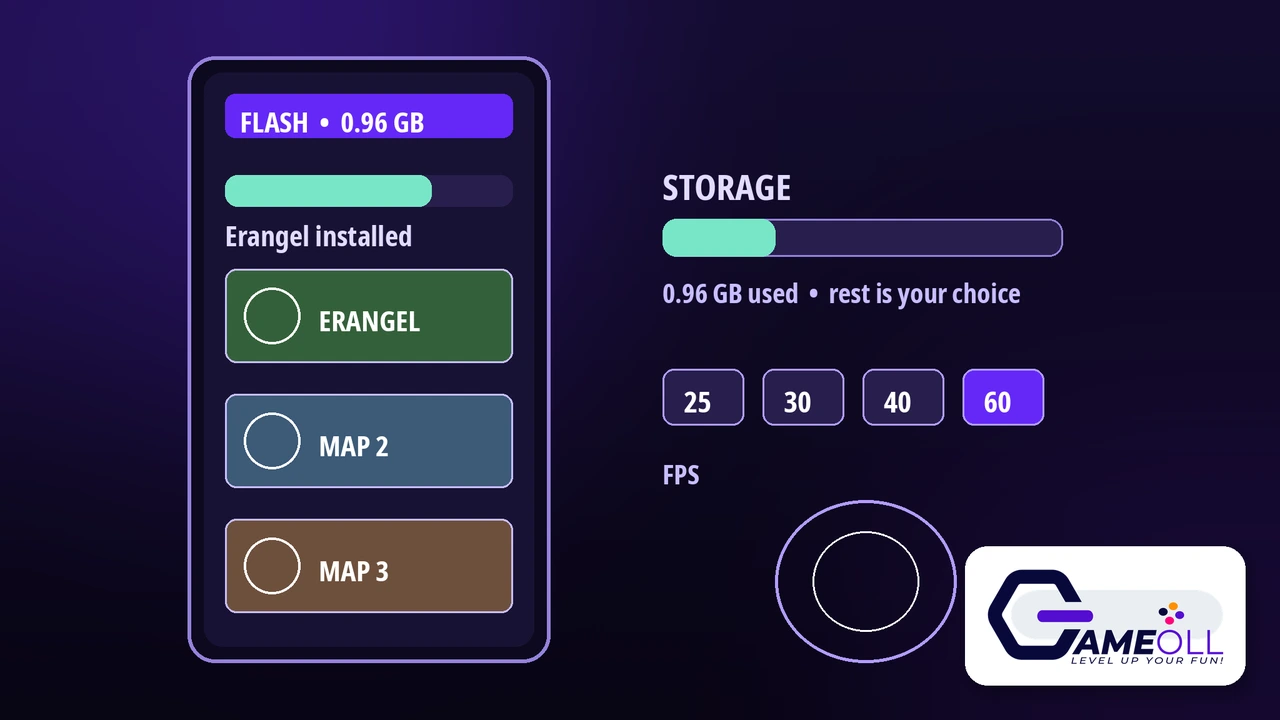
- Free up about 1 to 2 GB of space. The Android download is 0.96 GB and the iOS download is under 1.75 GB, but a little headroom helps the install finish cleanly.
- Install the app and open it. There is no second big download waiting for you. Erangel is already inside the app, so the game can take you to a match without asking you to download more first.
- Log in with your usual PUBG Mobile account. If you already play PUBG Mobile, use the same login you always use. Your friends, your owned items and your progress should appear in Flash, because both apps read the same account.
- Tap Classic Battle Royale and play your first match on Erangel. Say yes only to the downloads you want. Flash asks before it downloads extra maps, modes and resources, so nothing extra lands on your phone without your say-so.
One warning for launch week: do not install Flash from an APK website, even if it promises an early download or a smaller file. Unofficial installers are risky, and the real app is free in both official stores. If a site asks you to pay for the download, it is not the real app.
Your first match on Erangel
Your first match works like any Classic Battle Royale match on Erangel. You drop onto the island with up to 99 other players, find gear fast, and stay inside the safe zone as it shrinks. The last player or team standing wins. Flash changes none of that, only how much of the game sits on your phone before you start.
Pick a quiet landing spot for your first few matches. The busy towns fill up with players in seconds, and a new player who lands in the middle of a fight rarely gets to learn anything. Drop near the edge of the island instead, where you can loot in peace and learn the controls. Your first job after landing is simple: find a weapon, find some armor, and find healing items. A match with no weapon is a match you cannot win.
Watch the white circle on your map. It shows the safe zone, and it shrinks in stages through the match. Players caught outside it take damage over time, so plan your moves early and walk toward the circle before it closes, not after. When you move, use cover. Trees, rocks, walls and buildings all block enemy fire.
Sound is your second set of eyes. Footsteps, gunfire and vehicles tell you where other players are, so play with sound on. And do not chase every fight. In your first matches, staying alive into the final circles matters more than a big kill count.
Storage, frame rate and settings worth changing
Flash is built around one idea: you download only what you want. The lobby is clean and simple on purpose, and it takes up less space than the standard lobby. If you want the full lobby look, you can download those resources later, when you choose. The same rule covers maps, modes, events and outfit resources, and Flash asks before each download. Lightweight visuals help too: the game shows simple previews for outfits you have not downloaded, instead of pulling the full files.
Frame rate is the setting that matters most on a weaker phone. Flash supports 25, 30, 40 and 60 frames per second, depending on your device, and it needs a minimum of 2 GB of RAM. Start at 30 and play a full match. If the game feels smooth and your phone stays cool, try 40 or 60. If it stutters or your phone gets hot, step back down. A steady 30 beats a shaky 60 every time, because a dropped frame in a gunfight costs you the fight.
| Setting | What to pick first | Why |
|---|---|---|
| Frame rate | 30, then try 40 or 60 | Steady frames beat high frames that stutter |
| Graphics quality | Smooth or Balanced | Lower load keeps the game stable on entry-level phones |
| Extra downloads | Only the maps and modes you play | Each extra download eats storage you may need later |
| Sound | On, with volume up | Footsteps and gunfire warn you before you see anyone |
The launch announcement says beta testing already made the game faster: average frame rate up 10 percent, stability up 10 percent, power use down 3 percent, memory use down 12 percent, the startup splash screen 15 percent faster, and battle loading 20 percent faster. That is why Flash runs on phones that struggle with the standard app. Flash also uses the same Ban Pan security system as standard PUBG Mobile, with live cheat detection and enforcement.
Five mistakes new Flash players make
- Downloading from an APK site. The real app is free in Google Play and the App Store. Unofficial files can carry malware and can get your account banned.
- Installing every map and mode at once. Grab Erangel first, play it, and add a second map only when you actually want to play it.
- Setting frame rate to 60 on day one. On an entry-level phone, 60 can stutter and overheat the device. Start at 30, test a full match, and raise it only if the game stays smooth.
- Logging in with a new account. If you already have a PUBG Mobile account, use it. A fresh account starts with nothing, while your real account brings your friends, your items and your progress with it.
- Expecting old Lite progress to appear. The old PUBG Mobile Lite was a separate game, and none of its progress transfers to Flash. If you played Lite years ago, Flash starts you fresh, in the same world as everyone else.
PUBG Mobile Flash questions
Is PUBG Mobile Flash free?
Yes. PUBG Mobile Flash is free to download and play on Android and iOS. The Google Play listing shows a price of 0 USD, and the game earns money from optional in-app purchases, like the standard PUBG Mobile app.
Can I play with friends who use standard PUBG Mobile?
Yes. Flash and standard PUBG Mobile share one world. You keep the same account, friends list and owned items, and you can join the same matches through cross-play, so a Flash player and a standard player can squad up together.
Is PUBG Mobile Flash the same as PUBG Mobile Lite?
No. The old PUBG Mobile Lite launched in 2019 as a separate game with its own accounts, and it was shut down. Flash is a lightweight entry point into the full PUBG Mobile ecosystem, and none of your old Lite progress transfers to it.
Final verdict
PUBG Mobile Flash is the easiest way back into PUBG Mobile if storage or an older phone kept you out. The download is 0.96 GB on Android, Erangel is ready at once, and your account, friends and items come with you. Download it from the official store, log in with your real account, start at 30 frames per second, and land somewhere quiet for your first match. Flash just makes the same island fit on your phone.
📖 Get PUBG Mobile Flash on Google Play 🎮 See All Free Games