
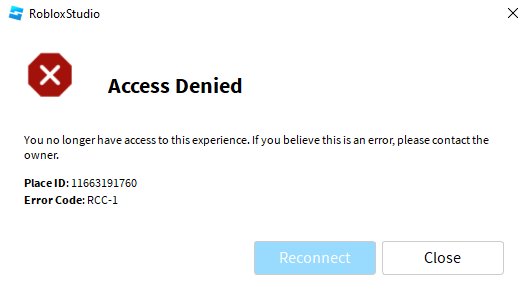
Roblox access to information primarily occurs through user profiles, game pages, and the Roblox website’s various sections.
Have you ever wondered how much data is readily available on Roblox? The platform provides different avenues to find details about players and games. Roblox access to information involves knowing where to look. You can examine profiles for user data or explore game pages for specific content.
The Roblox website itself offers various sections, also providing a wealth of resources. Knowing these areas allows you to better understand the platform. This helps you navigate its environment with more knowledge.

Roblox Access to Information: What You Need to Know
Roblox is a super fun place where you can play games, build worlds, and hang out with friends. But just like any online space, it’s important to understand how Roblox handles information. This article will help you learn about what kind of information Roblox collects, how they use it, and what you can do to keep your account safe and private. Let’s explore how you can access and manage your information on Roblox, making your experience both exciting and secure.
Understanding the Types of Information Roblox Collects
Roblox, like many online platforms, collects different kinds of information to make the game work and to keep things safe. Think of it like a school keeping records, but instead of grades, they’re keeping track of your in-game activity. Let’s look at some of the key types of information Roblox collects:
Personal Information
This is the information you provide when you create an account. It usually includes:
- Username: This is how you’re known in the Roblox world. You get to choose it!
- Password: This keeps your account safe. Make sure it’s a secret and hard for others to guess!
- Date of Birth: Roblox uses this to determine if you need parental controls.
- Email Address: This is used to verify your account and help you reset your password if you forget it.
- Phone Number: This is optional but can be used for extra account security.
- Real Name: This is something that Roblox generally does not require and should never be used in any public space on Roblox.
Remember, never share your password or personal information with anyone on Roblox or outside of Roblox. Your parents are the only exceptions!
Game and Activity Data
Roblox keeps track of the things you do while you’re playing. This helps them to make the game better and also ensures safety.
- Games Played: Roblox tracks which games you spend time in.
- Items Purchased: Roblox keeps a record of any virtual items you buy.
- Chat Logs: This includes the messages you send to other players, which is essential for safety monitoring.
- Creations: If you create games or items, Roblox also records this information.
Device Information
Roblox also collects some details about the device you use to play, like:
- Type of Device: Is it a phone, tablet, or computer?
- Operating System: Like Windows, iOS, or Android.
- IP Address: This helps to identify where you’re connecting from.
Cookies and Tracking Technologies
Like many websites, Roblox uses cookies. These are tiny files that store information about your use of the platform. Cookies help Roblox remember things like your settings or if you are logged in and also help to understand how you use the website. These small files assist in keeping your experience seamless and secure. They can be controlled through your browser settings, allowing you to manage the level of tracking.
Why Does Roblox Collect This Information?
It might seem like a lot of information, but Roblox collects this information for some very important reasons. They use the data to:
- Improve the game: By seeing which games are popular and how people play, Roblox can make the platform even better.
- Personalize your experience: The information helps Roblox suggest games you might like.
- Keep you safe: Monitoring chat and activity helps Roblox prevent bullying or other harmful things from happening.
- Show ads: Sometimes, Roblox might show you ads but they are designed to be age-appropriate.
- Enable features: From allowing you to save game progress to enabling communication, collected information is key for key features.
- Provide customer support: If you have issues, Roblox uses your data to help you out.
How You Can Access Your Roblox Information
You have the right to see the information that Roblox has about you. This helps you to stay in control of your digital footprint. Here’s how you can access some of it:
Account Settings
The most important place to view your personal information is in your account settings. Here’s how to get there:
- Log into your Roblox account on a web browser (like Chrome, Safari, or Firefox).
- Click on the gear icon at the top right of the page.
- Select “Settings.”
In your settings you can change many things including:
- Personal Information: You can see your email address, phone number, and date of birth. You can change your password here, too.
- Privacy Settings: Here, you can choose who can message you, follow you, and see your inventory.
- Security Settings: You can setup two step verification here to make your account more secure and avoid unathorized access.
- Billing Information: Check your Robux balance and any purchase history.
Viewing Your Activity History
You can see some of your game and activity data as well:
- Game History: You can see a list of games you’ve recently played on your profile page.
- Transaction History: In the billing section of the account settings, you can view a history of your Robux spending.
- Messages: You can review your messages (chat logs) with other users, but they might not be there forever.
Requesting Additional Information
If you want a detailed copy of all your data, you can make a formal request to Roblox. This is a right that you have as a user. To do this:
- Go to the Roblox support page.
- Look for the section on data access or privacy.
- Follow the instructions to submit your request. You might need to prove you are the account owner.
Roblox will provide you with the information they have about you, within a specific time frame according to applicable regulations and laws.
Managing Your Privacy on Roblox
Now that you know what information is collected and how you can access it, let’s talk about how to manage your privacy:
Privacy Settings
Your privacy settings are a very powerful tool. It’s crucial to check them regularly.
- Who Can Message Me? Choose who can send you direct messages. You can choose everyone, friends, or nobody. It’s a good idea to only allow friends to message you.
- Who Can Follow Me? This controls who can see when you join games. Again, limiting it to friends is usually a good idea.
- Who Can See My Inventory? Your inventory shows what items you own. Choose who can view this.
- Who Can Join Me in Games? You can control if your friends can join you while you are playing in game.
- Who Can Invite me to private servers? You can control if your friends can invite you to their private servers or not.
Review these settings often and adjust them to your comfort level. If you are unsure what to do, ask your parents to help you go over these settings.
Be Mindful of What You Share
Remember that anything you share on Roblox, like chat messages and game creations, can be seen by others. Avoid sharing personal information like your full name, address, school, or phone number with other players. Use the reporting feature to flag any inappropriate content or people. Use the block option to stop any uninvited conversations with unwanted players.
Account Security
Your account security is just as important as privacy settings. Keep your account safe and secure by:
- Using a Strong Password: Pick a password that is hard to guess. Use a mix of letters, numbers, and symbols.
- Enabling Two-Step Verification: This adds an extra layer of security by sending a code to your phone or email when you log in from a new device.
- Not Sharing Your Password: Never give your password to anyone, not even your friends.
- Avoiding Phishing Scams: Be careful of links or messages asking for your password or personal information. If it looks suspicious, don’t click it.
- Never download anything from untrusted sources. Use only official Roblox website and Roblox Application from app stores to download Roblox.
Parental Controls
If you are a younger player, ask your parents to set up parental controls. These controls can help to:
- Restrict Chatting: Parents can turn off chat or limit who their kids can talk to.
- Set Spending Limits: Parents can control how much Robux their kids can spend.
- Restrict Access to certain games: Parents can also restrict their kids to play certain games.
Roblox’s Commitment to Safety and Privacy
Roblox is always improving their safety and privacy features. They have dedicated teams working to ensure that the platform is safe for everyone. They follow strict rules to protect your data. They are working on making the experience better for younger players and are always striving to make Roblox a safe place to play. You can also read Roblox’s official privacy policy, which can provide more detailed information about their practices. It is always a good idea to keep yourself updated.
Understanding your information and privacy on Roblox is crucial for having a fun and secure experience. You have control over a lot of your data and how you interact with the platform. By managing your settings and keeping your account safe, you can enjoy all that Roblox has to offer. Remember, being an informed user is the best way to enjoy Roblox safely. If you ever have any questions or need help, don’t hesitate to ask a parent or guardian.
Roblox's Worst Update is Here…
Final Thoughts
Accessing data within Roblox requires understanding its privacy settings and the platform’s policies. Players need to navigate the available tools carefully to see their own and other’s basic account details.
Being mindful about what information you share is crucial. Roblox aims to protect user data but individual responsibility remains key.
Ultimately, understanding Roblox access to information empowers users to manage their online presence effectively. It’s essential for a safe and enjoyable experience.

