
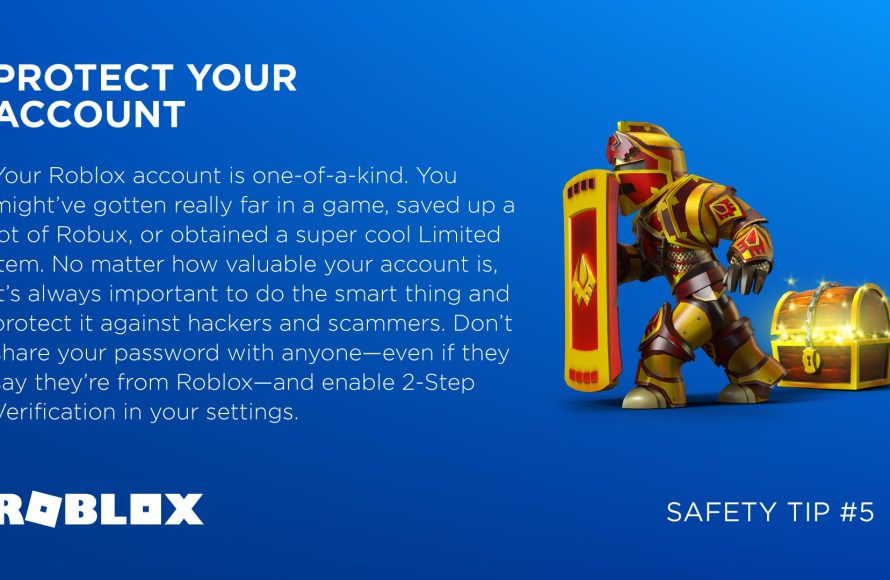
Strong passwords, two-step verification, and avoiding suspicious links are key for strong Roblox account security tips.
Is your Roblox account safe? It should be. Protecting your digital playground is essential.
We’ve all heard the horror stories of hacked accounts. This post shares vital Roblox account security tips to keep you playing securely.

Roblox Account Security Tips: Keeping Your Virtual World Safe
Hey Roblox fans! We all love playing games, creating amazing worlds, and hanging out with friends on Roblox. But just like in real life, it’s super important to keep our accounts safe and sound. This guide will help you learn some easy and effective ways to protect your Roblox account from bad guys.
Strong Passwords: Your Account’s First Line of Defense
Think of your password as the key to your Roblox house. If it’s a weak key, anyone can open the door. A strong password is much harder for someone to guess.
What Makes a Password Strong?
A strong password is like a secret code that only you know. It shouldn’t be something easy to guess like your name or your birthday.
- Use a Mix of Letters, Numbers, and Symbols: Instead of just using letters, try adding numbers and symbols like !, ?, or #. This makes it much harder for someone to figure out your password.
- Make it Long: The longer your password is, the better. Try for at least 12 characters or more. Long passwords are like having a super strong lock.
- Avoid Personal Information: Don’t use your name, birthday, or pet’s name in your password. These are things people might know or easily find out.
- Don’t Use the Same Password Everywhere: If you use the same password for your Roblox account and other websites, it’s like giving a master key to anyone. Use different passwords for different things.
Password Examples
Here are some examples of good and bad passwords to show you what to aim for.
| Bad Passwords | Good Passwords |
|---|---|
| roblox123 | r@1nb0w!7gL0w |
| myname1 | SUn$h1n3_M00n |
| birthday123 | B@lL0oNh!Ll |
See the difference? The good passwords are much more random and harder to guess.
Two-Step Verification: Adding an Extra Layer of Security
Two-Step Verification, sometimes called 2FA, is like having two locks on your door instead of just one. It adds an extra step when you log in, making it much harder for anyone to access your account even if they have your password.
How Two-Step Verification Works
After you enter your password, Roblox will send a special code to your phone or email. You’ll need to enter this code to get into your account.
This means even if someone knows your password, they won’t be able to get in without that special code from your phone or email.
You should definitely turn this on for your account!
Setting up Two-Step Verification on Roblox
To set up 2FA, follow these easy steps on Roblox:
- Go to your Roblox account settings. You can find this by clicking the gear icon on the Roblox website.
- Click the “Security” tab.
- Find the “Two-Step Verification” section and choose whether you want to use an authenticator app or your email.
- Follow the on-screen instructions to set it up.
Beware of Phishing Scams: Not Every Link is Your Friend
Phishing is a tricky way that bad people try to steal your information. They might send you fake messages or links that look real but are designed to trick you.
How Phishing Works
Imagine someone sends you a message that looks like it’s from Roblox, saying you won a prize, or they need you to verify your account. This message might have a link that takes you to a fake website. When you type in your username and password on that website, they steal your information.
Identifying Phishing Scams
- Be Careful of Suspicious Messages: If a message seems too good to be true, it probably is. Be very careful of messages saying you’ve won something or that your account is in danger.
- Always Check the Website Address: Make sure the website you’re visiting is the real Roblox website. The address should be roblox.com and nothing else. Look closely at the spelling; a single extra letter or number means it’s a fake site.
- Don’t Click on Links From Strangers: Avoid clicking on links in messages sent by people you don’t know. It’s better to be safe than sorry.
- Never Share Personal Information: Roblox will never ask for your password or personal information in a message. If someone asks you for this, they are likely trying to trick you.
Protecting Your Personal Information: Keeping Details Private
It’s important to keep your personal information safe, because just like in real life, you don’t want everyone knowing too much about you.
What to Keep Private
Certain details are very sensitive. It’s important that you keep them to yourself.
- Your Real Name: Don’t use your real name as your Roblox username, and never share it with anyone online.
- Your Address: Don’t share where you live with anyone you meet on Roblox.
- Your Phone Number: Keep your phone number private.
- Your School Name: It’s also a good idea not to share your school name.
- Pictures of Yourself: Be very careful about who you share pictures with online.
Why Keeping Information Private Matters
If you share these kinds of details with people online, it can put you at risk. Bad people can use this information to try to find you or do other bad things. So, it’s always better to be careful.
Keeping Your Roblox Account Secure on Shared Devices
Sometimes, you might play Roblox on a computer or device that other people also use. It’s crucial to take extra precautions when doing so.
Logging Out Properly
Always make sure to log out of your Roblox account when you’re done playing on a shared device. This is like locking your house when you leave so no one can go in.
How to Log Out
You should always log out of your account if you use someone else’s computer or phone.
- Click on the gear icon at the top right of the screen.
- Choose the “Log Out” option at the bottom of the menu.
Clearing Browsing History
If you are on a computer and using the browser, you should clear your browsing history after using a shared computer. This is like wiping off fingerprints.
- Check your browsers settings to clear history or cookies. This can be in the settings menu of your browser.
Reporting Suspicious Activity: Being a Good Roblox Citizen
If you see something on Roblox that doesn’t seem right, it’s very important to report it. You’re helping keep the Roblox community safe for everyone.
How to Report Bad Behavior
If someone says something mean, tries to trick you, or does something that breaks Roblox rules, you should report them.
- Click on the little flag icon near the message or player that needs to be reported.
- Fill in as much information about the situation as you can.
- Roblox will look into it.
When to Report
You should report if:
- Someone is being mean or hurtful
- Someone is trying to trick you
- Someone is asking for personal information.
- Someone is breaking the Roblox rules.
Keeping Up to Date: Staying Aware of New Threats
The world of online safety changes, and it’s important to stay informed. New scams and tricks might pop up, so it’s good to keep learning how to protect yourself.
Follow Roblox Safety Tips
Roblox often shares tips and advice on how to stay safe. It’s a good idea to keep an eye out for these kinds of tips. They can help keep you updated on new dangers.
Talk to a Grown-Up
If you’re ever not sure about something or if something feels wrong, talk to an adult you trust. They can help you figure out what to do and keep you safe.
Account Recovery: What to Do If Something Goes Wrong
Even with all the best precautions, sometimes things can go wrong. If you think your account has been hacked, it is very important to act fast.
Recovering Your Account
If you can’t log in to your account, Roblox has some tools that can help.
You’ll need to visit the Roblox support page and follow the instructions.
- You will need your original email address or phone number you used to set up your account.
Don’t Panic
If this happens, don’t panic. Instead, focus on getting your account back. The Roblox support team is there to help you.
Changing Your Password Immediately
If you do get your account back, change your password to a very strong one right away. Also, double-check that Two-Step Verification is still enabled.
Parental Controls: Involving Your Grown-Ups
Parents can play a huge role in keeping kids safe on Roblox. It’s important to work together on this.
How Parents Can Help
Parents can set restrictions on what their children can do on Roblox. They can:
- Set privacy settings
- Monitor communication
- Limit how much time their kids are spending on the game.
Open Communication
Talk to your parents about Roblox and how to stay safe. It helps them understand what you’re doing and how they can help keep you safe.
Keeping your Roblox account secure is a team effort. By doing these simple steps you can make sure you have fun and are safe. Always be careful and remember to talk to a grown-up if you need help.
Roblox Security System on mobile #roblox #viral #robloxshorts #shorts
Final Thoughts
To keep your account safe, always use strong, unique passwords. Enable two-step verification for extra protection.
Be cautious of suspicious links and avoid sharing personal details. Regularly update your password and review your account activity.
Implementing these roblox account security tips will drastically improve your protection. Keep your account secure by actively managing your settings.

