
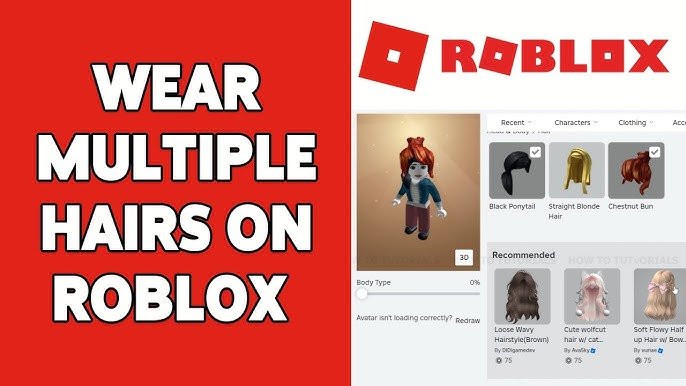
Roblox avatar customization involves accessing the Avatar Editor, selecting different body parts, clothing, and accessories, and utilizing Robux to purchase premium items.
Ever wanted to make your Roblox character truly yours? This is why a detailed roblox avatar customization guide is essential. It allows you to express yourself in the virtual world.
We will help you with the various options for personalizing your look. You can change everything from your head to your toes. Let’s get started, shall we?

Roblox Avatar Customization Guide
Want to make your Roblox character look super cool and unique? You’ve come to the right place! This guide will help you learn all about customizing your Roblox avatar, from changing your clothes to adding awesome accessories. Let’s dive in and make your avatar the best it can be!
Getting Started with Avatar Customization
First, you need to know where to go to change your avatar. It’s easy! You’ll find the avatar editor in the Roblox app or on the website.
Accessing the Avatar Editor
On the Roblox website, look for the “Avatar” button on the left side of the screen. If you are using the Roblox app, you’ll see a similar icon at the bottom of the screen. Just tap it, and you’re in!
Now you’re in the avatar editor, you will see your current avatar on the screen. Below your avatar, you will find all the different categories of items you can change.
Changing Your Avatar’s Appearance
The avatar editor lets you change a lot of things about your character. Let’s explore the different options.
Body Style and Shape
You can change the way your avatar looks by adjusting its body type. You can choose from a variety of pre-set styles or even customize your character’s height and width using body sliders, to a limit.
Some players prefer a taller, more athletic build, while others prefer a shorter, more cute and compact style. Try different combinations to find what you like the best.
Heads
Roblox offers a wide variety of head styles, from classic blocky ones to more detailed and rounded ones. You can even use a custom head from the Avatar Shop. Experiment with different shapes and styles to find the head that suits your look.
Don’t be shy to try out different heads until you get the look you want for your avatar. There are so many great options available.
Skin Tone
Changing the color of your avatar is as simple as picking a color from the color palette. You can make your avatar any color you want. Be creative!
You can find the skin tone options in the “Body” section of the avatar editor. Pick your favorite color, or even go for something unusual.
Dressing Up Your Avatar
Now, let’s get to the fun part: clothes! Roblox has so many cool clothes that you can equip to your avatar. From t-shirts and pants to jackets and dresses, there are endless possibilities.
T-shirts and Shirts
T-shirts are like stickers that you can put on your avatar’s chest. You can find all sorts of designs, from cool logos to funny pictures. There are many unique and trendy t-shirts and shirts available to buy from the avatar shop.
Shirts are like full clothing items that cover your avatar’s torso and arms. They come in different styles, like hoodies, sweaters, and more. Pick something that matches your vibe!
Pants and Skirts
Pants and skirts are for your avatar’s legs. Just like t-shirts and shirts, you have many options to choose from. From jeans and shorts to skirts and dresses, make your avatar fashionable.
Browse through the options to find pants and skirts that go well with your shirts and t-shirts. Make your own unique clothing combination.
Jackets and Accessories
Jackets are a great addition to your avatar’s look. They will provide your character with more detailed look, especially when you are opting for different kind of fashion or style.
Accessories are items you can wear on your avatar, like hats, glasses, backpacks, and much more. They are great for adding extra personality to your avatar.
You can also find wings, tails, and even pets that follow you around. Don’t forget to look at all of the accessory options available in the catalog to make the best custom look.
Exploring the Avatar Shop
The Avatar Shop is where you find new items to customize your avatar. You can purchase new clothes, accessories, and even body parts there.
How to Browse the Shop
The Avatar Shop has different sections for each type of item. You can search for specific items or browse through the categories. You can sort by price, relevance or even by popular.
There are free items in the shop, but you’ll need Robux (Roblox’s virtual currency) for most of the cool stuff. Always keep an eye out for free items.
Free Items
Roblox often gives away free items. Keep an eye on the avatar shop or keep up with the latest Roblox event news. Always check events so you can get limited time free avatar items.
These free items can be awesome for upgrading your avatar without spending any Robux. Sometimes these items are even more popular than some premium items.
Buying Items with Robux
Robux is the currency used in Roblox for most things. You can get Robux by buying it with real money or getting gift cards.
Once you have Robux, you can use it to buy all sorts of items in the Avatar Shop. Think before you buy something, that way you don’t waste any Robux.
Creating Unique Looks
Customizing your avatar is all about expressing yourself. Here are some tips to help you make a unique and awesome avatar.
Mixing and Matching
Don’t be afraid to try different combinations of clothes and accessories. Experiment with different styles and colors to find what you like.
Combining different clothing pieces can create something that’s uniquely yours. Try layering different shirts, jackets and accessories.
Finding Your Style
Think about what kind of look you want your avatar to have. Do you want to look sporty, cute, futuristic, or something else?
Once you know what style you like, you can pick clothes and accessories that match that style. Sometimes you can get inspirations from other players.
Using Themes
A good way to make your avatar look great is to use a theme. This means that all your avatar’s clothes and accessories match a specific idea.
For example, you could make a pirate avatar, a superhero avatar, or a wizard avatar. Having a theme will make your avatar look cohesive and really cool.
Advanced Customization
If you really want to take your customization skills to the next level, here are some of the more in-depth options that you can consider.
Animations
Animations make your avatar move in a more interesting way. There are different animations that change how your avatar walks, jumps, and stands.
There are dance animations, or other cool unique animations that can further customize your character. Check the animation section of the avatar editor to explore more.
Emotes
Emotes are like short animations that your avatar can do. They are great for expressing different emotions.
You can use emotes to show excitement, laughter, or sadness, and you can use these within the Roblox games to further interact with other players.
Layered Clothing
Layered clothing is a newer feature that allows your avatar’s clothes to look more realistic and detailed. It allows for more complex and detailed avatar design options.
Layered clothing items often have more depth and texture compared to classic clothes. They can give your avatar more dimension and a modern look.
Tips for Customization
Here are some handy tips to keep in mind when customizing your Roblox avatar:
- Start with a basic outfit you like, then add new items slowly.
- Don’t be afraid to try new things! You can always change your avatar later.
- Always look out for free items and use them when you can.
- Try to create a character that reflects your personality and style.
Common Questions about Roblox Avatar Customization
Many people ask common questions about avatar customization, so here are some of the most frequently asked questions with answers.
Can I change my avatar’s gender?
In Roblox, you can change the look of your avatar to be any way you like. There is no concept of gender within the avatar settings.
How often can I change my avatar?
You can change your avatar whenever you want, as many times as you like. There is no limit to how often you can update your character.
Can I get banned for my avatar?
Yes, if you make your avatar inappropriate, you can get banned. Make sure to follow Roblox’s rules when you create your avatar.
Can I use images I find on the internet for my avatar?
No, you cannot directly use images you find on the internet for your avatar. You can only use the items available in the Avatar Shop or that are provided in Roblox events.
How do I save my avatar?
Any changes you make to your avatar will automatically save as soon as you equip the item.
Are there any limits to how much I can customize my avatar?
There are no real limits to avatar customization. You are allowed to make it as unique as you like by mixing and matching accessories, and creating your own style.
Now you know a lot more about customizing your Roblox avatar! Have fun experimenting with different looks and creating something that’s totally you. Remember, there are no limits to your imagination. Make your character look as unique as you can, that way it feels more personalized to you.
RECREATING DEFAULT ROBLOX AVATARS 🔥
Final Thoughts
In short, effective avatar creation involves experimenting with various items. You can achieve a unique appearance by blending different clothing and accessories. Remember, your choices reflect your style.
This roblox avatar customization guide helps you personalize your online persona. Dive in and have fun exploring the platform’s creative options. Don’t be afraid to try new things.

