
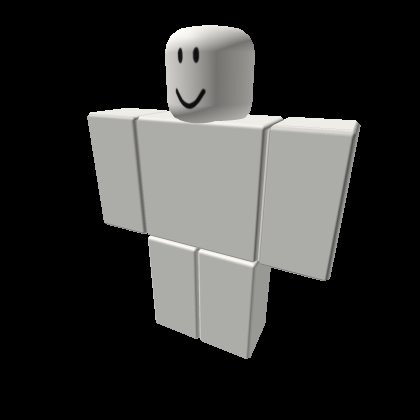
Creating a Roblox character involves customizing body parts, clothing, and accessories using the Roblox Avatar Editor, allowing for endless design possibilities.
Ever dreamt of having a truly unique avatar on Roblox? This roblox character design tutorial is your starting point. We’ll guide you through the basics of creating a character that reflects your personal style.
From selecting the right body type to picking out the perfect outfit and accessories, you’ll learn the essential steps. Let’s get your unique Roblox persona crafted today.

Roblox Character Design Tutorial: Creating Your Unique Avatar
Ready to make your Roblox avatar stand out from the crowd? Creating a cool and unique character is a big part of the fun in Roblox. It’s how you show off your personality and style! This guide will walk you through everything you need to know about designing an awesome Roblox character, even if you’re just starting out. We’ll cover everything from understanding the basics to adding those special touches that make your avatar truly yours. Get ready to get creative!
Understanding the Basics of Roblox Avatars
Before we jump into the fun stuff, let’s talk about the building blocks of your Roblox character. All avatars are made of different parts that you can customize. Think of it like building with LEGOs, but way cooler! Here are the main parts we will focus on:
- Head: This is where your face and hair will go. You can choose from many different head shapes and sizes.
- Torso: This is the main part of your body, connecting your arms and legs. You can pick from different styles and colors.
- Arms: These are the parts that let you wave, hold items, and sometimes, throw a punch! You can customize their length and look.
- Legs: These help you walk, jump, and run around in Roblox. Just like arms, you can change their style.
- Accessories: These are the extra items you can add, like hats, glasses, backpacks, and even wings!
- Clothing: Shirts, pants, and other clothing items really make your avatar unique. You can find tons in the Roblox catalog.
Each of these parts can be changed in the Roblox Avatar Editor, which we’ll go over in detail. It’s where the magic happens!
Navigating the Roblox Avatar Editor
Okay, let’s get our hands dirty and explore the Avatar Editor. To get there, just follow these steps:
- Log into your Roblox account on a computer or mobile device.
- Click on the three lines in the upper-left corner of the screen (the menu button).
- Look for the “Avatar” option and click on it.
Once you’re in the Avatar Editor, you’ll see a bunch of different tabs and options. Don’t worry if it looks a bit overwhelming at first! We’ll go through them one by one:
The “Customize” Tab
This is where you change the basic parts of your avatar.
- Body: Here you will change the Head, torso, arms and legs and their colors or skin.
- Clothing: Here you select the type of cloth your avatar want to wear such as shirts and pants.
- Animations: This area allows you to choose how your character moves. You can pick different walk, run, and jump animations.
The “Accessories” Tab
This tab is all about making your avatar super cool! You’ll find everything from hats to wings to swords here. You can browse through tons of options and add the ones you like.
- Hats: Here, you can pick from all types of headwear, like caps, fedoras, and even animal ears!
- Hair: Customize the hair style and color.
- Face: Choose from various faces to give your avatar a unique expression.
- Neck, Shoulder, Front, Back, Waist: These are all the places you can add accessories. You can mix and match different items to get just the right look.
Don’t be afraid to experiment! The best way to learn is by trying out different combinations and seeing what looks best.
Choosing the Right Style for Your Avatar
Before you start picking out clothes and accessories, think about what kind of character you want to create. Do you want to be a brave adventurer? A quirky artist? Or maybe a futuristic robot? Here are some ideas to get your creative juices flowing:
Character Archetypes
- The Adventurer: Think rugged clothing, backpacks, and maybe a hat. You could add a sword or a compass for extra effect.
- The Artist: Bright colors, funky patterns, and maybe some glasses. Add a beret or a paintbrush as an accessory.
- The Gamer: Headphones, cool t-shirts, and maybe a gaming accessory. Think about using a unique hairstyle and some tech-inspired clothing.
- The Fantasy Character: Wings, crowns, and maybe some armor. Think about adding magical or ethereal accessories.
Matching Colors and Themes
Choosing the right colors is important. Try to pick colors that go well together. You can use the color wheel to help you with this. Here are some tips:
- Analogous Colors: These are colors that are next to each other on the color wheel, like blue, blue-green, and green. They usually look good together.
- Complementary Colors: These are colors that are opposite each other on the color wheel, like red and green, or blue and orange. They can create a bold and vibrant look.
- Monochromatic Colors: This is using different shades of the same color, like light blue, medium blue, and dark blue. This can create a very clean and stylish look.
You can also create a theme for your avatar. For example, you could create a space-themed avatar with futuristic clothing and accessories, or a nature-themed avatar with earthy colors and plant accessories.
Finding Cool Clothes and Accessories
Once you have an idea of what kind of avatar you want to create, it’s time to go shopping! The Roblox Catalog is a treasure trove of clothes, accessories, and other items. Here’s how you can explore it:
- Click on the “Avatar Shop” tab in the main Roblox menu or the Avatar Editor.
- Browse the different categories, like “Clothing,” “Accessories,” or “Avatar Items.”
- Use the search bar to look for specific items, like “hats” or “shirts.”
- Use the filters to sort by price, popularity, and more.
Don’t just buy the first thing you see! Take some time to browse and find items that fit your style. You can also mix and match different items to create a unique look. Remember, some items are free, but many require Robux (the in-game currency).
Tips for Finding Great Items:
- Look for Hidden Gems: There are tons of great, less popular items in the catalog. Try sorting by “Newly Created” to find unique pieces.
- Check Out Community Creations: Some of the best items are made by other Roblox players. Look for items with good ratings and reviews.
- Take Advantage of Sales: Sometimes, Roblox will have sales on certain items. Keep an eye out for these!
- Save Your Robux: Don’t spend all your Robux on one item. It’s better to save and find many cool outfits and accessories.
Putting it All Together: Creating Your Avatar
Now, let’s get down to business and make your own amazing Roblox avatar. Here’s a step-by-step guide:
- Start with the Basics: Begin by choosing a body type (head, torso, arms, and legs) that you like. Pick a skin tone that fits you or your character’s style.
- Choose Your Clothing: Pick out a shirt, pants, or dress that matches your vision for your character. Try to pick the colors and styles that match your chosen character archetypes.
- Add Accessories: Look for hats, hair, glasses, and other accessories that will make your avatar stand out. Try not to put too many items or you avatar may look cluttered.
- Customize your Animation: Select how your character walks, runs, and jumps. Choose an animation that complements your character’s style.
- Experiment: Don’t be afraid to try out different combinations and see what looks best. You can always change things later!
- Save Your Avatar: Once you’re happy with your creation, click the “Save” button. Now you can use your amazing avatar in any Roblox game.
Advanced Techniques: Going the Extra Mile
Want to take your avatar design to the next level? Here are some more advanced tips and tricks:
Using the Layered Clothing System
Roblox has a cool system called “layered clothing” that allows you to add multiple clothing items on top of each other. This can help you create a more dynamic and interesting look.
- Experiment with layering: Try putting on a jacket over a shirt, or a vest over a dress.
- Mix and match styles: Don’t be afraid to combine different clothing items from different styles.
- Watch for clipping: Sometimes, layered clothing can clip through each other. Be careful and adjust your clothing choices accordingly.
Creating Unique Combinations
Don’t be afraid to think outside the box and create unique combinations. Try combining items that you wouldn’t normally put together. You might be surprised at what you come up with.
Participating in Avatar Contests
Roblox often hosts avatar design contests. Participating in these contests can be a fun way to challenge yourself and show off your creativity. Keep an eye out for announcements about these contests.
Inspiration and Ideas
Feeling stuck? Need some ideas? Look at what other players are doing! Take a look at their outfits and see what inspires you. Remember, you’re looking for ideas, not to copy. Use that as a base and put your personal style to it. Also:
- Check Out Social Media: Many Roblox players share their avatar designs on social media. Follow some of these players for inspiration.
- Browse Roblox Forums: The Roblox forums are full of tips and tricks for avatar design.
- Look at Popular Games: See how other players are dressing in the games you play. This can give you an idea of what’s trendy and what you like.
Always be learning and keep looking for things that will improve your avatar. The world of Roblox is ever-changing, so there are always new trends to discover.
Creating a cool Roblox avatar is a fun way to express yourself and show off your style. By understanding the basics of the avatar editor, exploring the catalog, and experimenting with different styles, you can design a unique character that you will be proud to use in any game. So go ahead, dive in, and get creative. The most important thing is to have fun! There are always things to learn so keep an eye on the community and new released items to give your character new looks! Happy creating!
RECREATING DEFAULT ROBLOX AVATARS 🔥
Final Thoughts
Creating great Roblox avatars involves choosing the right body, accessories, and clothing. Experimentation helps you find a unique style that fits your game. Consider both functionality and aesthetics during the design process.
Remember color theory and visual balance, these elements greatly enhance your character’s appeal. A well-designed avatar makes a positive impact in the game. Follow this roblox character design tutorial and you are on your way.

