
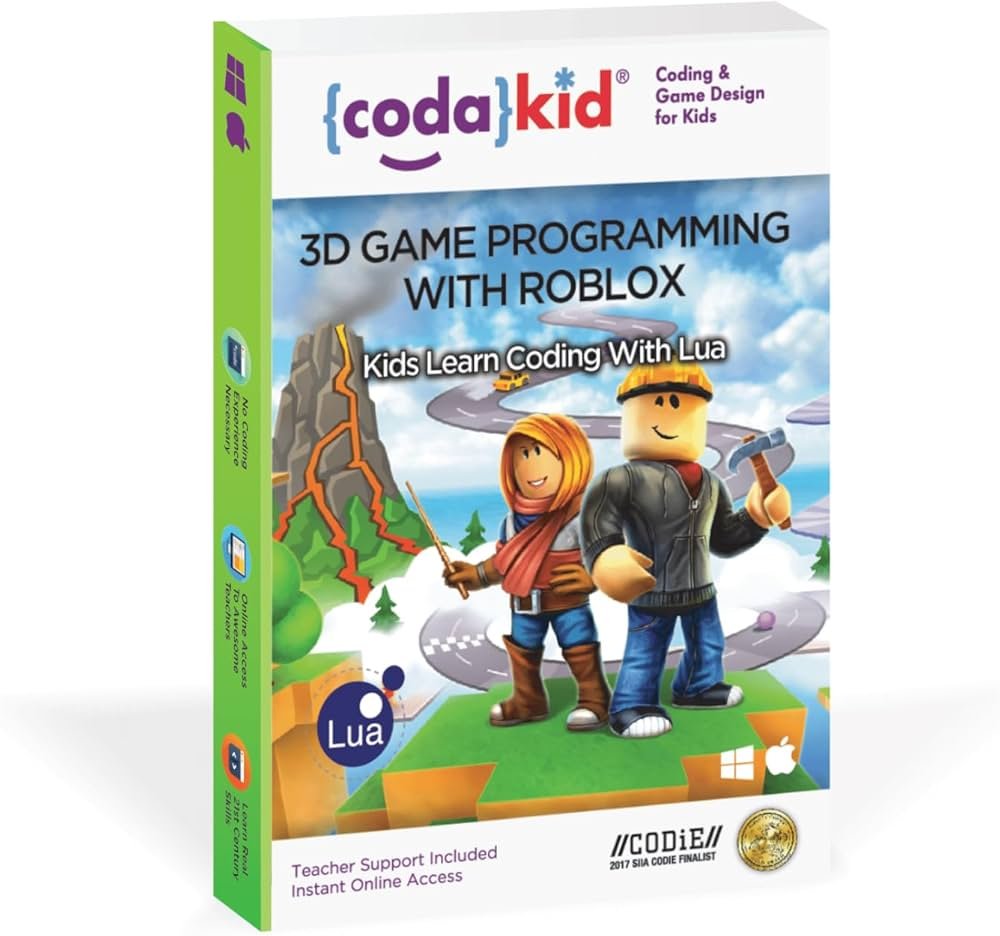
Roblox coding education for kids provides a fun and engaging platform to learn programming concepts using Lua, the language used in Roblox game development.
Imagine your child building their own virtual worlds, not just playing in them. That’s the power of Roblox coding education for kids. It’s more than just a game; it’s a gateway to essential skills. Children learn practical coding, problem-solving, and design principles while creating exciting interactive experiences within Roblox. This method keeps learning fun and relevant. The possibilities are limitless, and they’re all built with code.

Roblox Coding Education for Kids: A Fun Way to Learn Programming
Roblox isn’t just a game; it’s a powerful platform that can introduce kids to the exciting world of coding. Forget dry textbooks and complicated lectures. With Roblox, children can learn valuable programming skills while creating their own games and experiences. It’s learning disguised as play, making it much more engaging and effective.
What is Roblox and Why is it Great for Coding?
Roblox is a massively popular online game platform where users can create and share their own games. It’s like having a giant digital playground filled with possibilities. Instead of simply playing games, kids can use Roblox Studio, a free development tool, to build their own worlds, characters, and interactive experiences. This is where the magic of coding comes in.
The primary programming language used in Roblox Studio is Lua. Lua is known for its simplicity and readability, making it a perfect first language for young learners. It’s less intimidating than some other programming languages, which often helps children overcome the initial fear of coding. Lua allows them to control the behavior of objects, create game logic, design user interfaces, and so much more.
Benefits of Learning to Code with Roblox
Coding with Roblox offers numerous benefits for kids:
- Develops Problem-Solving Skills: Coding is all about figuring out solutions to problems. When kids encounter challenges in their Roblox projects, they’re actively problem-solving and developing important critical thinking skills.
- Encourages Creativity: Roblox empowers kids to bring their imaginative ideas to life. They can design anything they can think of, from simple obstacle courses to complex role-playing games.
- Improves Logical Thinking: Programming requires breaking down complex tasks into smaller, more manageable steps. This process helps kids improve their logical thinking and sequencing skills.
- Fosters Collaboration: Roblox allows for collaborative game development, encouraging teamwork and communication. Kids can work together on projects, sharing ideas and learning from each other.
- Boosts Confidence: The sense of accomplishment kids get from successfully creating something amazing in Roblox builds their confidence and encourages them to take on new challenges.
- Prepares for the Future: In today’s world, coding skills are becoming increasingly valuable. Starting early with Roblox coding gives kids a significant advantage in the future, opening doors to various STEM careers.
Getting Started with Roblox Studio
Ready to jump into the world of Roblox game development? Here’s how to get started:
Downloading and Installing Roblox Studio
Roblox Studio is available for free on Windows and Mac computers. Here’s how to download and install it:
- Go to the Roblox website and log into your account.
- Click on the “Create” button at the top of the page.
- Click “Start Creating”.
- Follow the instructions to download and install Roblox Studio.
Once the installation is complete, you can launch Roblox Studio and begin your game development journey.
Understanding the Roblox Studio Interface
When you open Roblox Studio for the first time, the interface may seem a bit overwhelming, but don’t worry! With a little practice, it becomes quite intuitive. Here’s a breakdown of the key components:
- The Viewport: This is the main area where you will see and interact with your game world. You can move objects, place items, and build your creations.
- The Explorer: The Explorer shows the hierarchical structure of your game, listing all the objects, scripts, and other elements in your scene. It’s how you locate and organize everything.
- The Properties Window: When you select an object in the Viewport or the Explorer, the Properties window shows you all of its attributes. You can modify things like color, size, position, and much more.
- The Toolbox: The Toolbox is where you’ll find ready-made models, images, audio files, and other assets that you can use in your games. You can search for specific items or browse through the available categories.
- The Output Window: This window displays any error messages or debugging information when you run or test your code. It’s useful for finding and fixing issues in your scripts.
- The Scripting Window: This is where you write the Lua code that powers your game. It’s like the engine room of your Roblox creation.
Learning Lua: The Language of Roblox
Lua is the scripting language that drives Roblox games. It’s relatively easy to learn, especially for beginners. Here’s a look at some basic concepts of Lua in the context of Roblox:
Variables
Variables are like containers that hold data. Imagine them as labeled boxes where you can store numbers, text, or other values. In Lua, you can create a variable using a name and then assign a value to it.
-- This is a comment (ignored by the computer)
local myNumber = 10
local myText = "Hello, Roblox!"
local myBoolean = true
In this example, myNumber holds the number 10, myText holds the text “Hello, Roblox!”, and myBoolean holds the value “true.” The keyword local is used to declare variables within the scope they’re defined. When they aren’t local they can affect areas you might not want them to.
Data Types
Lua supports several basic data types:
- Numbers: Used for numerical values, such as 10, 3.14, or -5.
- Strings: Used for text, such as “Hello World!” or “My game title.”
- Booleans: Used for true/false values.
- Tables: Used to store collections of data, like lists or dictionaries.
Operators
Operators are symbols that perform actions on values or variables. Here are a few common ones:
- Arithmetic operators:
+(addition),-(subtraction),(multiplication),/(division). - Comparison operators:
==(equal to),~=(not equal to),>(greater than),<(less than),>=(greater than or equal to),<=(less than or equal to). - Assignment operator:
=(assigns a value to a variable).
Conditional Statements
Conditional statements allow your program to make decisions based on certain conditions. For instance, an ‘if’ statement can do something only if a condition is met. If-then statement, if-then-else statement, and if-then-elseif statement.
local score = 50
if score >= 50 then
  print("You passed the level!")
else
  print("Try again!")
end
Loops
Loops are used to repeat a block of code multiple times. This is very useful when you need to perform an action on multiple objects or create repetitive actions in game.
-- For loop example
for i = 1, 5 do
  print("The loop number is: " .. i)
end

-- While loop example
local count = 0
while count < 3 do
  count = count + 1
  print("Count is: " .. count)
end
In the for loop, the code inside the loop will repeat 5 times. The while loop runs as long as its condition remains true. In this case, the while loop will run until ‘count’ is no longer less than 3. The ‘..’ combines two strings together.
Functions
Functions are reusable blocks of code that you can call from different parts of your program. They allow you to organize your code and avoid writing the same code multiple times.
function addNumbers(num1, num2)
  local sum = num1 + num2
  return sum
end

local result = addNumbers(5, 3)
print("The sum is: " .. result)
Here is the function called ‘addNumbers’ which is designed to take two numbers, add them together, and return the sum. The result variable will call the function with inputs of 5 and 3 respectively, and then print out 8.
Hands-On Projects for Kids
Now that you have some foundational knowledge of Lua and Roblox Studio, let's explore some fun and simple projects you can try with kids:
Creating a Simple Obstacle Course
This project helps kids learn how to use the basic building blocks in Roblox Studio and how to set the player's starting position. It involves placing blocks, resizing them, and changing their colors.
- Start with a new baseplate.
- Use the part tool in the home tab to create the different blocks of the course.
- Use the scale tool to resize the blocks.
- Use the color palette to change the block colors.
- Use the move tool to arrange the blocks.
- Adjust the players spawn location in properties.
- Test the game by pressing play!
Make sure to experiment with different shapes, sizes, and arrangements of blocks to create a unique and challenging course.
Building a Basic Tycoon Game
Tycoon games are a classic and enjoyable project for beginners. This project introduces the basics of collecting items, generating resources, and making purchases. Kids will learn how to use buttons and user interfaces, create instances, and change object properties with code. This will take more complex coding concepts, and likely would be suited to older kids, or after some experience with Lua scripting.
- Start with a new baseplate.
- Use the part tool to create the tycoon structures.
- Add buttons, use the insert tab and then add ‘Gui’ and then add ‘button’.
- Add a script to control how the player collects resources when the button is clicked, you can start with a pre-existing model in the toolbox to examine its structure.
- Set up purchasing mechanics so players can buy upgrades.
- Add some unique models to make the Tycoon its own.
- Test the game by pressing play!
Creating a Treasure Hunt Game
Treasure hunts are a blast, and this project introduces kids to the concepts of creating interactive elements, using variables to track progress, and displaying messages. This allows for the use of variables, events, and conditional statements within Lua. This is another intermediate project.
- Start with a new baseplate.
- Add various parts as ‘treasure’ to different locations in the world.
- Add a script that will check if the player has found a treasure, and if so make the next location available for the player.
- Use the explorer tab to add text to the users ‘Gui’ to give instructions.
- Test the game by pressing play!
Tips for Effective Roblox Coding Education
Making the most of Roblox for coding education requires a mix of structure and freedom. Here are some tips to keep learning fun and effective:
- Start Simple: Begin with basic projects and gradually introduce more complex concepts. Don't overwhelm kids with too much information at once.
- Encourage Experimentation: Allow kids to try out different ideas, even if they don't always work. Experimentation is a key part of the learning process.
- Break Down Problems: Teach kids how to break down large projects into smaller, more manageable tasks. This helps to make coding less daunting.
- Provide Support: Be there to answer questions, offer help when kids get stuck, and celebrate their successes.
- Use Online Resources: There are many excellent resources available online, including tutorials, videos, and forums. Take advantage of these resources to expand your knowledge and skills.
- Make it Fun: Coding should be enjoyable! Use games, challenges, and rewards to keep kids motivated and engaged.
- Focus on Concepts, Not Syntax: At the beginning, understand the concept, rather than the ‘perfect’ code.
Utilizing Community Resources
The Roblox community is vast and active. Encourage children to take advantage of community resources, such as the official Roblox Developer Forum, YouTube tutorials, and online coding communities. These places offer a wealth of information, inspiration, and support. Joining these communities will help kids learn from other creators and also provide opportunities to get and give feedback.
Advanced Concepts for Further Learning
Once kids have grasped the basics of coding with Roblox, they can dive into more advanced concepts. These include:
- Object-Oriented Programming (OOP): Understanding how to create and use objects to represent game elements. This allows for cleaner and more organized code.
- Data Structures: Learning about arrays, dictionaries, and other data structures to organize and manage information within a game.
- Advanced Scripting Techniques: Discovering more advanced techniques for creating complex game mechanics, user interfaces, and special effects.
- API (Application Programming Interface): Understanding how to use Roblox's built-in functions and events to add interactivity to their games.
- Game Design Principles: Learning the principles of good game design to create more engaging and enjoyable games.
The Future of Roblox Coding
Roblox continues to evolve, and so does its educational potential. The platform is continually adding new features and tools, making it even more accessible and powerful. Kids who learn to code using Roblox are well-equipped for the future, not only in game development but also in various other fields that utilize coding and logical thinking skills.
Roblox is far more than just an entertaining game for children. It’s a powerful, engaging platform where they can discover the world of coding while doing something they love: making games. It provides a fun, creative, and relevant way for children to learn vital skills for the future. By encouraging their coding aspirations through Roblox, you are giving them a valuable advantage and supporting the growth of the next generation of innovators.
Coding for kids - Roblox Lua Tutorial 1 - Introduction to Roblox Studio
Final Thoughts
Roblox offers an engaging platform for children to learn coding fundamentals. Kids develop problem-solving skills by creating their own games. This approach makes learning enjoyable and interactive.
Roblox coding education for kids helps build essential computational thinking abilities. Children grasp concepts like logic and sequencing through practical application. Such experiences provide a solid base for future tech pursuits.
Ultimately, this form of education empowers young learners. They can explore their creativity while gaining valuable tech knowledge.

