
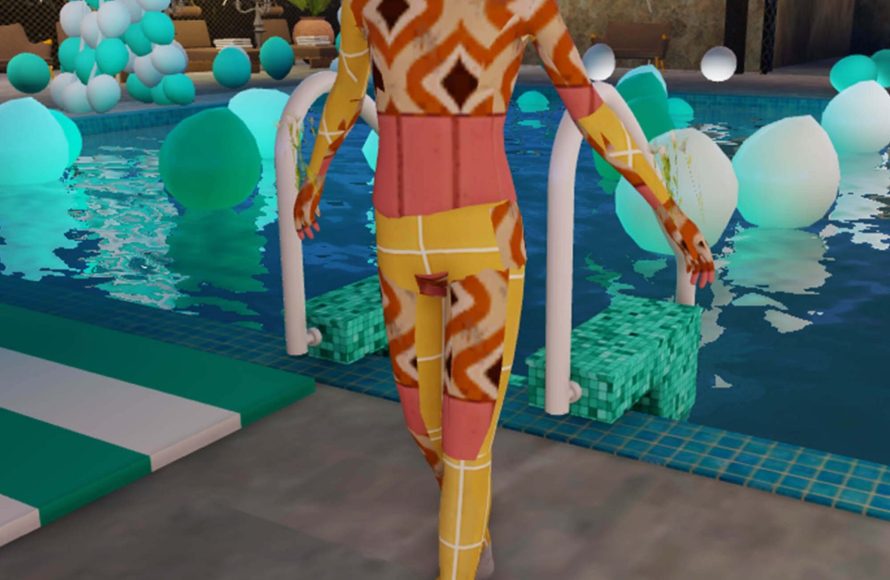
Roblox collaboration tools in virtual worlds allow users to build, script, and play games together in real-time, fostering teamwork and shared creativity.
Ever dreamt of building worlds with friends, not just playing in them? Roblox offers amazing possibilities for collaborative creation. Imagine shaping landscapes, scripting interactions, and testing game mechanics all at the same time. This is where the power of roblox collaboration tools in virtual worlds comes into play. They allow multiple users to participate in the world building experience together, making development a joint venture. This provides a chance for enhanced gameplay experiences.

Roblox Collaboration Tools in Virtual Worlds
Have you ever dreamed of building a fantastic castle with your friends, or creating a thrilling adventure game where everyone can participate? In Roblox, these dreams can easily become reality! The platform has amazing collaboration tools that let you work together with others in virtual worlds. This means you’re not just playing games; you’re creating them, shaping them, and experiencing them with your friends and fellow builders. Let’s jump into the exciting world of Roblox collaboration and see how these tools work.
Shared Building and Editing
One of the coolest things about Roblox is its shared building and editing capability. Imagine you’re working on a big project, like a spaceship or a pirate ship. Instead of each of you working on separate parts and then putting them together, you can all be in the same virtual space at the same time. Think of it like a giant, collaborative LEGO project, but on a computer.
Team Create
The main feature that makes this happen is called “Team Create.” With Team Create, you and your friends can all work on the same Roblox game at the same time. It’s like having a real-time online studio! Here’s how it works:
- The game’s owner invites others to become collaborators.
- Those collaborators can then enter the game’s editing mode.
- Everyone can build, script, and make changes together.
- You can even chat with each other within Studio, which is very handy.
It’s super easy to see who is online in the Studio, and where they’re currently working. This helps prevent people from working on the same parts simultaneously and accidentally undoing each other’s work.
How Team Create Makes Things Better
Team Create is more than just being able to build together. It changes how you approach game development. Instead of working alone, you have a team where everyone can pitch ideas and contribute their skills. Here are some perks:
- Faster Development: Multiple people working at once means games get created more quickly.
- More Creative Ideas: Different minds bring different solutions and inspiration.
- Teamwork Skills: You learn to communicate, compromise, and work effectively with others, which are important real-life skills too!
- Shared Learning: You can learn new skills from others and share your expertise.
Scripting and Programming Together
Building isn’t the only thing you can do together on Roblox. If you want to make your game more interactive, you need to add scripts – these are little bits of code that make things happen. And yes, you can do that together too!
Collaborative Scripting
Like building, when using Team Create, you and your collaborators can all add and edit scripts in real-time. If one person is adding code to make a door open, another could be coding a light switch that activates that same door. This collaborative scripting really speeds up development and adds extra creativity.
- Real-Time Updates: You can see how your teammates’ scripts are changing as they’re being written.
- Joint Problem Solving: If a script is not working as planned, you can debug it together.
- Teaching and Learning: A more experienced programmer on the team can help others understand how to write code.
Version Control and History
Sometimes, when you’re working together, mistakes happen. Someone might accidentally delete an important piece of code, or maybe a feature doesn’t work as planned. Roblox has built-in version control to help with this.
Every change you and your collaborators make is automatically saved. You can go back to previous versions of your game and code at any time. If something goes wrong, you can always revert to an earlier version. This is like having an ‘undo’ button for everything.
- Save History: You can look at all the previous saves of your game.
- Revert Changes: You can go back to an earlier version of your game.
- Safe Collaboration: No fear of accidentally losing your work.
In-Game Collaboration Features
Collaboration doesn’t stop when you start playing your game. Roblox also includes tools for players to work together inside the virtual world.
Teams and Group Dynamics
Many Roblox games have teams or groups where players have to work together to achieve common objectives. It could be defeating a boss in a role-playing game, or solving a puzzle in an escape room.
- Defined Roles: In many games, players have special roles that encourage teamwork.
- Shared Goals: Working towards a shared goal strengthens the idea of collaboration.
- Communication: Players often need to communicate to coordinate their actions, which helps build teamwork skills.
In-Game Chat and Communication
Communication is key to any teamwork. Roblox offers several ways for players to communicate during gameplay:
- Text Chat: Players can type messages to each other in a chat window.
- Voice Chat: Some games allow voice chat for real-time discussion.
- Emotes and Signals: You can use animations to express your ideas in a more visual way.
Advanced Collaboration Techniques
As you get more experienced with Roblox, you can take advantage of more advanced collaboration techniques.
Using Models and Assets
Roblox provides a library of free assets, which include models, scripts, sounds, etc. This can be a real time saver. Team members can share and reuse assets from the library.
- Shared Library: A team can share custom-made models and use them in different games.
- Time Saver: No need to build common elements from scratch every single time.
- Consistency: Shared assets bring consistency to your projects.
Project Management
When you’re working on a larger project, you need to get some planning and organization. Here are a few tips for successful teamwork:
- Task Assignment: Decide who is responsible for which parts of the game.
- Deadlines: Set some deadlines so that the project moves forward smoothly.
- Communication Channels: Choose how you’ll communicate outside of the game.
Learning Resources
Roblox has a lot of resources to help you learn more about game creation and collaboration. The Roblox Developer Hub has guides, tutorials, and documentation that can help you and your team improve. Also, lots of creators make videos about game development. You can also work with an instructor for formal tutoring.
- Online Documentation: Read the official Roblox guides.
- Video Tutorials: Watch videos by other game creators.
- Collaborative Learning: Learn together with your teammates.
The Benefits of Collaborative Game Creation
Collaborating on Roblox offers many benefits that go beyond just making games. Here are a few reasons why you should try working with others:
Improved Communication and Teamwork Skills
Working on Roblox with others helps improve communication and teamwork skills which are helpful in all walks of life. You need to articulate your ideas clearly, listen to others’ viewpoints, and work together towards a shared goal.
Enhanced Creativity
When multiple people work together, it can result in a more creative and interesting outcome. Different viewpoints and skill sets combine to form unique results. It is exciting to see a game take shape with ideas from many people, bringing in unexpected twists and features.
Faster Learning
By collaborating, you get exposed to different methods and learn from each other. You can learn new skills at a much faster pace than working by yourself. If someone in your team knows how to make a cool effect, they can teach it to the others.
Building a Community
When you work with others on Roblox, you are not just making games. You are creating a community where everyone learns, helps, and inspires each other. This sense of community can be extremely rewarding and motivating.
Getting Started with Roblox Collaboration
Ready to try out all the cool collaboration tools? Here’s how you can get started:
Setting up a Team Create
First, you need to create a game in Roblox Studio. Then, you will see an option to turn on Team Create. After that you can invite your friends to join you.
- Open Roblox Studio.
- Create a new game or open an existing one.
- Go to the View tab and click on “Team Create.”
- Toggle the “Team Create” switch to on.
- Copy the invitation link and share it with your friends.
Inviting Collaborators
Once you turn on Team Create, you’ll get a link that you can share with your friends. They’ll click on this link and be able to join your game’s editing space.
- Get the invite link.
- Share the invite link with friends.
- They click the link to join.
Communicating with Your Team
Once everyone is in the Studio, you can use the built-in chat feature to talk about the game. This is where you can discuss ideas and get everyone on the same page.
- Use the Studio chat.
- Talk about tasks.
- Share ideas.
Working together in Roblox virtual worlds is a fun and rewarding experience. These collaborative tools help you develop important skills that you can apply in all parts of your life. With the help of Team Create and all these other features, you can build amazing games and connect with people all over the world. So gather your friends, start building, and see what wonderful things you can make!
How to COLLABORATE with your friends! | Tutorial #8 | Roblox Studio
Final Thoughts
In conclusion, Roblox provides fantastic tools for teamwork within its virtual environments. Developers can easily work together, building and scripting simultaneously. This improves efficiency and expands creative possibilities.
The platform’s collaboration features help create complex and engaging games. Successful projects depend on good coordination. Therefore, developers should utilize roblox collaboration tools in virtual worlds, to their advantage.

