
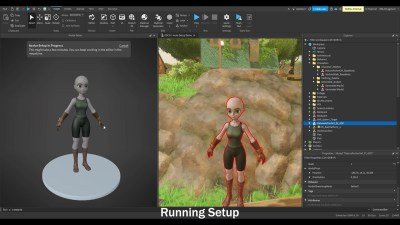
Roblox content creation workflow typically involves planning, building in Roblox Studio, scripting game mechanics, testing, and then publishing your creation.
Want to make awesome games on Roblox? It is vital to understand the roblox content creation workflow. This process will guide you from initial idea to a finished, playable experience. Proper planning and execution makes game development easier and more enjoyable.
Many aspiring creators struggle initially. They often miss important steps, causing problems later. Following a structured approach can reduce headaches. It also allows you to create better games with less effort.

Roblox Content Creation Workflow: A Step-by-Step Guide
Making cool stuff on Roblox, whether it’s an awesome game, a slick clothing item, or a helpful tutorial video, takes more than just a great idea. It’s about having a good plan, or as we call it, a workflow. Think of it like following a recipe when you’re baking a cake. If you skip steps or don’t measure things right, your cake might not turn out so good. The same is true for Roblox content creation. Let’s break down how you can create amazing Roblox experiences, by understanding each part of the process.
Brainstorming and Idea Generation
Every fantastic Roblox creation begins with an idea! This is the fun part, where you get to let your imagination run wild. Don’t worry if your first ideas aren’t perfect; the goal here is to get lots of different concepts down. Think about what kind of experiences you love in Roblox. What games do you enjoy? What types of clothing do you find yourself wanting to wear? This can give you a great starting point for your own creations.
Finding Inspiration
Sometimes, the hardest part is just coming up with an idea. Here are some tips for finding inspiration:
- Play other Roblox games: See what’s popular, what’s unique, and what you think could be improved.
- Look at popular clothing items: What kind of styles are trending? Can you add your own twist to them?
- Check out social media: Platforms like Twitter and TikTok can give you clues to what’s popular and desired.
- Ask your friends: What kind of Roblox content are they interested in seeing?
- Use real life for ideas: What do you enjoy doing in your everyday life? Can that be made into a Roblox game?
Refining Your Ideas
Once you have a few ideas, it’s time to pick one and make it a bit more concrete. Ask yourself questions like:
- Is this idea fun? Would people want to play/use it?
- Is it doable for your current skill set?
- Do I have the time to work on it?
Don’t be afraid to tweak your idea until it feels right. It’s better to have a strong idea than to jump into a project you aren’t fully excited about.
Planning and Pre-Production
Now that you have a solid idea, it’s time to plan how to bring it to life. Think of it as making a blueprint for a building. A good plan prevents lots of problems later on. This stage focuses on getting organized before you start building!
Creating a Basic Outline
No matter the type of content, an outline can be very useful. For a game, think about:
- What are the main goals for players?
- What are the different levels or areas?
- What are the core game mechanics (how the game actually works)?
- What items, characters, or objects will be in the game?
For clothing, think about:
- What is the style?
- What colors will you use?
- Will it include any accessories or patterns?
For videos:
- What will be the main message?
- What footage will you need?
- What editing style do you want?
Setting Goals and Timelines
Creating content takes time, so be realistic about how long your project will take. Set small, achievable goals so you can see your progress. Here’s how you can set the goals and timeline:
- Break your large goal into smaller pieces.
- Estimate how long each part will take.
- Create a schedule so you have an idea of when you’ll finish.
Don’t put too much pressure on yourself; it’s okay if things take a little longer than you planned. The important thing is to keep moving forward.
Development and Creation
This is where the real work begins! You’ll actually start building your game, designing your clothing, or filming your video. It’s all about taking those plans and making them a reality. Let’s dive into the specifics of creating different types of content.
Game Development in Roblox Studio
Roblox Studio is where you actually build games. Here are the main things you’ll be working with:
Understanding the Interface
- The Explorer: This window lets you see all the parts, scripts, and other elements in your game.
- The Properties Window: This is where you can change the details of selected objects. For example, you can change a part’s color or size.
- The Toolbox: Here you can find pre-made objects and models, as well as upload images.
Building Basics
- Adding Parts: Use the ‘Part’ button to create building blocks.
- Moving and Resizing: Use the Move and Scale tools to change where parts are located and how big they are.
- Changing Properties: Use the Properties window to adjust settings like color, material, and transparency.
Scripting with Lua
Scripts are what make your game interactive. Lua is the programming language used in Roblox. Here are some basic concepts:
- Variables: These are used to store information.
- Functions: These are blocks of code that do certain tasks.
- Events: These are things that happen in the game, like a player clicking on a button.
Don’t worry if you are new to scripting; you can start with basic scripts and learn more as you go. The Roblox Developer Hub and Youtube have tutorials that can help you learn the scripting.
Clothing Design using Templates
Designing Roblox clothing involves using templates that you can edit in an image editing program such as Photoshop, Gimp, or Paint.net.
Preparing the Template
- Download the appropriate template.
- Open your chosen image editor.
Designing Your Clothing
- Use the tools in your image editor to create the desired style.
- Pay attention to the UV layout when designing, it dictates how your design will wrap around the player character.
- Remember that less is often more. Clean, and simple designs are often more popular than very detailed designs.
Video Creation and Editing
Creating videos involves recording your gameplay, voiceovers, and other elements, then editing them together to make a final video. You will need:
- Screen recording software. OBS is free and popular option.
- A video editing program. DaVinci Resolve is free and great option.
Planning and Recording
- Plan what you want to show in the video.
- Record high-quality footage.
- Record audio seperately from the footage. This allows for better control in editing.
Editing Your Video
- Trim the footage to remove unneccesary parts.
- Add text and images to provide context to the video.
- Add background music and sound effects.
- Ensure the audio and video are syncronised correctly.
- Export the video in a high-quality format
Testing and Iteration
Testing is a crucial part of the workflow that ensures your creation is enjoyable for others. Don’t skip this step! Here’s how to do it:
Testing Your Game
- Playtest Yourself: Step into the game and try all of the different features. Look for bugs and errors that you may have missed.
- Get Feedback: Ask your friends or other Roblox players to try out the game. Ask them what they liked and what they didn’t like.
- Collect Data: If possible, track metrics like playtime and how far players get into the game.
Testing Your Clothing
- Upload to Roblox: Upload the clothing to your account to see how it looks on your avatar.
- Check Fit and Alignment: Make sure that the clothing fits properly and that the design looks good when worn.
- Get Feedback: Ask your friends to check out the clothing, what do they think about the style and design?
Testing Your Video
- Watch it Thoroughly: Watch your video from start to finish looking out for errors and places where things could be improved.
- Get Feedback: Send it to your friends, family, or online communities and ask for their opinions.
- Check the visuals and audio quality: Make sure the visual is clear and that the audio sounds great.
Making Changes
Based on the feedback you receive from testing, make necessary changes and adjustments. Go back through the development and creation process and work out any kinks and bugs, or redesign the clothing to look better. The more times you iterate, the better the final product will be.
Publishing and Promotion
Once you’re happy with your content, it’s time to share it with the world! This step focuses on getting your creation out there and attracting users.
Publishing Your Game
- Set Up Game Details: Write a good title and description that explains what your game is about. Add some images or videos.
- Configure Game Settings: Set options like how many people can play at once and whether or not the game will be public.
- Publish!: Click the ‘Publish’ button to make your game available to everyone.
Publishing Your Clothing
- Upload to Roblox: Go to the ‘Create’ page, select ‘Clothing’ and upload your design.
- Set a Price: Choose how much you want to sell it for.
- Sell your clothing item!: Click the sell button and make your clothing available to everyone.
Publishing Your Video
- Upload the Video: Upload your final video to the desired platform.
- Write a Good Description: Write a compelling description so people will watch your video.
- Add Tags and Thumbnails: Make sure people find your video by adding related tags, and make the video attractive with a good thumbnail.
Promoting Your Content
Getting people to see your creation takes some effort. Here are some ways to promote your content:
- Share on Social Media: Let your friends and followers know about your new game, clothing, or video.
- Engage with the Community: Join Roblox groups or communities related to your content.
- Run Ads: If you have Robux, consider using the Roblox advertising platform.
- Get Content Creators to review it: Many content creators are happy to give their thoughts on your game, if you are lucky they will even play your game in one of their videos.
Remember, it takes time to gain an audience. Be patient, keep making great content, and keep promoting it to new audiences. Good luck!
Making content for Roblox is a journey, not just a destination. Each step of the workflow, from brainstorming the initial idea to publishing the final product is a learning process, so you will get better with experience. The most important thing is to have fun and enjoy the process. Don’t be afraid to experiment and try new things, as these experiences will help you to grow and improve as a creator. So go ahead, create awesome Roblox content and inspire others!
When you publish your first Roblox game…
Final Thoughts
Effective Roblox content creation workflow involves meticulous planning, followed by asset development. This includes building, scripting, and designing engaging experiences. Iteration is key; regularly test and gather feedback.
Refining your work based on player input allows for crucial improvements. A solid Roblox content creation workflow ultimately leads to better player engagement. It’s about a cycle of creation, testing, and improvement.

