
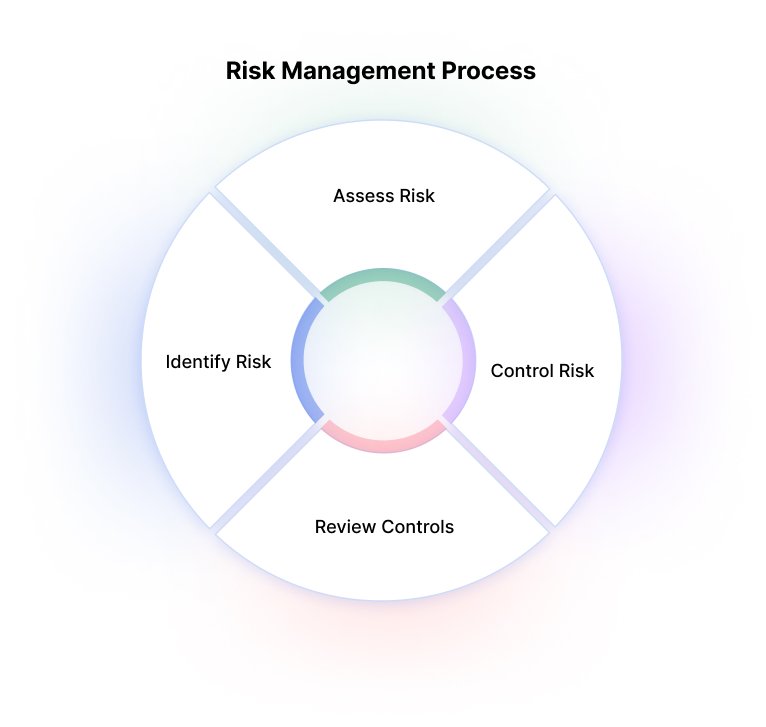
Roblox cyber risk management involves implementing practices like strong password policies, parental controls, and educating users about phishing and scam attempts to ensure safe gameplay and protect personal data.
The vibrant world of Roblox offers endless fun, but it also presents potential online hazards. Navigating this virtual playground requires a solid understanding of roblox cyber risk management. Users, particularly younger ones, need clear guidance. Knowing how to protect accounts and recognize threats is vital.
Parents and players must collaborate to create a secure gaming environment. Implementing safeguards and staying informed on emerging dangers form a critical part of the experience. Addressing these issues helps ensure that fun doesn’t turn into frustration.

Roblox Cyber Risk Management
Playing Roblox is super fun! You get to build worlds, hang out with friends, and go on amazing adventures. But just like any place on the internet, it’s important to stay safe. This means understanding the risks that are out there and learning how to manage them. Let’s dive into how we can all be smart and secure while enjoying Roblox.
Understanding Roblox Cyber Risks
Before we can keep ourselves safe, we need to know what dangers we might face. Think of it like learning about the different types of weather before going outside – you need to know if it’s sunny or rainy to dress right! Cyber risks on Roblox are similar; they are the potential bad things that could happen online.
Common Cyber Risks on Roblox
Here are some common risks we need to be aware of:
- Phishing Scams: Imagine someone pretending to be a Roblox staff member asking for your password. That’s phishing! They try to trick you into giving away your information. Remember, real Roblox staff will NEVER ask for your password.
- Account Hacking: If someone gets your password, they can break into your account. They could steal your Robux, change your avatar, or even do things that get you in trouble.
- Inappropriate Content: Roblox has lots of games, and sometimes, you might see something that isn’t okay. This could be bad language, violence, or other things that make you feel uncomfortable.
- Cyberbullying: This is when someone is mean to you online, through chat or other ways. It’s never okay for someone to be hurtful or make you feel bad on Roblox.
- Malware and Viruses: Sometimes, people try to trick you into downloading bad programs or files that can harm your computer. These bad programs are called malware or viruses.
- Unsafe Links: Clicking on links from strangers or suspicious-looking links can be risky. These links might lead to websites that try to steal your information or infect your computer.
- Fake Games and Places: Sometimes, bad people create games or places that seem fun but are actually traps to get your account information or other personal details.
These risks might sound scary, but don’t worry! Knowing about them is the first step to staying safe. Think of it like learning the rules of the playground – once you know them, you can play safely.
How to Manage Cyber Risks on Roblox
Now that we know what to look out for, let’s learn how to protect ourselves. Managing cyber risks is like having a superhero shield that keeps us safe while we play.
Strong Passwords and Account Security
Your password is like the key to your Roblox account. Here’s how to make it super strong:
- Use a Mix of Things: Don’t use easy things like your name or birthday. Make it a mixture of uppercase and lowercase letters, numbers, and symbols.
- Make it Long: The longer the password, the harder it is to guess. A good password should be at least 10-12 characters long.
- Don’t Share Your Password: Never tell anyone your password, not even your best friend. Keep it a secret just like a treasure!
- Enable Two-Step Verification: This adds an extra layer of security. When you log in from a new device, Roblox will send a code to your email or phone.
- Change Your Password Regularly: Just like brushing your teeth, it’s good to update your password every few months to stay extra safe.
Being Smart About Chat and Interactions
Chatting with friends is a fun part of Roblox, but we need to be careful.
- Think Before You Share: Never share your real name, address, phone number, or school name with anyone online. It’s like keeping your personal information a secret treasure.
- Be Careful with Strangers: Be cautious about accepting friend requests from people you don’t know in real life.
- Report Inappropriate Behavior: If someone is being mean or makes you uncomfortable, use the “Report Abuse” button to let Roblox know. It’s like telling a grown-up if someone is not playing fair.
- Use the Roblox Chat Filters: Roblox has chat filters that help block bad words. Use them to keep the chat friendly and safe.
- Don’t Engage with Bullies: If someone is trying to bully you, don’t get into an argument. Instead, block them and report them to Roblox.
Safe Downloading and Link Practices
It’s super important to be careful about what you click on and download while playing Roblox or while browsing the internet.
- Don’t Click on Suspicious Links: If a link looks strange or comes from someone you don’t know, don’t click on it. It could lead you to bad places on the internet.
- Download From Official Sources Only: Only get updates for Roblox directly from the official Roblox website or the app store on your device. Don’t download from other websites claiming to be updates.
- Be Wary of Freebies: If someone offers free Robux or free items, it’s usually a scam. Never trust these offers.
- Be Careful About Downloadable Content: Avoid downloading add-ons or mods from untrusted websites that can contain viruses or malware.
Privacy Settings and Parental Controls
Roblox provides several tools to help you control your online safety.
- Adjust Your Privacy Settings: In your Roblox settings, you can control who can chat with you, who can follow you, and who can see your inventory. Change these settings to make sure only the right people can interact with you.
- Parental Controls: If you are a kid, ask a grown-up to help you set up parental controls. These controls allow them to set chat restrictions, restrict content, and keep an eye on your online activity.
- Regular Monitoring: It’s a good idea for adults to periodically review your child’s Roblox activity and make sure they are safe.
Recognizing and Avoiding Scams
Scammers are like sneaky characters trying to trick you. Learn how to spot them to stay safe.
- Be Wary of Promises: Be careful of anyone promising free Robux, special items, or faster leveling up. Most of these are just scams.
- Verify Information: If someone tells you something that sounds suspicious, double check with a grown-up or the official Roblox website before you believe it.
- Don’t Share Personal Details: Scammers might ask for your personal information, such as your password or email address. Never share this with anyone you don’t fully trust.
- Report Suspicious Activity: If you see any scams or suspicious activity, report it to Roblox immediately using the report button or Roblox’s customer support system.
- Use Common Sense: If something seems too good to be true, it probably is. Trust your instincts and avoid questionable scenarios.
Regularly Update Your Devices and Software
Keeping your computer or tablet updated is like giving it a superhero upgrade that helps protect against bad things.
- Keep Everything Updated: Make sure your device’s operating system (like Windows, macOS, Android, or iOS) and the Roblox app are always updated to the latest versions. These updates often include important security fixes that will protect you.
- Install a Good Antivirus Program: An antivirus program is like a guard dog that helps protect your computer or tablet against viruses and other malware.
- Scan Regularly: Regularly scan your computer using your antivirus program. It will help find and remove any viruses or other bad programs that might have gotten on your device.
What to Do if You Experience a Cyber Risk
Even if you try your best to stay safe, sometimes bad things can still happen. If you think you’ve experienced a cyber risk, it’s important to act fast.
Reporting Incidents
If something bad happens, you should report it right away to Roblox.
- Use the Report Abuse Feature: If someone is mean, if you see inappropriate content, or experience any other bad behavior, use the “Report Abuse” feature in the game.
- Contact Roblox Support: If something really bad happens, like someone stealing your account or your Robux, contact the Roblox customer support team. They are there to help you.
- Tell a Trusted Adult: It’s always a good idea to tell a parent, teacher, or another trusted adult if you have experienced any of the listed cyber risks on Roblox. They can help you deal with it and can offer advice and support.
Account Recovery Steps
If someone has gotten into your account, it’s important to quickly take action to get it back.
- Change Your Password Immediately: First thing, change your password to something new and strong.
- Review Your Account Settings: Check to see if any of your account settings have been changed without your permission. Make sure your email, phone number, and other information are correct.
- Re-enable Two-Step Verification: Enable two-step verification if you turned it off. This gives your account added security.
- Contact Roblox Support: If you can’t get back into your account or need further help, contact Roblox support. They can assist you in account recovery.
Learning from the Experience
Bad things can happen, but we can learn from them to stay safer in the future.
- Review What Went Wrong: Think about what happened and what you could have done differently to prevent it.
- Update Your Safety Practices: Make changes to your online behavior to help protect yourself in the future. Use stronger passwords, only download from trusted sources, and adjust privacy settings.
- Talk to Others: If you felt scared or upset, talk to a trusted adult or friend. They can offer comfort and support.
Staying Informed About Roblox Security
Roblox constantly updates its system for safety. It is important to stay updated about changes.
- Read Roblox Updates: Follow the official Roblox news and update announcements for new security measures or tips.
- Explore Educational Resources: Roblox might have educational resources that can help you better understand online safety. Check the Roblox website and help center for articles or guides.
- Talk to Experts: If you have more questions, talk to experts such as a school counselor or teachers, or research information on security.
Remember, safety on Roblox is a team effort. By being smart, aware, and working together, we can all have a fantastic time while staying safe.
Being safe online isn’t just for experts; it’s for all of us. You are now equipped with the tools and knowledge to manage cyber risks on Roblox and have safer, more enjoyable experiences. Remember to use these safety practices every time you go online, not just when you play Roblox. And always, if something doesn’t feel right, trust your instincts and seek help.
Your Roblox Account Might Be In Danger…
Final Thoughts
Protecting accounts from scams and securing personal data are critical aspects of Roblox cyber risk management. Players must stay informed about phishing and account takeover techniques. Strong passwords and enabling two-factor authentication are essential for user safety.
Parents should educate their children about online dangers and proper interaction within the platform. Regular monitoring of account activity is a good practice. Implementing these measures significantly reduces the likelihood of cyber incidents.
Effective Roblox cyber risk management requires a combination of user vigilance and platform security features. By taking proactive steps, both players and their families can enjoy a safer gaming experience.

