
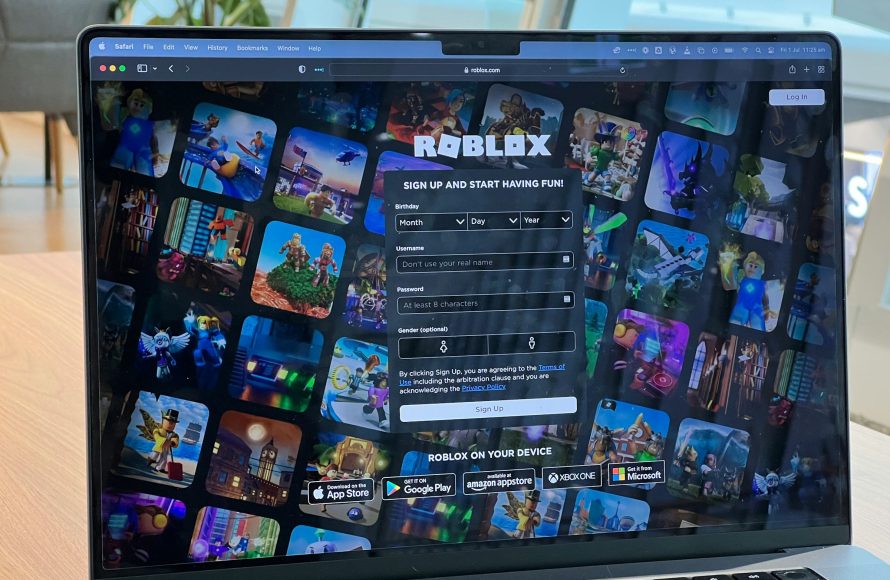
Protecting your Roblox game involves securing user data, preventing exploits, and implementing strong authentication methods; crucial aspects of roblox cybersecurity for game developers.
Creating a popular Roblox game? That’s fantastic! But with success comes the need for security. Roblox cybersecurity for game developers is essential to safeguard your creations. A lapse in security exposes your players and your hard work to potential risks.
Taking proactive measures is not just good practice; it’s vital to ensure a safe and enjoyable environment for everyone. This also protects you from devastating consequences.

Roblox Cybersecurity for Game Developers
Being a Roblox game developer is super fun! You get to create amazing worlds, design cool characters, and make games that millions of people can play. But, just like any place on the internet, Roblox has some areas where things might not be totally safe. That’s where cybersecurity comes in. Cybersecurity is like being a superhero who protects your game, your players, and your account from bad guys. This guide is all about how you, as a Roblox game developer, can keep your creations and yourself safe.
Understanding the Risks on Roblox
Before we dive into how to stay safe, let’s talk about some of the dangers that can be out there on Roblox. Knowing what to look for can help you avoid problems.
Account Takeovers
Imagine someone getting into your Roblox account without your permission! They could steal your Robux (the in-game money), change your games, or even pretend to be you. How do they do it? Sometimes, people use things like guessing weak passwords or tricking you into clicking on links that look real but are actually traps. It’s important to use a strong password and to never share it with anyone. Also, watch out for messages that seem suspicious, even if they look like they are from Roblox.
Here are some things that can make your account safer :
- Use strong passwords: Pick a password that is hard to guess. Don’t use your name, your birthday, or common words. Make it long and use a mix of letters (both uppercase and lowercase), numbers, and symbols.
- Enable two-step verification: This is like adding an extra lock to your door. Even if someone knows your password, they will need a special code from your phone or email to get in.
- Be careful about phishing: Phishing is when someone tries to trick you into giving them your password or personal info. They might send you a fake email or link that looks like it’s from Roblox. Always double-check that you’re on the real Roblox website before logging in.
Malicious Scripts and Plugins
Roblox Studio is an amazing tool for building games, but it also has parts that can be risky if you’re not careful. Scripts and plugins can add cool features to your game, but some of them are created by people with bad intentions. A bad script or plugin could let someone take control of your game or steal information. So, always think twice before using scripts or plugins from people you don’t know.
- Only use trusted sources: Stick to using scripts and plugins from Roblox creators that you know and trust. If you find something cool on a website or in a forum, be very cautious. Check what other users say about it.
- Check the script’s code: Before you add a script to your game, try to read through it and see what it does. If you’re not sure what it means, ask someone more experienced to help you. Sometimes a malicious script might be in the game code itself.
- Keep software up-to-date: Always use the newest versions of Roblox Studio and all its plugins. Updates often include fixes for security problems.
Data Breaches
Sometimes, websites and companies can get attacked by hackers who steal user data, like emails, passwords, or usernames. Even though Roblox works hard to protect its users, it’s still good to be careful. If a data breach happens, your information could be at risk. This can lead to someone trying to access your account. To keep safe, use a password for Roblox that you don’t use on other websites, and always check to see if Roblox has issued warnings about data breaches.
- Unique passwords: Use a different password for your Roblox account than you use on other websites or apps. This way, if one of your passwords gets stolen, other accounts remain safe.
- Monitor for alerts: Pay attention to news and warnings from Roblox about any security problems or possible data breaches.
Exploits and Cheating
Unfortunately, some players will try to cheat or break the rules of a game. Exploiting refers to the act of using glitches or vulnerabilities within a game to get an advantage or cause problems for other players. Cheating can ruin the game experience for everyone. As a developer, you have the power to make your game more secure against cheaters. Think about ways to make it harder to cheat and report any players you see doing things they shouldn’t.
- Anti-cheat systems: Think about how you can make your games more difficult to cheat in. You could keep track of a player’s score or inventory, and if something doesn’t match up, you can take action.
- Regular updates: Fix bugs and loopholes in your game. Some cheaters find ways to exploit these. Keep an eye on community feedback and bug reports so you can patch anything that doesn’t work correctly.
- Report cheaters: Encourage players to report anyone they see cheating or behaving badly. Make the report process simple and clear.
Protecting Your Games and Players
Now that we know the risks, let’s talk about how to make your games and players safer. As a game creator, you have the power to make a big difference.
Safe Scripting Practices
Scripts are the instructions that make your game do things. By using best practices, you can make them more secure.
- Input Validation: Input validation is like making sure the answers to questions are real. If you expect a player to type in a number, make sure that it’s an actual number and in the right range. For example, if a player has to choose a number between 1 and 10, the game needs to reject any number less than 1 or greater than 10.
- Avoid Storing Sensitive Data in Clients: Never store important information in the game itself. For example, if you have data about how many coins a player has, or how much health they have, do not store this data on the player’s device. Instead, store this data on a game server. This way, players cannot change their coin or health information.
- Regularly Review and Update Scripts: Just like you need to update your games, you need to review and update your scripts. As you learn more about secure coding, review the code you wrote in the past and make improvements to it.
Secure Plugin Management
Plugins are a great way to make game development easier, but it’s important to use them wisely.
- Only Install Plugins from Trusted Developers: Make sure you only use plugins from people who have a good reputation. It is helpful to look at how many people are using that plugin. The more people use it, the more likely it’s safe. Read user reviews and pay attention to other people’s experiences with that plugin.
- Check Plugin Permissions: Plugins ask for permission to do things in your game. Be careful what permissions you grant to a plugin. If a plugin wants to access something that doesn’t make sense for its use, don’t allow it.
Server Security
The server is the place where your game data is stored and handled. Keeping your server safe is crucial to preventing problems.
- Remote Function Security: Remote functions are a way to communicate with your server in Roblox. Be very careful to not expose any important information. When your game client sends data to the server, always check that data on the server before using it. Never fully trust data from the game clients.
- Data Storage Security: Be careful where you store player data. Never store passwords in your data and use encryption if you store sensitive information. If you use external databases, make sure they are secure as well.
Community and Player Moderation
A safe community starts with good moderation. You have an important role in making sure your game’s community is safe and fun.
- Implement Reporting Tools: Make it easy for players to report bad behavior, such as cheating or harassment. Your players should have a way to quickly flag someone if they are breaking the rules.
- Be Active in Your Community: Communicate with your players, listen to their concerns, and be open to suggestions on how you can make your game safer. Pay attention to what’s going on in your game. If something goes wrong, take steps to stop it.
- Set Clear Expectations: Create a clear set of rules and tell players what is not okay in your game. Post these rules in a place where everyone can see them, and take action against any player who breaks the rules.
Regular Game Audits
Checking your game every now and then can help you find security holes before they become a big problem.
- Look for Weak Spots: Go through your game like a player. Look for areas where a bad person might be able to break the rules or cheat. Also, check for bugs that can be taken advantage of.
- Test Your Game Frequently: Get your friends or other developers to play your game, and ask them to try to break it. They might find things that you didn’t notice. It is important to test all aspects of your game.
- Stay Updated: Keep up with the latest changes on Roblox, and see what security suggestions Roblox is making. The platform may have updates to security features, and you want to make sure your game uses the latest methods.
Educating Your Players
Keeping your players informed is also a big part of game safety. Help them understand how to stay safe as they enjoy your game.
In-Game Safety Tips
Share tips on how to be safe right within your game.
- Display Clear Warnings: When players join your game, show them tips on how to stay safe, such as how to report bad behavior, not sharing passwords, and not clicking on suspicious links.
- Use In-Game Tutorials: Create an in-game guide to explain security tips to the players. Some developers have made mini-games that show how to stay safe.
External Resources
Point your players to external resources for more info.
- Link to Roblox Help Pages: Provide a link to official Roblox safety pages where players can learn more.
- Use Your Social Media: If you use social media, share tips and updates with your players.
By taking these steps, you can create a safer and more enjoyable gaming experience for everyone. Remember, cybersecurity is something that you need to work on all the time, and if you stay alert, you can keep your games safe.
Being a responsible game developer on Roblox means keeping your games secure and looking out for your players. By using strong passwords, being cautious about scripts and plugins, and staying alert for trouble, you can make sure your game is fun and safe for everyone who plays it. Remember, staying safe online is a team effort. By working together, we can make Roblox a great place for everyone.
Investigation: How Roblox Is Exploiting Young Game Developers
Final Thoughts
Securing your Roblox games demands constant vigilance. Developers must prioritize strong password practices for their accounts and implement effective data protection within their games. Regularly update game scripts to fix vulnerabilities and patch any known exploits.
Implementing these simple measures will create a safer playing environment and safeguard your creative work. Focus on these crucial steps in your game development and promote a culture of cybersecurity within your team, remembering the importance of roblox cybersecurity for game developers.

