
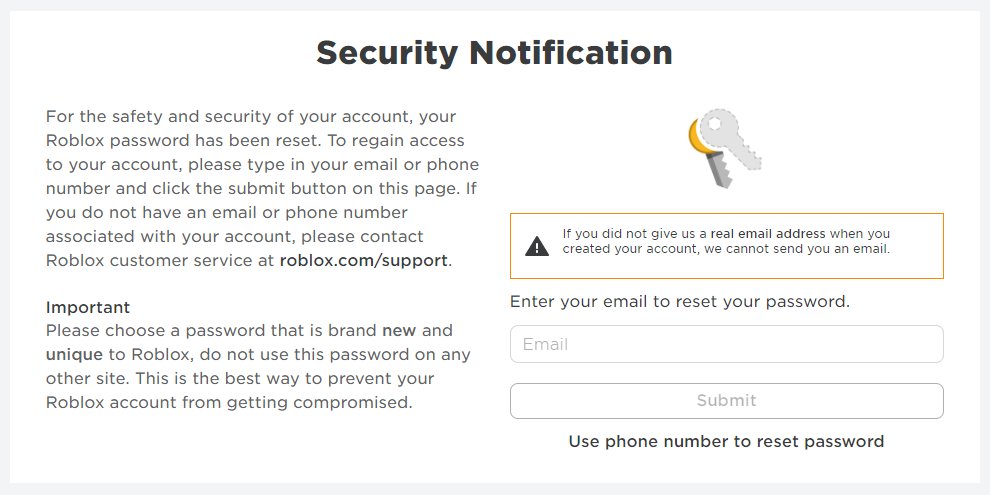
Implementing strong passwords, enabling two-factor authentication, and being cautious about sharing personal information are vital steps for robust Roblox data security breaches prevention.
Is your Roblox account safe? You enjoy creating and playing, but are you taking necessary precautions? Safeguarding your personal information and game data requires vigilance, understanding crucial steps for Roblox data security breaches prevention. This isn’t just about avoiding unwanted access; it’s about protecting your virtual world and personal details. We’ll explore practical methods to ensure your Roblox experience remains secure and enjoyable.

Roblox Data Security Breaches Prevention
Hey Roblox fans! It’s super fun to create, play, and hang out with friends in the Roblox world. But just like anywhere online, there are some things we need to know to stay safe. One of the most important things is learning about how to protect our accounts and data from sneaky people who might try to cause trouble. This is called data security, and it’s all about keeping your information safe and private. We’re going to talk about some easy and important steps you can take to help keep your Roblox account secure and prevent data breaches.
Understanding Roblox Data Security
First, let’s talk about what a “data security breach” means. Imagine someone trying to sneak into your room and take your toys or your personal diary. On Roblox, this is like someone trying to get into your account to steal your Robux, your cool virtual items, or even your personal info, like your email or password. A breach is when someone gets into something they shouldn’t, and with Roblox data, we want to make sure that doesn’t happen. We need to learn how to be like super-secret agents protecting our own Roblox accounts!
Why Data Security Matters on Roblox
You might be thinking, “Why is this such a big deal?” Well, your Roblox account isn’t just a game profile. It’s connected to your email and sometimes even payment info. If someone gets into your account, they could use your Robux, change your avatar, or even use your account to do bad things to other players. Sometimes, they might even try to get more of your personal information. That’s why it’s super important to know how to protect your account and data on Roblox.
Common Ways Roblox Accounts are Compromised
Let’s explore the ways bad guys might try to get into your account. Knowing these tricks can help you stay one step ahead!
- Phishing Scams: These are like sneaky emails or messages that look real but are fake. They might say you’ve won free Robux or that there’s a problem with your account, and then ask you to click a link and enter your info. Never click links from unknown sources or give away your password. Remember, Roblox won’t ask for your password in an email.
- Weak Passwords: A weak password is like having a door with no lock! Passwords like “123456” or your name are super easy for hackers to guess. Always use strong passwords that include different characters.
- Password Reuse: Using the same password for everything is like having the same key for your house, car, and school locker. If someone finds one of your keys, they can get into everything! Try to use unique passwords for different accounts.
- Malware and Viruses: Sometimes bad computer programs can sneak onto your computer and steal info, like passwords. Be careful where you download things from and always make sure you have antivirus software running.
- Clicking suspicious links: Don’t click links that look strange or that are from people you don’t know on Discord or Roblox, they could lead to a fake website designed to steal your credentials.
Essential Steps for Roblox Account Security
Okay, let’s get to the good stuff! Here’s how you can become a super Roblox security protector:
Choosing a Strong Password
Your password is like your secret code to get into your account, so it should be strong! Here’s how to create one that’s tough to crack:
- Make it long: A longer password is harder to guess. Try to make it at least 12 characters long.
- Mix it up: Include uppercase and lowercase letters, numbers, and symbols (!@#$%).
- Don’t use personal info: Avoid using your name, birthday, or pet’s name.
- Try a phrase: Instead of one word, use a phrase that’s easy for you to remember but hard for others to guess, like “MyDogLovesToPlay2024!”
Enabling Two-Step Verification
Think of two-step verification (also called 2FA) as having a second lock on your door. Even if someone knows your password, they won’t be able to get into your account without the code you get on your phone. It’s like a superhero’s back up plan. Here’s how it works:
- You enable 2FA in your Roblox account settings.
- When you try to log in, you’ll enter your password like normal.
- Then, Roblox will send a special code to your phone or email.
- You enter that code, and now you’re in!
This makes it way harder for anyone to get into your account, even if they know your password.
Being Careful About Links and Emails
Remember those sneaky phishing emails we talked about? Well, here’s how to spot them:
- Check the sender: Look at the email address carefully. If it looks weird or not like an official Roblox email address, be cautious.
- Watch out for urgent requests: Real Roblox emails usually won’t say things like “Your account will be deleted!” If you see that, it’s probably a scam.
- Never click links: Always go directly to the Roblox website by typing it into your browser. Never click links in emails or messages unless you’re 100% sure they’re safe.
Keeping Your Personal Information Private
Your personal info is like your secret identity, and you should keep it secret! Never share your full name, address, phone number, or school info with anyone you meet online, even if you’re playing a game. Keep this information to yourself and your trusted adults.
Regularly Reviewing Account Settings
It’s a good idea to check your account settings every now and then. Make sure your email is correct, and review the connections you have with other apps or platforms. This helps you spot anything unusual early on and make sure your information is still secure.
Using a Separate Email for Roblox
It can be a good idea to use a separate email address just for your Roblox account. This way, if that email address ever becomes compromised, your main personal email account is still safe. You can create a free email address from services like Gmail, Outlook, or Yahoo.
Understanding Roblox’s Official Channels
It’s helpful to know how Roblox communicates with you. Official communication comes through the Roblox website or email addresses that end in “@roblox.com”. Any other email addresses or websites are likely to be fake.
Recognizing and Reporting Suspicious Activity
If you see anything weird happening on Roblox, it’s important to report it! This could be someone trying to get your password or being mean to other players. Roblox has a reporting system where you can let them know about these things.
Protecting your Computer and Devices
Keeping Software Updated
Think of software updates like the latest armor for your computer. They fix problems that bad guys might use to sneak in. Always update your computer’s operating system and any software you use regularly, especially your web browser and antivirus software. These updates make your computer more secure.
Installing and Updating Antivirus Software
Antivirus software is like a security guard for your computer, scanning for bad programs that might try to steal your information. Make sure you have a good antivirus program installed and keep it updated so it’s always ready to protect you.
Being Careful About Downloads
Be really careful about what you download on your computer. Only download things from official websites, and never click pop-ups or download things that come from unknown senders. It’s like being careful about the candy you take – you shouldn’t take candy from just anyone. Only get downloads from websites that are reliable and that you trust.
Safe Browsing Practices
When you are browsing the internet, make sure you’re visiting safe websites and avoid any that look suspicious. You can usually tell if a website is secure if the URL starts with “https://” instead of just “http://”. The “s” means secure and it’s a little protection badge. Also, don’t click pop-ups that you don’t recognize because these can sometimes be harmful.
Roblox Account Security – In-Game Tips
Beware of “Free Robux” Offers
If something sounds too good to be true, it usually is! Be very careful of people or games that promise you free Robux. These are usually scams. Roblox doesn’t give out free Robux so avoid clicking on anything that promises it, or any website that claims you can get free robux.
Be Cautious of Friend Requests
Only accept friend requests from people you know in real life or from other players you trust. Be careful about accepting friend requests from strangers, especially if they ask for your personal information or encourage you to visit outside websites.
Watch Out for Suspicious Chat
If someone asks you for your password, personal information, or tries to make you click on a link in the chat, report them! Don’t interact with them and never tell them your password. If you see something that makes you feel uncomfortable or unsafe in chat, just leave the chat and then report them. You can report it in the menu. Roblox staff will investigate it, and it might help other players too!
Trust Your Gut Feeling
If something feels wrong or you feel uncomfortable about a person or a situation, leave it and tell a trusted adult, even if you’re not sure why. It’s always better to be safe than sorry!
Additional Security Practices
Educate Yourself and Others
Talk to your friends and family about online safety, and teach them how to protect their accounts. When everyone helps, everyone is safer! The more people know, the more everyone can protect their Roblox accounts. Let everyone know the signs to look out for.
Stay Updated on Security News
Keep an eye on the Roblox news and updates. Roblox sometimes has important updates and news about security and safety that you should know about. This will help you stay on top of any possible risks to your account.
Using a Password Manager
For older players or the adult who manages your Roblox account, a password manager can be a really helpful tool. These programs safely save all your passwords, so you only have to remember one master password. It helps you use strong passwords for all your different accounts without having to remember them all yourself. A good password manager is an excellent tool for account safety.
Staying safe on Roblox is a team effort, and by learning these safety practices, we all can work together to keep the Roblox platform a fun, safe place for everyone to enjoy! This is about more than just protecting our virtual items. It’s about protecting our personal information, having fun, and keeping the whole Roblox community safe.
Remember these simple things, and you’ll be a super Roblox security expert in no time! Keeping your Roblox account safe takes a little effort, but it’s worth it. By taking the time to practice safe habits, you can play and create on Roblox without worry! Play safe, have fun, and see you in the metaverse!
Roblox's Worst Update is Here…
Final Thoughts
Implementing strong passwords, enabling two-factor authentication, and being cautious about suspicious links greatly minimize risks. Regularly updating Roblox and associated software helps patch vulnerabilities.
Educating children about online safety and privacy practices is crucial. Parents should monitor their children’s activity and be aware of potential dangers.
Practicing these steps proactively contributes to roblox data security breaches prevention, and creates a much safer gaming environment for all.

