
Effective Roblox discord management for games requires clear roles, active moderation, organized channels, and engaging community activities.
Running a successful Roblox game often means building a strong community beyond the game itself. That’s where discord comes in, providing a perfect platform for your players to connect. Effective roblox discord management for games, however, isn’t always easy and requires some planning.
Knowing how to structure your discord server is key to helping players find what they need quickly. You should also establish clear rules to maintain a positive environment. Consistent moderation is also necessary.

Roblox Discord Management for Games
Okay, so you’ve created an awesome Roblox game – that’s fantastic! But now what? How do you connect with your players, build a community, and keep everyone happy and engaged? The answer for many developers is: Discord! It’s a super popular platform for chatting and sharing things, and it’s a great place to gather your Roblox game’s community. This article explores how to manage your Roblox game’s Discord server effectively.
Why Your Roblox Game Needs a Discord Server
Having a Discord server for your Roblox game is like having a clubhouse for all your players. It’s where they can hang out, talk about their adventures in your game, ask questions, and make friends. It’s a powerful tool that helps you:
- Build a Strong Community: Players feel more connected when they can chat with each other and you. A community keeps them coming back for more.
- Get Valuable Feedback: You can hear directly from your players about what they like and don’t like. This helps you improve your game.
- Share Updates and News: Discord makes it easy to share sneak peeks of new features or announce events. Keep everyone in the loop.
- Provide Support Quickly: Players can get help with game issues fast, making the experience better.
- Run Events and Contests: Discord is a great place to organize contests, game nights, and other fun stuff.
- Foster Collaboration: Players can find teammates and make plans together.
In short, a Discord server helps your Roblox game go from just a fun place to play to a real community experience.
Setting up Your Roblox Game’s Discord Server
Setting up a Discord server isn’t tricky, but it’s important to do it right from the beginning. Here’s how:
Creating the Server
- First, make sure you have a Discord account. If you don’t, go to discord.com and sign up. It’s free!
- Once logged in, click the “+” button on the left-hand side of the screen. This will start a new server.
- Select “Create My Own”. You can choose to use a template or start from scratch. For a Roblox game server, “For a club or community” is a good choice.
- Name your server after your Roblox game. You can even add a picture of your game’s logo as the server icon.
Organizing Your Channels
Channels are like different rooms within your Discord server. They help organize conversations and keep things from becoming chaotic. Here are some must-have channels for a Roblox game server:
- #general-chat: For everyday conversations about the game and anything else.
- #announcements: Where you post important updates, like patch notes and events. Make sure only you and your staff can post in this one.
- #game-support: A place for players to ask for help with game-related issues.
- #bug-reports: Let players report any problems they find. This is super helpful!
- #suggestions: Where players can share ideas for new features and changes.
- #media: For players to share screenshots, videos, and fan art.
- #off-topic: A place to talk about things other than the game.
- #voice-chat: If you want to chat with players using your voice.
You can also add more channels later as your community grows. Think about what your players need and create channels to help them connect!
Setting up Roles
Roles help you control who can do what on your server. They also allow you to easily identify different groups of users. Here are some common roles:
- Member: This is the basic role for all users.
- Moderator: Members who help keep the peace and enforce server rules.
- Staff: Your team members who work on the game.
- Tester: People who test new game features before they go live.
- VIP: Special players who support your game.
- Bot: Designates the role of bots you are using in the server.
To set up roles, go to Server Settings -> Roles. Here, you can create new roles, give them different permissions, and assign colors.
Adding Bots
Bots can add cool features to your server. They automate tasks, provide info, or just make things fun. Here are some popular Discord bots:
- MEE6: Helps with moderation, leveling, and server management.
- Carl-bot: A powerful bot for moderation and creating custom commands.
- ProBot: Multi-purpose bot with advanced logging, welcome messages, and moderation features.
- Statbot: Displays statistics about your server, like how many members are online.
- Music bots: To play music in voice channels.
- Giveaway bots: To help you run contests and giveaways.
To add a bot, search for it online, usually on sites like top.gg, and follow the instructions to invite it to your server.
Effective Management Techniques
Now that you have your server set up, it’s time to think about how to keep things running smoothly. Here are some crucial techniques:
Setting Clear Rules
Your server needs rules to keep things fun and friendly. Make sure your rules are clear, easy to understand, and posted in a place where everyone can see them. Some common rules include:
- Be respectful to all members.
- No offensive language or hate speech.
- No spamming or advertising.
- Stay on topic in each channel.
- Follow Discord’s terms of service.
Active Moderation
You or your moderators need to be active in the server. Check in regularly to make sure everyone is following the rules, and answer any questions.
- Be proactive: Don’t wait for problems to happen; address potential issues early.
- Engage with the community: Respond to comments and questions to show you care.
- Enforce the rules fairly: Treat everyone the same, no matter who they are.
- Provide positive feedback: When a user is helpful, recognize it.
Engaging Your Community
A great Discord server is an active one. Get your players involved! Here are some ways to do that:
- Run events: Host game nights, contests, and giveaways.
- Ask for feedback: Ask players for their thoughts on the game regularly.
- Share behind-the-scenes info: Show sneak peeks of new content you are working on.
- Use polls and quizzes: Ask players fun questions or get their opinions on upcoming changes.
- Start conversations: Ask open-ended questions to start discussions.
- Acknowledge fan content: Share fan art, videos, and stories in your server.
Remember to show appreciation for your community and thank them for their support.
Using Server Analytics
Discord has a feature called Server Insights. This can help you understand what’s working and what’s not on your server. It will help you see:
- Which channels are the most active.
- How many members join and leave each day.
- When most members are online.
Use these analytics to make decisions about how to manage your server better.
Advanced Strategies for Thriving Communities
Once you have the basic management down, here are some advanced strategies you can use to take your Discord community to the next level:
Tiered Roles and Rewards
Create special roles for active players, supporters, or those who contribute to your community positively. These could be VIP roles, tester roles, or even roles with different colored names. You can also award roles with special permissions or access to exclusive channels.
Collaborations with Other Communities
Team up with other Roblox game communities. Run cross-promotional events, or just share interesting things from each other’s servers. This can help you find new players who might like your game.
Dedicated Voice Channel Events
Voice channels can create a stronger sense of community. Host regular voice chat sessions to get to know players, have Q&A sessions, or just chat and play together. This helps people feel more connected and invested in the community.
Organizing Tournaments
Set up friendly tournaments for your game. Make sure to involve your community in organizing and participating in these events. Offer special rewards to the winners, such as roles, in-game items, or even gift cards.
The Importance of Transparency
Be open with your community. When making important decisions about your game, share your thinking with them and ask for their input. Transparency keeps players trusting you and encourages their participation. If you make a mistake, own up to it and show how you’ll make things better. Honesty builds trust.
Regular Feedback Cycles
Create a regular process for collecting and acting on feedback from your players. Use polls and dedicated feedback channels. This shows players that their voices are valued, and helps you improve the game and the overall experience.
Utilizing Webhooks
Webhooks allow you to post automatic messages from your game directly into your Discord server. This could include when a new player joins your game, when a player gets a high score, or other updates. It is a great way to keep your server updated and interactive. You can use free resources online to set up these webhooks.
Handling Difficult Situations
It’s important to know how to deal with negative situations on your server. Some players may break the rules or start arguments. Be prepared for these situations. Here are some tips:
- Stay Calm: Don’t let your emotions get the better of you.
- Be Fair: Treat everyone the same, even in difficult situations.
- Address Issues Quickly: Don’t let problems fester.
- Use Your Moderators: Let them take care of smaller issues.
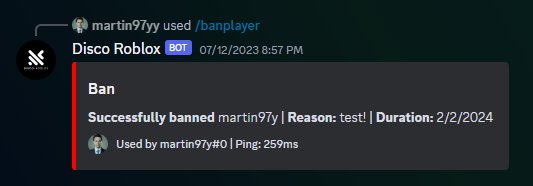
- Use Discord’s tools: You can kick, ban, or mute members who break the rules.
The goal is to create a positive environment. Learn from each situation and use the feedback to improve your server.
Continuous Improvement
Managing a Discord server for your Roblox game is an ongoing process. Be willing to adapt and change as your community grows. Keep testing new strategies, asking for feedback, and learning from your experiences. You’ll be able to create a strong, happy community if you keep working at it.
Running a successful Discord server for your Roblox game takes time and effort, but the rewards are huge. A good community means happy players, better feedback, and a much more popular game. By creating a well-organized server, setting clear rules, and focusing on community engagement, you are setting the foundation for long term success. Remember that your Discord is more than a chat room—it’s a place where people connect with each other and with you. So make sure you make it the best it can be. Keep experimenting, listening to your community, and most importantly have fun!
How To HIRE DEVS For Your Roblox Game…
Final Thoughts
Effective Roblox Discord management for games enhances community engagement and provides important feedback channels. You can organize discussions, announce updates, and moderate chats. Proper setup leads to a more positive player experience.
A well-managed Discord server allows players to connect easily with each other. It also makes it easy for developers to communicate directly with their community. This builds a stronger player base over time.
In short, effective Roblox Discord management for games requires planning, moderation, and consistent engagement. It creates a thriving community that actively participates in the game’s growth.

