
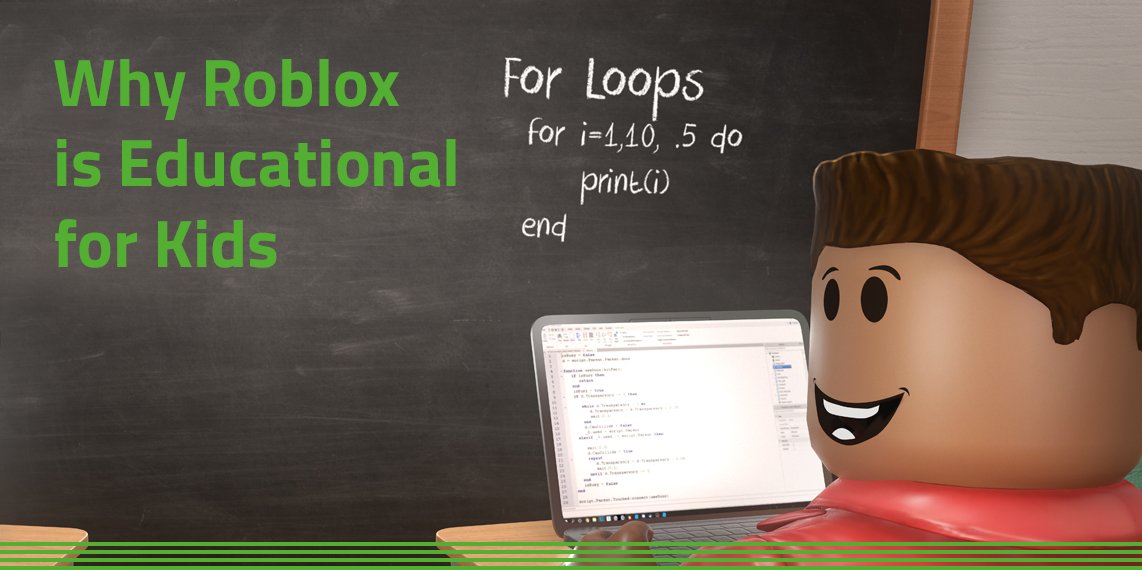
The Roblox education user experience relies on intuitive controls, engaging visuals, and clear instructions within its learning environments, making it accessible and effective for students.
Imagine stepping into a world where learning feels less like a chore and more like an adventure. That’s the potential of the Roblox education user experience, creating immersive spaces where students actively participate. These virtual environments offer unique ways to learn concepts.
Effective navigation and engaging game-like mechanics are vital to the overall roblox education user experience. This approach allows students to explore topics in a more interactive way. This could really change how kids see education.

Roblox Education User Experience
So, you’re curious about how Roblox can be more than just a game? That’s awesome! We’re going to dive deep into the world of Roblox education and how the whole user experience can make learning fun and engaging. Think of it like this: instead of just reading about history, you could build a virtual Roman city. Instead of only looking at diagrams of the human body, you might explore a 3D interactive version. That’s the power of Roblox education, and the key is creating a positive and effective user experience.
What Makes a Great Roblox Education Experience?
A good Roblox education experience isn’t just about slapping some educational content into the game. It’s about thoughtfully designing an experience that is easy to use, enjoyable, and actually helps students learn. Let’s break down the key ingredients that make it work:
Intuitive Navigation
Imagine trying to find your favorite book in a library where everything is just piled up everywhere! That wouldn’t be fun. A good Roblox learning experience needs easy navigation. This means:
- Clear instructions: Students should know exactly what to do and where to go when they enter an educational space in Roblox.
- Easy-to-find resources: Important tools, information, or activities should be clearly marked and accessible.
- Simple menus and interfaces: Avoid overwhelming students with too many choices. Keep it clean and straightforward.
Engaging and Interactive Content
Let’s be real, kids aren’t going to be excited about boring content. The best Roblox educational experiences are interactive and bring learning to life. Here’s what makes content engaging:
- Hands-on activities: Instead of just reading, students should be doing. They might be building structures, solving puzzles, or conducting experiments.
- Visual appeal: Use bright colors, interesting models, and appealing environments to keep students interested.
- Challenges and goals: Games are fun because they have objectives. Incorporate challenges that match the learning goals to keep kids motivated.
Accessibility for All Learners
Every student learns differently, so a great educational experience on Roblox must keep that in mind. This includes:
- Options for text-to-speech and closed captions, for those who need it.
- Adjustable settings for students who are sensitive to bright lights or loud sounds.
- Designs that are simple and easy to understand for diverse learning styles.
Clear Learning Objectives
The best Roblox educational experiences have a clear purpose. Before students even start, they should understand what they will learn. Think of it as a mini map to your learning journey.
- Specific goals: Make sure students know exactly what the learning objectives are at the start of the activity.
- Feedback and progress: Provide students with a way to check how well they are doing and where they need to focus.
Specific Examples of Great Roblox Education User Experience
Let’s look at some specific examples of how these ideas come to life on Roblox. It’s easier to understand when we see it happening:
Virtual Field Trips
Imagine exploring ancient Egypt without leaving your classroom. Roblox can create immersive virtual field trips. Here is how the user experience can play a vital role:
- Realistic environments: Detailed 3D models of temples, tombs, and artifacts make the experience feel like a real field trip.
- Guided tours: Clear paths and waypoints that help students explore specific sites, making sure that students do not feel lost.
- Interactive elements: Students can click on objects to learn more or participate in mini-challenges that are linked with what they’re seeing.
Science Simulations
Understanding science can be tough when you can only read about it. Roblox simulations can make science experiments engaging and clear. For example:
- Interactive models: Students can see how the body’s organs work, or build different types of simple machines with interactive simulations.
- Virtual experiments: They can test hypotheses and see the results instantly, which brings abstract ideas to life.
- Data collection: Some simulations let students collect data, analyze results, and draw conclusions, which is what actual scientists do!
Collaborative Building
Roblox’s creative power is a great way to learn in groups. Building projects together fosters teamwork and problem-solving skills. This can look like:
- Shared spaces: Students work together in the same virtual space, contributing their skills and ideas.
- Task assignments: Clear instructions help students know what part they are responsible for in the bigger project.
- Communication tools: Roblox’s chat and voice features allow teams to collaborate and brainstorm, just like in the real world.
Historical Role-Playing
Understanding historical events and time periods is often better experienced instead of only reading about it. Roblox can help students step into the shoes of people from the past. Here’s how to make it effective:
- Character options: Students can choose their character, and experience the world from different viewpoints.
- Event re-creation: Historical events can be recreated, allowing students to experience history rather than just reading about it.
- Dialogue and interaction: By talking with each other and role-playing events, students develop a better understanding of history.
Challenges in Roblox Education User Experience
Creating a great educational experience on Roblox isn’t always easy. There are some challenges that developers and educators need to think about:
Managing Content Complexity
If an educational experience has too much going on, it can get very confusing for students. Here’s how to keep it simple:
- Breaking down information: Complex topics must be split into easier-to-understand parts.
- Progressive learning: Introduce ideas step-by-step, instead of dumping everything at once.
- Clear feedback: Students need constant feedback to know where to go next and if they understand the learning concepts.
Keeping Students Engaged
Keeping students focused in any learning environment can be a challenge, and it’s no different in Roblox. How can we keep students’ attention?
- Variety of activities: Make sure there’s a good mix of different challenges, games, and things to explore.
- Constant stimulation: Keep the activity exciting with things to do and new challenges, so students don’t get bored.
- Rewarding progress: Provide encouragement and awards when students get closer to their goals.
Balancing Fun and Learning
The goal is to make learning enjoyable, but sometimes games can get too fun and distract from education. Finding that balance can be hard.
- Clear focus on educational goals: Always remember the learning purpose of the activity.
- Incorporating learning into gameplay: Embed the learning into the game instead of making it a separate part.
- Using fun in a good way: Fun should make learning easier and more exciting, not take away from it.
Dealing with Technical Issues
Sometimes, technical issues can interrupt the learning experience. Things like lag, bugs, and other errors can cause frustration.
- Thorough testing: Before launching any educational space, make sure it works properly on different devices.
- Easy reporting of problems: Allow students to report technical issues quickly, so developers can solve them.
- Providing support: Make sure you have support staff who can fix problems when students need it.
Best Practices for Developing Roblox Educational Experiences
So, how do developers create awesome educational content in Roblox? Here are some best practices:
Plan Carefully
Good planning can create great outcomes. Here are key areas to plan:
- Learning goals: Start by knowing what you want students to learn.
- Target audience: Make sure your design and content fits the age and skills of your audience.
- Content alignment: Connect your activity to classroom subjects and standards, so it has learning value.
Prioritize Simple Design
Simple is often better, and this is definitely true for educational games in Roblox. Here is why:
- Easy navigation: Design simple interfaces that make it easy for students to find things.
- Clear directions: Make instructions easy to follow, so there’s no need to guess what to do next.
- Clean aesthetics: Use clean and appealing graphics so that the space is welcoming and easy to focus on.
Get Feedback
Feedback helps make the final product better. Think of getting feedback as a way to make your game better for others.
- Play testing: Have students try your game, to see if they find it engaging and learn effectively.
- Gathering ideas: Collect student feedback, including what they like, what they dislike, and what they learned.
- Making revisions: Use feedback to make the necessary changes and make your experience even better.
Use the Power of Community
Learning together is always better, so remember to make good use of the community. Here are some examples:
- Share best practices: Connect with other educators and developers to share what works.
- Collaborate: Work with other teams to create new and awesome learning experiences.
- Learn from each other: Always be open to new ideas and different perspectives to help build an engaging learning space.
Iterate Constantly
Your educational space is not static; it’s always growing. So make sure you always:
- Keep improving: Always look for ways to improve the design, content, and accessibility of your experience.
- Update with new features: Add new challenges, learning content, and activities to keep students engaged.
- Respond to changes: Stay up-to-date with the latest research in education, and adjust your spaces to best serve your students.
The Future of Roblox Education User Experience
The potential of Roblox for education is huge, and as the platform keeps growing, we’ll see even more amazing learning experiences. Some of the things to expect in the future are:
- More personalized learning paths, so that each student can learn at their own speed.
- New artificial intelligence tools to provide student feedback and suggestions to help them improve.
- More immersive experiences with better graphics, realistic environments, and higher quality interactions.
- Better access for all types of students, regardless of their ability or background.
Roblox is not just a game anymore, it is a growing learning platform. By focusing on user experience, we can make sure that it is enjoyable, engaging, and effective for everyone. By using these tips and ideas, we can help transform how we learn and explore the world together.
(ENGLISH) Education in Experiences by Roblox Education | Connect 2022
Final Thoughts
Roblox provides a unique platform for learning, with its interactive environment engaging students. Improving accessibility and navigation is crucial for all users. Educators should prioritize intuitive interfaces for a positive experience.
Effective tutorials and clear instructions enhance the learning process. Feedback mechanisms can greatly improve the overall user experience. Continual refinement remains essential.
Ultimately, improving the roblox education user experience benefits both students and teachers. User-centered design and thoughtful implementation are paramount to achieve these goals.

