
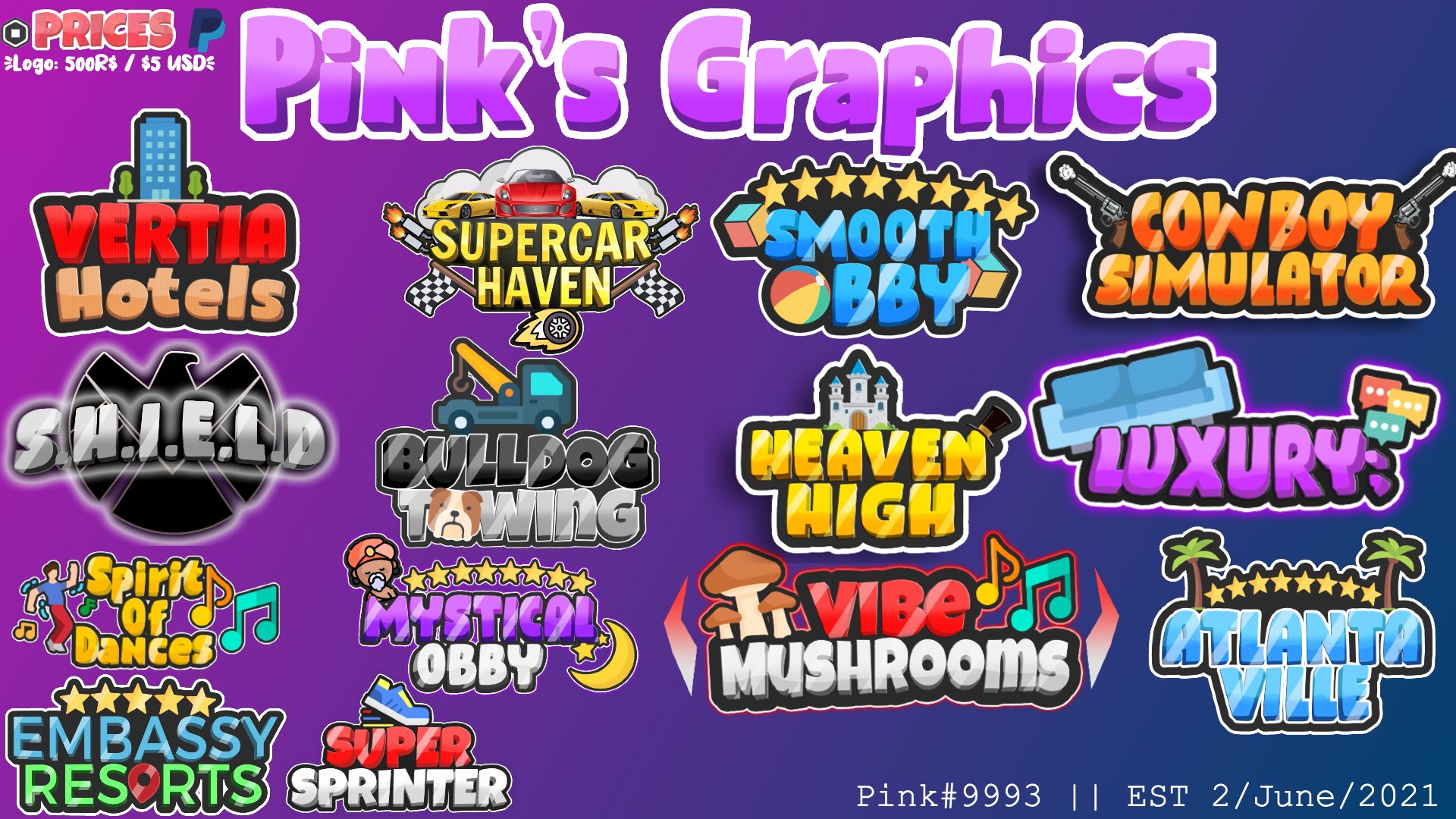
Creating an effective Roblox game logo design requires a combination of simplicity, recognizability, and relevance to your game’s theme.
Want your Roblox game to stand out? A compelling game logo makes all the difference. It’s the first impression players have of your creation, so making it memorable is important. A well-thought-out logo attracts more players and establishes your brand in the crowded Roblox platform.
The right Roblox game logo design needs to be both eye-catching and representative of the game experience. It helps potential players understand what your game is about, encouraging them to give it a try. We’ll guide you through the key elements to consider.

Roblox Game Logo Design: Making Your Game Stand Out
Okay, so you’ve built an awesome Roblox game. You’ve put in the hours, coded till your fingers hurt, and now you’re ready for the world to play! But hold on a second – how will people find it among the millions of other games? That’s where a fantastic logo comes in! Think of your logo as the face of your game. It’s the first thing players see, and it needs to be something that grabs their attention and tells them what your game is all about. A strong logo makes your game memorable and encourages people to click and play.
Why a Good Roblox Game Logo Matters
Imagine walking down a street with lots of shops. Each shop has a sign. Which signs catch your eye? The ones that are bright, clear, and tell you what the shop is selling, right? It’s the same with Roblox games. A good logo does a few key things:
- Grabs Attention: In a sea of game icons, your logo needs to be eye-catching. It should make someone stop scrolling and say, “Hey, what’s that?”
- Communicates Your Game’s Theme: A logo should give players a hint about what your game is about. Is it a spooky horror game? A fun simulator? A logo can set the mood.
- Makes Your Game Memorable: A unique logo helps players remember your game and find it again easily.
- Builds Professionalism: A well-designed logo makes your game look polished and professional, making players think it’s a game worth trying.
Understanding the Basics of Logo Design
Before diving into creating your Roblox game logo, it’s helpful to understand some basic design principles. Think of these as your toolbox for creating a great logo. These principles are universal, and apply to any logo, not just for Roblox! This will help your logo stand out. Remember, you don’t need to be a professional artist to make something great.
Color Theory
Colors have meanings and can make people feel certain ways. For example:
- Red: Often represents excitement, energy, and danger. Perfect for action games!
- Blue: Suggests calm, trust, and stability. Great for simulation games or puzzle games.
- Yellow: Shows happiness, optimism, and playfulness. Awesome for fun and family-friendly games.
- Green: Associated with nature, growth, and health. Good for simulator games or tycoon style games.
- Black: Can represent power, sophistication, or mystery. Works well for dark or horror games.
When choosing colors for your logo, think about your game’s theme and what feelings you want to evoke in players. Don’t use too many different colors, as this can make your logo look too busy. Pick a couple that work well together.
Typography
Typography refers to the style of the text in your logo. The font you choose can affect how your game is perceived. Here are some tips for typography:
- Choose a Readable Font: Make sure the font is easy to read, even when it’s small. Avoid overly fancy fonts that are hard to understand.
- Match the Font to Your Game: A scary game might use a jagged, sharp-looking font. A friendly game might use a round, bubbly font.
- Don’t Use Too Many Fonts: Stick to one or two fonts. Too many fonts can make your logo look messy.
- Consider Font Size: Make sure your text isn’t too small to read or too big that it overpowers the image in your logo.
Imagery and Icons
Most good logos include an image or icon. This visual element is crucial for making your logo memorable. Here are some tips:
- Keep it Simple: A complex image can get lost when shrunk down to the small size of a game icon. Simple, recognizable images work best.
- Make it Relevant: The image should relate to your game. For a race car game, a car or a steering wheel would make sense.
- Use Vector Graphics: Vector graphics keep their quality, no matter how much you scale them, making them ideal for logos that will be used at different sizes.
Tools for Creating Your Roblox Game Logo
You don’t need to be a professional designer with fancy software to create a good logo. There are several free and user-friendly tools available:
Free Online Graphic Design Tools
- Canva: A popular online design tool with lots of templates, graphics, and fonts, and the free version is very useful. It’s perfect for beginners with an easy-to-use drag-and-drop interface.
- Pixlr: A free online photo editor that has more advanced features, similar to Photoshop but easier to use, great for making edits and creating your logo from scratch.
- Google Drawings: Part of the Google suite, simple to use and allows you to create basic shapes and text-based designs, perfect if you prefer simple tools.
Using Roblox Studio
You can even use Roblox Studio to create a basic logo, especially if your logo includes 3D elements:
- 3D Models: Use blocks and other parts to create a 3D representation of your game’s theme, it’s good for a simple 3D element for the logo.
- Screenshot: Take a screenshot of your game, and use it as the basis for your logo, perfect if your game has a visually distinctive look.
- Text Objects: Add text objects directly into the 3D scene to include your game’s title, a good alternative if you want the title to fit the 3d style.
The Process of Designing a Roblox Game Logo
Alright, let’s break down the steps to actually creating your logo. Don’t be afraid to experiment! It takes some time to find the best match for your game.
Step 1: Brainstorming Ideas
Before you start using any tools, grab a notebook and start thinking about your game. Consider the following:
- Your Game’s Genre: Is it an adventure, racing, simulation, or something else?
- Your Game’s Theme: What makes your game unique? Is it spooky, futuristic, or playful?
- Key Characters or Items: Are there any important characters or objects in your game?
- Target Audience: Who is your game for? Kids, teens, or a broader audience?
Write down ideas, sketch simple drawings, and collect any inspiration you can find.
Step 2: Sketching and Rough Concepts
Now, take your brainstorming ideas and turn them into basic sketches. Don’t worry about making them perfect, it is just to give you a visual idea of how the logo can be, and to experiment with designs:
- Try Different Layouts: Experiment with different arrangements of your image, text, and colors.
- Don’t Overcomplicate: Keep it simple at this stage. You just need to explore different looks.
- Get Feedback: Show your sketches to friends, family, or other game developers, and ask for their opinions.
Step 3: Digital Design
Choose your favorite concept, and get ready to bring it to life using a digital tool:
- Choose Your Tool: Select a tool (like Canva, Pixlr, or Google Drawings) that fits your comfort level and needs.
- Start with a Canvas: Create a new canvas that is square shaped, it is ideal for Roblox game logos.
- Add Your Elements: Import any images or icons you are using, add text, and select your colors based on your sketches.
- Experiment: Play with fonts, colors, and the placement of your elements.
- Check the Visibility: Make sure your logo looks good when it is small, as this is how it will appear on the Roblox game page. Zoom out to see.
Step 4: Refining and Finalizing
You are almost done! Do a last check and make some small adjustments:
- Get More Feedback: Show your digital logo to more people and collect their opinions again, it is good to have some extra opinions.
- Make Adjustments: Make changes based on the feedback and tweak your design as you see fit.
- Save Multiple Versions: Save your logo in different file formats like .png or .jpg. The .png format is best for transparent backgrounds.
Common Mistakes to Avoid
As you create your logo, keep an eye out for common mistakes that can make your logo less effective:
Overly Complex Designs
- Too Many Elements: Avoid putting too many images, text, or shapes in one logo, as this can make it hard to see.
- Hard-to-Read Text: Avoid overly ornate or small fonts that are hard to make out, especially when shrunk down.
Poor Color Choices
- Clashing Colors: Using colors that clash with each other can make your logo look unpleasant.
- Too Many Colors: Avoid using too many colors, this makes the logo messy.
Lack of Originality
- Copying Ideas: Do not simply copy an idea or design from another game. Your logo should be unique.
- Using Generic Images: Avoid using commonly used clip art. Create your own unique visual elements.
Ignoring the Game’s Theme
- Mismatched Style: Make sure your logo’s style matches your game’s style, for example, using a vibrant happy logo for a serious horror game would be mismatched.
- Unrelated Images: Images should have a clear connection to your game and should show the essence of the game.
Logo Design Best Practices
Here are a few pro tips that will elevate your logo:
Simplicity is Key
- Easy to Recognize: A simple, clear design is easier for people to recognize and remember.
- Scalable Design: A good logo should look great when it’s very large or very small.
Consistency
- Use Consistent Style: Maintain a similar design style across all your game assets, this can include the font, and color.
- Brand Recognition: This makes your game more easily recognizable in the long run.
Test, Test, Test
- Different Sizes: Try different sizes on your logo. How does it look when it is small, like on a thumbnail? How does it look big?
- Different Backgrounds: Test your logo on different background colors to make sure the logo is always clear.
Where to Find Inspiration
If you are feeling stuck, look at other games and see what they are doing:
- Top Roblox Games: Look at popular games on Roblox and study their logos to see what is working.
- Other Video Game Logos: Look outside Roblox to the games you play and see what is successful about those.
- Design Websites: Websites like Behance, Dribbble, or Pinterest are full of great logo design ideas, use this to get ideas.
Making Your Logo Shine
Creating a good Roblox game logo is one of the most important steps to getting your game noticed. Your logo is the face of your game, so it’s worth taking the time to create a logo that is memorable, clear, and engaging. Remember the tips, experiment, ask for feedback, and don’t be afraid to get creative! A strong logo will make people want to check out your game!
By following these guidelines, you can craft a compelling and effective logo that helps your Roblox game shine. Remember that good design is an iterative process. Don’t be afraid to experiment and make adjustments along the way. With a bit of effort and creativity, you can create a logo that makes your game stand out from the crowd and attracts a loyal player base.
I Rated Your Roblox LOGO DESIGNS… must watch (Roblox)
Final Thoughts
Effective Roblox game logo design requires careful thought about your game’s core identity. Simplicity, memorability, and relevance to your game’s theme are key. A good logo draws players in and creates a strong brand.
Investing time in your game’s visuals, especially the Roblox game logo design, directly impacts its appeal. Consider using vibrant colors and unique typography to stand out in the crowd. A well-crafted logo leaves a lasting impression.

