
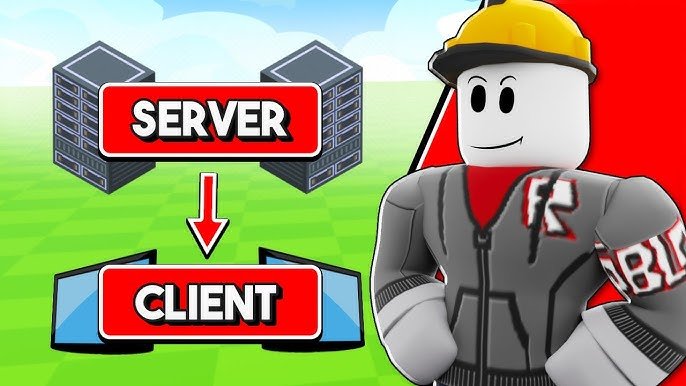
‘Roblox game state management involves tracking and updating all the variables that define the current condition of your game, such as player scores, item inventories, and world conditions.’
Ever felt lost in a Roblox game, not knowing how the pieces fit together? That’s where proper roblox game state management comes in. It’s about keeping track of everything that makes your game tick.
Think of it like the brain of your game. It helps ensure that all players see the same world, and that actions have the correct consequences. Without it, your game might get messy.

Roblox Game State Management: Keeping Your Game Organized
Ever played a Roblox game that felt a little…messy? Maybe the score reset when you changed levels, or your awesome power-up disappeared for no reason. This usually happens when a game doesn’t handle its “state” well. Game state is like the memory of your game. It remembers everything important, like player scores, how much health they have, which level they’re on, and even where different things are in the game world. Good state management makes sure your game runs smoothly and players have a great time. Let’s explore how we can keep our Roblox games organized with clever state management!
What Exactly is Game State?
Imagine your game as a big house. The game state is like the house’s inventory. It’s a record of everything important happening inside. It could be anything that changes during gameplay. It is also like a set of rules that govern the current condition of your game. Think of it this way:
- Player Data: Things like the player’s score, health, inventory, and level.
- World Data: Where objects are located, if doors are open or closed, and what level is currently loaded.
- Game Rules: Information such as the current time limit, the number of lives players have, and if the game is paused.
This is not just about remembering numbers. Game state also tracks changes in your game world. For example, when a player collects a coin, the game state has to be updated to reflect that. Good game state management is about organizing and updating this information in a smart way. If the game doesn’t manage game state well, things can get very confusing for players.
Why is Game State Management Important?
Think about playing a game where every time you pick up a coin, it doesn’t save. You would be very frustrated, right? That’s where proper game state management comes to the rescue. Here’s why it’s so important:
- Smooth Gameplay: A well-managed state keeps everything running smoothly. No more random resets or weird glitches.
- Consistent Experience: Players always see the correct information, no matter what they are doing. Their score is accurate, their upgrades stay with them, and they know how much health they have.
- Saving Progress: When you save and load a game, it is actually the game state that you are saving. Proper state management allows us to save a player’s journey and let them continue where they left off.
- Debugging: If you have a clear idea about how you handle your game state, finding and fixing bugs becomes way easier.
In short, good state management means a better experience for players and easier development for us, the game creators.
Common Ways to Manage Game State in Roblox
There isn’t one single right way to handle game state, but here are several techniques that game developers often use:
Using Variables
Variables are like containers that hold information. We can use variables to keep track of things like score, player health, and more. For example:
 local playerScore = 0
 local playerHealth = 100
When a player earns a point, we just update this variable:
playerScore = playerScore + 1
Variables are a good starting point, and are easy to understand. However, it can be harder to manage if your game gets very complicated. You may have hundreds of different variables to keep track of!
Using Attributes
Attributes are a way to store data directly within objects. They are handy for tracking specific information for each individual game object. For example, if you have many characters, you can store their health as an attribute of the character model.
 local character = -- A reference to your character model
 character:SetAttribute("Health", 100)
You can easily change the value:
character:SetAttribute("Health", 80)
This way makes it easier to know which data is related to which object. But, if you need to keep track of game-wide data, you still need to rely on separate variables.
Using Modules
Modules are like reusable scripts that can hold functions and variables. This is a great way to bundle your game state logic. You can create a single module that is responsible for keeping track of important game information.
Here’s an example of a module script named “GameStateModule”:
   -- GameStateModule.lua

local GameStateModule = {}

GameStateModule.playerScore = 0
GameStateModule.currentLevel = 1

function GameStateModule.addScore(points)
  GameStateModule.playerScore = GameStateModule.playerScore + points
end

function GameStateModule.nextLevel()
  GameStateModule.currentLevel = GameStateModule.currentLevel + 1
end

return GameStateModule
Then, in other scripts, you can use it like this:
   -- In a normal script
local GameState = require(game.ServerScriptService.GameStateModule)

GameState.addScore(10)
print("Player score:", GameState.playerScore)

GameState.nextLevel()
print("Current level:", GameState.currentLevel)
Modules help in keeping code organized and reusable, but updating and keeping track of all the modules and their usage can still be challenging.
Using Bindable Events
Bindable Events are a way for scripts to communicate with each other. You can use these events to make sure all parts of your game are aware when the game state changes.
For example, when a player’s score changes, a BindableEvent can be used to notify all the scripts that need to know, like UI scripts. Here’s a quick example:
  -- In the module where game state is managed

local scoreChangedEvent = Instance.new("BindableEvent")
local playerScore = 0

function addScore(points)
   playerScore = playerScore + points
  scoreChangedEvent:Fire(playerScore) -- Fire the event with the updated score
end
Then, in a different script that needs to know about this, you can connect to the event:
   -- In a script that updates the UI
local GameStateModule = require(game.ServerScriptService.GameStateModule)
local scoreChangedEvent = GameStateModule.scoreChangedEvent

scoreChangedEvent.Event:Connect(function(newScore)
  -- Update the UI with the new score
  print("The Score is:", newScore)
end)
Using Bindable Events helps keep your game components in sync. However, if you overuse it and if you are not careful, it can make it harder to track where the changes are coming from.
Best Practices for Good Game State Management
Alright, let’s talk about how to keep your game state clean and effective. Here are some great ideas:
- Keep it Centralized: Store all your main game state data in one place. This is usually a module script.
- Use Descriptive Names: Name variables and attributes clearly. This helps you and others understand their purpose. Instead of calling something “x”, try calling it “playerHealth”.
- Use Functions to Update State: Don’t change variables directly in lots of different scripts. Instead, create functions in your state module to handle updates. For example, a function called “addScore” would be more helpful than just incrementing a variable directly.
- Use Events to Broadcast Changes: When the state changes, broadcast an event. This lets other parts of your game know about it and respond.
- Don’t Overcomplicate It: Start simple, and build it as the game becomes more complex. It’s better to start simple with a few variables, and then move towards more complicated approaches as your game grows.
Example: A Simple Game State Module
Let’s build a small example of a Game State Module that tracks the player score, health, and current level of the game.
First, we create a new ModuleScript named “GameStateModule” inside ServerScriptService.
-- GameStateModule
local GameStateModule = {}

-- Initial state
GameStateModule.playerScore = 0
GameStateModule.playerHealth = 100
GameStateModule.currentLevel = 1

-- Bindable events
GameStateModule.scoreChangedEvent = Instance.new("BindableEvent")
GameStateModule.healthChangedEvent = Instance.new("BindableEvent")
GameStateModule.levelChangedEvent = Instance.new("BindableEvent")

-- Functions to modify state
function GameStateModule:addScore(points)
  self.playerScore = self.playerScore + points
  self.scoreChangedEvent:Fire(self.playerScore)
end

function GameStateModule:takeDamage(damage)
  self.playerHealth = self.playerHealth - damage
  self.healthChangedEvent:Fire(self.playerHealth)
end

function GameStateModule:nextLevel()
  self.currentLevel = self.currentLevel + 1
  self.levelChangedEvent:Fire(self.currentLevel)
end

return GameStateModule
Then, we will use this module in a normal Script:
-- A normal script that uses GameStateModule

local GameState = require(game.ServerScriptService.GameStateModule)

-- Update game state and fire events

GameState:addScore(10)
GameState:takeDamage(20)
GameState:nextLevel()


-- Handle events
GameState.scoreChangedEvent.Event:Connect(function(newScore)
  print("New score:", newScore)
end)

GameState.healthChangedEvent.Event:Connect(function(newHealth)
    print("New Health:",newHealth)
end)


GameState.levelChangedEvent.Event:Connect(function(newLevel)
    print("New Level:",newLevel)
end)
This setup helps us keep all the game state information in one place and make it easy for other scripts to access and use.
Advanced Game State Management
As your games become more complex, your state management might need to evolve. Here are some things to consider:
Using Data Stores
Data stores let you save player data across different play sessions. This is great when you want players to keep their progress. For example, you can save the player’s score and unlocked levels. Roblox provides DataStoreService to help you do this, it uses a key-value structure. This means each piece of saved information needs a unique key.
local DataStoreService = game:GetService("DataStoreService")
local myDataStore = DataStoreService:GetDataStore("PlayerData")

local function loadPlayerData(player)
    local playerData
    local success, errorMessage = pcall(function()
        playerData = myDataStore:GetAsync(player.UserId)
        if not playerData then
            playerData = {
                Score = 0,
                 Level = 1,
            }
        end
   end)
   if success then
    print("Data Loaded Successfully")
    return playerData
   else
      warn("Failed to Load Data", errorMessage)
      return nil
    end
end

local function savePlayerData(player, playerData)
 local success, errorMessage = pcall(function()
    myDataStore:SetAsync(player.UserId, playerData)
    end)
    if success then
        print("Player Data Saved Successfully")
    else
      warn("Failed to Save Data", errorMessage)
     end
end
This allows you to load player’s data at start and saves the data upon leaving. Remember, handling errors properly while working with DataStore is crucial to prevent data loss.
Using a State Machine
If you have multiple distinct states in your game, like a menu state, gameplay state, or cutscene state, then you could use a state machine. This helps manage changes between these states in a more organized manner.
State Machine involves these steps:
- Define the States: Identify each unique state.
- Define the Transitions: Determine how your game moves from one state to another.
- Centralized control: Keep track of current state.
Implementing a state machine might sound complicated, but it’s a powerful way to keep your game organized and manageable.
Optimizing Performance
If you handle your game state badly, then you may notice your game slowing down, especially if it is complex. Here are some things to keep in mind:
- Don’t Update Too Often: Update the state only when it needs to be updated. Avoid updating it many times per second when it’s not needed.
- Only Broadcast Changes: Only trigger Bindable Events when the game state actually changes. Avoid firing them every frame.
- Efficient Data Handling: Use the right kind of data structure to store your information, avoiding using inefficient structures.
Debugging Game State Issues
Sometimes, things don’t work exactly as planned. Here’s how to troubleshoot game state problems:
- Print Statements: Add print statements throughout your scripts to see what is going on. Print the state variables to see if the values are as they should be.
- Use Roblox’s Debugger: Step through your scripts to watch how the game state is being changed in real-time.
- Test in Small Steps: Don’t try to test a big complex section of your game at one time, test step by step. Start with very simple and then add complexity.
- Check Events: Make sure events are firing correctly, that they are connected and there aren’t any errors.
Finding bugs in a complex system can be hard. Taking it step-by-step and using these tools will help you a lot.
Effective game state management in Roblox is not only about coding it’s about carefully organizing the flow of information in your game, and understanding how changes in one part of the game impacts the other. As we’ve seen, starting with a clear understanding of game state helps you avoid issues that can cause frustration for the players. Whether you are managing scores or the world around the players, by focusing on a structured approach, you create a better experience for the players, and it is way easier for you to make changes, improve your game, and provide amazing experience. So next time, before creating a game in Roblox, don’t forget that game state is a key to making a great experience!
When you publish your first Roblox game…
Final Thoughts
Efficient Roblox game state management proves crucial for creating smooth gameplay experiences. Proper organization prevents conflicts and ensures data consistency. You should implement a system to effectively handle changes.
Employing modular scripts and clear communication channels between them makes this easier. Careful planning of your state logic benefits overall game performance. The right approach to roblox game state management is essential for your projects success.

