
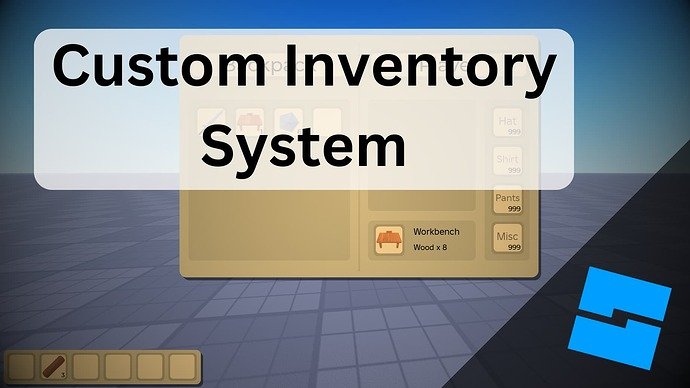
The Roblox inventory management system allows players to store, organize, and trade items they acquire within the game.
Have you ever felt buried under a mountain of virtual items in Roblox? It’s a common problem; many players struggle with keeping track of their hats, gear, and other goodies. This can quickly become overwhelming. Understanding how the roblox inventory management system functions is crucial.
It really helps keep things tidy in your virtual world. Having a grasp of its features will make your time playing so much more efficient. You will find it’s easier to find and use items that you need, and trading will be more smooth.

Roblox Inventory Management System: A Deep Dive
Okay, let’s talk about something super important for all you Roblox players: your inventory! It’s not just a bunch of random items you collect; it’s your treasure chest of cool stuff. But, if you’re like most of us, sometimes that treasure chest can get a little messy. That’s where understanding the Roblox inventory management system comes in handy. Think of it like organizing your toys – it’s much easier to find your favorite ones when you know where everything is.
Understanding Your Roblox Inventory
Your Roblox inventory is where all your purchased and earned goodies live. We’re talking hats, shirts, pants, gear, faces, and so much more! It’s like a digital closet for your avatar. Knowing how to navigate and organize this space is key to making the most of your Roblox experience. It’s not just about having lots of stuff; it’s about being able to find what you need, when you need it. Let’s break down what makes up this inventory:
- Avatar Items: These are the things you put on your character to make them look cool. Think hats, hair, shirts, pants, faces, and accessories.
- Gear: These are the items that give you special abilities or tools in games, like swords, jetpacks, or building tools.
- Badges: These are awards you get for completing tasks in games or for achievements. They don’t change your avatar, but they show off your accomplishments!
- Models and Decals: If you’re a creator, this section will contain the models and images you made.
Accessing Your Inventory
Finding your inventory is easy! No secret codes or tricky passwords needed. Just follow these steps:
- Log into your Roblox account on the website or app.
- Click on the three horizontal lines (the menu icon) at the top of the screen.
- Select “Inventory” from the menu.
Once there, you’ll see all your items neatly categorized. You can switch between categories like “Accessories,” “Clothing,” “Gear,” and more using the tabs at the top. It’s all pretty simple once you get the hang of it.
Navigating Your Inventory Effectively
Okay, so you’ve found your inventory, but now what? It can get a little overwhelming if you have lots of stuff. So, let’s learn how to make sense of all those items:
Sorting Items
The Roblox inventory allows you to sort items, and this is a life saver. You can choose to sort by:
- Recently Updated: This shows you the items that were most recently added to your inventory.
- Recently Created: This shows the items you yourself have created.
- Alphabetical: This sorts your items A to Z, making it easier to find a specific item if you know the name.
Using these sorting options can help you find items quickly instead of scrolling forever.
Filtering Items
Filtering is another cool trick! If you are looking for something very specific, instead of scrolling, you can filter them to quickly find what you want. These are some filtering options:
- Type: This allows you to filter by category like accessories, clothing, or gear.
- Creator: If you are looking for something by a certain creator you can filter it out.
- Genre: In the case of models and decals, you can filter by genre.
For example, if you only want to see the hats you own, use the filter and select “hat” in the type category. No more scrolling through mountains of shirts and pants!
Keeping Your Inventory Tidy
Now, let’s talk about maintaining a clean inventory. Think of it like cleaning your room – a tidy space makes everything easier. Here are some best practices for managing your Roblox inventory:
Removing Unwanted Items
Sometimes we collect items we don’t really like. Maybe it was part of a free promotion, or perhaps your tastes changed. The good news is, you can get rid of them! Here’s how you archive (hide) your unwanted items:
- Go to your inventory.
- Select the item you want to archive.
- Look for the three dots (more actions) and click on it.
- Select “Archive.”
Archiving doesn’t delete items, it just hides them from your main inventory view. This helps declutter and allows you to focus on the things you love. You can always unarchive items later if you change your mind.
Organizing Favorites
Do you have some special items that you always want to use? The Roblox system lets you save them as favorites! Here is how:
- Go to your inventory.
- Find the item you want to favorite.
- Click on the heart icon on the item.
Now, your favorite items will be tagged with a heart icon, making them easier to spot in your inventory. You can quickly find them using the favorite filter, too.
Using Item Bundles
Bundles are like ready-made outfits. Instead of having to select each item individually, you can equip a whole look in one click. This is helpful when you want to switch between different styles quickly.
- Pre-Made Bundles: Roblox has several pre-made bundles created by the community or by the platform itself.
- Save Your Own Bundles: You can create your own bundles by saving your current avatar look and adding new bundles to switch between looks easily.
Bundles save you time and allow you to express different facets of your style with ease.
Tips for Smart Inventory Management
Let’s discuss some helpful tips that will turn you into a Roblox inventory management pro!
Regular Check-Ups
It’s a good idea to go through your inventory every now and then. Archive or favorite items that you don’t use much. A little organization goes a long way in making your gaming experience smoother.
Don’t Hoard
It can be tempting to grab every free item that comes your way. But, having too many unnecessary items can make your inventory messy. Be selective about what you add to your inventory. Ask yourself if you really like the item and see yourself using it. If not, maybe skip it!
Utilize Item Preview
Before buying or accepting an item, use the preview option. This lets you see what the item looks like on your avatar. This helps you make sure you really want the item before adding it to your collection, this will help save you from impulse buys!
Be Aware of Sales and Promotions
Roblox often has sales and free item giveaways. Pay attention to these so you can get the items you want at the best prices. Just don’t go overboard and clutter up your inventory too much!
Security and Inventory
Keeping your Roblox account safe and secure is crucial, and your inventory plays a role. Here are some things to remember:
Protect Your Account
Always use a strong and unique password for your Roblox account. Avoid sharing your password with anyone, and be sure to enable two-step verification. This provides an extra layer of security to prevent others from accessing your account and your items.
Be Careful About Third-Party Sites
Some websites or apps offer free Roblox items. It is very important to avoid these sites, as they are often scams and can steal your account information. Only get items through the official Roblox website or in-game promotions.
Report Suspicious Activity
If you think someone has accessed your account or that there was suspicious activity on your inventory, immediately report it to Roblox Support. The faster you report, the faster you can protect your account and items.
Advanced Inventory Strategies for Creators
If you are a Roblox creator, you can use your inventory to your advantage. Here are some smart strategies for you!
Managing Models
If you make your own models, try to keep them organized. Use clear naming conventions, and organize models based on game or project. This will help you find them quickly when you are developing a game.
Decal Organization
If you are a graphic designer, use folders to organize decals. This will keep your inventory tidy. Make folders for different projects and organize the decals you created accordingly.
Using Archived Items
Even if you archive an item, it doesn’t go away. You can still use archived items for different projects. The archive feature works as another way to organize models and decals.
Community Collaboration
If you work on a team, you can easily share models and decals through the system. The group creation features allow you to collaborate easily with others and access the models created by other members.
Taking the time to learn and practice good Roblox inventory management will definitely make your gaming experience much more enjoyable. Knowing where everything is, keeping things tidy, and using all of the features that Roblox provides will help you focus on what’s most important: having fun and creating cool things.
Remember, a well-organized inventory means less time searching and more time playing. It’s all about working smarter, not harder, and enjoying every moment of your Roblox adventure. This helps you express your individuality, collaborate with others, and achieve the goals you have while playing!
Roblox – Inventory UI Concept
Final Thoughts
Effective management is key within Roblox. A well-organized Roblox inventory management system keeps your virtual items in check. It improves trading and enhances overall gaming experience.
A good system helps players quickly find needed items. It prevents the clutter of duplicates. Optimizing your Roblox inventory management system lets you focus on enjoying the game.

