
Implementing Roblox local multiplayer design primarily requires using the Players:GetPlayers() function to identify players on the same server and creating game logic that coordinates their interactions and shared experience within a single game instance.
Ever wanted to play Roblox with your friends right next to you, instead of across the internet? Getting that shared-couch experience in Roblox needs some special setup. It’s not as simple as inviting them to the same game; we’re talking about making the game function for multiple players on a single device or closely linked devices using the same local network.
This means figuring out how the game world knows all players are in the same room. And what happens when they want to do things together. It’s all about focusing on how players interact locally.
So let’s dive into making your Roblox experience a truly local multiplayer one!

Roblox Local Multiplayer Design: Creating Fun Together
Making games on Roblox is awesome, right? But what if you could play with your friends right next to you, on the same screen? That’s where local multiplayer comes in! It’s all about creating experiences where people can share the fun in the same room. This is different than playing online, where you might be connecting with people far away. Local multiplayer is about the joy of playing side-by-side.
Why Choose Local Multiplayer?
Local multiplayer in Roblox provides a unique, engaging, and social way to play games. Think of family game nights, hangouts with friends, or even casual play with a sibling. It brings people together physically, fostering face-to-face interaction. It also adds a completely different dynamic to gameplay. Instead of just talking through a headset, you can see your friends’ reactions and share laughs in person.
Benefits of Local Multiplayer
- Shared Experience: Everyone’s in the same place, reacting to the game together. This boosts the excitement and fun.
- Easier Communication: No more headsets needed! You can talk directly to each other, plan strategies, and just goof around.
- Inclusivity: It’s easier to include everyone, even those who might not have their own Roblox account or prefer not to play online.
- Unique Gameplay Opportunities: Local multiplayer allows for game mechanics that just don’t work as well online, like secret roles or cooperative puzzles.
Key Concepts in Local Multiplayer Roblox Design
Designing a good local multiplayer game in Roblox needs a bit of planning. It’s not just about making a single-player game and adding extra characters. It’s about thinking how to make the game fun for multiple people on one screen. Here are a few key points to consider:
Camera Management
The camera view is very important. With more than one player, you can’t just keep the camera following one person. You need to think about how the camera will show the action for everyone. Here are some ways you can handle it:
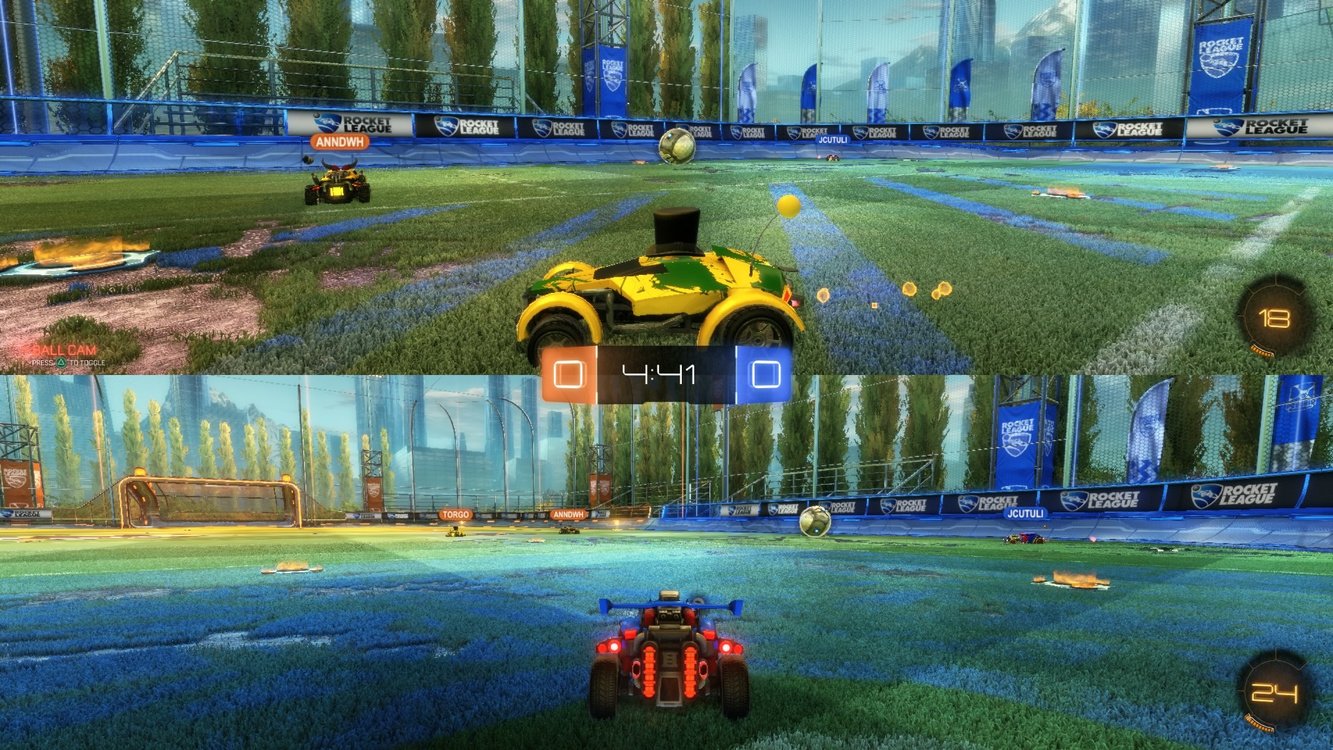
- Split-Screen: This is very common in local multiplayer. The screen is split into sections, with each player getting their own view. This works well for games where players move separately.
- Shared Camera: The camera follows the whole group, or focuses on the area where the most action is happening. This is best for games where players tend to stay close together.
- Dynamic Camera: The camera moves and zooms to keep all players in view, adjusting as they move around. This needs careful coding but can be very smooth.
Choosing the correct camera system for your specific game can greatly change the game playing experience. For example, in a racing game split-screen is usually the best solution, while a party game could benefit from a dynamic camera.
Input Handling
Handling inputs from multiple players is another hurdle. Since there is only one Roblox game on one device, you have to find creative ways for all players to send their instructions. Here’s how to handle inputs in local multiplayer:
- Keyboard and Mouse Sharing: You can use the same keyboard and mouse, but each player might use different keys. This needs clear instructions and can sometimes get confusing.
- Multiple Controllers: If you have game controllers, you can use them to play with your friends, with each player controlling the game using a different controller. This is usually the best solution, because the controls are easier to customize.
- Touch Controls: If your game is on a tablet or phone, you can add virtual buttons on the screen for each player.
- Combined Input: In some games, players can cooperate by using their inputs together, like pressing different buttons to trigger an action.
Make sure the controls are simple and easy to learn, and consider letting players customize their inputs. This will make your game more accessible and fun for everyone.
User Interface (UI)
The UI needs to be designed for multiple players. Each player should be able to easily see their own stats, scores, and inventory, without getting confused with the others’ information.
- Clear Player Indicators: Make sure each player is easy to distinguish. You can use different colors, shapes, or names.
- Individual HUDs: Each player needs their own heads-up display (HUD) to show important info. This might be a small box or section on the screen.
- Shared UI Elements: Important game information that is relevant to everyone, like time limits or overall score, can be displayed in the middle of the screen for all to see.
Game Mechanics
Game mechanics need to be thought out carefully. Some games are a natural fit for local multiplayer, while others might need modifications. Here are some mechanics that work well:
- Cooperative Play: Players work together to beat the game. This helps improve communication and teamwork.
- Competitive Play: Players compete against each other to win. It creates a fun atmosphere and friendly rivalry.
- Asymmetrical Gameplay: Different players have different roles or goals. This can be interesting and add replay value.
- Party Games: A series of minigames that are simple and easy to pick up. These games are ideal for large groups of friends.
Building Your Roblox Local Multiplayer Game
Let’s get into the practical side of making a local multiplayer game. While it can seem like a lot of work, the basic concepts are very easy to learn. Here’s a step-by-step guide:
Setting up the Basic Framework
First things first, you’ll need a basic place in Roblox Studio.
- Create a new game.
- Add a few basic elements, such as some floor and wall pieces, and start thinking about the mechanics of your game.
Creating Player Characters
You will need to ensure all of the players can be able to enter into your game. You could choose from the default Roblox character or create a custom one. It’s vital that they are easy to control and responsive, and each player needs to have unique characteristics so that they do not confuse players.
- Make sure you have different characters for every player, to help them see who’s who in game.
- Give the characters different colors or designs.
Implementing Camera Controls
As we discussed before, choosing the correct camera controls is fundamental to your local multiplayer experience.
- For split-screen, you’ll need to create multiple cameras and make them follow each player.
- For a shared camera, the code should move and zoom to keep all players in view.
Scripting Player Input
This part is more challenging and will depend on which controls you choose. Remember that you need to have some way to assign each input to different player.
- If you’re using a keyboard, try to have different keys assigned to different players (e.g., WASD for Player 1, arrow keys for Player 2).
- If using gamepads, Roblox can detect multiple gamepads, making the process easier.
- For touch controls, create on-screen buttons and script them to match each player’s actions.
Developing the Game Mechanics
This is where you add the fun part of your game. Whether it is puzzle-solving, competitive racing, or anything else, you will need to come up with the coding for the game to work smoothly.
- If it’s a cooperative game, write scripts that allow players to work together.
- If it’s competitive, make the rules clear and create systems to track scores.
- Remember to test your game in a group of people that are not familiar with the game, to see what they think of it, and improve its weak points.
Adding UI Elements
As with all games, you need to add all of the required user interface elements. Make sure that each player has their information displayed clearly.
- Make unique HUDs for each player, and use different colors, names, or symbols to help distinguish them.
- Make sure the game’s main information is clear for every player, and the text is large enough to read for people with vision problems.
Advanced Tips and Tricks
So you’ve got the basic structure of your game done, now what? Here are some advanced tips that will add some extra polish to your local multiplayer game.
Dynamic Difficulty Adjustment
You can adjust the difficulty based on how many players are in the game, so it’s always challenging but fun. You can make the enemies harder to beat, add more obstacles to the game, or make the game’s challenges more difficult.
Power-Ups and Special Abilities
Adding special moves or boosts can help add more variety to your game. You could have power-ups that give players special abilities, which will make the game more exciting.
Mini-Games and Variety
If you’re creating a party game, add a variety of minigames to keep it fresh and engaging. Think about different game styles, some competitive and some cooperative, to make sure all players have a chance to shine.
Testing and Iteration
Testing is very important. Play your game with friends and family, and see what they think. Do they get stuck? Is it too easy or too difficult? Use their feedback to make changes and make your game even better.
Examples of Local Multiplayer Games in Roblox
To give you some inspiration, here are some types of games that work well as local multiplayer:
- Racing Games: Split-screen racing is a classic example of local multiplayer fun.
- Puzzle Games: Cooperative puzzles are fun to solve with friends, with players sharing their ideas to find a solution.
- Fighting Games: Let players go head-to-head in a local battle arena.
- Party Games: A collection of minigames with a variety of styles, suitable for large groups of players.
- Adventure Games: Players work together to explore a world, solve puzzles, and beat the game.
Designing a local multiplayer game on Roblox is a fun and rewarding experience. It’s a way to bring people together and make a game that is enjoyable to play with friends right next to each other. By considering camera handling, inputs, UI design, and game mechanics, you can create fun and engaging experiences.
Creating local multiplayer games can be a bit trickier than single-player ones, but the result is worth it. By thinking about the player experience, you can design games that are fun to play with your family or friends. So grab your friends and start creating your own exciting games!
I made a Roblox game only using FREE MODELS…
Final Thoughts
In summary, effective roblox local multiplayer design hinges on clear communication and well-defined player roles. Developers must carefully consider input methods and screen real estate. Creating fun, shared experiences is essential.
Balancing gameplay for multiple players on one device presents unique challenges. Prioritizing player agency and smooth interactions is key to a successful experience. Therefore thoughtful roblox local multiplayer design is vital.

