
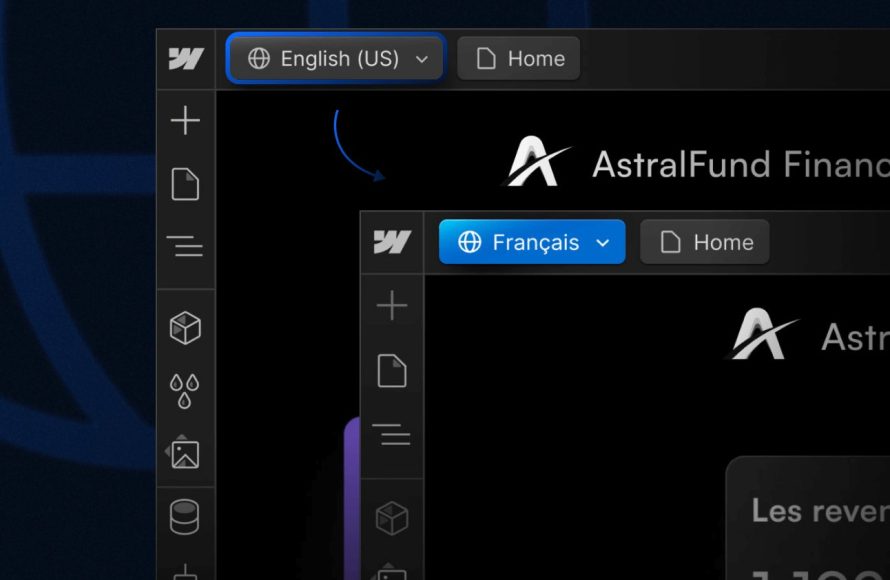
Proper Roblox localization best practices involve using the built-in translation tools, carefully organizing text, and thoroughly testing translations.
Ever dreamt of your Roblox game reaching a global audience? It’s exciting, right? You put your heart into creating a unique experience. Now, think about ensuring everyone can understand and enjoy that game, regardless of their native language. This is where understanding and implementing effective roblox localization best practices is essential.
It isn’t just about translating words. It involves much more than that, considering cultural nuances and presentation. It makes your game accessible and welcomes players worldwide to your creative world.

Roblox Localization Best Practices
Making your Roblox game available to players all over the world is a fantastic way to grow your audience! But to do that right, you need to think about localization. Localization simply means adapting your game for different languages and cultures. It’s more than just translating words; it’s about making the game feel natural and understandable for everyone. Let’s dive into some awesome ways to make sure your Roblox game speaks to the world.
Why Localization Matters for Your Roblox Game
Think of it like this: you wouldn’t want to play a game where you didn’t understand what’s going on, right? That’s how players feel when a game isn’t localized for their language. Proper localization opens up your game to millions of players who might not speak your language. It makes your game more inclusive, and it increases the chance that someone will fall in love with it! When players feel like a game was made for them, they are more likely to play longer, tell their friends, and even spend some Robux. Here’s why it is a smart move:
- Reaching a Global Audience: Localization lets people from other countries enjoy your game.
- Boosting Player Engagement: When players understand your game, they are more likely to play it and enjoy it.
- Increasing Revenue: More players mean more opportunities for players to buy in-game items and passes.
- Improving Player Retention: People are more likely to stick around when they feel comfortable with the game’s language and setting.
Planning Your Roblox Localization
Before you even start translating anything, it is essential to have a plan. Don’t just jump in and start changing words! Think about what needs to be localized. Here are the key things to plan:
Identifying Localizable Content
What parts of your game need translation? It’s not just the text! Here’s a detailed look:
- In-Game Text: This is the most obvious one: all the words, sentences, and phrases that appear in your game. This can be character dialogue, menu labels, item names, and tutorial text. Think about every piece of text that players will see.
- User Interface (UI): The layout and design of your menus, buttons, and other interfaces might need to change for different languages. Some languages are much longer than English, for example, and will need more space.
- Images and Graphics: Some images might contain text that needs to be translated. Other images might have cultural meanings that are different in other countries and may need to be changed.
- Audio: If your game has voice acting, music, or sound effects, you might need to record them in different languages or modify them for cultural appropriateness.
- Date and Time Formats: Be sure to use localized date and time displays so your players see formats that they understand.
- Currencies and Units: Make sure your game displays the correct money symbols or measurement units for the player’s location.
Choosing Languages
Deciding which languages to support is a big step. Here are a few things to think about:
- Your Target Audience: Where are most of your players from? What languages do they speak? Roblox analytics can give you clues.
- Market Research: What languages are spoken in countries where you’d like to see your game become popular? Look up the language preferences of your game’s genre.
- Your Budget: Translating into more languages costs more money, especially for professional translation. Start with the most common languages your players use.
- Community Feedback: What languages are your players requesting? Listen to what your fans are saying.
Setting Up Your Translation Workflow
Having a good system to handle translation will help you keep things organized and save you time and stress. Here’s how:
- Use Roblox’s Built-in Localization Tools: Roblox has its own tools that you should use when translating your game. These are very helpful for keeping things organized.
- Keep Translation Files Organized: Organize your translation files into folders by language to keep them easy to access.
- Use a Centralized Localization Table: Store all your text strings in a central table or spreadsheet. This makes it easier to update and manage translations.
- Consider Translation Management Software (TMS): A TMS can keep track of translations, help you share them, and make it easy to update the game with new translations. There are free and paid TMS options.
- Plan for Updates: Be ready to keep your translations up to date when you add new things to the game. Keep translation files updated with any new text you add.
Best Practices for Translation
Translating your game is not just about changing one word for another. It is about making sure that it feels natural and authentic in each language. Here are some tips to make sure your translation is on point:
Accurate Translation
Accuracy is the most important thing to keep in mind when translating your game. Here’s what to keep in mind:
- Use Professional Translators (if possible): While it’s easy to use online translation tools, human translators often provide more accurate and natural-sounding translations. Professional translators are familiar with cultural nuances and can capture the original meaning of the text better.
- Avoid Literal Translations: Some phrases or expressions may not translate directly between languages. Focus on conveying the meaning rather than a word-for-word translation.
- Consider Context: Words can have different meanings depending on the situation. Provide context to translators so they can make better translation choices.
- Test Translations: Before releasing your game with new translations, test them to make sure they make sense in context. Have native speakers review the translated text if possible.
Cultural Sensitivity
Different cultures have different ways of doing things. Here’s how to show respect to all players:
- Avoid Culturally Insensitive Content: Some images, symbols, or phrases can be offensive in certain cultures. Be careful to avoid these.
- Research Cultural Norms: Do research to understand the customs and traditions of the countries you are translating for.
- Consider Cultural Nuances: Consider cultural aspects in images, music, and other content. For instance, colors may have special meanings in other cultures.
- Adapt to Local Tastes: Some cultures like humor, while others prefer a serious tone. Change your translations to suit local tastes.
Consistent Style and Tone
Your game should have a consistent style and tone even when it’s in different languages.
- Maintain Consistent Terminology: Use the same translation for the same terms throughout your game. Make a glossary to keep track of terminology.
- Establish a Style Guide: Create a style guide that outlines how you want your game to sound in different languages.
- Use the Same Tone Throughout: Keep the tone consistent, whether it’s funny, serious, or playful, in all languages.
Text Expansion and Contraction
Text expansion and contraction occurs because some languages require more or less space when compared to another language. Here are some tips for dealing with that.
- Plan for Text Expansion: Some languages, like German, often require more space than English. Design your UI with this in mind. Make sure buttons and text boxes can expand.
- Don’t Rely on Hardcoded Text: Don’t fix text sizes or box sizes, which can cause problems with longer translations. Use flexible layouts.
- Use Short Phrases: Try to keep your phrases brief. This makes it easier to translate into different languages and often means your translation will make more sense.
- Consider Line Breaks: When translating your text, think about where the line breaks appear. Break lines correctly for each language.
Roblox Specific Localization Tips
Now, let’s dive into things that are specific to Roblox game development when it comes to localization.
Using Roblox’s Localization Service
Roblox provides a built-in Localization Service, which allows you to store and manage translated strings within your game. It is important that you use this!
- String Keys: Use unique keys to identify each string in your game. This makes it much easier to find and manage your translations.
- Translation Tables: Use Roblox’s translation tables to store your translated text. This allows you to manage translations for each language separately.
- Testing and Previewing: Test your game in different languages by using the Roblox preview features to make sure that translations appear correctly.
- Automated Updates: Update your translations by uploading updated files. This is a simple process when using the Roblox localization tools.
Localizing UI Elements
The visual elements of your game need to be localized correctly, too!
- Flexible Layouts: Design your UI to be flexible, allowing for text expansion or contraction. This keeps your UI looking good no matter which language is in use.
- Avoid Hardcoding Text: Don’t put text right into images. This makes it difficult to change when you need to update a translation. Put text directly into the Roblox UI elements.
- Use Localization Tools: Use Roblox tools to link text labels, buttons, and other UI elements to your translation tables. This makes it easy to change the language of your UI.
- Consider Different Writing Directions: Some languages like Arabic are written from right to left, while most languages are written left to right. Make sure your UI can handle this.
Localizing Audio
Sometimes you need to localize more than just words. When that is the case, here are some tips.
- Voice Acting: Record voice lines in different languages for important dialog or voiceovers to increase immersion.
- Music and Sound Effects: Make sure your audio is fitting for different regions. Some music styles might not fit certain cultures.
- Use Subtitles: When you have audio you should make sure that you use subtitles. Subtitles are very helpful for people who are hearing impaired, and they also allow players to better understand what’s going on.
- Test Thoroughly: Test audio on different devices to make sure it sounds right in different languages.
Localizing Images
Pay special attention to the images that you use in your game. These are not always interchangeable between countries.
- Text in Images: Remove text from images and use in-game text instead, so they can be translated.
- Cultural Symbols: Make sure images don’t include any symbols or references that are considered offensive in some places.
- Use Universal Symbols: Use symbols that are widely understood in different cultures to keep your game inclusive.
- Adapt Graphics: Change your graphics to fit with the preferences of the region that is being targeted.
Testing and Quality Assurance
After translation, it’s vital to test your game in each language. Here’s how to ensure your localization is top-notch:
- Playtesting: Have native speakers playtest the game to check for accuracy, clarity, and cultural suitability.
- Review UI: Make sure the UI elements display correctly in all languages and that nothing overlaps or is cut off.
- Verify Text Placement: Look at the way the text appears and make sure that it looks neat and correct.
- Check for Cultural Mistakes: Look for any cultural issues that could cause trouble with players.
Iterating and Updating
Localization is not a one-time thing. You’ll need to keep updating and improving your translations over time.
- Monitor Player Feedback: Pay attention to player feedback about your game’s translation.
- Update Translations Regularly: Keep your translations updated with the new content in your game.
- Use Translation Tools: If you have a large game, it might be helpful to use translation tools that allow you to automate some of the translation process.
- Keep Your Style Consistent: Make sure your translations are always using the same tone and style.
By following these best practices, you’ll make your Roblox game accessible to more players, increase engagement, and build a truly global community. It takes some extra effort, but the result is a game that feels at home for everyone, everywhere!
Can you make a living off of roblox?
Final Thoughts
Implementing effective Roblox localization best practices greatly enhances your game’s reach. Prioritize clear, concise text and use context when translating. Test your localized versions to avoid cultural issues. These steps are crucial for an inclusive user experience.
Remember, meticulous attention to details such as regional variations is necessary. By considering these points you can create content enjoyed globally. This improves player engagement and overall success in Roblox. Effective localization is crucial for any game aiming to reach worldwide audience.

