
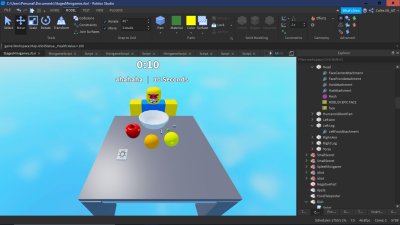
Roblox mini game design tips involve focusing on simple, engaging mechanics, providing clear goals, and ensuring short, repeatable gameplay loops.
Want to make your Roblox game a hit? Many creators find success by crafting engaging mini-games within their larger worlds. These smaller experiences often become favorites, but require careful planning. We will explore some key roblox mini game design tips to help you get started.
Building successful mini-games means keeping things easily understandable and fun. Quick sessions and repeatable actions make for good engagement. This can make players come back again and again to your Roblox game.

Roblox Mini Game Design Tips
Creating a fun mini game on Roblox is like building a super cool LEGO set – you have all these amazing pieces, and it’s your job to put them together in a way that makes people want to play again and again! But sometimes, it can be a bit tricky knowing where to start. Don’t worry; we’ve got you covered. Let’s dive into some really awesome tips to help you make your Roblox mini games totally amazing!
Brainstorming Your Game Idea
Before you even open Roblox Studio, let’s think about what kind of game you want to make. This part is super important because it’s like creating the blueprint for your whole experience. Ask yourself these questions to get those creative juices flowing:
- What kind of game do you like playing? Do you love racing, solving puzzles, or battling it out? Start with what you know and enjoy. This will make the design process more fun for you too.
- What’s the core mechanic? What will players be doing most of the time? Will they be collecting items, dodging obstacles, or competing with others? A strong core mechanic is the heart of a good game.
- Who is your audience? Are you making a game for young kids, teenagers, or adults? Knowing your audience helps you decide on the complexity and theme of your game. Think about if kids can easily understand it, or is it for older players who want a challenge?
- What makes your game unique? Think about what makes your game stand out from all the other games. What makes it special? What will players remember after they are done playing? Adding a special twist or a never seen before mechanic can really make your game a hit.
Simple Ideas Are Often the Best
Don’t feel like you need to create a super complex game right away. Sometimes, simple ideas are the most fun! Think about classic games like “Tag” or “Hide and Seek.” These games are easy to understand and can be adapted into a really fun Roblox mini game.
Planning Your Game’s Structure
Now that you have a cool idea, it’s time to plan out your game’s structure. This is where you decide how the game will actually play out. Think of this as creating a roadmap for your players.
Game Modes and Rounds
Will your game have different rounds or game modes? For example, a racing game might have a qualifying round and then a final race. Or a battle game might have a ‘capture the flag’ mode and a ‘deathmatch’ mode. Giving players variety keeps them engaged.
Setting Clear Goals
Make sure players always know what they need to do. A clear objective will keep them motivated and prevent confusion. If your goal is to collect stars, make that very obvious in the game. If you want to make a battle game, make sure it is clear for players to understand which player they need to defeat. Always provide some type of indication to guide the player.
Keeping It Short and Sweet
Mini games should be, well, mini! Try to keep your rounds short, like 5-10 minutes long. This will prevent players from getting bored and encourage them to play again.
Level Design
The game levels are the places where the game will be played. They should be interesting and fun for players to play in. Here are a few tips for making amazing game levels:
- Keep it Simple at First: Don’t make the levels super complicated. It’s better to start with simple designs and slowly add to them.
- Add Obstacles: Think of fun obstacles like moving platforms, jumps, and more. These can make levels more exciting.
- Color and Theme: Use colors and themes that fit the type of game you have made. For example, if it’s a space game, use dark colors and stars.
- Test it Out: After you make a level, try playing it yourself. See if it’s fun and if there are any parts that don’t work so well.
Using Roblox Studio
Roblox Studio is where the magic happens! It’s the tool you use to actually build your game. Here’s a simple breakdown of some key aspects:
Basic Building
Start with the basic building blocks, like parts and wedges. Experiment with the different shapes and tools. Don’t be afraid to play around and see what you can create. Some of the useful tools are Move, Rotate, and Scale. Use them to place and resize parts. These tools will be your best friends when making your game.
Adding Scripts
Scripts are the special code that makes your game interactive. You don’t need to be a super coder to start! There are many free tutorials and resources online that can teach you the basics.
- Start Simple: Begin with basic scripts like making a part disappear or move.
- Use Resources: There are tons of free scripts online that you can use in your game. Just be careful where you get them from.
- Learn as You Go: Don’t be afraid to experiment with scripting. The more you try, the more you will learn.
User Interface (UI)
The UI is how players interact with your game. It’s the buttons and menus you use. Make it clear and easy to use, so people don’t get confused. For example, a button should be clearly marked. Here are a few suggestions for UI design:
- Keep it Simple: Don’t overcrowd the screen with buttons. Make the UI simple so it doesn’t confuse players.
- Clear Labels: Use clear labels for all of the menus and buttons.
- Test the UI: Before you finish your game, have some players test the UI and give you feedback.
Adding Fun Elements
It’s time to make your game really fun! Think about how you can add a dash of excitement and keep your players entertained.
Power-Ups and Collectibles
Adding power-ups or collectibles can make your game more exciting. Think about giving players extra speed, a temporary shield, or something they can collect to earn more points. These help keep players engaged.
Sound Effects and Music
Sound makes a big difference. Add some fun sound effects for jumping, collecting, or when something special happens. Music can also make your game feel more alive and immersive. Don’t use loud or annoying sounds, that can make people want to leave.
- Match the Sound: Make sure the sounds match the actions in your game.
- Test the Volume: Make sure the sounds aren’t too loud or too quiet.
- Music: Adding appropriate music to your game will increase the immersive nature of the game.
Visual Effects
Visual effects can make your game look super awesome! Think about adding sparkles when someone wins, or making a big explosion when something gets destroyed. Small details like this make a big difference to the player experience.
Testing and Feedback
Before you share your game with the world, it’s super important to test it out and get feedback. This helps you fix any issues and make your game even better.
Playtesting Yourself
Start by playing your game yourself a lot. Look for any problems, like glitches or parts that are too hard. If you can find problems, you can fix them to make the game better.
Getting Feedback
Ask your friends or other people to play your game and give you feedback. Listen carefully to their suggestions. What parts do they love? What parts do they find confusing or boring? Their ideas can help you make your game much better.
Fixing Problems
Use the feedback to fix problems and improve your game. Don’t be afraid to make changes. The more you adjust your game, the more fun it can be.
Optimization and Performance
It’s important to make sure your game runs well, especially for players on different devices. This means that the game should not lag, or crash. It should run smoothly. Here’s how to do it:
Reducing Lag
Lag can make your game frustrating to play. To fix it:
- Keep it Simple: Don’t use too many complicated models. The more complex the model, the more resources it takes.
- Use Parts: Use simple parts instead of complex models when you can.
- Test on Multiple Devices: Test your game on different devices to make sure it works well on all of them.
Loading Times
Make sure your game loads quickly. No one wants to wait a long time before they can play. Keep your game’s size small, and use loading screens to fill that time.
Monetization (Optional)
If you want, you can add ways for players to spend Robux in your game. But always make sure the focus is on creating a good game experience first. If the game is fun, players will spend Robux because they want to support your game. If the game is not fun, players will not spend Robux, no matter how many options you give. Here are some ways to monetize your game:
Game Passes
Game passes give players special abilities or items. These can give players small advantages and make the game more fun.
Developer Products
Developer Products are items that can be bought multiple times. These could be game currency or items that can be used in the game. Don’t make any of the monetized options pay-to-win, meaning that the players that spend Robux get a huge advantage in the game. This would make the game less fun for players that are not paying.
Publishing Your Game
Once your game is ready and you are proud of it, it’s time to share it with the world! Here’s how:
Choosing a Good Name
Give your game a name that is catchy and easy to remember. Make sure that the name is related to the type of game you have made.
Creating a Thumbnail
A good thumbnail can attract a lot of players. Make sure it looks interesting and represents your game well. Make the thumbnail look cool and interesting. Don’t choose a boring thumbnail, as no one will want to play the game.
Writing a Good Description
Write a detailed description of your game. Explain how to play and why it’s fun. This can help attract players to your game.
Community Engagement
After your game is published, it’s important to stay connected with your players. Here’s how:
- Listen to Feedback: Keep listening to player feedback, even after your game is live. This can help you fix issues, add features, and improve the game.
- Respond to Comments: Take time to respond to the comments that players are giving you. When the players know that you care, they will care about your game more.
- Update Your Game: Keep adding updates and new content to your game to keep it interesting. Adding new game modes and levels will keep players interested in your game.
Designing a Roblox mini game takes time and effort, but it’s a lot of fun. By following these tips, you’ll be well on your way to creating awesome games that people will love to play! Keep experimenting, learning, and most importantly, having fun!
The Secret To Making Your Roblox Game FUN! (Game Design)
Final Thoughts
Effective roblox mini game design tips include keeping gameplay loops simple and engaging. Focus on clear objectives that players understand easily. Prioritize fast iterations, testing your mini game frequently.
Use appealing visuals and audio to create immersive experience. Incorporate player feedback to improve the design. This method ensures the mini game is fun for everyone who plays.
These roblox mini game design tips will significantly help improve your game’s appeal. Remember, playtesting and iteration are key to successful mini game creation.

