
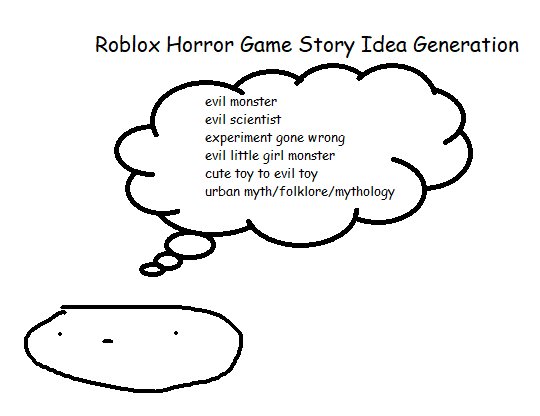
Creating engaging stories within Roblox games involves carefully planning the plot, characters, and world, which is what a successful Roblox narrative design tutorial would teach.
Want to craft stories that really pull players into your Roblox creations? A Roblox narrative design tutorial is your key to building experiences that are memorable and fun. You will learn how to integrate stories and characters that players connect with.
This guide will help you understand the fundamental elements of creating a compelling game narrative. Think about your world, how your story unfolds and the impact this has on your players’ experiences. Get ready to create captivating Roblox adventures.

Roblox Narrative Design Tutorial: Crafting Engaging Stories
Let’s dive into the exciting world of narrative design in Roblox! Creating a compelling story can truly make your game stand out from the crowd. It’s not just about building cool structures; it’s about giving players a reason to care about the world you’ve made. Think of narrative as the backbone of your game, the thing that keeps players invested and coming back for more. We’ll be exploring how to add that narrative magic to your Roblox experiences, making them unforgettable. Get ready to become a storyteller!
Understanding Narrative Basics
Before we jump into the practical stuff, let’s quickly review what makes a good story. A strong narrative typically includes several key elements:
The Core Elements
- Characters: Who are the people (or creatures!) in your game? What are their motivations? Even simple characters can add depth. Consider a friendly shopkeeper, a brave adventurer, or a mysterious villain.
- Setting: Where and when does your story take place? Is it a fantasy castle, a futuristic city, or a spooky forest? A vibrant setting makes your story more immersive. The setting is as important as the character.
- Plot: This is the sequence of events in your story. It typically involves a beginning, a middle, and an end. It also includes conflict and resolution.
- Conflict: What challenges do your characters face? It could be a puzzle, a fight, or even an internal struggle. Conflict is the engine that drives your story.
- Theme: What is the overall message or idea you want to communicate? This can be a simple as “good versus evil” or more complex like friendship or perseverance.
Planning Your Roblox Narrative
Alright, time to get practical! Planning is super important before you start building anything in Roblox. Let’s discuss how to plan your story for your game. Think of it like creating a roadmap for your players’ journey. It ensures a smooth and interesting experience for them.
Brainstorming Your Story
Start with a simple question: What kind of story do you want to tell? Here are some brainstorming ideas:
- Genre: What style of game are you aiming for? Is it adventure, mystery, horror, or sci-fi? Knowing your genre helps you narrow down your focus.
- Target Audience: Who are you making this game for? Young children, teens, or adults? It helps you decide the tone and complexity of your story. For example, a game for younger children should have a simpler story than a game for teens.
- Main Idea: What is the core concept of your game? Write it down in one or two sentences. This will guide you in planning the whole game.
For example, “Players must solve ancient puzzles to save a lost civilization.”
Creating a Story Outline
Once you have a general idea, create a basic outline of your story. This doesn’t have to be complicated. Here’s a sample structure:
- Introduction: How does the player enter the story? What is the initial setting and goal?
- Rising Action: What challenges do the players face? Introduce the key characters. What are the conflicts?
- Climax: The peak of the story, where the conflict reaches its most intense point.
- Falling Action: The aftermath of the climax, where the story begins to wind down.
- Resolution: The end of the story where the players’ actions lead to a result.
Developing Your Characters
Characters make the story come alive. Even simple non-playable characters (NPCs) can be interesting. They give life to your world. Consider the following for every character:
- Appearance: How does the character look? Consider their clothing, facial features, and any special accessories.
- Personality: What are their quirks, beliefs, and motivations? How do they react in different situations?
- Role in the Story: What part does each character play in the plot? Are they allies, enemies, or neutral bystanders?
Building Your World
The setting is like a stage for your story. It can enhance the mood and atmosphere. Here’s how you can make it engaging:
- Visual Design: Use textures, colors, and lighting to create a specific mood. A spooky place will have darker colors and shadows while a bright place may use lighter and vibrant colors.
- Environmental Storytelling: Embed clues and hints into the environment. For example, a broken signpost might hint at a dangerous path or a discarded journal can give the player some back story of that area.
- Sound Design: Add ambient sounds, music, and sound effects to enhance the feeling of your world.
Use the Roblox Studio to create all the visual elements of your world. Remember, the environment is also part of the story.
Implementing Narrative in Roblox
Okay, now that you’ve planned, let’s explore how to actually add narrative to your Roblox game using the tools available. We’ll go over ways to use dialog, items, visual storytelling and UI.
Using Dialogue to Advance the Story
Dialogue is a powerful tool for delivering your narrative. Here’s how to effectively use it in Roblox:
Dialogue Creation
Use the Roblox Studio’s built-in dialogue system to create conversations between your characters. You can do this by adding Dialogue objects to your NPCs.
- Adding Dialogue Objects: Insert a Dialogue object into the head of an NPC character or a part of a location in your game.
- Creating Prompts: Within the Dialogue object, create Dialogue Prompt objects. Each prompt is a sentence or phrase that a player will see and can select.
- Responses: Use DialogueResponse objects to define what the character will say when a player selects a specific prompt.
- Branching Conversations: You can link multiple DialogueResponse objects together to create branching conversation paths based on the player’s choice.
Writing Engaging Dialogue
Keep dialogue concise and relevant to the plot. Let each character have a unique voice and speaking style. Here are some tips:
- Show, Don’t Tell: Instead of saying “I am scared,” show it through the character’s tone or reaction.
- Use Emotions: Add emotion to dialogue to create a greater impact on players.
- Keep it Natural: Write dialogues that sound natural and not artificial.
- Avoid Large Chunks: Break long dialogues into smaller pieces. It helps players not get bored.
Using Items for Storytelling
Items can do so much more than just be tools; they can be story pieces as well. Here’s how to use them effectively:
Meaningful Items
Make sure that your items have a connection to your story. Here’s how:
- Key Items: These are items that players need to complete tasks or progress in the story. Think of a key that can unlock a door or a map that shows players the way.
- Clue Items: These can be items that have clues about the story. Examples include letters, journals, and ancient artifacts.
- Lore Items: These don’t directly advance the story but provide context and background. These items can be newspapers or pictures.
Item Descriptions
Add descriptions to items that gives a small but relevant story related to the object. Give some information regarding that object. For example, a rusty sword can mention that it was used in a legendary battle a long time ago. The item description can add a small piece of your world to the player.
Visual Storytelling Techniques
Use your environment to communicate to the player, telling more of the story.
Environment as a Storyteller
- Ruined Buildings: Old and broken structures can imply past events. They can show that the world was once more prosperous.
- Graffiti: Words or drawings on walls can add hints about past events.
- Abandoned Camps: These suggest recent activity and can imply what might have happened to the people who were there before.
- Specific Objects: Items placed in specific locations can imply a story. For example, a weapon by a gravestone can imply a battle.
Lighting and Mood
Use the lighting and color schemes to set the tone for the area. Bright lights can show a safe area while dark areas might signify danger. Always keep in mind the lighting and color when making your level. These can enhance the visual and story telling experience of a player.
Using the User Interface (UI)
The User Interface (UI) is how the player interacts with your game. Using this properly can help communicate a story to the player.
Quest Systems
Quest logs help players keep track of their current objectives. It also gives them a sense of progress.
- Clear Objectives: Make sure the quests are easy to understand. The player should know what they have to do to complete a quest.
- Rewards: Provide meaningful rewards that tie into the story. These can be items, points, or abilities.
- Story-Based Quests: Link each quest to the main plot of the story. This will help to develop the plot as the player advances through the story.
Cutscenes
Cutscenes can be an effective way of telling the story and keeping the player engaged. They can also be used to show important events.
- Animated Sequences: Use animations to show important events.
- Dialogue and Narration: Use text to show important events. You can also add narration through text boxes.
- Dramatic Camera Angles: Use the camera to enhance the mood. For example, close-up shots can show the emotions of a character.
Testing and Iteration
After you’ve created your narrative, it is important to test it! Testing is essential to ensure your story resonates with players.
Playtesting
- Feedback: Ask players to share their feedback on the story.
- Observe Player Reactions: See how the players react to your game and the story.
- Pay attention: Pay attention to which parts of the game that players enjoy the most. Also, see which parts of the game that the players do not like.
Iterate Based on Feedback
Be ready to make changes to the story based on the feedback from testing. The first version of the story is never going to be the best version. Here’s how you can improve:
- Rewrite Dialogue: If players find a character uninteresting or if the dialogue is too hard to understand, then rewrite it.
- Adjust Story Pacing: If the story feels too fast or too slow, then adjust the pacing.
- Add More Clues: If the players are struggling to understand the story, add more clues to help them.
- Revisit Your Environment: Add or change the environment based on player feedback to make it more immersive.
Remember, iterative design is a continuous process. It’s about making your game better by constantly testing and refining.
Advanced Techniques
Once you have the fundamentals down, you can move towards more complex narrative techniques.
Nonlinear Storytelling
Most of the stories follow a linear pattern, like a start, middle, and end. However, nonlinear storytelling gives players more control over their journey. Here are some ideas:
Player Choices
Allow players to make choices that affect the direction of the story.
- Branching Paths: Based on what the player chooses, the game can show different story paths.
- Consequences: Show the results of the player’s choice.
- Multiple Endings: Provide different endings that depend on the player’s choices.
Open World Exploration
Design a world that lets the players explore and find the story themselves.
- Hidden Areas: Add hidden areas that have more story related content.
- Optional Quests: Give optional side quests that help to expand the world and story.
- Collectibles: Add items that tell more of the story.
Foreshadowing and Mystery
Build suspense by dropping hints about events that are going to happen in the future. Use mystery to keep the player engaged and thinking about what will come next.
- Subtle Hints: Give clues about the future events.
- Unexplained Events: Use events that happen but don’t explain why they happened. This will keep the player wanting more.
- Red Herrings: Give players fake clues to make the story more engaging.
Using Sound to Enhance Narrative
Sound is not just for music or sound effects. It can also be used to create an atmosphere and provide more story.
- Ambient Sounds: Sounds like wind, rain, or animal noises create an atmosphere.
- Musical Cues: Use different music based on the event that is happening.
- Sound Effects: Use the right sound effects to give the player some feedback. For example, using the right sound effects while walking on different surfaces will enhance the players experience.
With these advanced techniques you can create a more engaging and unique game for the player.
Creating a captivating narrative takes time and effort, but the payoff is immense. A well-told story can make your Roblox experience truly memorable. Remember to always plan carefully, test, and be willing to make changes as you go. You have everything you need to make an awesome story, so start creating! Happy storytelling!
Creating A Story Game In Roblox! [ DEVLOG 1]
Final Thoughts
This roblox narrative design tutorial has shown you key steps. Planning the story, crafting engaging characters, and building immersive worlds are vital. These actions improve the player experience significantly.
Remember to use these techniques when creating your games. Effective narrative makes your roblox experiences memorable. The roblox narrative design tutorial is a good starting point.

