
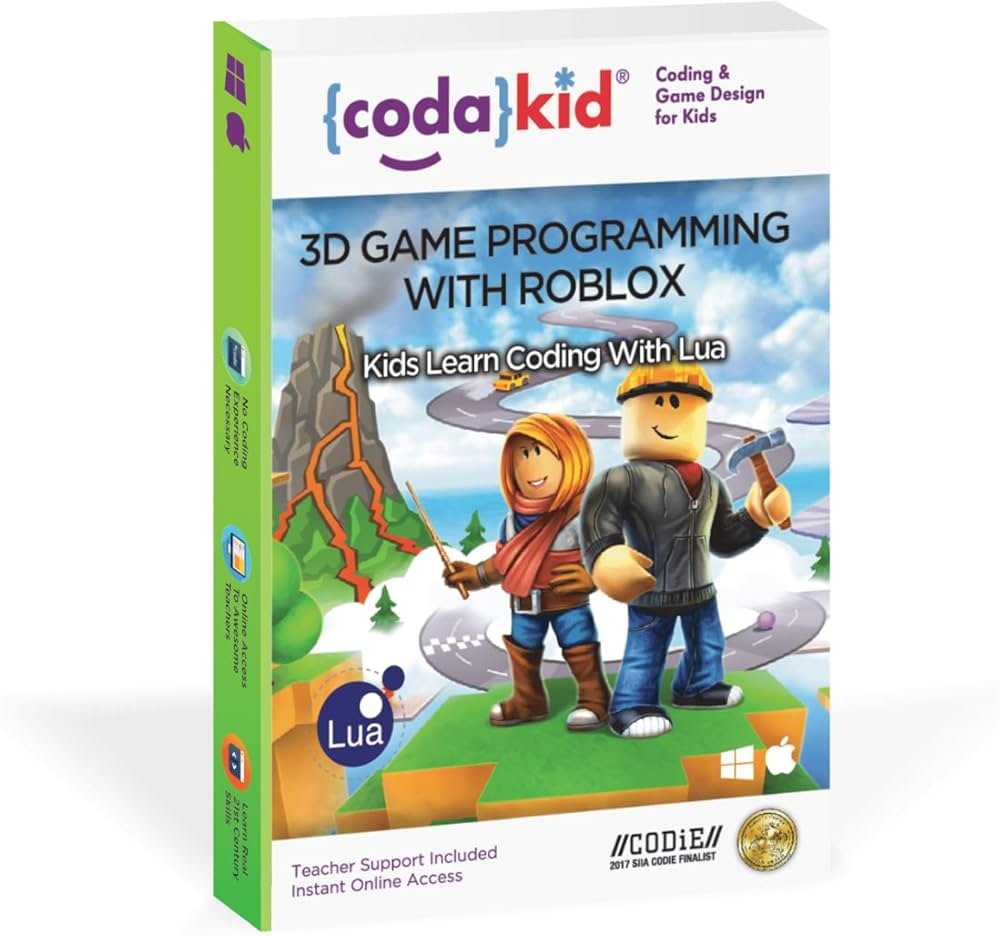
Creating Roblox PC games design involves using Roblox Studio to build environments, script game mechanics with Lua, and design user interfaces to create engaging experiences.
Want to make your own world on Roblox? It’s completely possible, and the process can be surprisingly fun! This article explores the exciting world of roblox pc games design, offering insights into how you can craft your own unique playable spaces.
Creating engaging games on Roblox often involves a mix of creativity and technical skill. You will learn about the core tools and concepts for shaping your own game in the virtual world.

Roblox PC Games Design: Building Your Own Virtual Worlds
So, you’re dreaming of making your own awesome game on Roblox for PC? That’s fantastic! Designing Roblox games isn’t just about playing; it’s about creating something totally unique and seeing other people enjoy it. It’s like being a digital architect, crafting buildings and experiences from the ground up. But where do you even start? Don’t worry, this guide will walk you through the key steps, focusing on making cool games for your computer.
Understanding the Basics of Roblox Game Creation
Before you jump into the complex stuff, let’s nail down the fundamental ideas. Think of it like learning the alphabet before writing a story. These basics help you understand how Roblox games function on your PC.
What is Roblox Studio?
Roblox Studio is the free program where you actually build your game. It’s like the toolbox for a carpenter or the sketchbook for an artist. It lets you place objects, write scripts (which is like coding!), and test your game. It’s powerful but also pretty easy to learn, especially if you take it one step at a time. You’ll need to download Roblox Studio to begin your journey.
- Free to use: You don’t need to pay anything to use Roblox Studio.
- Drag-and-drop interface: It’s designed to be user-friendly.
- Scripting capability: You can add custom features to your game.
The Building Blocks: Parts and Models
Everything you see in a Roblox game is made of “parts” or “models.” Parts are simple shapes like cubes, spheres, and cylinders. You can combine these to build nearly anything, like a house, a spaceship, or a tree! Models are groups of parts that are already put together. Think of them like pre-made LEGO sets, which can help speed things up. You’ll get to use lots of different materials, like wood, metal, glass and more, that make your builds look very different. You’ll also get to change the color and transparency of your parts.
- Parts: Basic shapes for building.
- Models: Ready-made structures and objects.
- Materials: Wood, metal, grass, etc.
Understanding the Workspace
When you open Roblox Studio, you see a big grey area called the “workspace.” This is where you build your game. It’s like the canvas for a painter or the empty lot for a builder. You’ll place parts, models, and write scripts here. Navigating in the workspace involves using your mouse (to look around and select things) and keyboard (to move around). Don’t be afraid to click around and explore!
- The Canvas: Your game is built here.
- Navigation: Moving and looking around is important.
Planning Your Game: From Idea to Reality
Before you start clicking around in Roblox Studio, it’s a great idea to plan your game. Thinking about what kind of game you want to create can really help you when you’re building. This part is like designing a blueprint before you start construction.
Brainstorming Game Concepts
What kind of game do you dream of making? Do you want to have a racing game, a building game, a role-playing game, or even a scary game? There are so many possibilities. Try writing down some of the ideas that come to mind. Don’t worry about if it’s perfect at this stage; just write down anything that you think would be fun.
- Types of Games: Racing, building, RPG, horror, etc.
- Think about players: What will they do and find fun?
- Be creative: There are no bad ideas at this point!
Defining Your Game’s Core Mechanics
The “core mechanics” are the main things players will do in your game. For example, in a racing game, the core mechanic is driving around and trying to be the first to cross the finish line. In a building game, the core mechanic is placing parts to make structures. Think about what your players are going to be spending most of their time doing. This will make your game more interesting.
- Driving: Racing games need this.
- Building: Building games focus on this.
- Fighting: Action games will have this.
Sketching Out Your Game Environment
Now that you have your idea and the core mechanics in your mind, what will your game look like? Will it take place in a colorful forest? A futuristic city? A mysterious dungeon? Create a simple sketch of your game world. Think about how players will move around and what kind of obstacles or structures they might encounter. This helps you visualize things better and makes the building process easier. You can even just draw it on a piece of paper!
- Layout: Where will the action take place?
- Obstacles: What will players have to overcome?
- Landmarks: What will players find interesting?
Building Your Game: Putting Parts Together
Now it’s time to get your hands dirty (digitally!). This is where you take your ideas and actually construct your game using the tools in Roblox Studio. It can be very exciting, but it can also take time. Remember, it’s a marathon, not a sprint. Start with the basics.
Using Basic Shapes to Create Objects
Start by placing simple parts in your workspace. You can change the shape, size, color, and material of these parts. For example, you can create a long rectangular brick and give it a cool stone material and then turn it into a wall. Or you could make lots of small round shapes and turn them into a ball. Don’t over complicate things, focus on building basic structures and getting familiar with the tools.
- Cubes: Great for walls and platforms.
- Spheres: Can make balls, planets, etc.
- Cylinders: Use them for pipes, pillars, etc.
Combining Parts to Make Models
Once you’ve created some parts, you can combine them to make models. Think about it like combining LEGO bricks to make a house instead of using just one big brick. This makes your game more complex and interesting. Select the parts you want, press the “Group” button, and now you have a model. You can move and scale the entire model as one object.
- Grouping: Select parts and group them together.
- Moving: Move all parts as one unit.
- Scaling: Adjust size of all parts at once.
Using Pre-made Models From the Toolbox
Roblox Studio has a Toolbox that is filled with pre-made models. This can save you a lot of time, especially if you’re new to designing. There are all kinds of models, from trees and houses to vehicles and characters. Just type what you want to search, like “car”, and lots of options will appear. Be careful with using too many free models. Sometimes they don’t work well, or could include things you don’t want. It’s good practice to try to make your own parts as much as possible.
- Free Models: Ready-made objects to use in your game.
- Use Wisely: Use models to speed up the development process, but make your own when you can.
Adding Interactivity: Scripting with Lua
Now that you have built your game, it’s time to add some life to it. Scripting is like giving your game a brain. It’s how you make things move, change, and respond to what players do. Roblox uses a programming language called Lua, which is easier to learn than you might think!
Introduction to Lua Scripting
Lua is a programming language that is simple enough to learn, even for young game creators. You don’t need to be a coding expert to get started. There are lots of resources and tutorials online. Scripts are basically sets of instructions that tell the computer what to do. In Roblox, you write scripts that control things like how fast a car travels, when a door opens, or what happens when a player touches an object.
- Programming Language: Lua is used for scripting in Roblox.
- Sets of Instructions: Scripts tell your game what to do.
- Online Tutorials: Easy to find to learn the language.
Basic Scripting Concepts: Variables, Functions, and Events
Let’s look at some basic scripting concepts to give you an idea of how it works. Variables are like containers that hold information, like a player’s score or how much fuel a car has. Functions are groups of instructions that do a specific task, like “make the player jump.” Events are things that happen in the game, like a player clicking a button or walking onto a special part. Combining these together is how you make things happen in your game.
- Variables: Store data in your script.
- Functions: Sets of instructions.
- Events: Things that happen in your game.
Simple Scripting Examples
Let’s look at some simple script examples. A basic script would be something to change the color of an object when a player touches it. Another might be to make a door open when a player clicks a button. These simple examples can be built on to make amazing things. You don’t have to script everything from scratch. There are lots of example scripts that you can look at to learn more.
-- Example: Changing object color on touch
local part = script.Parent -- The part the script is inside
part.Touched:Connect(function(hit)
	if hit.Parent:FindFirstChild("Humanoid") then --If the object touching it is a player
    	part.Color = Color3.fromRGB(255,0,0) -- Change the color to red
    end
end)
-- Example: Making a door open when clicked
local door = script.Parent
local button = workspace.Button

button.ClickDetector.MouseClick:Connect(function()
	door.CanCollide = false
	door:TweenPosition(door.Position + Vector3.new(0,5,0), "Out", "Linear", 1)
end)
- Change Color: Basic function to change colors.
- Open Door: Basic function to move objects.
- Use Examples: Use pre-made examples to help you.
Testing and Iterating: Refining Your Game
Once you’ve built and scripted your game, it’s time to test it! Testing is an important process, as it helps you find problems that you may not have noticed and also lets you try out your gameplay. Testing involves playing your game yourself and asking other people to try it. This is a part of designing that many people skip, but it’s extremely important!
Playing Your Game in Roblox Studio
Use the “Play” button in Roblox Studio to test your game as if you were a player. Walk around, interact with objects, and make sure everything is working as it should. Look out for any errors in the output window. If anything isn’t working, fix it and then try playing again. This way you will find the bugs and errors faster.
- Use the Play Button: Test your game in Roblox studio.
- Check for Errors: Look for the red errors in the output.
Getting Feedback From Other Players
Ask your friends or other Roblox players to try out your game. Ask them for feedback. What did they enjoy, and what could be improved? If people are having trouble, you will want to fix it to make your game more fun and easy to play. It can be hard to get feedback, but it will be extremely useful in making your game even better.
- Ask Friends: Get others to try out your game.
- Gather Feedback: What do people like, what don’t they like?
Making Improvements Based on Feedback
Use the feedback you got from the people to make your game even better. Change or fix things that weren’t working. You can also add new features or make things easier or more challenging based on the information you learned. If people are confused by something, then try making it clearer. This process is called iteration, and it’s important to repeat this as many times as needed to make your game amazing.
- Fix Issues: Based on feedback, fix the problems.
- Add New Features: Add new content to keep your game interesting.
- Iterate: Repeat the process of testing and improving.
Optimizing Your Game for PC Performance
Making sure your game works well on different computers is really important. If your game uses too many resources, it will cause the game to be slow and lag. This will not give a good player experience. So, let’s discuss how to optimize your game for computers to keep things smooth.
Reducing Lag and Improving Frame Rates
Lag is when your game is slow, and frame rate is the number of frames the game shows per second. You need your game to have a good frame rate so that it looks smooth. There are a few things you can do to reduce lag. The first is to reduce the number of parts in your game. You can combine parts into models to reduce the number of single objects. Also, only load models that you are using at the time. You don’t need to load models for areas that the players won’t be in. Use the material settings on parts to make them look interesting, but try to not overuse it as it will slow down the game.
- Combine Parts: Reduce the number of individual parts.
- Use Fewer Models: Don’t load models you aren’t using.
- Optimize Textures: Reduce the complexity of textures.
Using Level of Detail Techniques
This means making objects look less detailed when they are farther away. This is a common technique in video games to make the game run more smoothly. You can script it into your game so that models far away are made up of less polygons. This is a more advanced technique, but there are tutorials online for how to do this.
- Distance: Make models less detailed if they are far away.
- Fewer Details: Increase game performance.
Testing Your Game on Different PCs
Try to test your game on different computers to make sure it runs well for everyone. If you can, try testing on a lower-end computer, to make sure the game is playable for all of your players. If the game is running slowly, go back to the previous steps and make changes to reduce the lag.
- Multiple Computers: Check on different computer types.
- Lower-end PC: Make sure it is playable for everyone.
Creating a Roblox game for PC is a fun process that requires effort and imagination. Start with simple ideas and build up from there. The more practice you get, the better you will become! Don’t be afraid to try new things, learn from others, and above all, have fun with the process. Remember, each game you make will be better than the last. Have fun building!
The ULTIMATE Beginner Guide to Roblox Studio.. (Start BUILDING Now!)
Final Thoughts
Designing great Roblox PC games requires careful planning. Focus on engaging gameplay and intuitive controls for players. A well-structured game loop keeps users playing and coming back for more. Remember, clear objectives and interesting challenges are key.
Effective user interface design makes navigation easier. Prioritize smooth frame rates for enjoyable gameplay. Consider the visual appeal and choose appropriate art styles. Testing regularly with others will reveal areas for improvement in your roblox pc games design.
Finally, remember that iterative development helps polish your project. Always listen to feedback from the community.

