
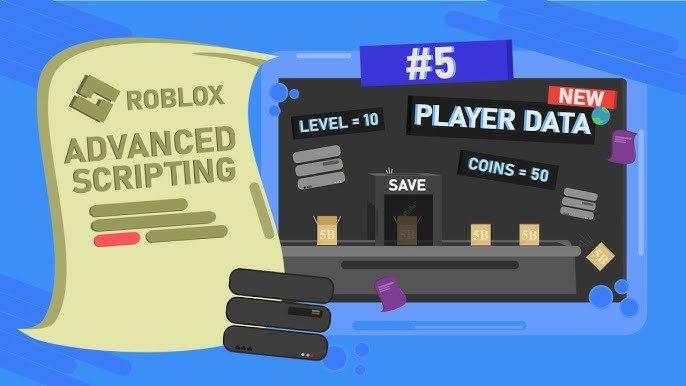
Roblox player data management involves using DataStore services to save and load player information like in-game currency, progress, and inventory across sessions.
Have you ever spent hours building an amazing character, only to lose everything when you left the game? It’s frustrating, right? That’s why understanding roblox player data management is vital for developers. Proper handling of player information ensures a smooth and enjoyable gaming experience for everyone.
DataStores are key, allowing you to persist player progress, and ensuring players can pick up where they left off. With good data practices, you can make sure their effort isn’t wasted and they will want to return to your game.

Roblox Player Data Management: Keeping Your Game’s Data Safe and Sound
Making a great Roblox game is like building a super cool LEGO castle. You need all the right pieces, and you have to keep them organized! One of the most important “pieces” in your game is the player data. This is like a secret notebook that keeps track of each player’s progress, items, and all the cool stuff they’ve done. If you don’t manage this data well, it can cause big problems for you and your players. That’s why it’s super important to learn about Roblox player data management!
Why is Player Data Management Important?
Imagine if you were playing your favorite Roblox game, and suddenly all your cool stuff disappeared! That would be really frustrating, right? That’s why managing player data is so important. It’s like having a safe place to keep all the important information for each player.
- Saving Progress: Player data lets your players keep their progress when they leave the game. This is how they can pick up right where they left off, next time they join.
- Keeping Track of Items: Think of all the awesome items your players collect in your game! Player data keeps track of what everyone has, so they don’t lose anything.
- Personalized Experiences: With player data, you can make each player’s experience unique. Maybe one player is a master builder, while another is a speed racer. Player data lets you remember those differences.
- Preventing Cheating: Good data management can help you stop players from cheating by making sure they earn items and progress fairly.
- Keeping Your Players Happy: When data is well managed, players feel safe and secure, which makes your game more fun and enjoyable!
What Kind of Data Do You Need to Save?
So, what kind of information about players are we actually talking about? Well, it depends on your game, but here are some common things you’ll want to keep safe:
- Level or Stage: What level is the player at? Have they beaten a boss or reached a specific point in your game?
- Inventory: What cool items does a player have? Are they tools, weapons, or special objects?
- Coins or Currency: How many coins, gems, or other in-game money does a player have?
- Stats: How many points of strength does a player have? How fast is their character?
- Customizations: What unique clothes, accessories, or character looks does a player have?
- Achievements: What challenges has a player completed? What rewards have they earned?
- Settings: What settings does a player prefer, such as volume or game graphics?
It’s essential to figure out all these things so that you are able to save them properly. Imagine a player who has reached level 10 with many collected items and customized clothes, and if that player data is not saved then they have to start all over again from the beginning, that will make them frustrated.
Saving Player Data: Using Roblox’s Data Stores
Roblox gives us special tools called Data Stores that help save player data. These Data Stores are like big, safe boxes where you can keep all the important player information. Here’s how they work:
Understanding Data Stores
Think of Data Stores like a giant online filing cabinet for your game. Each player gets their own special folder where their info is saved. When a player joins the game, you check their folder and load their info so that they can start where they left off. When they leave, you update their folder with all their new progress.
Data Store Functions
Here’s a breakdown of the most used functions in the Roblox data store:
- GetAsync(): This function is used to load player data from the data store. Imagine you’re opening a player’s file folder to see what’s inside. This is used when the player joins the game.
- SetAsync(): This function is used to save player data to the data store. It’s like putting all the new updates into their file folder so the data is saved. This is used when the player is leaving the game or when you want to save the data for any reason during gameplay.
- UpdateAsync(): This function is used to update an existing value in the data store. Instead of completely replacing the existing data, you just change parts of it.
Here is a simple example of how to use these functions to save data:
-- Get the DataStore service
local DataStoreService = game:GetService("DataStoreService")

-- Create a DataStore with a unique name (replace "MyGameData" with your actual DataStore name)
local playerDataStore = DataStoreService:GetDataStore("MyGameData")

-- Function to load player data
local function loadPlayerData(player)
    local userId = player.UserId
    local data = nil

    -- Use a pcall to catch any errors during loading
    local success, errorMessage = pcall(function()
    	data = playerDataStore:GetAsync(userId)
     end)

     if success then
		if data then
			-- Player data was found
			print("Data loaded:", data)
            -- Do something with the data, e.g., apply level, money, inventory etc.
           player:WaitForChild("leaderstats").Coins.Value = data.Coins or 0 -- Default to 0 coins if not set
           player:WaitForChild("leaderstats").Level.Value = data.Level or 1 -- Default to level 1 if not set
		else
			-- Player has no saved data
			print("No data found for player. Starting with default values")
            -- Initialize the player with default values.
            player:WaitForChild("leaderstats").Coins.Value = 0
           player:WaitForChild("leaderstats").Level.Value = 1
		end
    else
        -- If error, print the error message.
        warn("Error while loading data: " .. errorMessage)
        -- Consider default values or any other error handling logic
       player:WaitForChild("leaderstats").Coins.Value = 0
       player:WaitForChild("leaderstats").Level.Value = 1

    end
end

-- Function to save player data
local function savePlayerData(player)
    local userId = player.UserId
    local data = {
      Coins = player:WaitForChild("leaderstats").Coins.Value,
      Level = player:WaitForChild("leaderstats").Level.Value,
        -- Add other variables as per your needs
    }

    -- Use a pcall to catch any errors during saving
    local success, errorMessage = pcall(function()
    	playerDataStore:SetAsync(userId, data)
    end)

   if success then
        -- Data was saved successfully
        print("Data saved successfully")
    else
        -- If error, print the error message
        warn("Error while saving data: " .. errorMessage)
    end
end

-- When a player joins, load their data
game.Players.PlayerAdded:Connect(function(player)
    -- Make sure that leaderstats is created.
    local leaderstats = Instance.new("Folder")
		leaderstats.Name = "leaderstats"
		leaderstats.Parent = player

		local Coins = Instance.new("IntValue")
		Coins.Name = "Coins"
		Coins.Parent = leaderstats

        local Level = Instance.new("IntValue")
		Level.Name = "Level"
		Level.Parent = leaderstats


    loadPlayerData(player)
end)

-- Before a player leaves, save their data
game.Players.PlayerRemoving:Connect(function(player)
    savePlayerData(player)
end)

-- Optional: Auto-save every 60 seconds
while wait(60) do
    for _, player in ipairs(game.Players:GetPlayers()) do
        savePlayerData(player)
    end
end
Best Practices for Data Management
Saving player data is not just about using the functions, there are some best practices that you can use to make your game secure, fast and a user-friendly game.
Saving Data Often
Don’t wait until a player is leaving the game to save their progress. You should save the data on the regular basis so that if anything happens in the game, then the player data is not lost. Here are a few ways to save often:
- Auto-Save: Save every few minutes so progress is safe from sudden internet dropouts or unexpected crashes.
- Checkpoint Saves: Save when a player reaches a certain stage or checkpoint in your game.
- Event-Based Saves: Save when a player makes an important action in your game, like buying a rare item or achieving a level, etc.
Handling Errors
Sometimes, things go wrong with the data. You should prepare for all possible errors so that you don’t end up losing the player’s data and progress. That is why it’s important to handle errors in your code:
- Use pcall(): This function helps you “catch” errors, so if something goes wrong while saving or loading data, your game won’t crash. It will also allow you to display some error message or retry.
- Check for Errors: After trying to load or save data, make sure you check if it was successful or not. Then, you can decide what to do if there was a problem.
- Error Messages: If an error occurs, give the player a helpful message. For example, “Oops, we had a problem saving your game. Please try again later.”
Keeping Data Organized
It’s best to keep all the important data of player organized. Here are some ideas to keep your data organized:
- Use Tables: Think of player data as a table in your game. You can organize the tables into different sections, such as stats, inventory, and settings.
- Use Proper Naming: Name your variables carefully, so it’s easy to figure out what’s what. For example, use “Coins” instead of “c” to keep track of money.
- Document Your Data: Keep notes on how your data is stored, so you and other developers can remember how it works.
Data Security
When it comes to player data, safety is super important. Here are some ideas on how to keep your data secure:
- Don’t Save Passwords: Never save players’ passwords or any private information. You just need to save the data related to the game.
- Be Careful With Scripts: Don’t let any bad scripts access or change player data. Always keep your scripts in the server so it can’t be edited by hackers.
- Limit Data Access: Only let the parts of your game that need data have access to it. Don’t give any extra access.
Data Size
There are limits to how much data you can store for each player. So it’s important that you save only that data that is needed, keeping it small and efficient:
- Save only what’s needed: Avoid saving extra information that your game does not require. For example, don’t save default values of player.
- Compress your data: Think of ways to reduce data size, like using numbers or short abbreviations instead of long words to describe your data.
Common Mistakes to Avoid
Even with the best intentions, it’s easy to make some mistakes when managing player data. Here are some common mistakes to avoid:
- Not Saving Data Often Enough: If you don’t save regularly, players will lose progress if the game crashes. This can be super frustrating for your players.
- Saving Data Too Often: Saving data too often can cause issues and lag in the game. So make sure to save data according to your game needs.
- Not Handling Errors Properly: If errors aren’t handled, the game might crash, and players will lose progress.
- Overcomplicating Data Structures: Keep your data structures simple. The more complex it is, the harder it is to manage.
- Insecure Data Practices: If you don’t keep your data secure, bad guys might try to hack it and mess it up.
Tools to Help with Player Data
There are some cool tools that make handling player data easier for you. Here are some examples:
- Data Store Editor: This is a special tool that lets you check the data you’ve saved. It’s like looking inside your file cabinet to see what’s in each folder.
- Studio Tools: Roblox Studio has some tools that help you test your saving and loading to make sure everything is working.
- Community Resources: There are lots of helpful people in the Roblox community. They have created scripts and videos that can help you get better at player data management.
Future of Player Data Management
The world of Roblox is constantly growing, and so is the importance of good player data management. Here’s what the future might hold:
- More Advanced Tools: Roblox may come up with even better tools to manage player data, making it faster and easier to use.
- More Detailed Data: As games become more complex, we might need to save more detailed information.
- More Security Features: Security will always be super important. We can expect new ways to keep player data safe.
- Better Cross-Platform Saving: Saving will become easy when your game comes up on other platforms, such as smartphones or consoles.
So you have to keep learning new things to keep up with changing technology. This will help you make great and safe games.
In summary, player data management is a vital part of creating a great Roblox experience. By understanding how to save, load, and organize data using Roblox’s tools, you can ensure that your players’ progress is always safe, that their hard work is rewarded, and that your game runs smoothly. Remember to save often, handle errors, keep things organized, and always think about security. Good luck making amazing games!
Save Player Data with Roblox Datastores
Final Thoughts
Effective Roblox player data management is crucial for creating engaging experiences. Properly saving and loading player progress enhances their gameplay. Developers need strategies for handling data loss and corruption, ensuring consistent state. Thoughtful data design leads to better game performance.
Using datastore efficiently is a key skill. It avoids issues and allows scaling of games. Roblox player data management involves careful planning and coding. Successful games rely on this behind-the-scenes work.

