
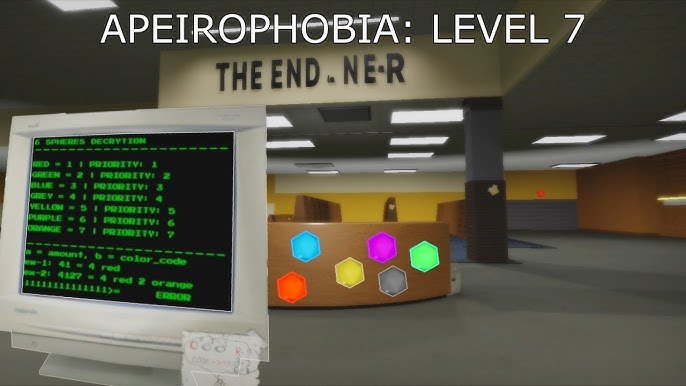
Creating a Roblox puzzle involves planning the challenge, building the game environment with necessary components, and scripting the logic for how the puzzle works, ensuring it’s both engaging and solvable.
Want to make your Roblox game more exciting? A good way is to add puzzles. This roblox puzzle design tutorial will guide you through the process, step-by-step. We’ll cover the basics of creating different types of puzzles for your players.
You will learn how to construct the environments, add interactivity, and write the code to make it all function properly. The goal is to make compelling and fun experiences. Let’s get started with the puzzle creation!

Roblox Puzzle Design Tutorial: Creating Engaging Challenges
Let’s dive into the exciting world of making puzzles in Roblox! Creating puzzles isn’t just about making things hard; it’s about making them fun and interesting. A good puzzle makes players think, explore, and feel a sense of accomplishment when they finally solve it. This tutorial will guide you through the process of designing different types of puzzles, ensuring they are both challenging and enjoyable for your players. We will explore various techniques, from basic mechanics to more intricate designs, so you can create truly captivating gameplay.
Understanding the Core Principles of Puzzle Design
Before we jump into building, let’s understand some important ideas behind puzzle design. A great puzzle isn’t just random; it has a purpose and follows certain rules that guide the player. Here are some core principles to consider:
Clarity and Logic
The best puzzles are built on clear logic. Players should understand what they need to do, even if figuring out how to do it takes some effort. If the rules are confusing or hidden, players may get frustrated. Avoid using elements that seem random or don’t follow the game’s logic, because this can lead to player frustration. Aim for puzzles where the player feels smart when they solve them, not just lucky.
Progression and Difficulty
Start with easier puzzles and gradually increase the difficulty. This allows players to learn the mechanics of your game before they face tough challenges. Think of it like leveling up: you wouldn’t want to fight the hardest boss right at the start, right? The initial puzzles should serve as tutorials, gently teaching players the necessary skills and logic for future puzzles. As players progress, you can introduce more complex mechanics or require multiple steps to solve a single puzzle. Remember, a good difficulty curve makes the entire experience more satisfying.
Feedback and Rewards
Provide clear feedback to the player. If they press a button or move an object, let them know something happened. Good feedback is essential. Maybe a door opens, or a light turns on. Also, reward players when they succeed! Rewards don’t have to be huge, they could be an opening to the next area, or an in-game collectable. A sense of accomplishment, along with a tangible reward, keeps players engaged and motivated. The feedback provides an understanding of how they are progressing and what they have achieved.
Variety and Creativity
Don’t just stick to one kind of puzzle. Mix things up! Try using different mechanics, like switches, levers, patterns, and moving platforms. This keeps the game interesting and prevents players from getting bored. Variety helps to test different problem-solving skills of players and keeps the puzzle-solving experience fresh and challenging. The goal is to offer many different types of puzzles, so that players find each puzzle to be unique. This also helps to target different preferences of players.
Types of Puzzles You Can Create
Now that we know the core principles, let’s explore different types of puzzles you can build in Roblox. Think of these as starting points. You can combine them or create your own variations!
Switch and Lever Puzzles
This is one of the simplest puzzle types. Players need to find and activate switches or levers in a specific order to open a door, move a platform, or trigger some other event. These puzzles can be made more challenging by hiding switches, using timed sequences, or requiring multiple switches to be activated simultaneously. Here’s how you can design one:
- Basic Switch: Create a button or switch. Use a script to make it change the state of a door or some other object.
- Order-Based Switches: Require players to activate switches in a certain order. Add a script that checks the sequence and activates the reward only if the sequence is correct.
- Timed Switches: Add a timer. The player must activate all switches within the specified time.
For example, you could have three hidden switches around a room. Each one needs to be pressed to make a bridge appear. This encourages players to explore their surroundings and carefully locate each switch. For a timed challenge, the players might need to press all three in 10 seconds to open a door.
Key and Lock Puzzles
These puzzles involve finding keys to open locked doors or containers. The key could be hidden in the environment, or could be obtained by solving another small puzzle. The key and lock puzzle can be made more interesting by making the keys visually distinct, making them harder to reach or having multiple keys to find. Here’s how to set one up:
- Basic Key: Use a Part in Roblox as the key, and another Part as the door, using a script to make the door open when the player has the correct key.
- Hidden Key: Hide the key in a hard-to-find spot. Think behind furniture, or on top of a high place.
- Multiple Keys: Require players to find multiple keys before they can unlock the final door.
For instance, you can hide a key behind a painting or inside a breakable box. To make the puzzle a bit harder, you can hide the box behind some other obstacle, or in an area that is not easily accessible. You could also create a puzzle where the player needs to find 3 different keys hidden in the level to open the exit door.
Pattern Puzzles
Pattern puzzles challenge players to recognize and repeat a specific sequence. This can involve colors, shapes, sounds, or even movements. The pattern can be provided directly, or it can be hidden in the environment as a visual or sound clue. Here are a few techniques:
- Color Sequence: Players must press buttons or step on tiles in a specific color sequence.
- Shape Sequence: Use different shaped objects, and the player must reproduce the sequence.
- Sound Sequence: Present a sequence of sounds. Players must repeat it using buttons or switches.
An example would be having a sequence of colored blocks that light up in order. Players then need to step on the blocks in the same order. You can also use musical notes and make the player replay that tune in order for the lock to open. Pattern puzzles really test the players’ memories and observation skills.
Pathfinding Puzzles
Pathfinding puzzles involve navigating a maze or finding a specific path through obstacles. These puzzles can be simple mazes or more complex environments with moving platforms and other hazards. The goal is for the player to figure out the best or only way to travel from one location to another. Pathfinding puzzles can be designed using:
- Simple Mazes: Use walls and hallways to create a maze. The player needs to find the exit.
- Moving Platforms: Use platforms that move in a set pattern to make a moving path, that the players have to get across.
- Invisible Paths: Hide the path and only reveal it when the players do something.
A basic example is a simple maze where the player needs to find the exit. You can make it harder by using hidden passages or by adding moving walls. Another version could involve floating platforms that the players have to jump across, they might have to figure out the order that they appear to make it across the area.
Logic Puzzles
Logic puzzles require players to use deduction and reasoning. They might involve rearranging objects, solving riddles, or using clues from the environment. These puzzles are more about brain power than dexterity or reflex. Here’s how you can incorporate logic puzzles:
- Object Arrangement: Players must arrange objects in the correct order or position to solve a puzzle.
- Riddles and Clues: Use riddles or written clues that guide the players on their path or how to solve the puzzle.
- Mathematical Puzzles: Ask the player to solve a basic mathematical equation to unlock the next area.
For instance, you can place a set of books on shelves that need to be arranged in the order that they were written. You could have a riddle displayed that leads the player to the correct key. You could use a number pad where the player needs to add up some numbers to get the correct code. The goal here is to make players think critically and use their brains to solve problems.
Implementing Your Puzzles in Roblox
Now that we have learned some puzzle ideas, let’s talk about how to actually build them in Roblox Studio.
Using Roblox Studio Tools
Roblox Studio provides all the necessary tools to build your puzzles. Here are some tools you should get familiar with:
- Parts: Use parts to create basic shapes such as blocks, spheres, and cylinders. You can use them to create walls, platforms, keys, and switches.
- Scripts: Use scripts to create actions and interactions in your puzzles, such as opening doors, triggering events, and controlling object movements.
- Constraints: Constraints can be used to create moving platforms, doors that hinge, and more complex mechanisms.
- UI (User Interface): Use UI elements to display clues, instructions, timers, or any information that may be needed for the player.
Basic Scripting Examples
Let’s look at some basic script examples that will be useful in creating puzzles.
Opening a Door with a Button
Here’s a script that makes a door open when a button is pressed:
-- Variables
local button = script.Parent
local door = game.Workspace.Door -- Replace with the actual path to your door

-- Function that opens the door
local function openDoor()
	door.Transparency = 1
	door.CanCollide = false
end

--Function when button is pressed
button.ClickDetector.MouseClick:Connect(openDoor)
Make sure to place this script under your button. Change the door variable to match your door part’s path. Make sure to add the ClickDetector under the button object, so that players can press it.
Activating an Object with a Switch
This script makes a light turn on when a switch is activated:
-- Variables
local switch = script.Parent
local light = game.Workspace.Light -- Replace with the actual path to your light

local isOn = false

-- Function that changes the light state
local function switchToggle()
	isOn = not isOn

	if isOn then
		light.BrickColor = BrickColor.new("Bright green")
	else
		light.BrickColor = BrickColor.new("Really red")
	end
end

--When the player presses the switch
switch.ClickDetector.MouseClick:Connect(switchToggle)
This script goes inside the switch. Be sure to change the “light” variable so that it targets your light part. Also, add the ClickDetector under the switch object.
Testing and Iteration
After building your puzzles, test them thoroughly. Ask other people to playtest your puzzles and get feedback. They might find issues you did not see. Based on feedback you might have to tweak the difficulty, fix problems or make changes. Never be afraid to adjust or make edits to make the game even more enjoyable.
Advanced Puzzle Techniques
Once you have built the basic puzzles, let’s explore some more advanced ideas.
Using Timers
Timers add an element of challenge. Make players think and move quickly. Timers can be used with almost any puzzle type. You can use a countdown timer, or a timer that tracks the total amount of time it takes for the player to solve a puzzle. Here’s a simple countdown timer example that you can use as a guide, this should be in a Script and not a LocalScript:
--Variables
local timer = 10
local textLabel = game.StarterGui:FindFirstChild("Timer")

--Function to update timer
local function updateTimer()
   if textLabel then
       textLabel.Text = timer
	   if timer <= 0 then
	       -- Do something here such as closing a door, triggering a trap, or penalizing player
		  print("Time's up")
	   end
   end
end

--Loop
while timer > 0 do
	wait(1)
	timer = timer - 1
	updateTimer()
end
You also need to set up a Text Label in your StarterGui and call it “Timer” or you can change the code to call the correct name.
Combining Puzzle Types
Combining puzzle types can create interesting and complex challenges. For example, a switch might be needed to make a platform move, and the player might have to use that platform to reach the key. The key might be needed to open a door that is locked. The possibilities are endless. The player will have to use all the skills and logic that they learned from solving individual puzzles.
Using Audio and Visual Cues
Use audio and visual cues to add feedback and immersion to your puzzles. Sound effects when something is activated, or visual changes when a puzzle is solved, help players understand their actions. This can make puzzle solving more engaging. You could play a musical note when the player does something correct, or you could have a light turn on or off as feedback.
Designing puzzles is a process that involves creativity, logic, and a lot of testing. Don’t be afraid to try new ideas and adjust your designs. Keep experimenting and you’ll create amazing puzzles in Roblox. The core idea is that you need to have a fun and rewarding experience for all players.
How to make a Roblox game – Puzzle Video Games
Final Thoughts
This Roblox puzzle design tutorial covered key elements, from initial concept to playtesting. We explored diverse puzzle types and scripting techniques for interactive challenges. You now possess the necessary skills to make engaging puzzle games.
Remember, iteration and feedback are crucial for creating great user experiences. Keep practicing and refining your puzzle design. Consider incorporating user input for even more unique games.

