
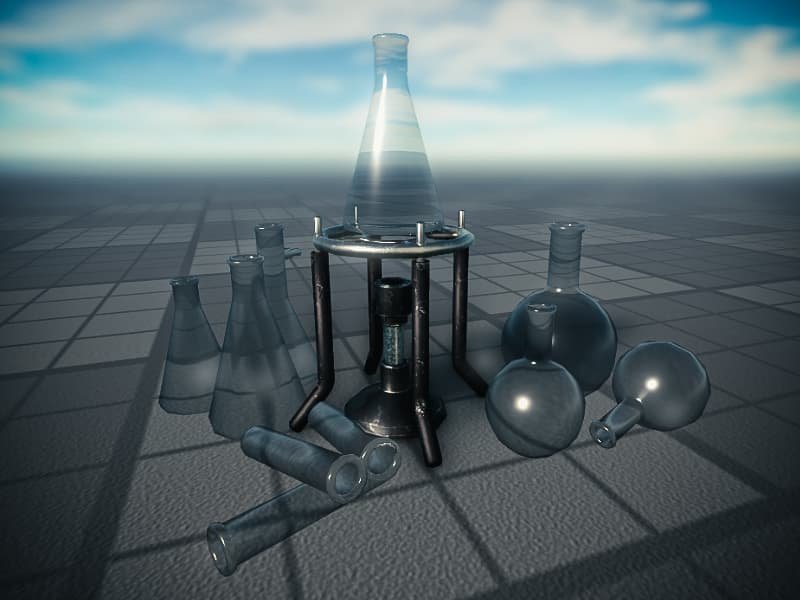
Roblox scientific modeling involves using the Roblox platform’s building and scripting tools to create simulations and visualizations of scientific concepts, allowing users to interact with and explore these ideas in a virtual environment.
Have you ever considered exploring complex scientific ideas in a fun, engaging way? Imagine building a functioning solar system or simulating the spread of a disease, all within a video game environment. That’s precisely the power of roblox scientific modeling, allowing anyone to experiment and learn through interactive creations.
It turns out, this platform is not just for play; it’s also an incredible resource for learning. Students can build models to understand things like physics principles or biological systems. This approach makes learning more hands-on and relatable, boosting comprehension and making science exciting for all.

Roblox Scientific Modeling: Building Worlds with Data
Have you ever played a game and wondered how the amazing things in it work? What about making your own game and showing how real-world stuff behaves? That’s where Roblox and scientific modeling come together! It’s like building with virtual LEGOs, but instead of just making a cool castle, you’re showing how a real volcano erupts or how a plant grows. Let’s explore this exciting field where creativity meets science.
What is Scientific Modeling?
Before we jump into Roblox, let’s talk about what scientific modeling means. Simply put, it’s a way scientists represent things in the real world using math and logic. Think of it like a miniature version of something bigger or more complicated. For example, a globe is a model of the Earth, and a toy car is a model of a real car. Scientists create models to understand how things work, predict what might happen, and even test out ideas before trying them in real life. These models can be anything from a drawing, a computer program, or even a game!
Types of Scientific Models
Models come in all shapes and sizes. Here are a few types you might encounter:
- Physical Models: These are tangible objects you can touch, like a model airplane or a plastic skeleton.
- Mathematical Models: These use equations and numbers to describe things, like how a ball flies through the air.
- Computer Models: These are programs that simulate real-world events, like weather forecasts or how diseases spread.
And guess what? Roblox lets us create computer models and even incorporate some physical aspects in a fun and interactive way!
Why Use Roblox for Scientific Modeling?
You might be asking, why Roblox? Well, Roblox is not just a game; it’s a platform where you can build anything you imagine. It gives you the tools to:
- Visualize complex ideas: It’s much easier to understand how a solar system works when you can see the planets moving around a virtual sun.
- Experiment without real-world risks: Want to test how different wing designs affect how a plane flies? No problem, do it in Roblox. No one gets hurt, and nothing breaks!
- Make learning fun: When learning is like playing a game, it’s way more engaging, and you’re more likely to understand the concepts.
- Share and collaborate: You can share your models with others and work together to explore science.
- Learn to program: Roblox uses the Lua programming language, which helps you learn coding skills while building models.
How to Get Started with Roblox Scientific Modeling
Ready to start building your scientific models in Roblox? Here’s what you need:
Setting Up Your Roblox Studio
First, you’ll need Roblox Studio. It’s a free program that lets you create your own Roblox games. You can download it from the Roblox website. It might look a little complicated at first, but don’t worry, there are many resources to help you learn.
- Download and Install Roblox Studio: Get it from the official Roblox website and install it on your computer.
- Create an Account or Log In: If you don’t have one, make a Roblox account. Log in using your account details.
- Start a New Project: Choose a ‘Baseplate’ template when starting to create a new game. This will give you a flat space to build on.
Basic Building and Scripting
After setting up the studio, you can start building. Here’s how you can build and add some basic functionality to it:
- Use the Toolbox: The Toolbox is where you can find pre-made models (like trees, houses, or even simple parts) and scripts.
- Insert Parts: Add basic shapes like blocks, spheres, and cylinders to create the basic structure of your model.
- Use the Move, Scale and Rotate tools: You can change size, location, and the direction in which a part is facing using these tools.
- Add Scripts: Scripts are how you make your parts move, change, and interact. You will write these in the Lua Programming language.
Don’t worry if you are new to scripting, Roblox has very easy tutorials and learning resources, such as the Roblox DevHub, which can help you get started.
Examples of Roblox Scientific Modeling Projects
The possibilities are endless when it comes to scientific modeling in Roblox. Here are some exciting ideas to get you inspired:
Creating a Water Cycle Model
Visualize the water cycle by showing how water evaporates, forms clouds, and falls back as rain. You can use parts to represent bodies of water, and scripts to simulate evaporation and precipitation. You could even add animated clouds and rain! This model helps understand how the water on our planet moves in a constant cycle.
- Bodies of Water: Create blue parts to represent lakes, oceans, and rivers.
- Evaporation: Use scripts to make water disappear and turn into vapor.
- Condensation: Create cloud models using parts and make them move across the sky.
- Precipitation: Use small blue parts to simulate rain falling from the clouds.
Simulating a Simple Ecosystem
Show how plants and animals interact in a simple ecosystem. You can have plants growing and animals consuming them. This could illustrate concepts like food chains and interdependence in nature. You could build trees, grass and animals, which then start to have their own lifecycle due to code that you wrote.
- Plants: Make green parts represent plants.
- Animals: Include various animal models that interact with the plants.
- Food chain: Script the animals to eat the plants and each other.
- Growth: Make plants grow with time or based on conditions.
Building a Solar System Model
Construct a model of the solar system, showing how planets orbit the sun. This could explain gravity, planetary motion, and the scale of the cosmos. Students can witness how our planets revolve around the sun.
- The Sun: Use a large, glowing sphere for the sun.
- Planets: Create different-sized spheres for the planets, each moving in its own orbit.
- Orbits: Use scripts to make the planets move around the sun correctly.
- Scale: Show how far each planet is from the sun with the correct scale.
Demonstrating Newton’s Laws of Motion
Use Roblox to illustrate Newton’s Laws of Motion. You can show how objects move with different forces applied to them, helping understand how motion, inertia, and acceleration work. These forces can even be the force of gravity.
- Objects: Use parts like boxes or spheres as the objects.
- Forces: Write scripts to apply pushes or pulls to the objects.
- Motion: See how objects react to the applied forces.
- Acceleration: Illustrate how greater force causes faster changes in speed.
Modeling Disease Spread
Visualize how a disease can spread through a population. You can create characters and have them move around, with some of them carrying the disease. This can make it easier to comprehend how epidemics develop.
- Characters: Add characters to represent people in the population.
- Disease: Add script to make the disease spread when people come in contact.
- Spread: See how the infection spreads throughout the population with time.
- Factors: Include factors such as the rate of infection and immunity.
Tips for Creating Effective Scientific Models
Creating a great scientific model in Roblox takes time and effort. Here are some tips to make the experience successful and fun:
- Keep it Simple: Start with a very basic model and gradually make it more complex.
- Use Realistic Physics: Make use of the Roblox physics engine to ensure things move and interact the way you expect.
- Test Thoroughly: Test your models often to make sure they’re working as expected.
- Don’t be afraid to ask for help: There are tons of resources online and in the Roblox community.
- Focus on Learning: The goal is to understand the science, not just build a cool game.
The Benefits of Roblox Scientific Modeling
Using Roblox for scientific modeling is more than just fun; it’s a fantastic way to learn and grow. Here are some great advantages:
Improved Understanding of Scientific Concepts
When you build models yourself, you understand the science on a deeper level. This can solidify the concepts and make them more memorable. The active learning nature of this practice allows you to grasp complicated ideas more quickly.
Develops Problem-Solving Skills
Building scientific models often involves troubleshooting problems and figuring out what went wrong. These are important problem-solving skills that are valuable in any field.
Boosts Creativity and Imagination
You need to use your creativity to find unique ways to represent real-world situations. This encourages creative thinking, which is important for scientific innovation and development. Also, the creative freedom of the platform allows you to develop very interesting designs.
Enhances Programming Skills
Learning to code in Lua to create models provides valuable programming knowledge which is very essential for modern jobs and in many fields of expertise. You also have the opportunity to practice in a real and engaging project.
Encourages Collaboration
You can work with others on your projects and learn how to collaborate effectively. This helps build teamwork and communication skills.
Makes Learning Fun and Engaging
Learning in a fun way is much easier! Using Roblox as a tool transforms learning into an engaging and enjoyable activity that keeps you interested and involved.
Roblox scientific modeling provides a fantastic opportunity to merge gaming and learning. Whether you are interested in physics, biology, or any other science, this platform provides the tools to make science come to life. Start building, start exploring, and most importantly, start learning! Remember that every big scientist started somewhere, so the best thing to do is to begin and see what amazing models you can make!
Best physics games #roblox
Final Thoughts
In conclusion, we’ve seen how Roblox offers accessible tools for creating scientific simulations. Players can build models to visualize complex concepts. This approach makes learning engaging and interactive.
Roblox scientific modeling empowers users to experiment with different parameters. They directly observe how changes impact the system behavior. This hands-on approach provides valuable learning experiences.
These virtual environments foster curiosity and experimentation. It simplifies complicated topics through direct interaction. Roblox provides an innovative path for scientific education.

