
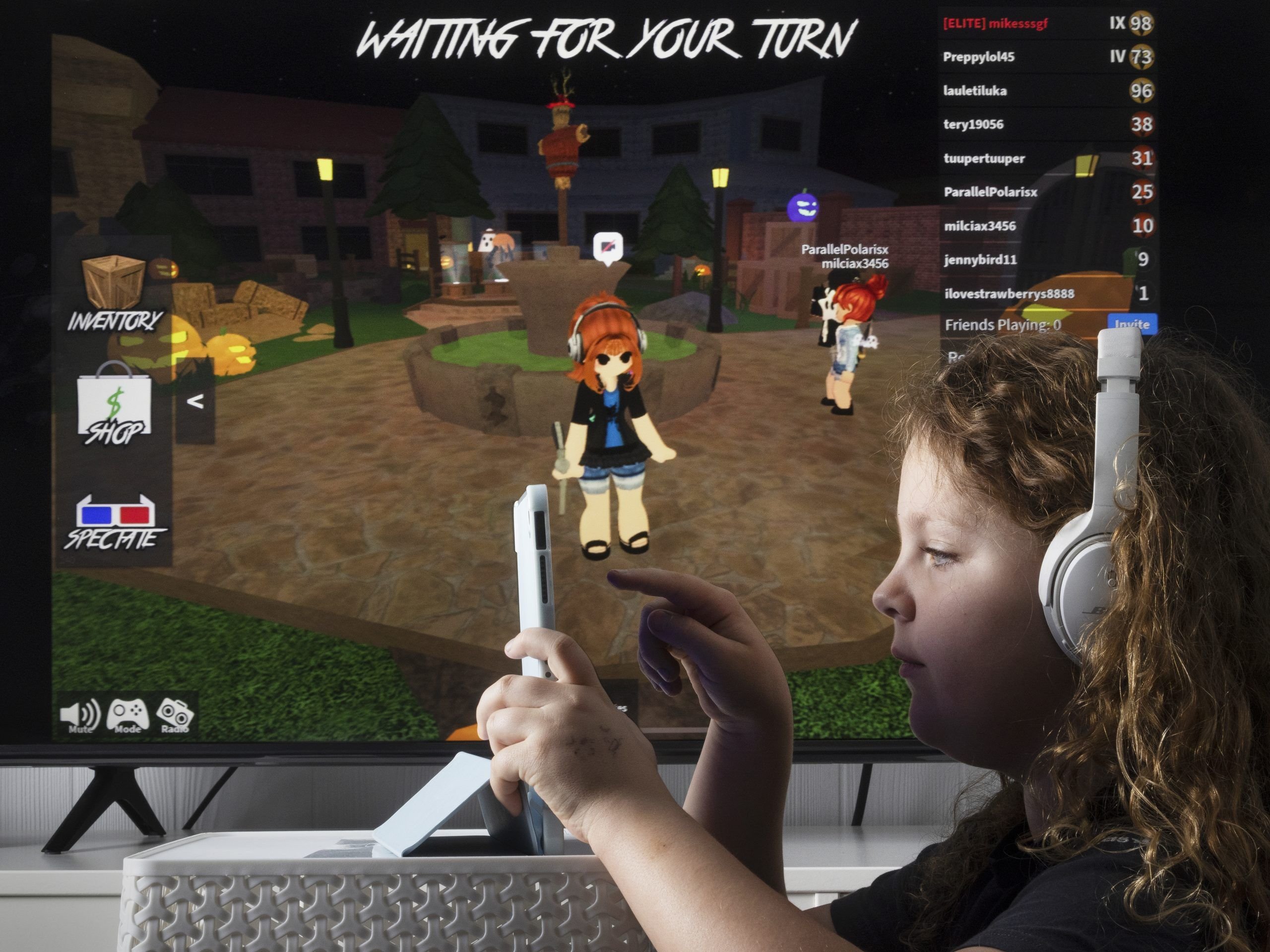
Roblox supervisory technology empowers parents and guardians with tools to monitor and manage their children’s experiences on the platform, ensuring a safer gaming environment.
Navigating the world of online gaming can be tricky, especially with platforms like Roblox that are incredibly popular among young children. Parents often wonder how they can keep their kids safe while still letting them enjoy this creative space. The good news is that Roblox offers various tools and settings designed specifically for parental control.
These settings, collectively known as roblox supervisory technology, allow you to limit communication options, restrict access to specific games, and manage in-game purchases. By utilizing these features, families can work towards a more positive and secure Roblox experience.

Roblox Supervisory Technology: Keeping Kids Safe and Having Fun
Roblox is an amazing place where kids can build, play, and connect with others. But like any online space, it’s important to have tools and features that help keep everyone safe and have good experiences. That’s where Roblox supervisory technology comes in! Let’s dive in and learn all about these helpful tools and how they work.
Understanding Roblox Parental Controls
Think of parental controls as the set of rules parents can put in place for their kids when they use Roblox. These controls aren’t about stopping the fun; they’re about creating a safe and age-appropriate space for kids to explore and enjoy. They help parents manage what their children can see, who they can talk to, and what experiences they can access on the platform. These controls are easy to find and adjust, right within the settings of the Roblox account. So, whether your child is new to the game or has been playing for a while, you can always adjust these settings as needed.
Account Restrictions
One of the main ways parents can guide their children’s Roblox experience is through account restrictions. These restrictions give parents the ability to determine the type of interactions their child has on the platform. Here are a few examples:
- Chat Restrictions: Parents can limit who can chat with their child within the game. They can restrict it to just friends, to friends and followers, or to nobody at all, which allows the children to play in their world without the interaction from other gamers. This keeps kids from talking to strangers and helps protect their private information.
- Game Play Restrictions: Parents can also control what kinds of games their children can play. If there are games that are not suitable for younger ages, this option allows parents to avoid any unpleasant experience. This way, kids can enjoy games that are appropriate for their age and maturity level.
- Account Information Visibility: Parents can also control who can see their children’s account information, like their username, friends list, and inventory. Parents can choose to share this with all Roblox users, with only friends, or with no one.
How to Set Up Account Restrictions:
Setting up these restrictions is easy and can be done from the parents account:
- Log in to the parent’s Roblox account using your email and password.
- Navigate to the settings menu. (Usually, it’s the gear icon)
- Click on “Parental Control”.
- Click to turn on the toggle for the desired restrictions that you want.
- Save changes.
Age Verification on Roblox
Roblox uses age verification to help ensure that every user on the platform is receiving an experience appropriate to their age. This important process lets the platform provide the correct settings and recommendations. It is an essential part of building a safe and enjoyable place for everyone.
Why Age Verification Matters
Verifying age is important for a few reasons:
- Content Appropriateness: Age verification helps Roblox to show the right kind of content to different age groups. This is very important, especially because some games are designed for older children, and they might contain material that isn’t right for younger kids.
- Chat Features: Depending on age, children might have different limitations on chat features. Age verification helps Roblox make sure that kids are having conversations with other users that are appropriate for their age and maturity.
- Customized Experiences: Age verification allows Roblox to provide each individual child with a unique experience. This includes recommending games they would find interesting based on their age group.
How Age Verification Works
When a user signs up for Roblox, they are asked to enter their date of birth. This date is used by Roblox to provide the right experience for them. For accounts that are considered younger, extra layers of parental controls are often automatically applied. If the user’s stated age is not matching with the Roblox data, or the user changes the age in the setting, they will be asked to verify the age by a valid government ID.
Tips for Parents
- Be Accurate: Encourage your child to use an accurate birthday when creating their Roblox account.
- Review Settings: Always check and review your child’s Roblox account settings to make sure the age is correct.
- Use Parental Controls: Even with age verification, you can still use parental controls to further guide your child’s experience on the platform.
Communication Management on Roblox
Communication is a big part of the Roblox experience. Kids like to chat, work together, and make new friends. However, it is really important to make sure this communication is happening in a safe way. Let’s explore the different ways that Roblox lets you handle communication.
Chat Filtering
Roblox has a very smart filtering system that is in place to protect its users from inappropriate language. This filter automatically blocks bad language, curse words, and anything else that is not acceptable in the chat. This system is continuously being updated to make sure it keeps up with new language and slang.
Here’s how the chat filter helps:
- Reduces Exposure to Bad Language: The filter works really hard to make sure that kids are not exposed to rude and inappropriate words while playing Roblox.
- Encourages Respectful Interaction: When bad language is removed, it helps make the environment more respectful and kind for everyone.
- Peace of Mind: Parents can feel better knowing that Roblox is actively working to filter out harmful content from the chat.
Privacy Settings for Chat
In addition to the filter, parents can take control of communication through privacy settings. This setting gives them more say over who their child can talk to within Roblox.
- Limiting Chat Contacts: In the settings, parents can select whether their child can chat with:
- Everyone: Chat is open to any player on Roblox.
- Friends: Chat is limited only to friends that are on their account.
- Nobody: Chat feature is completely disabled.
- Turning Off Voice Chat: If you’re concerned about your child using voice chat, you can switch off this feature completely.
Tips for Safe Communication
- Teach About Online Safety: Tell your child about the importance of not sharing any personal information and being careful about what they say to others.
- Review Privacy Settings: Make sure you regularly check the privacy settings, and adjust them as needed.
- Encourage Open Communication: Talk to your child about their experiences on Roblox. If something bothers them, encourage them to come to you and let you know.
Reporting and Moderation on Roblox
Even with all the controls and tools, sometimes things happen that are not ok. That’s why Roblox also has great reporting and moderation systems in place that help keep everything safe. Let’s take a look at how these tools work to make sure that the Roblox experience stays fun and respectful for everyone.
How the Reporting System Works
Roblox provides an easy way for users to report any inappropriate behavior they may encounter. Here is what happens when a player makes a report:
- Easy Access: Users can find a report button in multiple places within the Roblox platform, such as the chat window and game settings.
- Simple Form: When reporting, users can select the type of problem they are reporting, such as bad language, bullying, or inappropriate behavior.
- Detailed Information: Users can also write more about the situation to help the moderators understand what happened.
Moderation Process
Once a report is made, the Roblox moderation team steps in to handle the issue. Here is how the moderation team handles the reports:
- 24/7 Monitoring: Roblox has a special team of people who work around the clock to check the reports they receive.
- Investigating Reports: The moderation team looks over each report very carefully to understand the issue.
- Taking Action: When an account is found to violate Roblox’s rules, the moderator will take necessary actions such as:
- Issuing warnings
- Temporary suspensions
- Permanent bans
What You Can Do
- Teach Your Kids How to Report: Help your children understand how to report any issues they may come across. Explain that reporting helps keep the whole community safe.
- Encourage Them To Speak Up: Make sure your kids know that it’s ok to report anything that makes them feel uncomfortable.
- Review Reporting History: Periodically check the reports that have been made on your child’s account and discuss them with them.
Roblox Safety Resources for Parents
Roblox understands that parents want to feel secure while their children play games online. They also make lots of helpful information and support available for parents. Let’s take a look at these great resources.
Official Roblox Support and Help Pages
Roblox has an online help center that is filled with helpful articles, and guides to assist parents navigate Roblox with their children.
- Parent Guides: This offers detailed explanations of safety features, as well as tips for keeping children safe when playing online games.
- Troubleshooting: Parents can find answers to common questions they may have about parental controls and safety settings.
- Safety Articles: There is a large library of informative articles on all sorts of safety topics. For example, you can find information on internet safety, responsible gaming, and how to report problems.
Roblox Community Guidelines
Roblox has set of rules that everyone has to follow. These guidelines are made to keep Roblox a safe and friendly space for all the users. These rules are designed to ensure a fun, respectful, and welcoming place to play games.
- Respect for Others: The guidelines require that all users are kind and respectful towards one another. This makes a positive gaming experience.
- No Bullying or Harassment: Bullying and harassment are absolutely not allowed on the platform. Roblox takes these things very seriously, and any such actions can result in serious consequences.
- Age Appropriate Content: The guidelines also make sure that content posted on Roblox is right for the users playing on the platform.
Engaging with the Community
Parents can also engage with other parents and the Roblox team to learn more and stay up to date with new features and safety updates.
- Forums and Community Groups: Parents can join forums and groups to talk to other parents. This can be a good source of information to learn about others’ experiences and get helpful advice.
- Social Media: You can follow Roblox on social media to stay in the loop about the latest safety tips and updates.
Keeping the Conversation Going
Using Roblox supervisory technology is a great first step, but having open and regular talks with your kids about online safety is essential. Here are some tips to help you have those conversations:
- Regularly Check-in: Make it a habit to regularly check in with your kids about their online activities. Ask them what they’re playing, who they’re playing with, and how they are feeling about their interactions online.
- Open Dialogue: Create a safe place where they can freely talk about any challenges or concerns that they may be facing online without feeling like they are going to get punished for telling you the truth.
- Teach Them to Be Smart Online: Talk about the importance of keeping their personal information private. Explain that they should not share their name, address, or phone number with anyone they meet online.
- Help Them Spot Unsafe Situations: Teach kids how to spot bad situations, like people asking them for personal information or making them feel uncomfortable.
- Use Real-Life Examples: Connect internet safety tips to things that happen in real life. If they know about being careful around strangers offline, you can talk about how this is also important online.
Roblox supervisory technology is a very important part of making sure that children have a safe and fun place to play online. By using these tools and having good open talks with your children, you can help them enjoy the many benefits of Roblox while keeping them secure. Remember, this is a team effort. By using all of the great tools available and maintaining an open line of communication, you can help your kids get the most out of their Roblox experience.
My School's iPad Got Hacked – Here's What I Learned
Final Thoughts
Implementing Roblox supervisory technology effectively empowers parents and guardians. They gain necessary controls for a safe gaming experience. These tools help monitor activity, set spending limits, and manage communication.
Utilizing these features greatly benefits younger users. This ensures they play safely within defined boundaries. Roblox supervisory technology provides an important layer of protection for children.

